
Buying a game that turns out to be broken, unplayable on your setup, or just not what you expected is frustrating. The good news is that most modern stores have refund policies, and knowing the rules ahead of time saves a lot of grief. This guide walks through how a game refund singapore players can request actually works, what usually qualifies, and how to improve your chances.
Why Refund Rules Exist
Unlike a boxed game from years ago, most purchases today are digital, and you cannot simply return a download the way you return a physical disc. To balance this, the major storefronts introduced refund policies with clear conditions, usually a time window and a limit on how much you have played. The idea is to let you try a game briefly and back out if it does not run or does not suit you, while preventing people from finishing a game and refunding it for free.
Because each store sets its own terms, the single most useful habit is to read the refund policy of wherever you bought the game before you buy. The rules differ, and they can change.
Common Refund Conditions
While the exact numbers vary by platform, most digital storefronts share a similar shape.
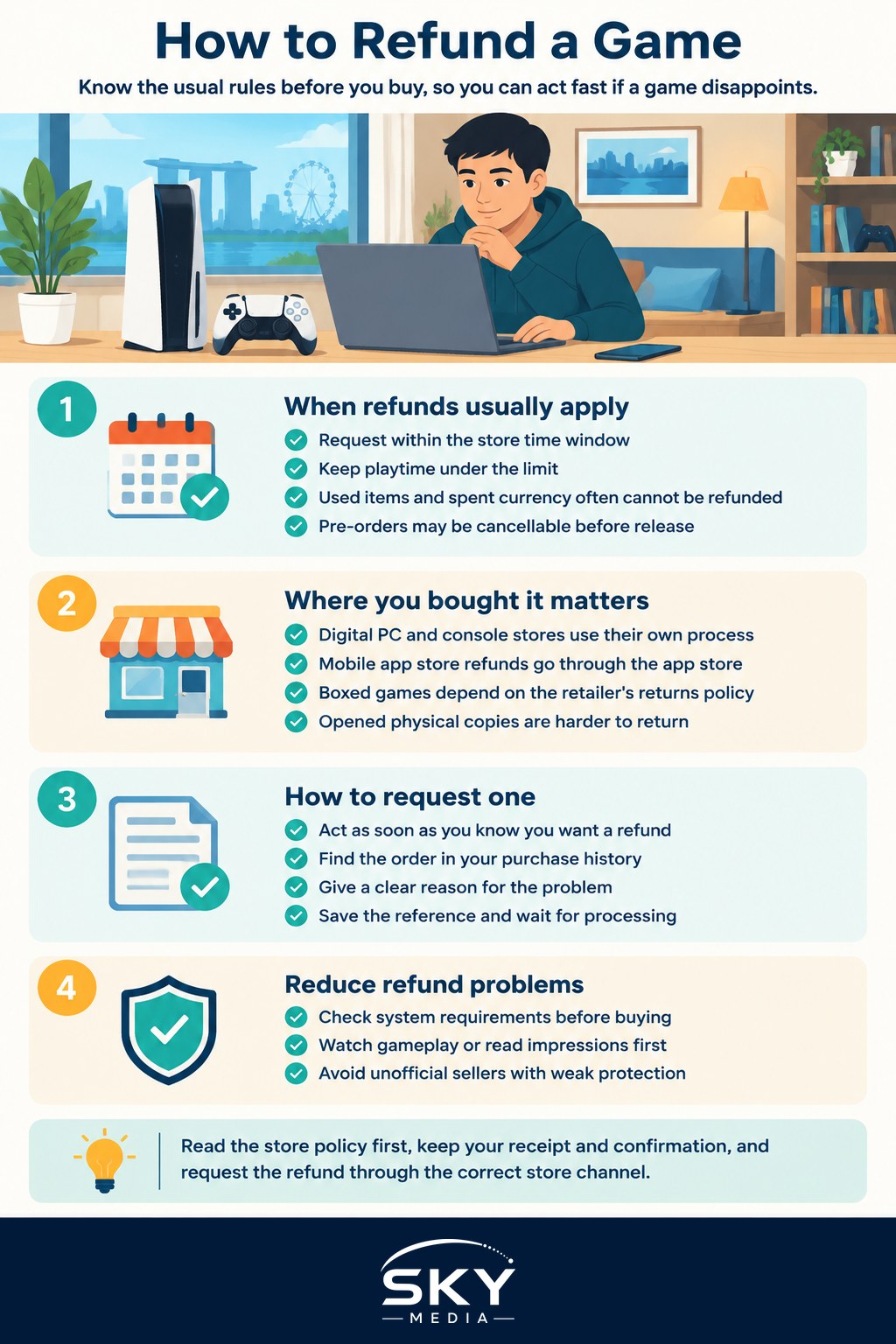
- A time window. You typically need to request the refund within a set number of days of purchase.
- A playtime limit. Many stores only refund if you have played under a certain amount of total time. Once you pass it, you may lose eligibility.
- Condition of the item. Consumable in-game items, currency you have already spent, and downloadable content you have used are often non-refundable.
- Pre-orders. These can usually be cancelled for a full refund up until the game releases, after which the normal rules apply.
Check the current terms on the store itself rather than relying on memory or old advice, since these details are the ones platforms adjust most often.
Where You Bought It Matters
The path to a refund depends entirely on the storefront or shop.
Digital PC and console stores
Digital platforms generally have a self-service request form or support page. You log in, find the order in your purchase history, choose the game, and submit a refund request with a reason. Approved refunds usually go back to your original payment method or, in some cases, as store credit.
Mobile app stores
Games bought through a phone’s app store are handled by that store’s own refund process, not the game developer. You request the refund through your account’s purchase history or the store’s support channels.
Physical copies from local retailers
If you bought a boxed game from a Singapore retailer, refunds fall under that shop’s returns policy and the general rules around consumer protection here. Sealed, unopened copies are far easier to return than opened ones, so keep the receipt and do not break the seal if you are unsure. For where to shop in the first place, see our guide on where to buy games in Singapore.
How to Request a Refund Step by Step
- Act quickly. Start the request as soon as you know you want out, so you stay inside the time and playtime windows.
- Find the purchase. Open your order or purchase history on the store you bought from.
- Choose the item and a reason. Be honest and specific. “Crashes on launch” or “runs poorly on my PC” is more useful than a vague complaint.
- Submit and note the reference. Keep any confirmation email or case number.
- Wait for processing. Refunds can take a few days to appear on your card or as store credit, depending on your bank and the store.
If a self-service request is declined but you have a genuine problem, such as a game that will not run at all, you can usually reply or open a support ticket to explain. Politeness and clear detail help.
Avoiding Refunds in the First Place
The best refund is the one you never need. A little research goes a long way.
- Check the system requirements against your PC or console before buying, so you know it will run.
- Watch gameplay or read impressions to see if the game is really for you.
- Wait out the launch window for titles that are reported as buggy at release. Our guide on understanding live service and early access games explains why some games improve over time.
- Buy from official stores so you are covered by a real refund policy. Cheap keys from unofficial sellers often come with no protection at all, a risk we cover in avoiding scams and in-game spending.
The Practical Takeaway
Getting a game refund in Singapore usually comes down to acting fast, staying within the store’s time and playtime limits, and requesting it through the right channel for where you bought it. Read the policy before you buy, keep your receipts and confirmations, and be honest about the reason. Do that, and a disappointing purchase becomes a minor hiccup rather than money down the drain.