

Most drivers in Singapore have a dashcam on the windscreen, and sooner or later it catches something worth reporting: a car beating a red light, a motorcyclist weaving dangerously through lanes, or a driver hogging the shoulder on the expressway. If you want to report a traffic offence with dashcam footage, the Traffic Police (TP) runs an online channel built for exactly this. This guide walks through how to prepare your clip, how to submit it, and what realistically happens after you press send.
It is general information, not legal advice. Procedures can change, so check the Singapore Police Force (SPF) website for the current process before you submit.
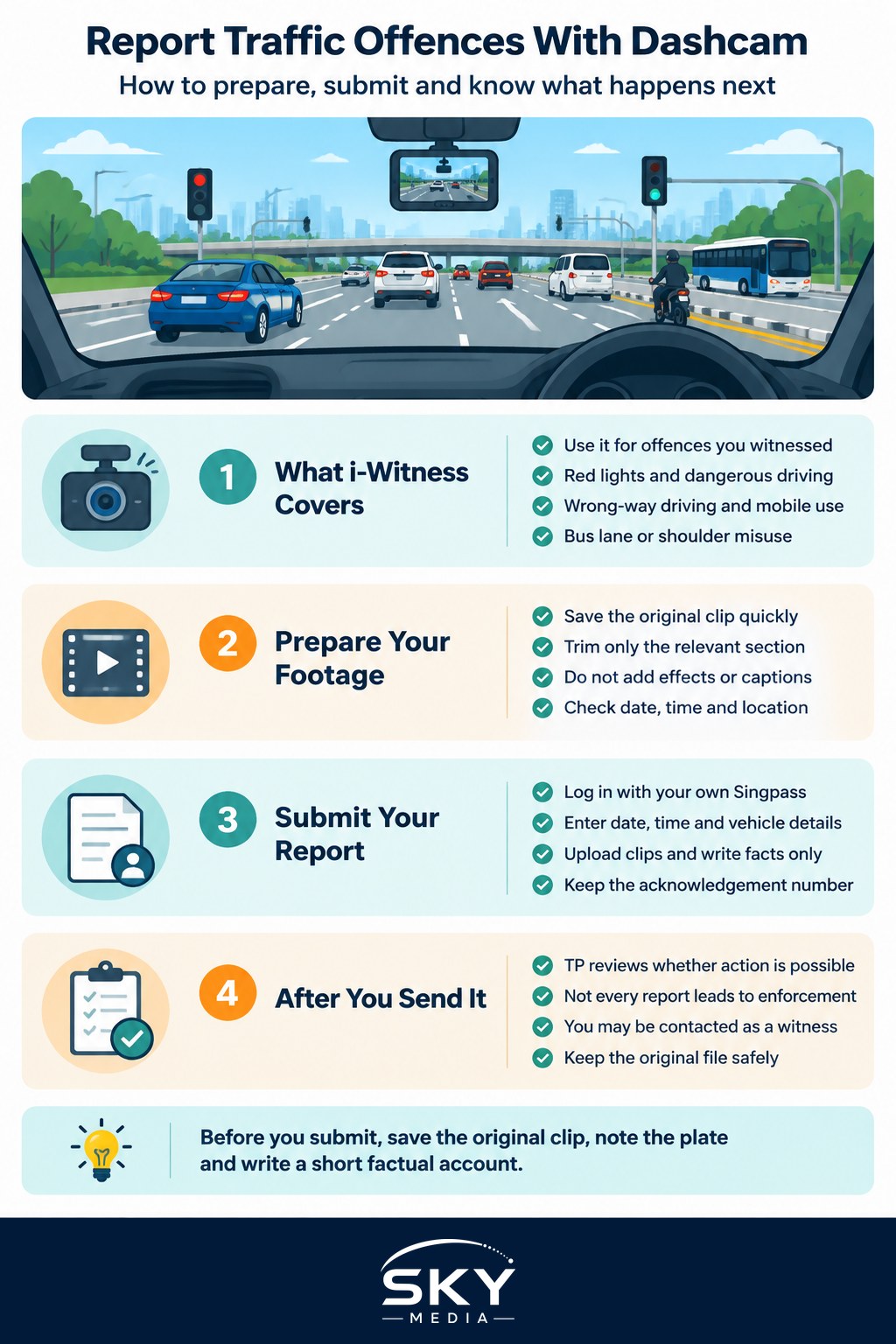
What the Traffic Police i-Witness Service Is For
i-Witness is the Traffic Police e-service that lets members of the public submit videos and photos of traffic violations they have witnessed. It is meant for offences committed by other road users, such as:
- Running a red light or ignoring a traffic signal
- Dangerous or careless driving, including sudden cutting in or reckless lane changes
- Illegal U-turns and driving against the flow of traffic
- Using a mobile phone while driving
- Riders without helmets, or motorcyclists filtering dangerously
- Vehicles driving on road shoulders or in bus lanes during restricted hours
Routine illegal parking is usually handled through a different channel; see our guide on how to report illegal parking in Singapore. And if you were directly involved in an accident, especially one with injuries, you need to file a police report and follow accident reporting rules, not just upload a clip. Our guide on how to file a police report in Singapore covers that route.
In an emergency where someone is hurt or a driver poses an immediate danger, call 999. Do not wait to upload footage later.
Preparing Your Dashcam Footage Before You Submit
A well-prepared clip saves everyone time and gives the TP something they can act on. Before you open the e-service, do the following.
Save the original file quickly. Many dashcams loop-record and overwrite older footage, so lock the clip or copy it to your phone or computer as soon as it is safe to do so.
Do not edit the content. Trimming the clip down to the relevant section is generally acceptable and helpful, but do not add filters, slow-motion, captions, music or zoom effects. Investigators want footage that reflects what actually happened. Keep the untouched original file in case you are asked for it later.
Check the date and time stamp. Make sure your dashcam’s clock is set correctly. A wrong timestamp does not automatically disqualify a report, but it creates doubt and extra questions. If the clock was off, mention this in your submission and give the correct date and time.
Make sure the key details are visible. The most useful footage clearly shows:
- The offending vehicle’s licence plate number
- The offence itself, from start to finish
- Enough of the surroundings (signals, lane markings, road signs) to show context
If your front camera missed the plate but a rear camera caught it, include both clips.
Note the location. Write down the road name, the nearest junction, landmark or expressway exit, and the direction of travel. GPS-enabled dashcams may embed this, but a written description still helps.
How to Submit Through i-Witness, Step by Step
The exact screens may change over time, but the general flow is consistent. You can usually reach i-Witness through the SPF website, and the Police@SG mobile app also offers ways to submit information to the police.
| Step | What you do | What to watch out for |
|---|---|---|
| 1. Log in | Access the i-Witness e-service and sign in, typically with Singpass | Use your own Singpass; you are the witness making the report |
| 2. Describe the incident | Fill in date, time, location and type of offence | Be precise about the road, direction and lane |
| 3. Enter vehicle details | Provide the licence plate and, if known, vehicle type and colour | Double-check the plate against the footage |
| 4. Upload footage | Attach your video clips or photos | Check the current file size and format limits on the form |
| 5. Write a short account | Explain what happened in plain, factual language | Stick to facts; avoid guessing the other driver’s intentions |
| 6. Confirm and submit | Review your details and declare they are true | Save any acknowledgement or reference number you receive |
Tips for the written account:
- Describe what you saw in sequence: “At the junction, the white van entered after the light had turned red.”
- Avoid emotional language or accusations. The footage should speak for itself.
- Mention anything the video does not show clearly, such as the traffic light colour if it is out of frame.
Submit as soon as reasonably possible after the incident. Fresh reports are easier to investigate, and you are more likely to remember details accurately.
What Happens After You Submit Your Footage
The TP reviews the evidence. Officers assess whether the footage clearly shows an offence and identifies the vehicle. Not every submission leads to action. Blurry plates, unclear signals or ambiguous manoeuvres may mean the TP cannot proceed.
Enforcement is at the TP’s discretion. If the evidence is sufficient, the TP may take enforcement action against the registered owner or driver of the vehicle. Depending on the offence, this could include a composition fine, demerit points, or in serious cases, being charged in court. Our guide to traffic offences and demerit points in Singapore explains how points accumulate and what they can lead to.
You may not hear about the outcome. You might receive an acknowledgement, and in some cases a follow-up, but you should not expect a detailed update on what action was taken against another person. This is normal.
You may be contacted as a witness. If the case goes to court, the TP may ask you for the original footage or a witness statement, and in some cases you could be asked to attend court. This is one reason to keep the original file safely stored.
Doing It Right: Honesty, Privacy and Common Mistakes
Reporting is a civic tool, not a weapon in a personal feud. A few principles keep you on the right side of the line.
- Report honestly. Submitting false or misleading information to the police is a serious offence. Only report what you genuinely witnessed.
- Do not confront the other driver. Never chase, tailgate or block a vehicle to get a better shot of its plate. That puts you at risk and may itself be an offence.
- Do not handle your phone while driving to film. Let the dashcam do its job. If you are the driver, any phone use to record is a problem in itself.
- Think before posting online. Sharing clips on social media can expose you to privacy or defamation disputes, and online shaming does not replace a proper report.
- Be prepared for scrutiny. Your own driving will be visible in the clip too. If you were speeding or tailgating at the time, that may be noticed.
When Your Footage Shows You Were Wronged
If the incident directly affected you, for example someone sideswiped your car or forced you off the lane, your dashcam footage is also valuable for insurance claims. Report to your insurer according to your policy terms and keep copies of everything. A separate i-Witness report about the other driver’s behaviour can still be made, but it does not replace accident reporting obligations or your insurer’s own process.
If you are on the receiving end of a summons and believe your own footage shows you were not at fault, the process is different. See our guide on appealing a traffic fine or summons in Singapore.
Quick Checklist Before You Hit Submit
- Original clip saved and backed up
- Plate number clearly visible and noted
- Correct date, time and location recorded
- Clip trimmed to the relevant section, with no added effects
- Factual, short written account ready
- Singpass on hand to log in
A careful report helps make roads safer for everyone.
Frequently Asked Questions
Can I report a driver using dashcam footage from several months ago? You can try, but fresh reports are easier to investigate and your memory of the details is better. Submit as soon as reasonably possible. If the clip is old, keep the untouched original file and check the SPF website for any time limits.
Should I report a minor offence, or only dangerous driving? The channel covers offences by other road users, from running a red light to dangerous lane changes. Whether to report is your call, but make sure the clip clearly shows both the offence and the plate. For immediate danger or injuries, call 999 instead of uploading later.
Will the other driver know that I reported them? The article does not suggest the report is shared with the other driver, and you should not expect updates on action taken against them. What is certain is that you may be contacted as a witness if the case goes to court, so keep the original footage safe.
What if my dashcam clock was wrong when it recorded the incident? A wrong timestamp does not automatically disqualify your report, but it can raise questions. Mention the error in your written account and give the correct date and time. Setting your dashcam clock properly beforehand avoids the problem altogether.
Can I post the dashcam clip online instead of reporting it? It is not a substitute. Sharing clips on social media can expose you to privacy or defamation disputes, and online shaming does not replace a proper report to the Traffic Police. Submit through the official channel first and think carefully before posting anything publicly.
Official sources: Singapore Police Force