

Every chat you type into an AI assistant and every public post you share could become material for training the next model. Many people are fine with that, but if you would rather keep your words out of it, you can opt out of AI training on most major platforms. The settings are often buried and named differently on each service, so this guide walks through where to look, what each switch actually does, and the limits of what opting out can achieve.
A quick note before you start: platforms redesign their menus often, and policies differ by country. The paths below describe how settings have typically been labelled. If you cannot find an option, search the platform’s help centre for “training” or “improve the model”.
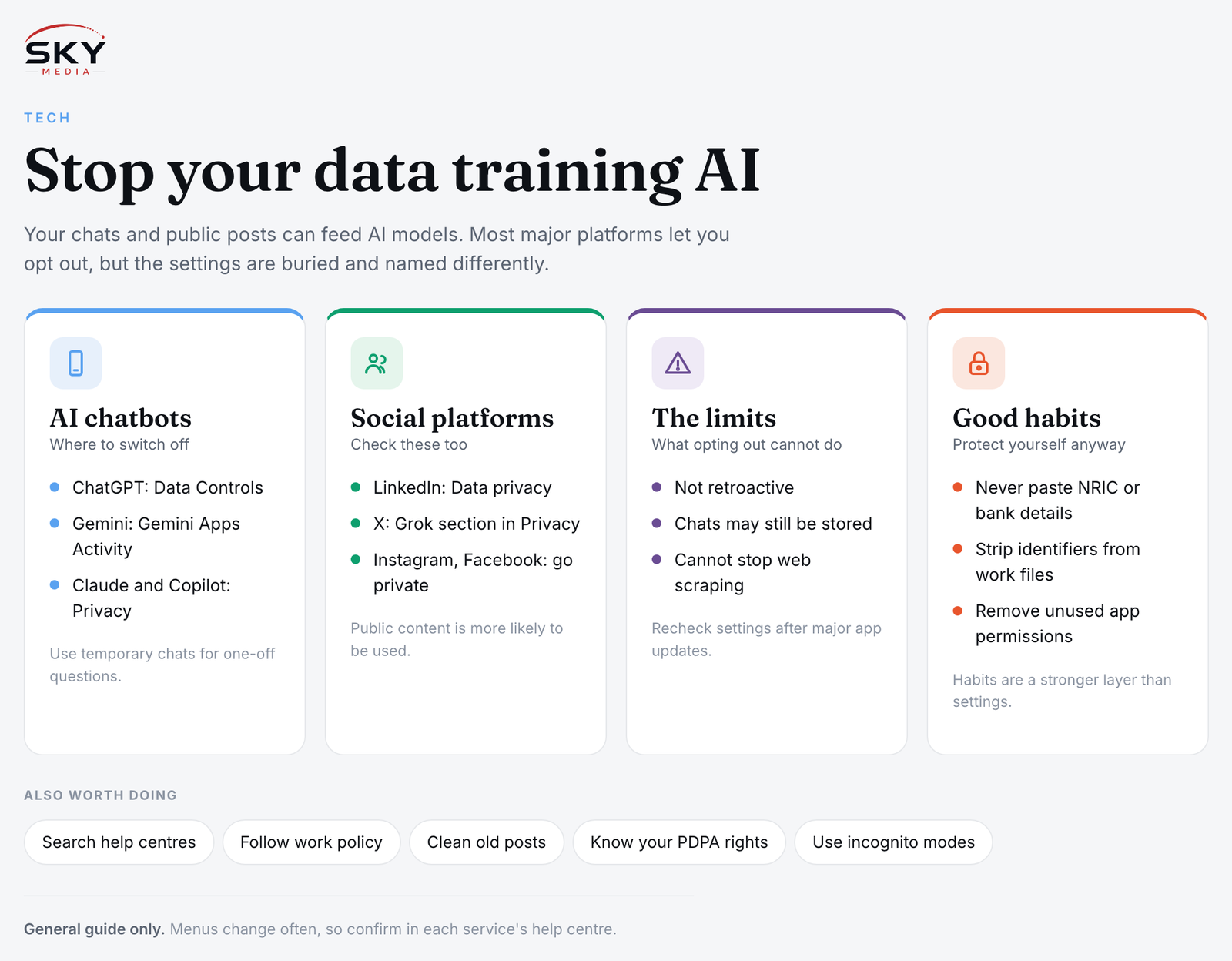
How Your Data Ends Up in AI Training
There are two broad ways your data can feed AI systems.
- What you type into AI tools: Conversations with chatbots may be reviewed and used to improve future models, depending on the service’s settings and your account type.
- What you post publicly: Social platforms may use public posts, photos and profile data to train their own AI features. Separately, content openly available on the web may be collected by AI developers.
Opt-out settings mainly help with the first category and, on some platforms, the second. They rarely affect data that has already been used. If you want the background on why models need so much data, our explainer on how AI learns from training data covers it.
Opt-Out Settings on Major AI Chatbots
ChatGPT (OpenAI)
- Open Settings, then Data Controls.
- Turn off the option along the lines of “Improve the model for everyone”.
- For one-off sensitive chats, use Temporary Chat, which is designed not to be used for training and not to appear in your history.
Gemini (Google)
- Open Gemini and go to the Activity settings for Gemini Apps.
- Turn off activity saving. Google’s help pages explain that with this off, future chats are not used to improve its models, although conversations may be kept for a short period to provide the service and for safety.
- You can also delete past activity from the same page.
Claude (Anthropic)
- Open Settings, then Privacy.
- Find the setting about helping to improve Claude and turn it off.
- Note that conversations you choose to send as feedback may be handled differently, so check the privacy page.
Microsoft Copilot
- Open your profile or Settings, then Privacy.
- Look for model training options covering text and voice, and switch them off.
Meta AI (inside WhatsApp, Instagram, Facebook and Messenger)
Meta has offered objection forms for training in some regions, and availability varies by country. Check the Privacy Centre in your Meta account. Avoid sharing personal details in chats with Meta AI, and remember that in group chats, others can invoke it.
Work and school accounts
Business and enterprise versions of these tools usually have different terms, and many state that customer data is not used for training by default. If you use AI at work, follow your employer’s policy and ask IT what applies.
Opt-Out Settings on Social and Professional Platforms
Go to Settings, then Data privacy, and look for a setting about using your data for generative AI improvement. Turn it off. This is especially worth checking because your profile, posts and messages there are often career-sensitive.
X (formerly Twitter)
Go to Settings and privacy, then Privacy and safety, and look for the section covering Grok and third-party collaborators. Untick the options allowing your posts and interactions to be used for training. Making your account protected also limits who sees your posts.
Instagram and Facebook
Beyond any objection form available in your region, the most reliable step is controlling visibility. Set your account or individual posts to private or friends only. Public content is more likely to be used.
Creative and productivity apps
Some photo, design and writing apps include content analysis or product improvement toggles. Look under privacy or data settings in each app, especially if you store client work in them.
Quick Reference: Where to Find the Setting
| Platform | Where to look | What the setting is typically called |
|---|---|---|
| ChatGPT | Settings, Data Controls | Improve the model for everyone |
| Gemini | Gemini Apps Activity | Activity saving on or off |
| Claude | Settings, Privacy | Help improve Claude |
| Microsoft Copilot | Profile, Privacy | Model training on text and voice |
| Settings, Data privacy | Data for generative AI improvement | |
| X | Privacy and safety, Grok section | Allow posts and interactions for training |
Menu names change, so treat this as a starting point and confirm in each service’s help centre.
What Opting Out Does Not Do
It is important to be realistic.
- It is not retroactive. Data already used to train a released model generally cannot be pulled back out.
- It may not stop storage. Services may still keep chats for a period for safety, abuse monitoring or legal reasons.
- It does not cover others. If a friend pastes your message into a chatbot, your settings do not apply.
- It does not control web scraping. Content already public on the open web may be collected by third parties regardless of your platform settings.
- It can be reset. New features sometimes arrive with fresh settings. Recheck after major app updates or when you receive a privacy policy notice.
Good Habits That Protect You Anyway
Settings are one layer. Your habits are the stronger one.
- Do not paste sensitive data such as NRIC numbers, bank details, medical records or passwords into any AI tool.
- Strip identifiers from work documents before asking AI to summarise them, and follow your company’s rules.
- Use temporary or incognito modes for one-off questions.
- Review connected apps. Some AI assistants can read your email, files or calendar if you grant access. Remove permissions you no longer need.
- Clean up old public posts you would not want analysed.
Your Rights in Singapore
Singapore’s Personal Data Protection Act (PDPA) governs how organisations collect, use and disclose personal data, and the Personal Data Protection Commission (PDPC) has issued advisory guidelines on using personal data in AI systems. Under the PDPA, you can generally ask an organisation about the personal data it holds about you and withdraw consent for certain uses. How this applies to a specific AI service, especially one based overseas, depends on the circumstances. For details, check the PDPC website or contact the organisation’s data protection officer. This is general information, not legal advice.
To opt out of AI training properly, spend fifteen minutes going through each app you use, then make a calendar reminder to check again in six months. Combined with careful habits about what you share, that keeps far more of your data under your own control. For a wider view of AI’s footprint, see our piece on the environmental impact of AI and data centres.
Further reading: Using Chinese AI Chatbots Like DeepSeek and Doubao in Singapore · Running AI Models on Your Own Device