

Most people meet AI through a website or an app that talks to a powerful computer somewhere far away. But there is another way to use these tools that is quietly gaining fans: running the AI on your own device, with no internet needed. For anyone in Singapore who values privacy, or who wants a chatbot that works on a plane or in a lift with no signal, local ai chatbots singapore setups are worth understanding. This guide explains what “local” and “offline” really mean, why you might want it, what you need, and where the limits are, all in plain language.
What a Local AI Chatbot Actually Is
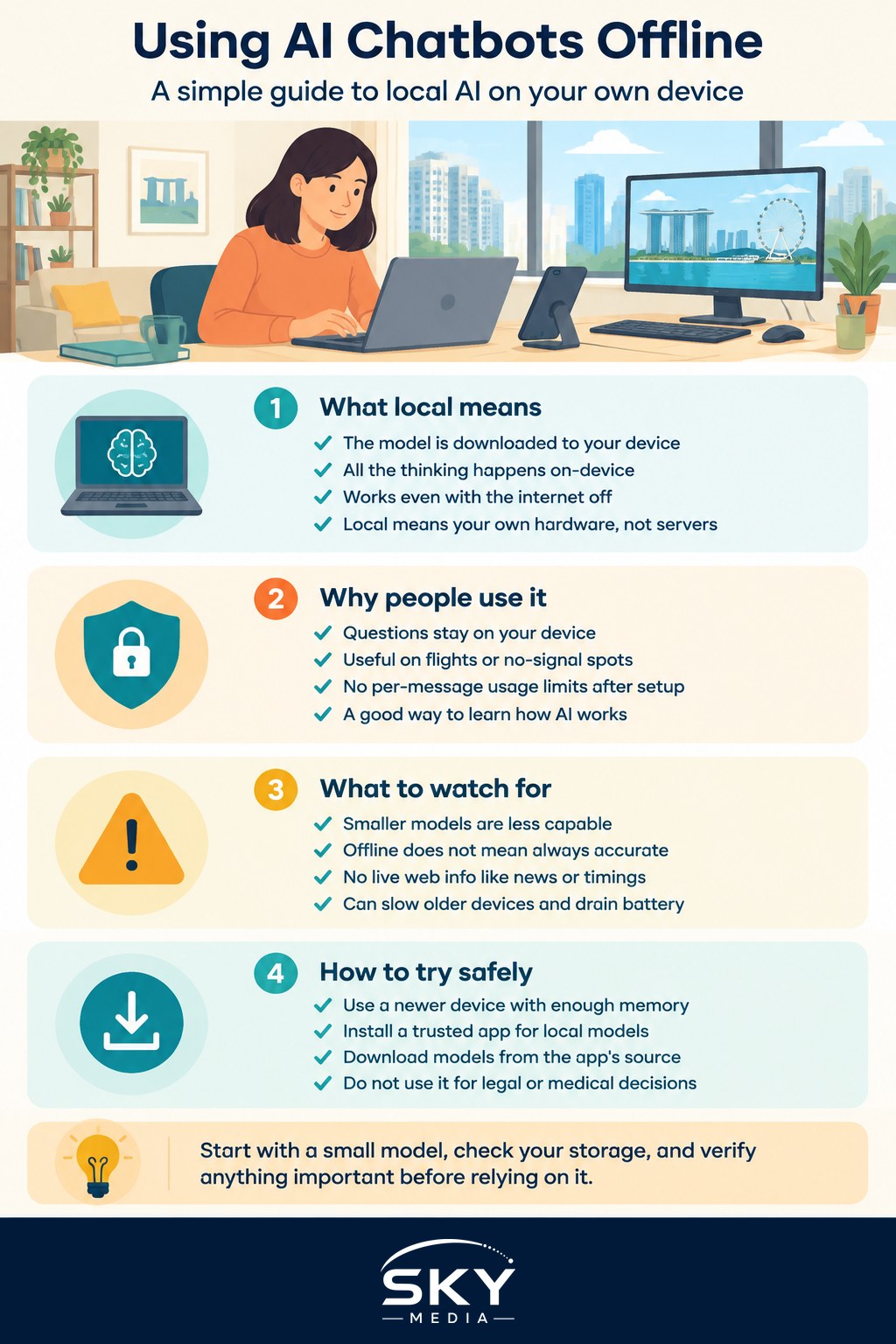
When you use a typical AI chatbot, your question travels over the internet to a company’s servers, which do the heavy thinking and send an answer back. A local AI chatbot is different: the AI model is downloaded onto your own laptop, phone or desktop, and all the thinking happens right there. Once it is installed, it can answer you with the internet switched off entirely.
The trade-off is size and power. The versions running in the cloud are enormous and run on specialised hardware. The versions that fit on a personal device are smaller and lighter, so they are less capable, but they are also private and always available. If you want the full background on this idea, our companion piece on running AI models on your own device goes deeper.
A few plain-English terms you will meet:
- Model. The AI’s “brain”, a large file you download once.
- Offline. Working with no internet connection.
- Local. Running on your own hardware rather than a company’s servers.
Why You Might Want One, and Why You Might Not
Local AI is not better or worse than cloud AI in general; it is a different set of trade-offs. It helps to be honest about both sides.
Reasons it appeals:
- Privacy. Because nothing leaves your device, your questions and any text you paste in stay with you. This is genuinely useful if you want to draft something personal without it going to a company’s servers. Our guide to AI and your privacy explains why this matters.
- Works anywhere. On a flight, in a basement carpark, or during a broadband outage, a local chatbot keeps working.
- No usage meter. Once installed, there are no per-message limits from a provider, though your device’s battery and speed are the real limits.
- Learning. Setting one up teaches you a lot about how AI actually works.
Reasons to think twice:
- Less capable. Smaller local models are more likely to make mistakes, lose the thread of a long conversation, or give shallower answers than the big cloud tools.
- It still hallucinates. Offline does not mean accurate. A local model can be just as confidently wrong, so verify anything important, as our note on AI hallucinations and fact-checking stresses.
- No live information. It cannot look things up on the web, so it will not know today’s news, prices, or bus timings.
- It uses your resources. Running AI locally can make an older or lighter device feel slow and drain the battery quickly.
What You Need and How to Try It Safely
You do not need to be technical to experiment, but you do need a reasonably capable device. Local AI is demanding, so a newer laptop or desktop with plenty of memory and storage will cope far better than an old, low-spec machine. Some phones can now run small models too, though they run best on recent, higher-end handsets.
The usual path looks like this. You install a friendly app whose whole job is to run local models, download a model through it, and then chat in a window that feels much like any other chatbot. Several well-known, free apps exist for this, and they hide the technical parts behind a simple interface, so you rarely need to touch anything complicated. Because these tools change quickly, follow the app’s own current setup guide rather than any fixed steps.
A few sensible habits:
- Start small. Pick a smaller model first to see if your device copes, then try larger ones only if it runs smoothly.
- Mind your storage. Models are large files, so make sure you have plenty of free space before downloading one.
- Only download from the app’s trusted source. Stick to models offered inside the reputable app rather than random files from the open web, to avoid malware.
- Keep expectations realistic. Treat a local chatbot as a private, offline helper for drafting and brainstorming, not as an all-knowing oracle.
The same safety rules as any AI apply. Do not rely on it for legal, medical, tax or financial decisions; treat its answers as a starting point and consult a qualified professional for anything that carries real stakes. At work, follow your employer’s AI policy, since running AI locally does not automatically make company data handling acceptable.
Is It Worth It for You?
If you are curious, value privacy, and have a capable device, a local AI chatbot is a rewarding weekend experiment and a handy offline tool. If you mainly want the smartest possible answers and always have internet, a mainstream cloud chatbot will usually serve you better; our overview of the main AI chatbots can help you choose.
Many people end up using both: a cloud tool for demanding work, and a local one for private drafts and offline moments. Start small, keep your expectations grounded, verify anything that matters, and enjoy having a capable assistant that lives entirely on your own device.