
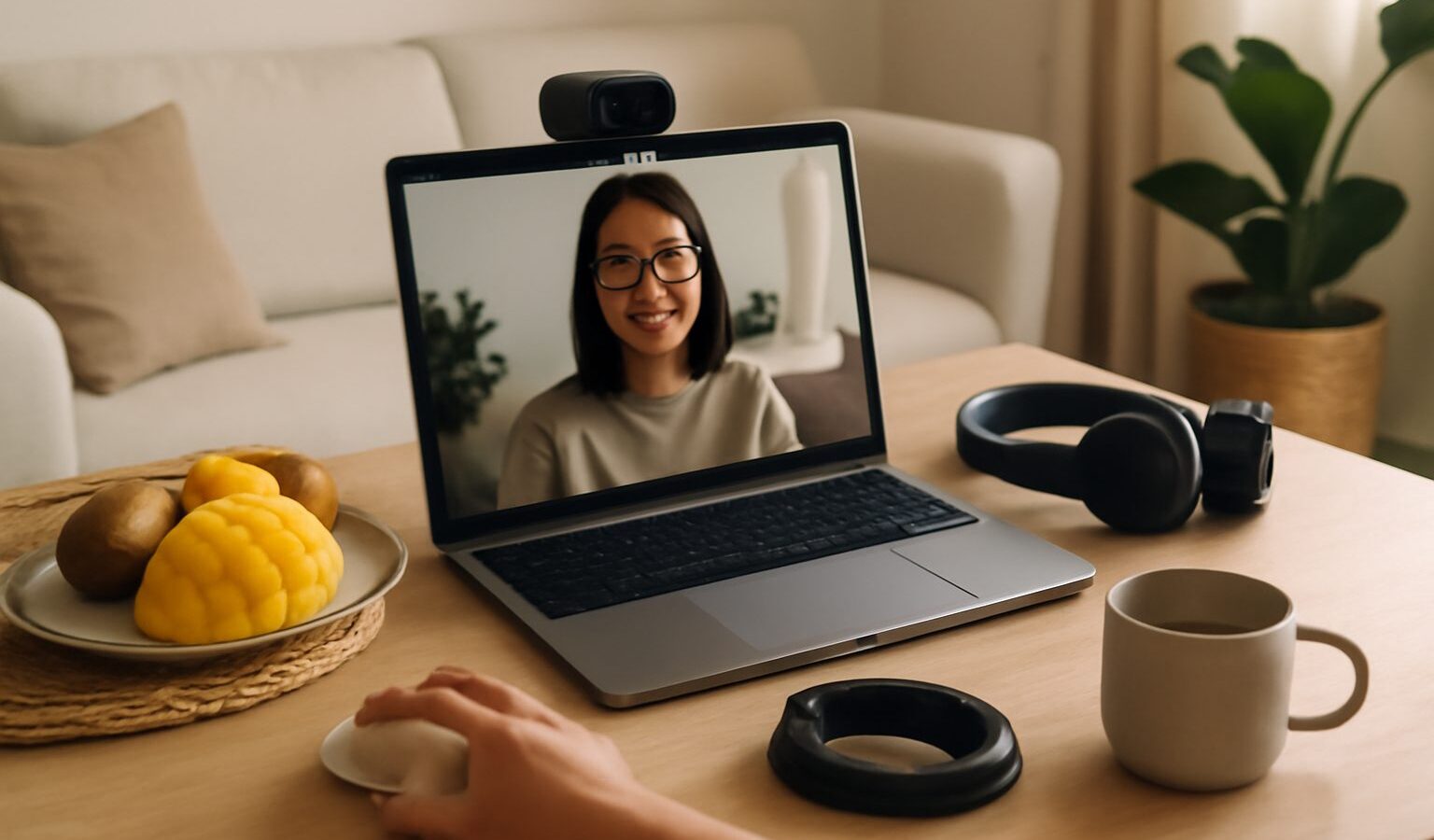
If you spend part of your week on video calls, you already know the built-in laptop camera has limits. It sits low, it washes you out in a dim room, and the tiny microphone picks up every fan and passing bus. Upgrading does not need to be expensive or complicated. A decent external webcam, some light on your face, and a better mic will do more for how you come across than almost anything else on your desk. This guide walks through the gear that matters, what to look for when you buy a webcam in Singapore, and how to arrange a small HDB desk so calls look tidy and sound clear.
Why the Laptop Camera Is Rarely Enough
Laptop cameras are built to be thin, not flattering. Because the lens sits at the bottom of the screen, it points up at you, which is an unkind angle for anyone. The sensor is small, so in a typical flat with the blinds half down it turns grainy and dull. And the microphone is centimetres from the keyboard, so typing, table taps and the aircon all bleed into the call.
You do not have to fix all of this at once. Think of it in three layers: the picture (camera and light), the sound (microphone or headset), and the setup (where things sit). Even improving one layer is a noticeable jump. If you are on calls daily for work, doing all three is worth it and still costs less than most phones.
Choosing an External Webcam
An external webcam clips to the top of your monitor, sits at eye level, and usually delivers a sharper, better-exposed image than a built-in one. When you compare current models, look at a few things rather than chasing the highest number on the box:
- Resolution and frame rate: Full HD is the sensible baseline for calls and looks clean on most platforms. Higher resolutions exist but often need a stronger computer and faster internet to shine, and many meeting apps compress the feed anyway.
- Low-light performance: This matters more than raw resolution for a home in Singapore where you are often lit by ceiling lights. Reviews and sample footage tell you far more here than the spec sheet.
- Autofocus and field of view: A moderate field of view keeps the focus on you rather than your whole messy shelf. Autofocus keeps you sharp if you lean in and out.
- Mounting and privacy: A clip that grips your monitor firmly, plus a physical privacy shutter or cover, are genuinely useful.
You will find webcams at Courts, Harvey Norman, Challenger, Best Denki, the shops around Sim Lim Square, official brand stores, and on Shopee and Lazada. Prices move with promotions, so compare current deals across a couple of sellers before deciding. For secondhand, Carousell has plenty of listings, though test the autofocus and shutter before you pay. Whatever you buy, check that the connector matches your laptop or that you have the right adapter, since many newer machines only have USB-C ports.
Lighting: The Cheapest Big Upgrade
Good light does more for your on-camera look than an expensive camera does. The single most effective trick costs nothing: face a window during the day so soft daylight falls on you, and avoid sitting with a bright window behind you, which turns you into a silhouette.
When daylight is not available, or you take evening calls, a light source in front of you helps enormously. A small ring light or a flat LED panel on a stand, placed slightly above eye level and pointed at your face, fills in shadows and lifts you out of a gloomy room. Look for one with adjustable brightness and adjustable warmth, so you can match the tone of your room and avoid that harsh, blue-white glare. Clip-on lights that attach to the monitor are handy on a small desk where a tripod will not fit. You do not need studio gear; gentle, even light beats bright, direct light almost every time.
Sound: Microphones and Headsets
People forgive a slightly soft picture, but bad audio ends calls early. Your options, from simplest to most involved:
- A headset: The most reliable fix for a busy home. Because the mic sits near your mouth, it captures your voice and rejects room noise, and you will not echo. Wired headsets avoid battery and pairing headaches; wireless ones give you freedom to move.
- Earbuds with a mic: Fine for shorter calls and already in most bags. Quality varies, so test yours before an important meeting.
- A standalone USB microphone: The nicest sound if you present, record or take a lot of calls, and it keeps your ears free. It does pick up more room noise than a headset, so pair it with a quieter corner and some soft furnishing.
Whatever you choose, do a test recording and play it back before you rely on it. Most laptops and meeting apps also let you pick which microphone is active, so make sure the call is using your good mic and not the built-in one by mistake.
Positioning, Backdrop and the Small-Desk Setup
Once you have the gear, arrangement is what pulls it together. A few habits go a long way:
- Raise the camera to eye level. Prop your laptop on a stand or a stack of books, or clip the webcam to the top of your monitor, so the lens looks straight at you rather than up your chin.
- Sit an arm’s length back. Fill roughly the top third of the frame with your face and shoulders. Leave a little space above your head, not a lot.
- Mind the backdrop. A plain wall, a tidy shelf or a few plants read as calm and professional. If your space is cramped, most meeting apps offer a background blur that softens a busy room without a green screen.
- Tame the noise and cables. Close the door, angle away from the aircon vent, and run a couple of cable ties along the desk edge so wires do not creep into frame.
On a small HDB desk, a clip-on webcam and a clip-on light keep the surface clear, and a headset means you can skip a bulky mic entirely. You can build a clean setup in very little space.
Gear at a Glance
| Gear | What it fixes | Good for |
|---|---|---|
| External webcam | Low, soft, grainy laptop image | Anyone on daily video calls |
| Ring light or LED panel | Dim, unflattering lighting | Evening calls, dark rooms |
| Headset | Room noise, echo, weak mic | Busy homes, long meetings |
| USB microphone | Thin or distant-sounding voice | Presenters, frequent callers |
| Laptop stand or mount | Unflattering upward angle | Small desks, better posture |
Start with whichever line is your biggest weakness. For most people that is light first, then a mic, then the camera. A stable, fast connection underpins all of it, so if calls keep freezing, the fix may be your network rather than your gear.
Explore More
If you are still deciding on the computer that anchors your desk, our guide to choosing a laptop in Singapore covers ports and webcams worth checking. Since smooth video calls also depend on a steady connection, see our overview of home broadband in Singapore, and if the signal drops in your study, home Wi-Fi and mesh networking can help you cover the whole flat.