

Big sale days are built to make spending feel easy and urgent at the same time. Countdown timers, “only a few left” badges, gamified coin rewards and vouchers that unlock at a higher spend all push you towards buying more than you planned. That is why a written 11.11 shopping checklist is so useful: it moves your decisions to a calm moment before the sale, so you are not making them at midnight with your thumb hovering over the checkout button.
This guide looks at the behavioural side of sale shopping: why we overspend, and the specific checks that keep you in control before, during and after the day. It is general information, not financial advice.
Why Sale Days Make Us Overspend
Understanding the tricks makes them far less powerful. A few common patterns show up on most big sale days.
- Scarcity and urgency. Timers and stock counters trigger a fear of missing out. Your brain treats a deal that ends soon as more valuable than it is.
- Anchoring. A crossed-out higher price makes the sale price feel like a win, even if you never needed the item.
- Free shipping and minimum spend thresholds. Being a few dollars short of a voucher tempts you to add something extra. You “save” a little by spending more.
- Small, frictionless payments. Saved cards, one-tap checkout and buy now, pay later options make spending feel less real than handing over cash.
- Gamification. Spinning wheels, coin collection and daily check-ins keep you in the app longer, and more time browsing usually means more buying.
None of these mean you should avoid sales. They mean you should go in with a plan.
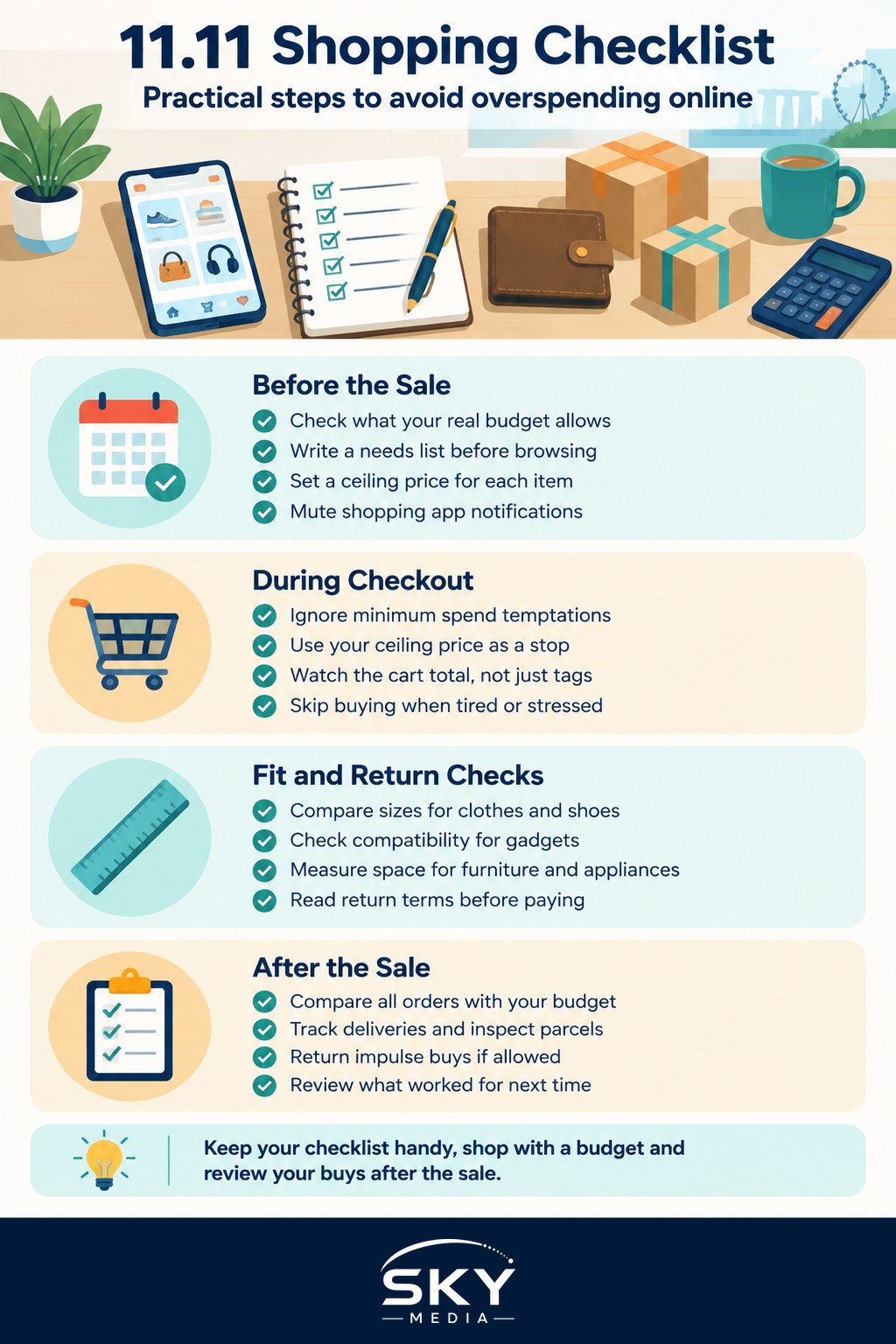
Before the Sale: Your Preparation Checklist
Work through these a week or two before 11 November.
- Check your actual budget. Look at what is left after bills, savings and upcoming commitments for the month. Your sale budget comes from that number, not from what the vouchers suggest.
- Write a needs list. List items you already planned to buy, such as household refills, replacements for things that are worn out or gifts you know you need. Mark each one as a need or a want.
- Set a ceiling price for each item. Decide the most you would pay. If the sale price is above it, you skip it.
- Unsubscribe or mute notifications. Turn off push notifications from shopping apps you do not need, so you only open them on purpose.
- Decide your payment method. Use a card or wallet you can track easily. If you are considering a buy now, pay later plan, be honest about whether you could pay in full today.
- Wait out new wants. If something new catches your eye before the sale, add it to a “maybe” list and see if you still want it in a few days.
If you have a history of sale regret, our guide on how to shop sales without overspending goes deeper on budgeting for the whole year’s sale calendar.
During the Sale: Common Checkout Traps
The table below pairs the traps you are most likely to meet with a simple response.
| Trap | What it feels like | What to do instead |
|---|---|---|
| Minimum spend voucher | “I only need $10 more to save $5” | Only top up with something already on your needs list |
| Countdown timer | “If I wait, I’ll miss it” | Check your ceiling price; if it fits, buy, if not, close the tab |
| Bundle or “buy 3” deal | “Better value per piece” | Ask whether you would use all of them before they expire or go out of style |
| Buy now, pay later | “It’s only a small amount each month” | Add up the full total and compare with your sale budget |
| Recommended for you | “That looks useful too” | Add to your maybe list, not the cart, and review after the sale |
A few extra rules help in the moment:
- Set a time limit. Decide in advance how long you will spend shopping, for example 30 minutes at the start of the sale, then log off.
- Check the cart total, not item prices. Look at the final amount including shipping before you pay.
- Avoid shopping when tired or stressed. Late-night sessions are when impulse purchases slip through. If midnight shopping makes you careless, buy your key items in the morning instead and accept that a few flash deals may be gone.
- Stick to trusted sellers. Unusually cheap prices from unfamiliar shops can be a sign of scams or counterfeits. Our guide to spotting fake online shops and marketplace scams explains the warning signs.
Sizing, Compatibility and Return Checks
A surprising amount of sale overspending comes from items that do not fit or do not work, which then sit unused because returning them feels like a hassle.
- Clothes and shoes: compare your measurements with the seller’s size chart rather than guessing from your usual size.
- Electronics and accessories: confirm plug type, model compatibility, warranty coverage in Singapore and whether the item is a local or overseas set.
- Furniture and appliances: measure your space and doorway, and check delivery and installation terms.
- Return policy: read it before buying. Some sale items cannot be returned, or need to be unused and in original packaging.
If an item fails any of these checks, it is not a deal, however low the price.
After the Sale: Review and Reset
The checklist does not end at checkout. A short review afterwards builds better habits for the next sale.
- Compare spending with your budget. Add up all orders across platforms. It is easy to lose track when purchases are split across several apps.
- Track deliveries and inspect items. Check each parcel when it arrives and raise any problem within the platform’s stated window.
- Return what you do not need. If something was an impulse buy and the return policy allows it, send it back promptly.
- Revisit your maybe list. After a week or two, look at the items you postponed. You will often find you no longer want most of them.
- Note what worked. Write down which steps kept you on track and which traps caught you, so next year’s checklist is sharper.
If the total came out higher than planned, do not spiral into guilt. Our article on how to recover after overspending in Singapore has practical steps for rebalancing the month.
A Printable Version of the Checklist
Keep this short version on your phone or fridge.
- Budget set from real numbers, not voucher suggestions
- Needs list written, with a ceiling price for each item
- Push notifications muted for apps you do not need
- Payment method chosen and tracked
- Shopping time limit decided
- Size, compatibility and return policy checked before paying
- Cart total reviewed including shipping
- Post-sale review done within two weeks
Sale days can genuinely save money on things you were going to buy anyway. The goal of a checklist is not to stop you enjoying the event, but to make sure that what lands at your door is something you are glad you bought.
Further reading: A Singapore Shopper’s Guide to 11.11 Vouchers