
Deciding what to cook, remembering what is in the fridge, and getting the right ingredients home is a small daily puzzle that eats up more time and money than most of us realise. Meal planning apps in Singapore aim to smooth all three, turning a scramble at 6pm into a calm, pre-decided routine. Rather than fixate on a single “best” app with invented scores, it helps far more to understand the categories of tool available and the features that genuinely make weeknight cooking easier.
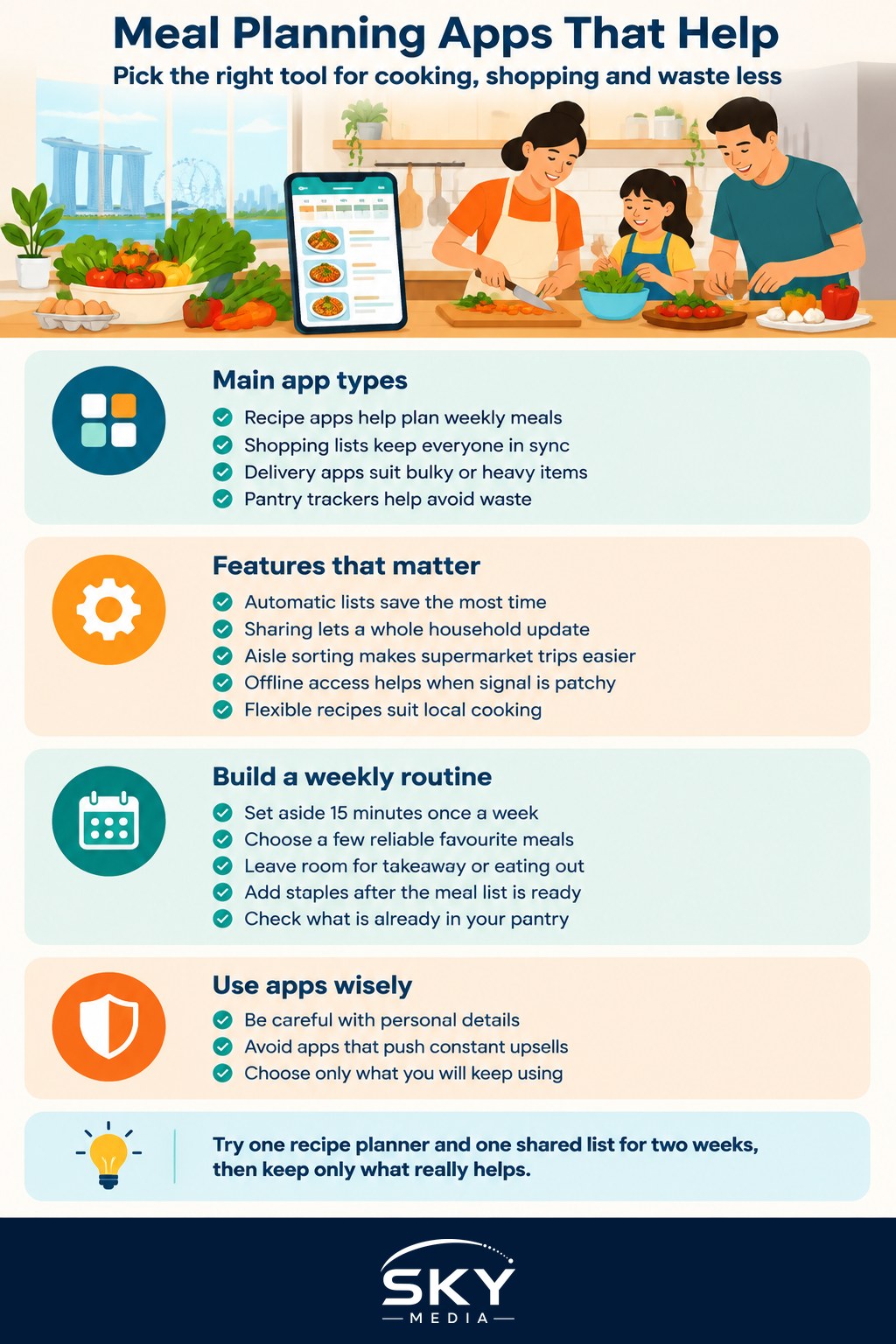
The main types of app that help with food
Most people are trying to solve one of a few problems, and different app categories tackle each one.
Recipe and meal planning apps help you decide what to eat across a week. The better ones let you save recipes from anywhere, drag meals onto a weekly calendar, and then generate a shopping list automatically from the dishes you chose. This automatic list is the feature that saves the most time, because it removes the tedious step of writing down every ingredient by hand.
Shopping list apps focus purely on the list itself. They are simple, fast, and often shared, so everyone in a household can add items as they run out. A shared list is quietly brilliant for families, since whoever passes a supermarket can pick up what is needed without a flurry of messages.
Grocery delivery and supermarket apps let you order online for delivery or collection. In Singapore these are convenient for bulky items, heavy staples, or simply beating the weekend crowds. Many remember your past orders, which makes restocking the same essentials very quick.
Pantry and expiry trackers help you keep tabs on what you already own so food does not get pushed to the back of a cupboard and forgotten. Reducing waste this way saves real money over a year, especially for smaller households where fresh produce spoils before it is used.
Budgeting-minded food apps overlap with your wider spending. If controlling the grocery bill is a priority, it can help to see food costs alongside everything else. Our guide to budgeting and expense apps is a good companion here, since meal planning and money planning tend to reinforce each other.
Features that actually make a difference
Once you know which category fits, a handful of features separate an app you will keep from one you will abandon within a week.
- Automatic shopping lists from recipes. This is the single biggest time saver. Choose your meals, and the ingredients appear on a list ready for the shops.
- Sharing and sync across a household. A list only one person can see is half as useful. Look for real-time sharing so any family member can add or tick off items.
- List grouping by aisle or category. A list sorted into produce, chilled, dry goods, and household items lets you move through a supermarket once, rather than doubling back.
- Offline access. Supermarket basements and some HDB estates have patchy signal. A list you can open without a connection saves frustration at the shelf.
- Flexibility for local cooking. Many recipe apps lean towards Western ingredients. If you cook local dishes, look for tools that let you add your own recipes and ingredients freely rather than forcing you into a fixed database.
- Sensible portions and leftovers. Good planners let you scale recipes and plan for leftovers, which cuts both waste and cooking effort across the week.
Be a little cautious with apps that ask for a lot of personal detail or push constant upsells. As with any app, it is worth checking what data it collects and keeping to the minimum you are comfortable sharing.
Putting it together into a weekly routine
The apps do their best work when they support a simple, repeatable habit rather than a grand system you will abandon. A routine that works for many households looks like this.
Set aside fifteen minutes once a week to plan. Pick a handful of meals, lean on a few reliable favourites, and leave room for one or two “eat out or takeaway” nights so the plan survives real life. Let the app build your shopping list from those meals, then add household staples. Decide whether you are shopping in person, ordering for delivery, or doing a mix, and check your pantry tracker so you do not buy what you already have.
Keeping this kind of routine tidy is easier when your phone is not overloaded with half-used apps. If your home screen has become cluttered with tools you opened once, the guide to decluttering your digital life pairs well with a fresh start on meal planning. And for a broader sense of which everyday tools are worth keeping, the roundup of essential apps for Singapore helps you avoid duplication.
A practical wrap-up
The best meal planning apps in Singapore are the ones that quietly cut decisions and trips, not the ones with the most features. Start by naming the problem you most want to solve, whether that is deciding what to cook, remembering the shopping, or wasting less food, then pick the category that targets it. Try one recipe planner and one shared list, use them for a fortnight, and keep only what genuinely earns its place. A little planning up front buys back calmer evenings and a smaller grocery bill, week after week.
Frequently Asked Questions
Do supermarket delivery apps cost more than shopping in store? Often there are delivery fees or minimum order amounts, though some promotions offset them. Prices of the same item may differ between app and shelf. Compare a typical basket in both and check each supermarket’s current delivery terms before choosing.
How can I plan meals for a family with different tastes? Plan a base dish everyone eats, such as rice with a simple protein, and add flexible sides or sauces so each person can customise. Rotate favourites weekly and let each family member pick one meal. Cook once, serve twice where you can.
Can meal planning really cut my grocery bill? It usually helps, because you buy to a list, waste less and avoid impulse purchases. The savings depend on your habits and what you buy. Using up pantry items first and planning around what is on offer helps further.
How do I plan meals when I live alone? Cook two or three base dishes in batches and freeze portions, and choose ingredients that work in several meals. Buy smaller quantities or pick items that keep well. A weekly plan with a couple of flexible nights keeps waste low.
Are meal planning apps useful for healthy eating or special diets? They can be, if the app lets you filter recipes by dietary needs and add your own. For medical conditions, allergies or weight goals, follow guidance from your doctor or a registered dietitian rather than relying on an app’s suggestions.