
If you have just moved from mainland China, one of the first surprises can be your phone games. Some of the Chinese gaming apps Singapore players use are the same titles you know, but on different servers, with different app versions and different payment methods. Others work almost exactly as before. This guide explains how Chinese game platforms and apps fit into life in Singapore, what changes for your existing accounts, and how to keep playing with friends at home while making new ones here. It is general information only: game publishers set their own rules, and these can change, so always check the official terms of the game you play.
Why Your Games May Behave Differently in Singapore
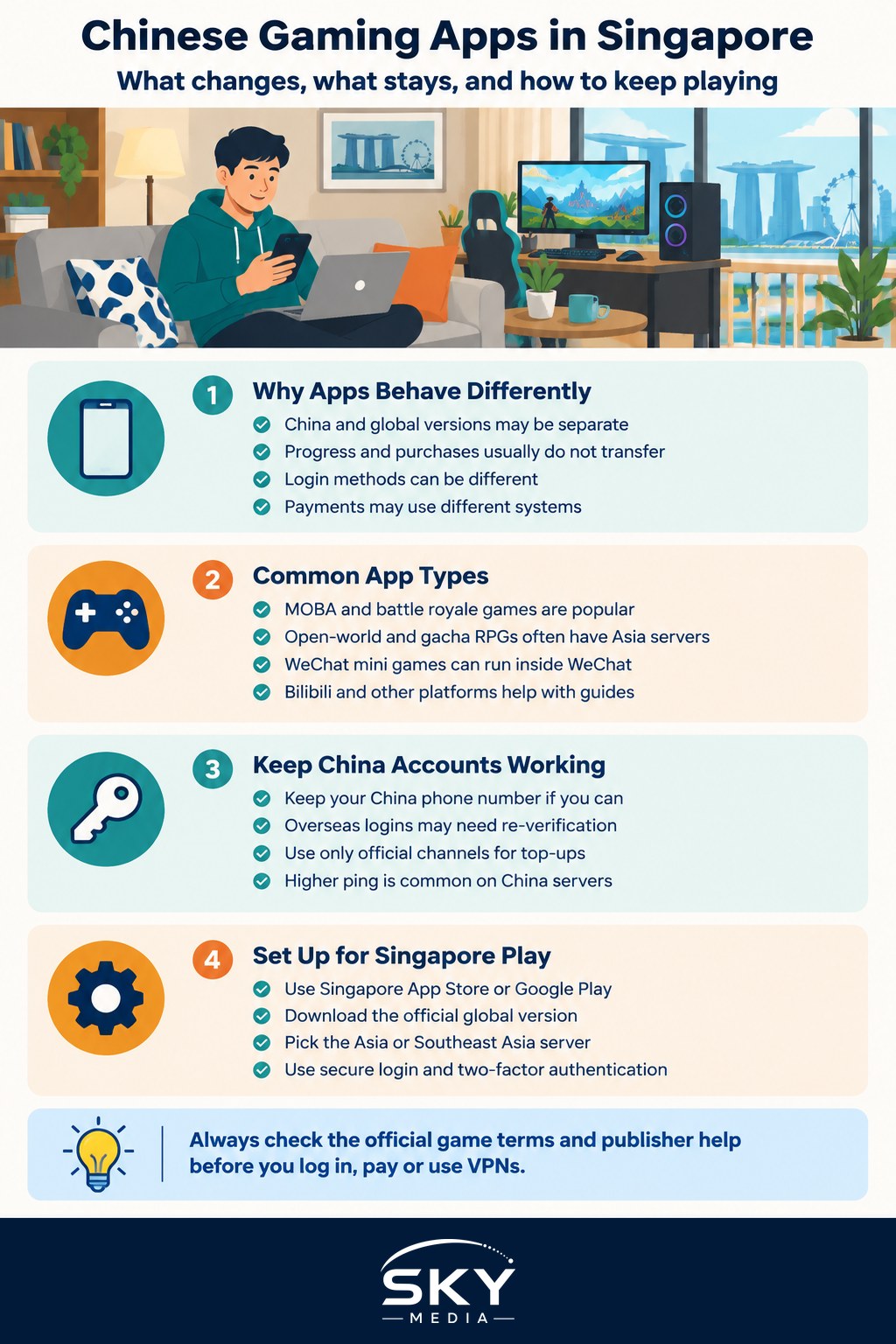
In mainland China, many popular games are published in a separate China version. These versions are licensed for the China market, linked to China-based accounts, and follow China’s real-name verification and anti-addiction rules. Outside China, the same game is often published as a global or regional version by the same company or a partner.
In practice, that means:
- Separate servers. A China server account and an Asia or global server account are usually completely separate. Progress, characters and purchases normally do not transfer between them.
- Separate app versions. The China version may not appear in the Singapore app store, and the global version may have a different name or icon.
- Different login options. China versions often use WeChat, QQ or a phone number for login. Global versions often use email, Google, Apple or Facebook accounts, though some also support WeChat.
- Different payments. Top-ups on China versions are often made through WeChat Pay or Alipay linked to a China bank account. Global versions usually use app store billing in Singapore dollars.
Think of it like having a mainland bank account and a Singapore bank account. Both are yours, but they run on different systems.
China Version vs Global Version at a Glance
| Feature | China version | Global or Asia version |
|---|---|---|
| Where to download | China app stores or the publisher’s China website | Singapore App Store or Google Play |
| Account login | Often WeChat, QQ or China phone number | Often email, Apple, Google or social login |
| Real-name and play-time rules | Follows China’s real-name and anti-addiction system | Follows the publisher’s global terms |
| Payment | WeChat Pay, Alipay or China bank cards | App store billing in S$, local cards |
| Playing with friends in China | Same server, easy | Usually separate, may not be possible |
| Latency from Singapore | Can be higher, servers are in China | Usually lower, servers often closer |
Details vary by game. Always check the publisher’s official site or in-game help for the rules that apply to your title.
Common Types of Chinese Gaming Apps You Will See
Rather than ranking individual titles, it is more useful to understand the main categories.
Big MOBA and battle royale games
Multiplayer online battle arena (MOBA) and battle royale titles are hugely popular in both China and Southeast Asia. Some Chinese hits have global versions available in Singapore, while others have a different international equivalent. For example, the China version of a well-known battle royale shooter is published under a different name from the international one. Your teammates in Singapore are most likely playing the global versions. If you want to understand the competitive scene, our explainer on popular esports titles covers the main games.
Open-world and gacha RPGs
Several Chinese studios publish role-playing games worldwide. These often have separate China servers and global servers, sometimes with different account systems. Players in Singapore commonly use the Asia server.
WeChat and QQ mini games
WeChat mini games (小游戏) run inside WeChat without a separate download. Many still work in Singapore through your existing WeChat account, but availability and payment can depend on your account region and linked payment method.
Game community and download platforms
In China, players often use game community apps for downloads, reviews and news, and some of these have international versions. Bilibili and other Chinese video platforms remain popular for guides, streams and commentary, and many people continue to use them from Singapore.
PC and console gaming
PC players will find Steam widely used in Singapore, with prices in local currency. Console players can buy consoles and games locally. Our gaming in Singapore guide explains the local scene, shops and communities.
Keeping Your China Accounts Working
Many newcomers want to keep their China game accounts. Points to consider:
- Keep your China phone number active if possible. Many China accounts use SMS verification. Losing the number can make account recovery hard. Check with your mobile operator about roaming or number retention options.
- Login and verification. Some China versions may restrict or flag logins from overseas, or may require re-verification. Check the publisher’s official help centre.
- Payments. WeChat Pay and Alipay accounts linked to China bank cards can usually still be used where the game supports them, but this depends on your account settings and the platform’s rules.
- Latency. Playing on China servers from Singapore can mean higher ping, which matters for fast action games.
- Use only official channels. Avoid unofficial account sellers, modified apps or third-party top-up services. They can lead to bans, scams or stolen accounts.
- VPN use. Some people use VPNs to reach certain services. Game publishers often have rules about this in their terms of service, and breaking them can risk your account. Read the terms first.
For a broader look at using Chinese services abroad, our guide on accessing Chinese apps and services from Singapore covers banking, video and messaging apps.
Setting Up for Gaming in Singapore
If you decide to start on global servers, a few practical steps help:
- Set up a Singapore App Store or Google Play account with a local card or app store gift cards bought from authorised retailers.
- Download the global version of your game from the official store listing. Check the publisher name carefully to avoid copycat apps.
- Choose the right server, usually the Asia or Southeast Asia server for the best connection.
- Link your account securely using an email or platform login you control, and turn on two-factor authentication where offered.
- Check language settings. Many global versions support Simplified Chinese, so you can still play in your preferred language.
Parents and Young Players
If your children play, keep in mind that the strict play-time limits you may know from China’s anti-addiction system usually do not apply on global versions. Parents in Singapore typically rely on device-level controls instead, such as Screen Time on iPhone or Family Link on Android, together with the age ratings shown in app stores. Agree on simple family rules about play time and spending, and switch off in-app purchases if needed.
Finding a Gaming Community in Singapore
Gaming is a great way to make friends in a new city. Many Chinese-speaking players in Singapore join community groups on WeChat, Discord or Telegram, and local esports events and gaming cafés bring players together in person. Starting on the same servers as your Singapore classmates or colleagues makes it much easier to team up, while your China accounts let you stay connected with friends back home.