
Singapore has some of the fastest home broadband in the world, and almost every household can get fibre. So why do some gamers still complain of lag spikes, rubber-banding and sudden ping jumps in the evening? The answer is that raw speed is only one part of the picture. When you are choosing a gaming ISP in Singapore, the factors that matter most are latency, routing and consistency, and these rarely appear in the big numbers on an advert.
This guide explains what actually affects online gaming, which plan features are worth paying for, how to factor in the rest of your household, and how to test a plan before you are locked into a long contract.
Why Speed Is Not the Same as Good Gaming
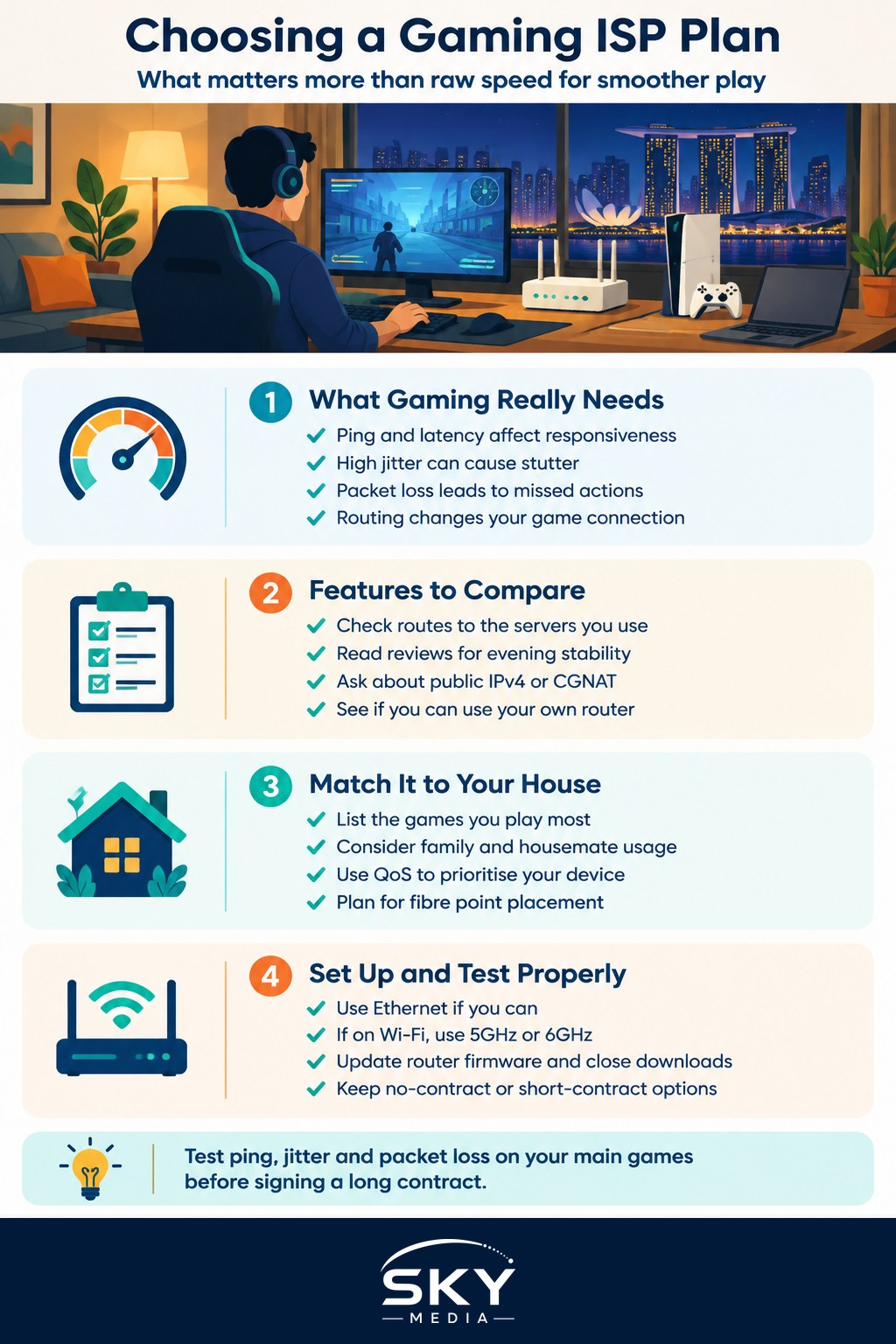
Broadband plans are usually sold by download speed, such as 1Gbps or higher tiers. For gaming, that figure matters far less than people expect. A typical online match uses only a small amount of bandwidth. What you feel is:
- Latency (ping): the time, in milliseconds, for data to travel to the game server and back. Lower is better.
- Jitter: how much that latency varies from moment to moment. High jitter causes stutter even when the average ping looks fine.
- Packet loss: data that never arrives. Even a small percentage can cause teleporting characters and missed shots.
- Routing: the path your traffic takes from your home to the game server. Two ISPs can show very different ping to the same server because they route traffic differently.
Speed does matter for downloading large game updates quickly and for households where several people stream or video call at the same time. But once you have a reasonable fibre plan, a higher tier will not lower your ping.
The distinction also matters for upload. Streamers who broadcast gameplay while playing need steady upload capacity on top of low latency, so if you stream regularly, check the upload speed a plan offers and how consistent it is at night, not just the download figure.
Plan Features That Matter for Gamers
All residential fibre in Singapore runs over the same nationwide fibre network, operated by NetLink Trust, but each retail ISP connects that network to the wider internet in its own way. That is where the differences come from. When you compare plans, look beyond the speed tier.
| Feature | Why it matters for gaming | What to ask or check |
|---|---|---|
| Routing to regional servers | Determines ping to servers in Singapore, Hong Kong, Tokyo, Sydney and beyond | Ask about peering and international routes; check community ping tests for your games |
| Evening consistency | Congestion at peak hours causes jitter and lag spikes | Read recent reviews mentioning night-time performance |
| IPv4 address type | Some setups share addresses, which can cause NAT issues for matchmaking or voice chat | Ask whether you get a public IPv4 address or carrier-grade NAT |
| Router quality and flexibility | A weak bundled router can add latency or drop Wi-Fi | Check if you can use your own router and whether the bundled one supports modern Wi-Fi |
| Contract terms | Lock-in makes it costly to leave a poor plan | Compare contract length, no-contract options and early termination charges |
Plan names, prices and bundles change often, so treat any promotion as temporary and confirm current details with the provider before signing.
Look Up Your Games, Not Just the ISP
The best gaming ISP for you depends on what you play. Many popular titles host Southeast Asian servers in Singapore, so ping to those is usually very low on any decent plan. The differences show up when you connect to servers elsewhere, for example if you play with friends in another region, compete in tournaments hosted overseas, or play a game that only has servers in Japan, Australia or North America.
Before you decide:
- List the games you play most and where their servers are located.
- Search gaming communities and forums for recent ping comparisons by ISP for those servers. Look for posts within the last few months, since routing can change.
- Ask friends or neighbours on different ISPs to run the same in-game ping test at the same time of night.
If you are new to the local scene, our guide to gaming in Singapore covers communities and esports groups where these discussions are common.
Fit the Plan to Your Household
A gaming plan does not exist in isolation. If you share a flat with family or housemates, consider everyone’s usage:
- Count heavy users. Several people streaming 4K video, uploading content or downloading large files at the same time can saturate a lower tier. This is where a higher speed tier genuinely helps.
- Use quality of service (QoS) settings. Many routers let you prioritise your gaming device so a sibling’s download does not cause lag.
- Separate work and play. If someone works from home, video calls and gaming both suffer from congestion, so a good router matters as much as the plan.
- Check where the fibre point is. In many HDB flats the fibre termination point sits in a specific room. If your gaming setup is far away, plan for a long Ethernet run, powerline adapters or a mesh Wi-Fi system with a wired backhaul.
Get the Home Setup Right
Even the best ISP cannot fix a weak home network. Before blaming your provider, check these basics:
- Use a wired connection for your PC or console wherever possible. Ethernet is more stable than Wi-Fi and cuts jitter.
- If you must use Wi-Fi, connect on the 5GHz or 6GHz band, keep the router in an open spot, and avoid placing it inside a cabinet.
- Restart and update your router firmware periodically.
- Close background downloads on game launchers and cloud storage apps while you play.
- Keep a mobile backup. A phone hotspot will not match fibre for gaming, but it can keep you online during an outage. If you are reviewing that too, see our guide to mobile plans in Singapore for data allowances and roaming.
Test Before and After You Commit
Wherever possible, avoid committing blind to a long contract.
- Look for no-contract or short-contract options if you are unsure. They may cost a little more each month but give you an exit.
- Run tests in your first days on the new line. Check ping, jitter and packet loss to your main game servers at different times, especially during evening peak hours.
- Keep records. Screenshots of in-game network stats and speed test results help if you need to raise a complaint.
- Contact the ISP first if performance is poor. If the issue is not resolved, the Infocomm Media Development Authority (IMDA) sets service standards for telecom providers, and its website explains how consumers can escalate unresolved complaints.
Choosing a gaming ISP plan in Singapore is less about chasing the biggest number and more about stable routes to the servers you use, a sensible home setup and contract terms that let you walk away if it does not deliver.
Frequently Asked Questions
Will upgrading to a faster fibre plan lower my ping? Usually not. Once you have a reasonable fibre plan, a higher speed tier mainly helps with big game downloads and busy households, not with latency. Ping depends on routing, jitter and packet loss, so a better route or a wired connection will do more.
Do I need a public IP address for online gaming? Not always, but it can help. Some connections share addresses, which can cause NAT problems with matchmaking or voice chat. If you host games or have trouble connecting to friends, ask the provider whether you get a public address or a shared one.
Is Wi-Fi good enough for competitive gaming? It can work, but Ethernet is more stable and cuts jitter. If you must use Wi-Fi, connect on the 5GHz or 6GHz band and keep the router in the open. For a distant room, consider a long cable, powerline adapters or mesh Wi-Fi with wired backhaul.
How do I stop housemates’ streaming from causing lag while I play? Turn on quality of service settings in your router and prioritise your gaming device, so large downloads or video calls do not crowd it out. If several people stream in 4K at once, a higher speed tier may also help.
Where can I complain if my ISP does not fix gaming lag? Raise it with the provider first, with screenshots of ping and speed tests as evidence. If it stays unresolved, the Infocomm Media Development Authority (IMDA) regulates telecom service standards, and its website explains how consumers can escalate a complaint.
Further reading: How Much Mobile Data Does Online Gaming Use? · How to Reduce Wi-Fi Lag for Gaming at Home · Choosing a Gaming Router