

Sharing your work online is how most of us grow, find clients, and simply enjoy showing what we make. The flip side is that anything posted can be copied, and photographers everywhere deal with images being reused without permission. Protecting photos online is not about locking everything away. It is about raising the effort a thief has to make, keeping proof that the work is yours, and knowing what to do if someone crosses the line. This guide gives you honest, doable steps for a Singapore creator.
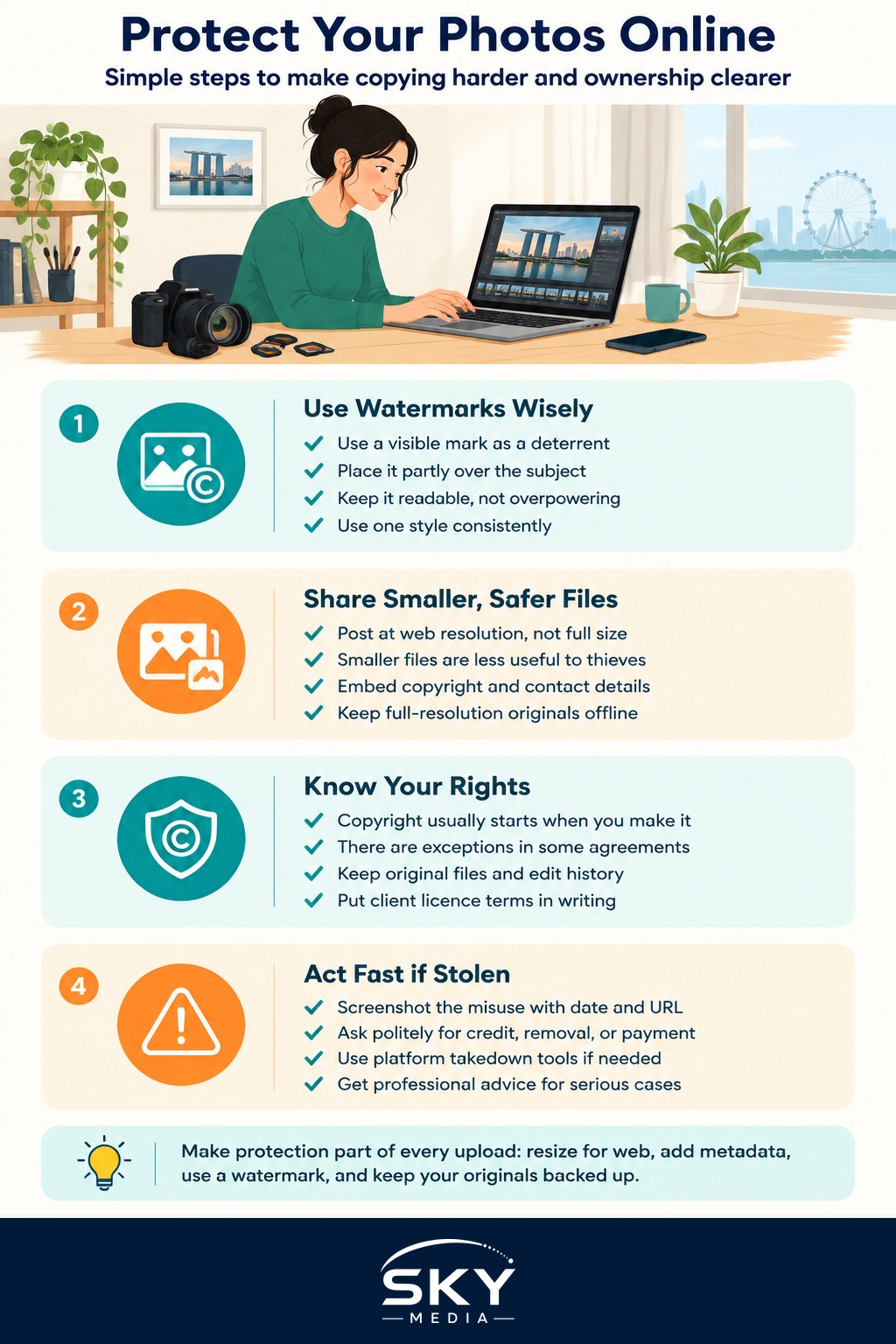
Understand What Protection Can and Cannot Do
Start with a realistic mindset. Once an image is visible on a screen, someone can screenshot it. No trick makes a photo completely theft-proof. What good habits do is deter casual copying, make your ownership clear, and give you a stronger position if you ever need to ask for a takedown. Think of it like locking your bike. A lock will not stop every thief, but it moves the easy targets on to someone else.
Because of that, the sensible goal is layered friction. Each small step by itself is modest, but stacked together they make your images less attractive to grab and easier to defend.
Watermarks: Useful, but Not a Wall
A watermark is the most familiar tool, and it works best as a deterrent and a signature rather than a fortress. A visible mark, such as your name or handle placed across a corner or lightly over the frame, tells honest people who made the image and where to find you. It will not stop a determined thief who can crop or clone it out, so treat it as a helpful nudge, not a guarantee.
- Keep it readable but not so huge that it ruins the photo, unless you deliberately want a heavy mark for high-risk uploads.
- Placing it partly over the subject makes it harder to crop away than a mark tucked in a bare corner.
- Stay consistent so your mark becomes recognisable and doubles as free promotion.
If you want a full walk-through of styles and tools, our guide on how to watermark your photos covers the details.
Control Size, Metadata, and Quality
Thieves want files they can actually use. Give them less to work with.
- Post at web resolution, not full resolution. A smaller image looks fine on a phone or feed but prints poorly and is less useful to anyone who lifts it. Our notes on exporting photos for web and print show how to size for the screen while keeping quality where you need it.
- Embed your copyright and contact details in the file’s metadata, in the fields your editing software provides. It travels with the file and quietly states ownership even when there is no visible mark.
- Keep your untouched, full-resolution originals safe and offline, or in your own backup. Those masters are your ultimate proof of authorship, so guard them the way you would any valuable file, and never share the raw files casually.
Know Your Rights and Keep Evidence
In general, the person who takes a photo owns the copyright to it from the moment it is made, though there are exceptions such as work made under certain agreements. This is general information and not legal advice, so read up on the current rules and, for anything commercial, get proper guidance. Our overview of copyright basics for photographers is a good starting point.
Keep records that show the work is yours. Your original files with their capture dates, your edit history, and your first public post all help establish a timeline. If you license images to clients, put the terms in writing so everyone knows what use was actually paid for.
What to Do if Your Photo Is Stolen
If you spot your work used without permission, stay calm and act in steps.
- Screenshot the misuse, including the page address and date, before it can be deleted.
- Reach out politely first. Many reuses come from people who genuinely did not know better, and a friendly message asking them to credit you, take it down, or pay a licence often resolves it.
- If that fails, most platforms have a formal copyright complaint or takedown process. Use it and provide your proof of ownership.
- For serious commercial theft, consider getting professional advice. Protecting photos online sometimes means escalating, and it helps to know your options before you need them.
Build the Habit Into Your Workflow
Protection works best when it is baked into how you post, not bolted on in a panic. Set up an export preset that sizes for web, embeds your metadata, and adds your watermark in one go. Keep your masters backed up. Post consistently under one name so your body of work is clearly linked to you.
Protecting photos online is really about balance. Share generously enough to grow, protect firmly enough to sleep well, and keep the receipts so you can stand up for your work if you ever have to. Do the simple things every time you upload, and theft becomes a rare annoyance rather than a recurring fear.
Frequently Asked Questions
Does a watermark really stop people from stealing photos? Not completely. A watermark deters casual copying and states who made the image, but a determined person can crop or clone it out. Placing it partly over the subject makes that harder. Use it together with smaller files and metadata.
How do I find out if someone is using my photo without permission? Run a reverse image search with your photo, and search your name or handle now and then. Photographers also get tipped off by followers. When you find a case, screenshot the page and date before contacting anyone.
Do I automatically own the copyright to photos I take? Generally yes, the photographer holds copyright from the moment of creation, but there are exceptions such as work done under certain agreements. Check the current rules and your contracts. For commercial matters, get proper legal advice.
Can I ask a website to take down my stolen photo? Yes, most platforms and web hosts have a copyright complaint or takedown process. Prepare proof such as your original files and first post. Contacting the user politely first often resolves things faster.
Should I stop posting high-resolution photos online? For public posting, web-sized files are enough and less useful to anyone who copies them. Keep full-resolution masters offline or backed up. Share large files only with clients under clear licence terms.