
Live-streaming your wedding has gone from a pandemic workaround to a thoughtful, permanent option for Singapore couples. Overseas relatives, an ageing grandparent who cannot manage a long banquet, a friend posted abroad, or simply guests who could not fit on a tight list can all share the moment as it happens. Done well, a stream feels intimate rather than clinical. This guide covers the planning, the gear, the connection and the etiquette so your online guests feel truly included.
Deciding What to Stream and for Whom
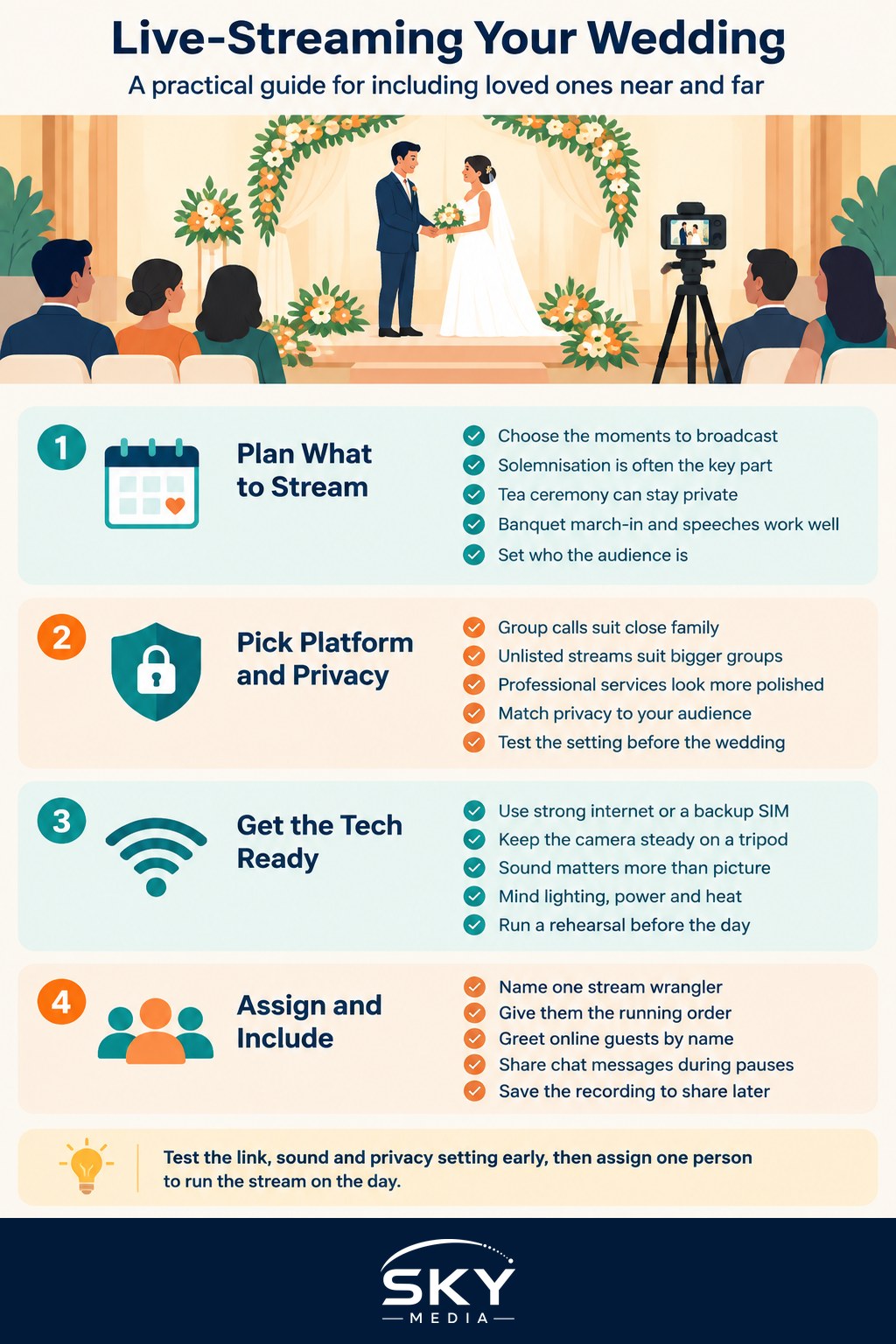
Before touching any equipment, decide the shape of your stream. A wedding here often spans several distinct moments, and you rarely need to broadcast all of them.
- The solemnisation at the Registry of Marriages, a hotel, or a place of worship is the emotional core and the part most remote guests want to see.
- The tea ceremony is meaningful for family but private in feel, so some couples keep it off the public stream.
- The banquet march-in, speeches and first dance make a natural evening segment.
Also decide who the audience is. A small private link for close family feels very different from an open post anyone can find. Being clear early helps you choose a platform and set the right privacy level, and it shapes how you tell guests. If you are already mapping out the day, slot the stream into your wedding day run of show so someone owns the start and stop of each segment.
Choosing a Platform and Privacy Setting
The right platform depends on your audience size, how private you want it, and whether guests need to interact.
| Option | Best for | Privacy | Interaction |
|---|---|---|---|
| Video call (group meeting app) | Small circle of close family | High, entry by link or password | Two-way, guests can wave and speak |
| Unlisted or private social video | Larger guest group | Medium, link only if kept unlisted | One-way with a live chat |
| Professional streaming service | Couples wanting polished output | Set by the vendor package | Usually one-way, sometimes multi-camera |
For a small, warm gathering, a group video call lets overseas relatives feel present and even join a toast. For a bigger audience, an unlisted stream with a live chat is simpler to manage. If you prefer to hand it off entirely, a reputable videography vendor can run a multi-camera stream, though you should get the scope and privacy settings in writing rather than assume. Whatever you pick, test the exact privacy setting in advance so the link does not accidentally go public.
Getting the Technical Basics Right
You do not need a studio, but a few fundamentals separate a stream people enjoy from one they quietly leave.
- Internet first. Venue Wi-Fi is often shared and unreliable, so ask the hotel or restaurant about a dedicated line, or use a strong mobile data connection with a backup SIM. Test the actual upload speed while standing where the camera will be.
- Stable camera. A phone on a tripod at eye level beats a wobbly handheld shot. If budget allows, a second angle on the couple adds warmth.
- Sound above all. Guests forgive an average picture but not muffled vows. Position the camera near the couple, or use a small clip microphone or the venue’s audio feed if one is available.
- Light on faces. Keep the couple facing the main light. Avoid shooting into bright windows or a dark stage where faces disappear.
- Power and heat. A phone streaming for an hour drains fast and warms up, so keep it plugged in and out of direct sun.
Run a full rehearsal a few days ahead, ideally at the venue or a similar space, streaming to one friend who checks picture, sound and the join link on their own device.
Assigning a Stream Wrangler
The couple cannot manage a broadcast while getting married, so hand the job to someone reliable. This can be a tech-comfortable friend, a member of the bridal party, or a paid vendor, but it must be a named person with one clear role.
Their duties on the day include:
- Starting and stopping the stream at the right moments so private segments stay private.
- Watching the live chat, welcoming online guests and answering simple questions.
- Keeping an eye on the connection and switching to the backup if it drops.
- Muting the stream during anything not meant for the audience.
Brief this person in writing and give them the venue contact, the backup connection details and your running order. Handing this off is one of the quiet wins in surviving wedding planning stress, because it removes a live worry from your shoulders on the day.
Making Remote Guests Feel Included
A stream can feel like watching through glass, so build in small touches that pull online guests into the room.
- Send the link and start times clearly, with the Singapore time zone spelled out for overseas relatives. Include simple joining steps for less tech-savvy elders.
- Have your host or emcee greet the online guests by name and hold the camera up during key moments so they feel seen.
- Read out a message or two from the live chat during a natural pause.
- Consider a short dedicated video call with grandparents right after the solemnisation, so they get a personal moment rather than only a broadcast.
- Save the recording and share it afterwards for anyone in a difficult time zone.
Treat your online guests with the same courtesy you would in person. If they have taken the trouble to watch, a warm follow-up matters, and it pairs naturally with sending wedding thank-you notes to everyone who shared the day.
Weighing the Trade-Offs Honestly
Streaming is generous, but it is worth going in clear-eyed. A camera changes the room slightly, and some family members may feel a private ceremony should stay unrecorded, so check how everyone feels, especially for religious rites where filming may be restricted. Ask the officiant or place of worship about their rules first. There is also a cost and effort layer, whether you buy a vendor package or spend hours testing gear yourself, and you should weigh that against how many guests truly need the stream.
None of this is a reason to skip it. For most couples with loved ones far away, a well-run stream is one of the kindest choices they make. Plan the segments, lock the platform and privacy, get the sound and internet right, appoint one wrangler and welcome your online guests warmly, and live-streaming your wedding will feel like opening the doors wider rather than adding a screen between you and the people you love.
Frequently Asked Questions
Can I just use my phone to live-stream the wedding? Yes, for a small, simple stream a phone on a tripod can work. Make sure it has a stable connection, power and clear audio. For bigger audiences or a polished result, a vendor with proper cameras and microphones is more reliable.
Should guests be told that the wedding will be filmed and streamed? Yes, it is courteous to mention it on the invitation or at the entrance, so guests know. Some people prefer not to appear on camera, so consider seating them outside the shot or offering an unfilmed area.
Will music at the wedding cause problems on a live stream? It can. Streaming platforms may mute or block copyrighted music, so a favourite song might disappear for online viewers. Ask your platform or vendor about their rules, and consider licensed or royalty-free music for key moments.
What happens if the internet drops during the vows? Have a backup, such as a second connection and a local recording, so the ceremony is saved even if viewers lose the feed. Your stream wrangler can switch over quickly and share the recording afterwards with online guests.
Can online guests be asked not to share or record the stream? You can ask politely, and a private or unlisted link helps. Add a short note with the link requesting that it is not forwarded or recorded. You cannot fully control it, so only stream moments you are comfortable with.