
Your web browser sees almost everything you do online, from the news you read to the things you shop for. Taking a few minutes to tune your browser privacy settings in Singapore can cut down on creepy targeted ads, reduce tracking, and give you more control over your personal data. The good news is you do not need to be technical. Most of the important switches are just a few taps away, and this guide walks you through them in plain English.
Why Your Browser Settings Matter
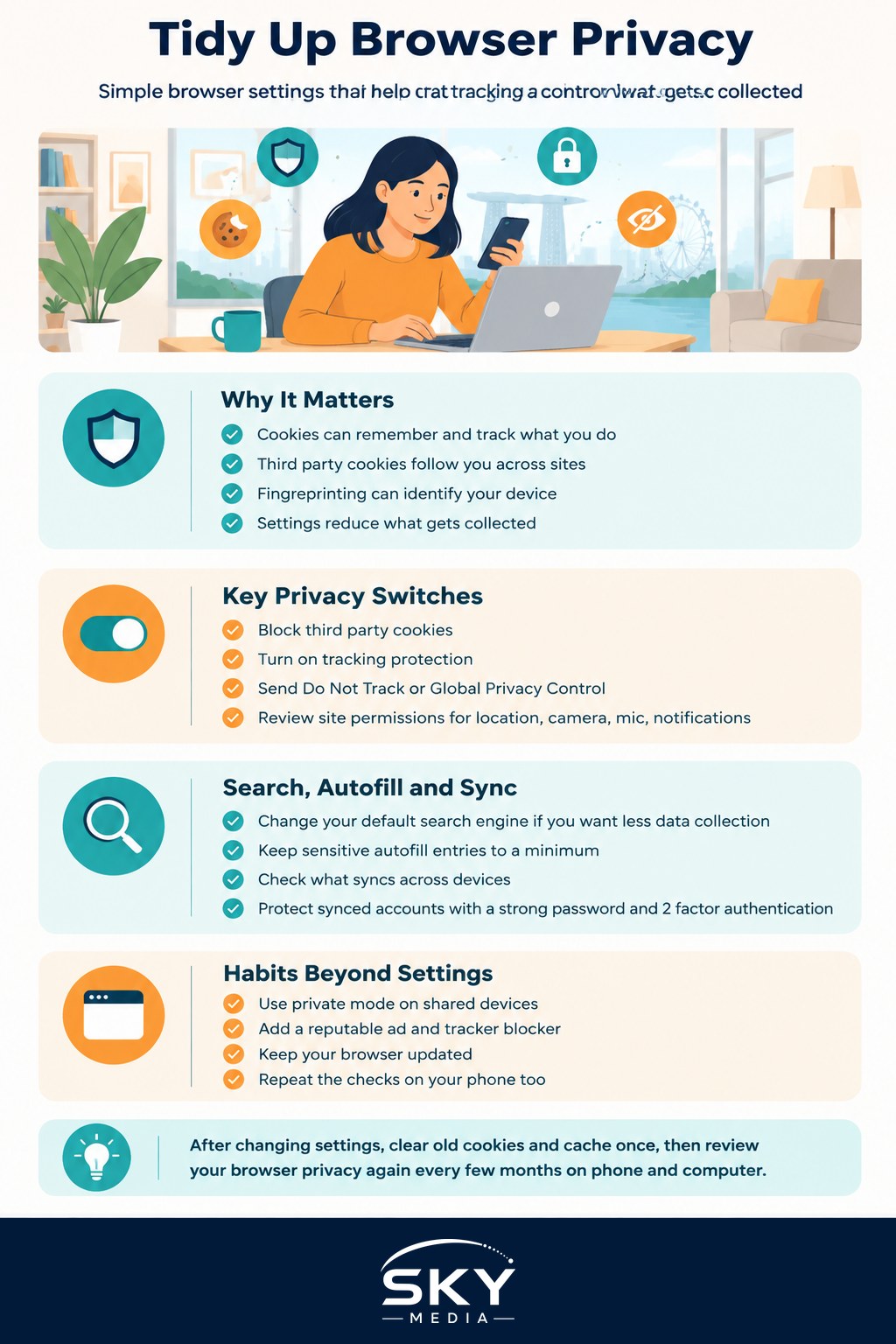
Every time you visit a website, small files called cookies can be stored on your device. Some are helpful. They remember your login, your language, or the items in your shopping cart. Others are tracking cookies placed by advertising companies to follow you from site to site and build a profile of your interests. That is why a pair of shoes you glanced at once seems to chase you across the internet for weeks.
Websites also read signals like your browser type, screen size, and location to identify your device, a technique called fingerprinting. On its own none of this is dangerous, but together it paints a detailed picture of you that gets bought and sold. Adjusting your settings will not make you invisible, but it meaningfully reduces how much is collected. If you want the background story, our guide to understanding ad tracking and cookies explains how the whole system works.
The Core Settings Worth Changing
Whether you use Chrome, Safari, Edge, Firefox, or another browser, the same handful of settings deliver most of the benefit. Look inside the Settings or Preferences menu, usually under a section called Privacy and Security.
- Block third party cookies. Third party cookies are the ones used mainly for cross site tracking. Blocking them stops much of the follow you around advertising while keeping most websites working normally.
- Turn on tracking protection. Many browsers now include a built in feature that blocks known trackers. Set it to the strict or enhanced level if that option exists, then dial it back only if a site you trust breaks.
- Send a Do Not Track or Global Privacy Control signal. This tells websites you prefer not to be tracked. Not every site honours it, but it costs nothing to switch on.
- Control site permissions. Review which sites can access your location, camera, microphone, and notifications. Revoke anything that does not need it. A random news site rarely needs your location.
- Manage saved passwords carefully. Browsers can store passwords, but a dedicated tool is safer. Our guide to choosing a password manager covers the better options.
After changing these, clear your existing cookies and cache once so old trackers are removed. If you are unsure how, our step by step on clearing cache and junk files safely shows you how without breaking your logins.
Search, Autofill, and Sync
A few less obvious settings are worth a look too. Your default search engine quietly shapes how much data is gathered, since search companies see your queries. Some privacy focused search engines collect far less. You can usually change the default in the search section of your settings.
Autofill is convenient but think about what it stores. Saved addresses and payment cards make checkout faster, yet they also sit inside your browser. If you share a device or worry about theft, keep sensitive autofill entries to a minimum.
If you sign in to sync bookmarks and history across your phone and laptop, check what is actually being synced and whether it is encrypted. Syncing is handy, but it means your browsing history lives in an account too, so protect that account with a strong password and two factor authentication.
Practical Habits Beyond the Settings
Settings do the heavy lifting, but a few habits close the gaps.
Use private or incognito mode when you want a session that leaves no local history, such as when using a shared computer. Remember it only stops your own device from saving history. Your internet provider and the websites can still see the visit, so it is not true anonymity.
Consider a reputable ad and tracker blocking extension, which also reduces the risk of malicious ads. Stick to well known extensions from official stores and avoid loading up on too many, since each one can see your browsing.
Keep your browser updated. Updates fix security holes that scammers and trackers exploit. Most browsers update automatically, but it is worth checking.
Finally, review your settings every few months, and repeat the process on your phone as well as your computer, because the mobile versions have their own separate controls.
The Bottom Line
Managing your browser privacy settings in Singapore is one of the easiest wins for your digital life. Block third party cookies, switch on tracking protection, tidy up site permissions, and clear old cookies. Add a good tracker blocker and keep everything updated. None of this makes you invisible, and honestly nothing will, but it sharply reduces how much of your everyday browsing is quietly collected, sold, and turned into ads. A quiet, calmer, less snoopy internet is well worth ten minutes of your time.
Further reading: Managing Browser Tabs and Bookmarks · Browser Extensions Worth Having