
You load up a new first-person game or strap on a VR headset, and twenty minutes later you feel queasy, sweaty and headachy. You are not alone. Motion sickness in gaming is common, and it is not a sign of being a “weak” gamer. The good news is that much of it can be reduced with the right settings, habits and VR comfort options. This guide covers practical fixes for motion sickness gaming, from field of view sliders to how you take breaks.
This is general information. If you have frequent dizziness, migraines, vision problems or symptoms that do not settle after you stop playing, see a doctor.
Why Games and VR Make You Feel Sick
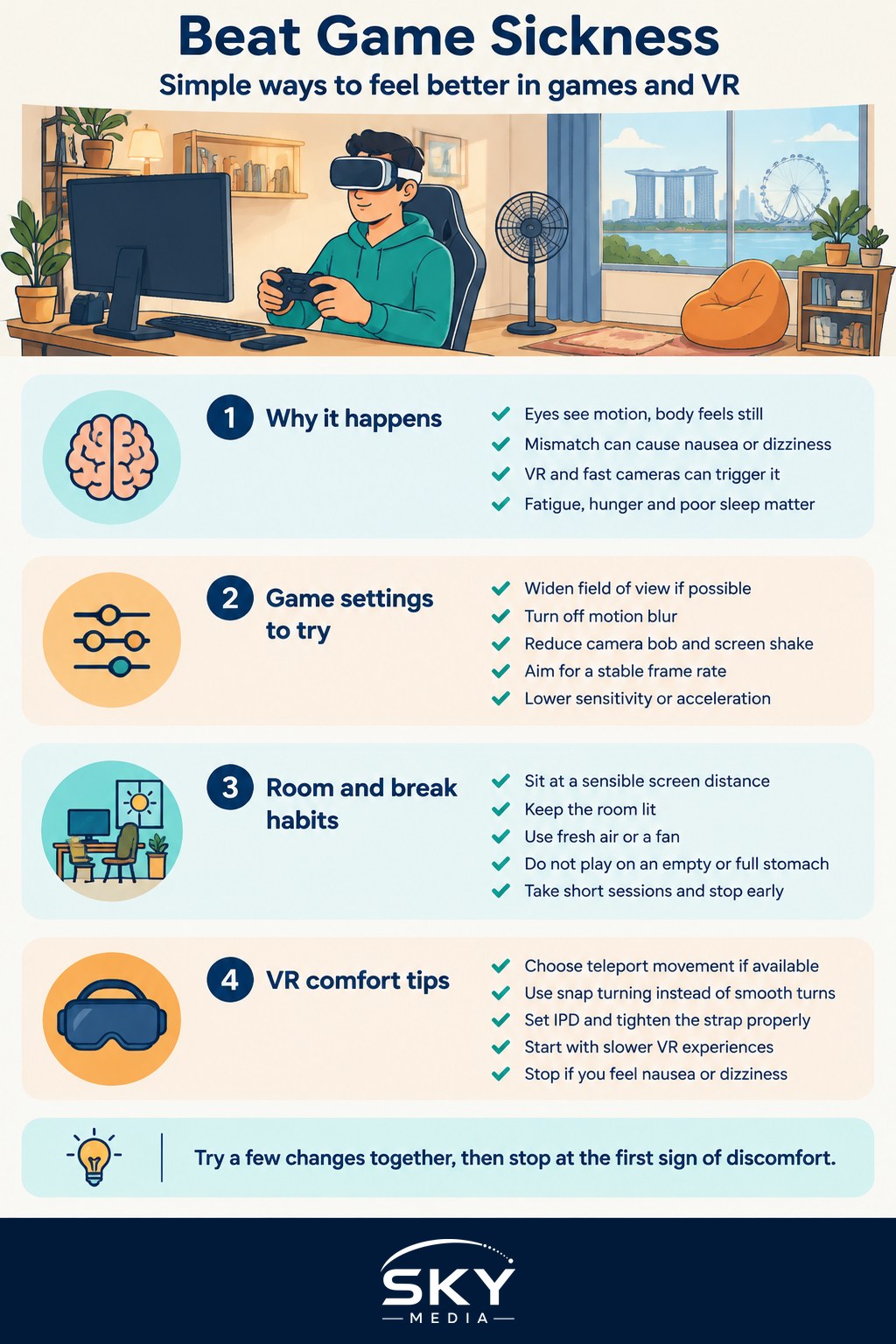
Motion sickness usually comes from a mismatch between your senses. Your eyes see movement on screen, but the balance system in your inner ear reports that you are sitting still. Your brain receives conflicting signals and some people react with nausea, sweating, dizziness, headache or eye strain. When it happens in games or VR, it is sometimes called simulator sickness or cybersickness.
Several things make the mismatch worse:
- A narrow field of view that makes the world feel like it is rushing past
- Camera effects such as motion blur, head bob and screen shake
- Low or unstable frame rates, and input lag
- Smooth artificial movement in VR while your body stays still
- Sitting too close to a large screen, or playing in a dark room
Sensitivity varies a lot between people, and it can change with tiredness, hunger and how well you slept.
Settings That Make the Biggest Difference
Most modern PC and console games include options that help. Look in the video, camera, accessibility or comfort menus.
| Setting | What to try | Why it helps |
|---|---|---|
| Field of view (FOV) | Increase it, especially when playing close to a monitor | A wider view matches what your eyes expect and slows the sense of rushing movement |
| Motion blur | Turn it off | Blur smears the image during movement and adds to the sense of mismatch |
| Camera bob and screen shake | Turn them off or to the minimum | Removes artificial bouncing that your body does not feel |
| Frame rate and graphics quality | Aim for a stable frame rate, lowering detail if needed | Stutter and drops are a common trigger |
| Camera sensitivity and acceleration | Lower sensitivity, reduce or disable acceleration | Fast, unpredictable camera swings are harder to process |
| Crosshair or centre dot | Turn on an always-visible crosshair | A fixed point gives your eyes a stable reference |
Other options worth checking include chromatic aberration, depth of field and film grain, which some players find uncomfortable. Third-person games may offer a camera distance slider; pulling the camera back often helps.
On a PC, a higher refresh rate monitor paired with a stable frame rate can feel smoother. On a TV, enabling game mode reduces input lag. Our guide to choosing a TV for gaming explains refresh rate and game mode in more detail.
Room Setup and Playing Habits
Your environment matters as much as the game menu.
- Sit at a sensible distance. Being very close to a large screen fills your peripheral vision with movement.
- Keep the room lit. A lamp behind or beside the screen gives your eyes stable reference points.
- Get fresh air or a fan. A cool breeze helps many people, and Singapore’s warm rooms can make nausea worse.
- Do not play on an empty or very full stomach. A light snack beforehand is often better.
- Stay hydrated and avoid playing when you are already tired or unwell.
Breaks are your best tool. Play in shorter sessions at first, for example stopping at the end of each mission or match, and step away at the first hint of discomfort. Pushing through usually makes symptoms worse and they can linger for hours. Look out of a window, walk around and let your senses settle before returning.
VR Comfort Tips
VR is the biggest challenge for many people, because the headset fills your vision completely. Fortunately, VR developers have built in many comfort features.
Choose the Right Locomotion
- Teleport movement lets you point and jump to a spot rather than gliding, which removes most of the visual motion. It is the most comfortable option for beginners.
- Snap turning rotates you in fixed steps instead of a smooth turn. Smooth turning is a common trigger.
- Vignette or comfort blinders darken the edges of your view during movement, reducing peripheral motion.
- Seated or standing modes let you match the game to how you are actually positioned.
Set Up the Headset Properly
- Adjust the lens distance (IPD) to match your eyes, as a blurry image causes strain.
- Tighten the strap so the headset does not wobble.
- Clean the lenses and play in a space with good tracking.
- Keep the play area clear so you are not distracted or worried about bumping into furniture.
Build Tolerance Gradually
Start with stationary or slow-paced VR experiences, such as puzzle games, rhythm games or seated experiences, before trying fast-moving shooters or racing. Keep early sessions short, and stop as soon as you feel off. Many people find their tolerance improves over weeks of short, regular sessions, though some never become fully comfortable with smooth locomotion, and that is fine.
If you are still deciding on a headset, our guide to choosing a VR headset covers refresh rate, comfort and fit. Higher refresh rates and better tracking generally help comfort.
Remedies and When to Stop
Some players use the same remedies they would for travel sickness, such as ginger, acupressure wristbands or over-the-counter motion sickness medicines. Evidence for some of these is mixed, and medicines can cause drowsiness or interact with other conditions. Speak to a pharmacist or doctor before taking anything, especially for children, and never take medicine just to push through longer sessions.
Stop playing and rest if you feel:
- Nausea, cold sweats or dizziness
- A headache or eye strain that is building
- Disorientation or unsteadiness when you take the headset off
After a VR session, give yourself a few minutes before cycling, driving or doing anything that needs balance and quick reactions.
Children can be particularly sensitive. Follow the age guidance from your headset maker, keep sessions short and supervise younger players. For car travel specifically, see our guide to managing motion sickness in children.
A Quick Checklist Before Your Next Session
- Increase FOV and turn off motion blur, head bob and screen shake.
- Check for a stable frame rate and lower graphics if needed.
- Light the room and sit a comfortable distance from the screen.
- In VR, choose teleport movement, snap turning and comfort vignettes.
- Plan short sessions with breaks, and stop at the first sign of discomfort.
Motion sickness gaming problems rarely have a single fix, but combining a few of these changes often makes a clear difference. With patience, many players move from feeling ill after ten minutes to enjoying long, comfortable sessions.
Frequently Asked Questions
Does ginger or an acupressure band really help with gaming nausea? Some players use the same remedies as for travel sickness, but evidence for them is mixed. Settings, breaks and room setup are more reliable first steps. Speak to a pharmacist or doctor before taking medicines, which can cause drowsiness, especially for children.
Why do I feel sick in first-person games but not third-person ones? First-person views move the whole screen with the camera, so a narrow field of view, head bob and fast camera turns create a stronger mismatch with your balance sense. Third-person games often let you pull the camera back, which tends to feel more stable.
Can children play VR safely? Children can be especially sensitive to motion sickness, so follow the headset maker’s age guidance, keep sessions short and supervise younger players. Start with slow, stationary experiences, and stop at the first sign of nausea or disorientation.
Will I get used to VR if I keep playing? Many people find their tolerance improves over weeks of short, regular sessions, starting with slow or seated experiences. Some never become fully comfortable with smooth locomotion, and that is fine. Stopping at the first sign of discomfort helps more than pushing through.
How long should I wait after a VR session before cycling or driving? Give yourself a few minutes until any dizziness or unsteadiness passes, and do not do anything needing balance and quick reactions until you feel normal. If symptoms linger or you often feel dizzy, headachy or have vision problems, see a doctor.
Further reading: The Future of Gaming: VR, AR and AI