

Big sales like 11.11, 12.12 and Black Friday make everything look like a bargain. The problem is that a “50% off” banner tells you nothing about what the item cost last month. That is where price tracking comes in. For Singapore shoppers, price tracking tools let you see an item’s price history, get alerts when it drops and avoid buying at a fake discount.
This guide focuses on the tools themselves: browser extensions, wishlist and in-app alerts, and marketplace price trackers. It explains how each type works, how to choose and how to use them safely. Because specific tools come and go and change their features, we describe the types rather than recommend named products. Always check a tool’s current features, reviews and privacy policy before you install it.
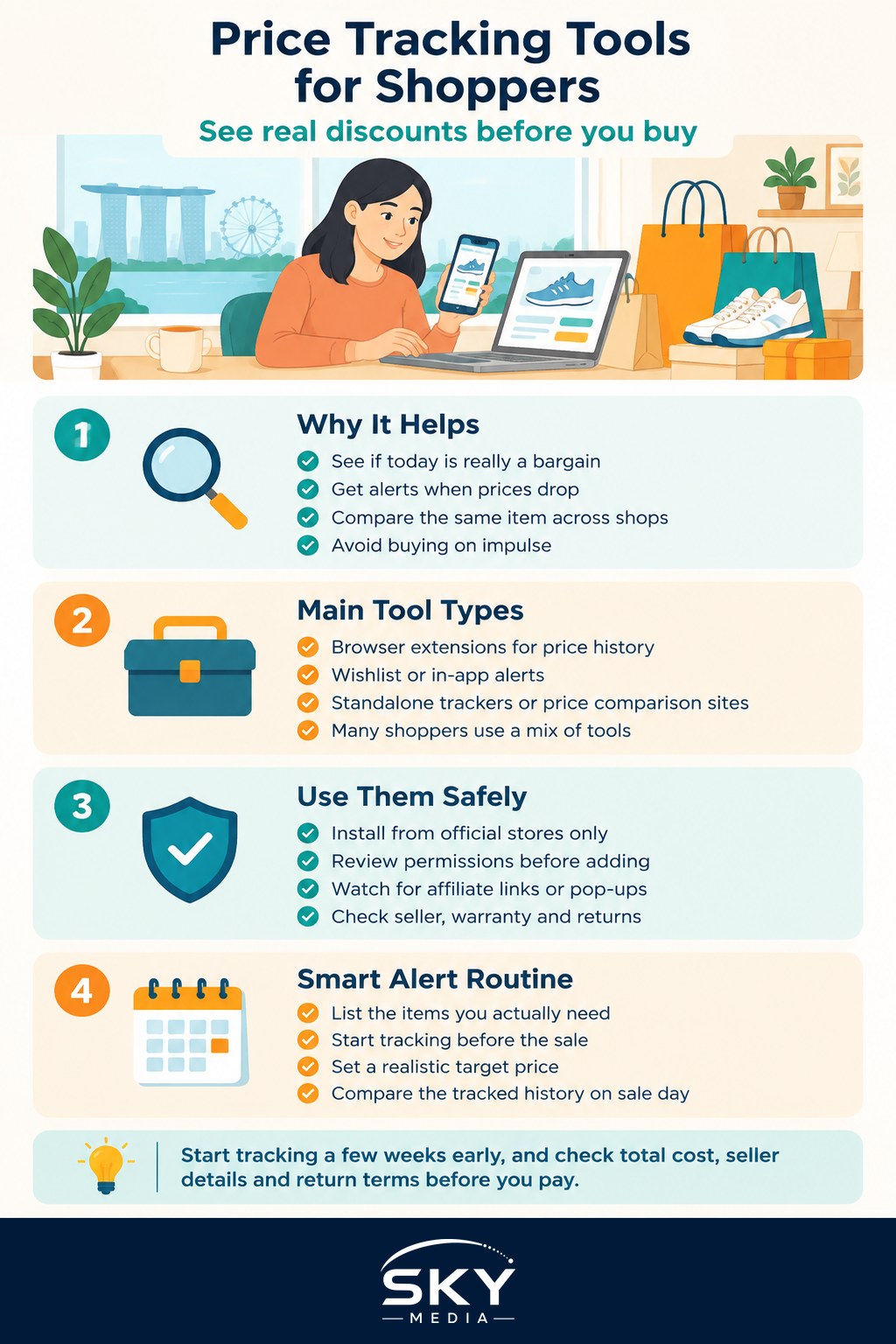
Why Price Tracking Matters for Singapore Shoppers
Singapore shoppers buy across several channels: local marketplaces, international sites that ship here, brand websites and physical stores. Prices on online marketplaces can change often, sometimes several times a day, and sellers may raise a price shortly before a sale so the discount looks bigger.
Price tracking helps you:
- See the real baseline. A price history chart shows whether today’s price is genuinely low or just back to normal.
- Buy at the right time. Alerts tell you when an item drops below a price you choose, so you do not have to keep checking.
- Compare across shops. Some tools show the same product at different retailers.
- Avoid impulse buys. Setting an alert and waiting is a built-in cooling-off period.
The Main Types of Price Tracking Tools
Here is how the main options compare:
| Tool type | How it works | Best for | Watch out for |
|---|---|---|---|
| Browser extension | Adds a price history chart or alert button on supported shopping sites | Desktop shoppers who browse on a computer | Broad permissions to read the pages you visit |
| Wishlist or cart alerts in the shop’s own app | The marketplace notifies you when a saved item’s price drops or goes on sale | Mobile shoppers who mostly buy on one platform | Alerts can be mixed with promotional notifications |
| Standalone price tracker website or app | You paste a product link and set a target price; it emails or notifies you | Tracking items across sites without installing extensions | Coverage of Singapore-specific sites varies |
| Price comparison site | Lists the same product at multiple retailers | Electronics and appliances with clear model numbers | May not include every seller or the latest price |
Many shoppers combine two: in-app wishlist alerts for the marketplaces they use most, plus a browser extension or standalone tracker for big purchases.
Browser Extensions: Price History Where You Shop
Price tracking extensions work in desktop browsers such as Chrome, Edge or Firefox. When you open a product page on a supported site, the extension shows a chart of past prices and lets you set an alert.
To use them well:
- Check which sites are supported. Some extensions focus on large international marketplaces, while others cover regional platforms. Make sure the sites you shop on in Singapore are included.
- Install only from official browser stores. Read the reviews, the number of users and the developer details.
- Review permissions. Many extensions need permission to read data on the websites you visit. That is how they work, but it also means you should trust the developer. Our explainer on ad tracking and cookies covers what this kind of data access means.
- Watch for affiliate behaviour. Some extensions earn commission by adding affiliate links or pop-ups. This is not always a problem, but you should know when it is happening.
- Remove what you do not use. Fewer extensions means a faster, safer browser.
Wishlist and In-App Alerts on Marketplaces
If you mostly shop on your phone, the simplest form of price tracking Singapore shoppers can use is already built into the marketplace apps.
- Save items to your wishlist or “likes”. Many platforms notify you when a saved item goes on sale or drops in price.
- Use the cart as a watchlist. Some apps flag price changes or vouchers on items left in your cart. Leaving items in the cart is not a commitment to buy.
- Follow shops you trust. Following a store often gives you sale notifications and shop vouchers.
- Tidy your notification settings. Turn on price-drop and wishlist alerts, and turn off general marketing pushes, so the useful alerts are not buried.
In-app alerts usually show when a price drops but do not always show a long price history. For bigger purchases, pair them with a tracker that keeps a history chart. For voucher strategy on top of tracking, see our guide to 11.11 vouchers in Singapore.
Setting Smart Alerts Before Big Sales
Price tracking is most valuable when you start early. A simple routine before a major sale:
- Make a list a few weeks before. Write down the items you actually need, with model numbers where relevant.
- Start tracking immediately. Add each item to your wishlist and, for bigger purchases, a tracker with price history.
- Note the normal price. After a couple of weeks, you will know the item’s usual range.
- Set a realistic target. Pick a target near the lowest price you have seen, not an imaginary figure.
- Compare on the day. When the sale starts, check the tracked history against the sale price and combine with any vouchers or bank card promotions you are eligible for.
- Factor in total cost. Shipping, import charges on overseas orders and return conditions all affect the true price.
Our 11.11 deals strategy guide goes deeper into sale-day tactics once your tracking is set up.
Staying Safe While Tracking Prices
A few cautions keep price tracking from creating new problems:
- Beware of fake “price drop” messages. Scam SMS, emails and social media ads sometimes claim an item you want is on sale. Open the shop’s app or type the address yourself instead of tapping links.
- Do not share login details. A legitimate price tracker does not need your marketplace password or banking details.
- Check the seller, not just the price. A very low price from an unknown seller can signal counterfeit goods. Look at ratings, reviews and whether the seller is an official store.
- Read return and warranty terms. For electronics, check whether the warranty is valid in Singapore.
Making Price Tracking a Habit
You do not need many tools. One browser extension or tracker for big-ticket items, plus wishlist alerts in the apps you already use, covers most needs. Track early, set realistic targets and let the alerts do the waiting for you. Over time, you will develop a feel for what a genuinely good price looks like, which is one of the core skills in our guide to becoming a smarter shopper in Singapore.