

If you have used an AI chatbot for a while, you may have noticed it sometimes forgets what you said earlier, or cuts off a long reply halfway. To understand why, it helps to know two behind the scenes ideas: tokens and context windows. Getting a feel for AI tokens and context windows in Singapore will not turn you into an engineer, but it will explain a lot of odd chatbot behaviour and help you get better, cheaper results. This guide keeps the jargon to a minimum and focuses on what actually matters to you as a user.
What is a token?
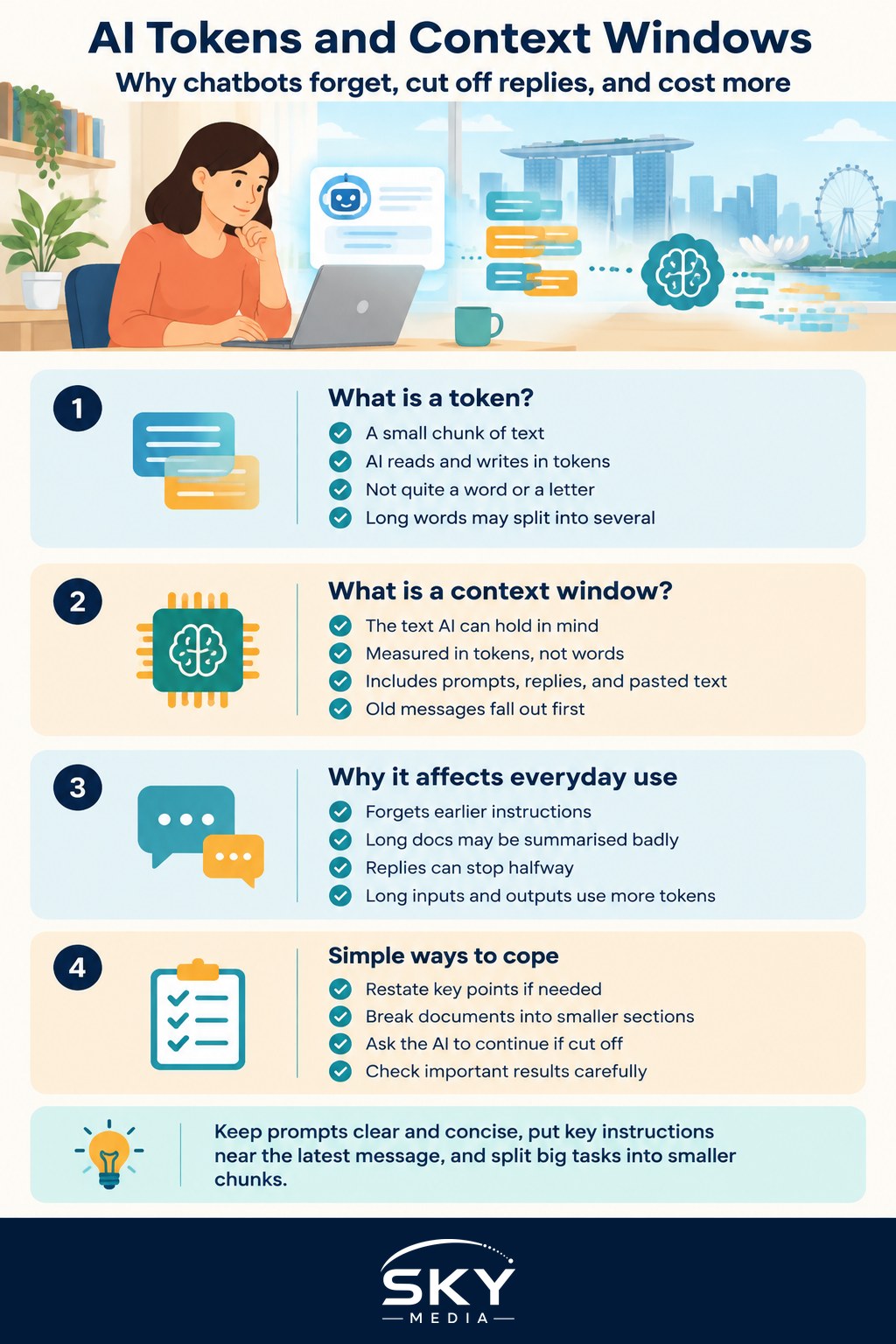
A token is a small chunk of text that an AI reads and writes. It is not quite a word and not quite a letter. Roughly speaking, a token is a few characters, and a common rule of thumb is that one token is about three quarters of an English word. So a sentence of ten words might be around thirteen tokens. Short common words may be one token, while a long or unusual word might be split into several.
Why does this matter? Because AI models measure everything in tokens, not words. When you type a message, the AI counts your text in tokens. When it replies, that reply is counted in tokens too. Both what you put in and what you get back are measured this way. If you use a paid AI service or an app that charges by usage, you are usually billed by the number of tokens, so a long conversation costs more than a short one.
You do not need to count tokens yourself in everyday use. Just remember the simple idea: more text means more tokens, and more tokens means more processing and often more cost. To understand what is happening inside the model that reads these tokens, our explainer on how large language models work is a friendly companion piece.
What is a context window?
The context window is the amount of text an AI can “hold in mind” at one time. Think of it as the model’s short term memory, measured in tokens. Everything counts toward this limit: your instructions, your earlier messages, any document you pasted in, and the AI’s own replies so far.
Every model has a maximum context window. Once your conversation grows past that limit, the oldest parts start to fall out of view. This is exactly why a chatbot sometimes seems to forget what you told it at the start of a long chat. It is not being careless. The early messages have simply scrolled out of its memory to make room for newer text.
Context windows have grown a lot, and some newer models can hold a very large amount of text, enough for a long report or many pages at once. But there is always a ceiling. Two practical effects follow. First, extremely long conversations lose their earliest details. Second, if you paste in a document that is bigger than the window, the AI cannot see all of it at once, and any summary it gives may miss what got cut off. That is one more reason to always verify important AI output, because a confident summary might be based on only part of your document.
Why this matters for everyday use
Understanding these two ideas explains several common frustrations and points to easy fixes:
- The AI forgot my earlier instructions. The conversation grew past the context window. Restate the key points, or start fresh.
- My long document was summarised badly. It may have exceeded the window. Break it into smaller sections and feed them one at a time.
- The reply got cut off. The response hit a length limit. Ask it to continue, or request a shorter answer.
- The paid tool cost more than expected. Long inputs and long outputs use more tokens. Keep prompts tight.
A few simple habits help a lot. Keep your prompts clear and concise. Give the most important instructions near your latest message rather than relying on something you said much earlier. For big tasks, split the work into chunks. And if you want the model to remember your preferences across chats, some tools offer a memory feature, explained in our guide to custom instructions and memory in AI chatbots. Writing tighter requests also helps, and our prompt writing basics for AI tools guide is a good place to build that skill.
A few honest reminders
Tokens and context windows are technical limits, not signs that the AI truly understands you. The model is predicting text within a memory budget, and it can still be confidently wrong, so verify anything important, especially where there are legal, medical, tax, or financial stakes. Do not paste confidential, financial, medical, or personal information into a public AI tool just to fill up the context window, and at work, follow your employer’s AI policy on what may be shared.
You do not need to memorise any numbers here. The takeaway is simple. Tokens are how AI measures text, and the context window is how much text it can keep in mind at once. Keep your prompts focused, break big jobs into smaller pieces, put key instructions near the end, and check the important results. Grasp that, and a lot of puzzling AI behaviour in everyday use suddenly makes sense.
Frequently Asked Questions
Do tokens work differently for Chinese than for English? Often, yes. Chinese characters and other non-English text can split into tokens differently, so the same idea may use more or fewer tokens than in English. If you pay by usage, check how your tool counts text before sending long non-English passages.
How can I tell when I am close to the context limit? Signs include the chatbot ignoring earlier instructions, repeating itself or giving vague answers. Some tools show a usage meter. When this happens, summarise the key points yourself and start a new chat with that summary.
Is a bigger context window always better? Not always. A larger window lets you include more text, but long inputs can still be slower, costlier and harder for the model to use well. Detail buried in the middle can also be overlooked, so focused prompts often beat dumping everything in.
Why does my AI stop mid-sentence in a long answer? It has probably reached the maximum length it can produce in a single reply. Type something like continue and it will usually pick up where it left off. You can also ask for a shorter answer or split your request into parts.
Does the AI remember me between separate chats? Usually not by default, because each new chat starts fresh. Some tools offer memory or custom instruction settings that carry preferences across chats. Check those settings and what they store before turning them on, especially if privacy matters to you.