

If you have ever meant to read more but never quite got round to it, the right app can quietly change that. Good reading apps in Singapore do two useful jobs. They put books in your pocket so you can read on the MRT or in a queue, and they help you keep track of what you have read, what you want to read next, and how far you have come. Rather than chase a fixed “top ten” list that dates quickly, it is far more useful to understand the categories of app and the features that make one worth your time.
The main types of reading app
Reading apps tend to fall into a few clear groups, and most keen readers end up using two or three together.
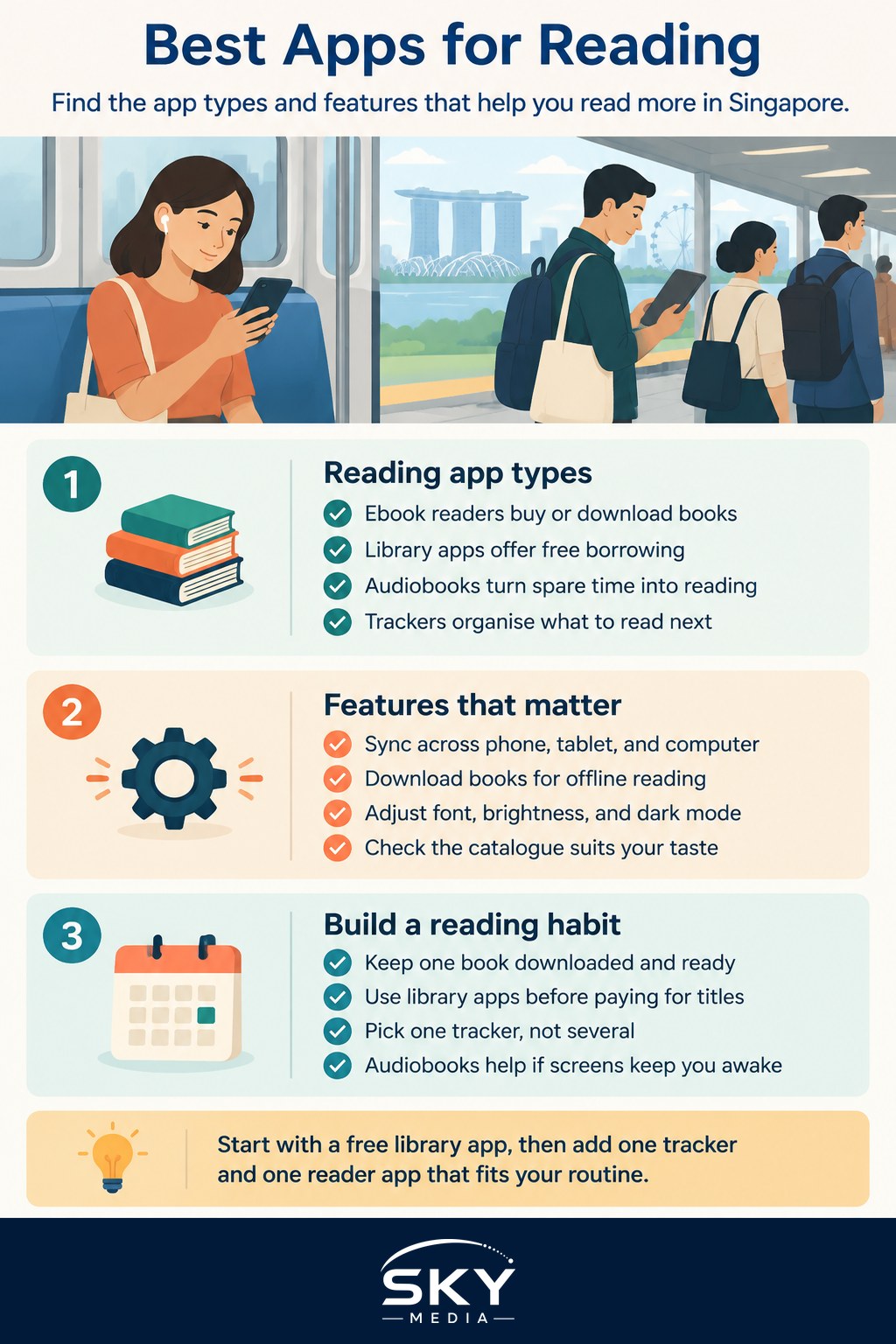
Ebook reader apps let you buy or download books and read them on your phone or tablet. They handle fonts, brightness, and page layout, and they sync your place across devices so you can switch from phone to tablet without losing your spot. Most major bookstores and device makers offer their own reader app, and these are a natural fit if you already buy ebooks from one shop.
Library apps are the quiet heroes for readers in Singapore. Public library membership gives you access to a large collection of ebooks and audiobooks that you can borrow for free through an app, with titles returning themselves automatically at the end of the loan. If you are cost-conscious, this is the single best place to start, and it pairs well with a dedicated e-reader if you dislike reading on a bright screen. Our guide to e-readers and digital reading walks through when a separate device is worth it.
Audiobook apps turn commutes, chores, and walks into reading time. Some are subscription based, some sell titles individually, and library apps often include audiobooks too. If you struggle to sit still with a book, audio can be the format that finally makes reading a habit.
Book tracking and discovery apps are less about reading and more about organising your reading life. They let you keep a “want to read” shelf, log books as you finish them, rate and review, set a yearly reading goal, and see what friends are reading. For many people, this is the motivating part, because watching a shelf fill up is genuinely satisfying.
Features worth looking for
Once you know the category you need, the details decide which app suits you. A few features make a real difference in daily use.
- Cross-device syncing. If you read across a phone, tablet, and maybe a computer, syncing your position and library saves constant frustration. This matters most for ebook and audiobook apps.
- Offline reading. Being able to download a book for a flight or a patchy connection is essential if you travel or commute underground.
- Adjustable display. Font size, spacing, background colour, and a proper dark mode all reduce eye strain, especially for evening reading.
- A clear catalogue. For library and store apps, check that the collection actually includes the kinds of books you enjoy, whether that is local authors, Chinese-language titles, or a particular genre.
- Sensible goals, not pressure. A tracker should encourage you, not turn reading into another chore with guilt attached. Modest, adjustable goals work better than rigid targets.
- Privacy. Reading habits are personal. Prefer apps that are clear about what data they collect and let you keep your activity private if you wish.
It also helps to think about how a reading app fits your wider digital routine. If you already lean on other tools to stay organised, you may want your book tracking to sit alongside them rather than add clutter. The overview of essential apps for Singapore is a useful starting point for building a lean, purposeful set rather than a phone full of things you never open.
Building a reading habit that sticks
An app alone will not make you read more, but the right setup removes the friction that usually gets in the way. A few practical moves help.
Keep one book always downloaded and ready, so there is never a “nothing to read” excuse when you have five spare minutes. Use your library app first before paying for titles, since the collection is large and free. Pick a single tracker rather than several, so logging a finished book takes seconds and never feels like admin. If evening screen time keeps you awake, lean on audiobooks or an e-reader with a warm, dim display instead of your phone.
Notifications deserve a thought too. A gentle nudge can remind you to read, but a stream of alerts does the opposite and pulls you back into scrolling. If your phone tends to distract you, it is worth learning how to manage notifications and stay focused so your reading time stays reading time.
A practical wrap-up
The best reading apps in Singapore are the ones that quietly fit your life, not the ones with the longest feature list. Start with a free library app to see how much you read, add an ebook or audiobook app for titles the library lacks, and choose one tracker to keep the momentum going. Try a couple, keep what you use, and delete the rest without guilt. The goal is not a perfect app collection. It is more books, actually read, in the small pockets of time you already have.