
For most people in Singapore, the Central Provident Fund, better known as CPF, is a quiet but important part of their financial life. It sits in the background, building up over the years, and many of us only glance at it occasionally. Yet checking CPF online in Singapore is one of the simplest financial habits you can build, and doing it regularly helps you understand where you stand without any stress or guesswork.
This guide explains, in plain language, how to view your CPF details online, what the numbers generally represent, and how to stay safe while you do it. One important note up front: this is general information, not financial advice, and it does not quote any specific figures, rates or rules. For anything about your own account, eligibility, or the current schemes, the CPF Board and its official channels are the authority you should rely on.
Where to Look and How Access Works
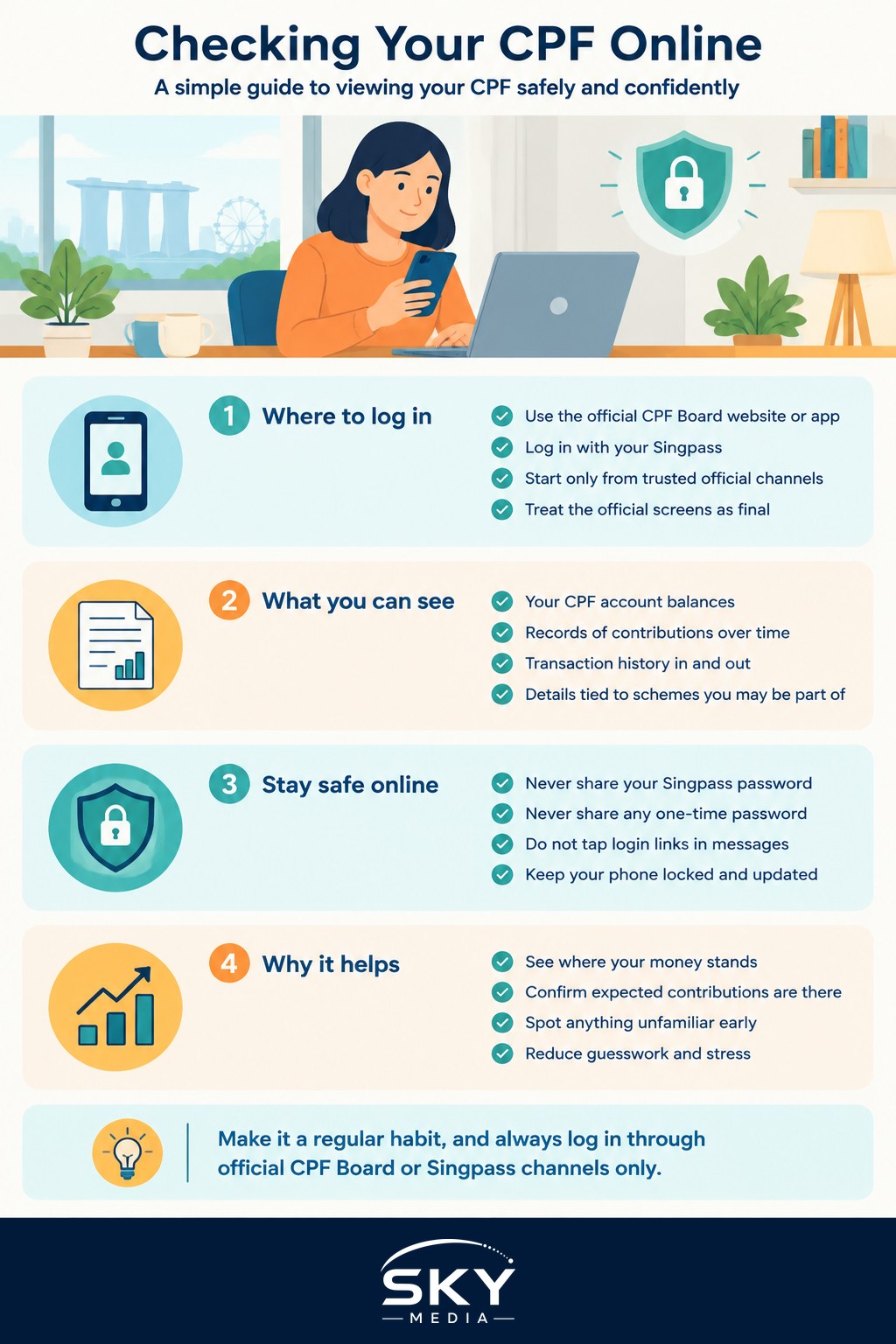
Your CPF information lives in the official CPF Board online service, which you reach through the CPF Board website or its official app. To view your own account, you log in with your Singpass, the single trusted login used across Singapore government services.
Because Singpass is the key to a lot of sensitive information, the login step is where your security really lives. Always start from the official CPF Board site or app rather than following a link someone sent you. If you want a refresher on the login itself, our Singpass guide for Singapore walks through it clearly, and it pairs well with this article.
Once you are logged in, you can generally see an overview of your account and move into more detailed statements. The layout and exact labels can change as the service is updated, so treat the official screens as the final word. If something in this guide looks different from what you see, trust the app.
What Your CPF Statement Generally Shows
Without quoting any numbers, it helps to know the kinds of things a CPF statement is built to show you. Think of it as a summary of what has gone in, what is there now, and where it sits.
In broad terms, you can usually expect to find:
- Your account balances, shown across the different CPF accounts that serve different purposes
- A record of contributions, so you can see money that has been credited over time
- Transaction history, which lets you trace movements in and out
- Details tied to specific schemes you may be part of
The reason regular checking is worth the small effort is that it turns an abstract idea into something concrete. You can confirm that expected contributions are showing up, spot anything that looks unfamiliar, and simply feel more in touch with a large part of your long-term finances. If you ever see a figure or entry you do not understand, resist the urge to guess. The CPF Board can explain what a specific item means for your account far more reliably than any general article can.
CPF is only one piece of your wider money picture. If you are getting more comfortable managing finances from your phone, our overview of digital banking apps in Singapore and our guide to budgeting and expense apps in Singapore are useful companions for the day-to-day side of things.
Staying Safe While You Check
Anything tied to your Singpass deserves careful handling, and your CPF account is a good example. The good news is that a few simple habits cover almost every risk.
Never share your Singpass password, and never share a one-time password, often called an OTP, with anyone at all. No genuine CPF officer, bank or agency will ask you to read out an OTP or type it into a link they send you. Any message that does is a scam, and the safest response is to stop and not engage.
Only log in through the official CPF Board website or app, or the official Singpass app. Do not tap login links in SMS messages, emails or chats, because these can lead to convincing fake pages built to steal your details. When in doubt, close the message and open the official app yourself from your phone.
Protect the device too. Keep your phone locked with a passcode or biometric lock, keep your software updated, and turn on the strongest login protections your accounts offer. Our two-factor authentication guide for Singapore explains why that extra layer is worth the small hassle. If you ever suspect your Singpass has been compromised, act quickly, and lean on ScamShield and the official anti-scam channels rather than trying to handle it quietly on your own.
A Simple Habit Worth Keeping
Checking CPF online in Singapore does not need to be a chore or a source of anxiety. A short, regular look, perhaps when you review the rest of your finances, keeps you informed and lets you catch anything unusual early. That is really the whole point: awareness, not stress.
Remember the boundaries as you go. This article is general information, not advice about your particular situation, and it deliberately avoids quoting figures or rules because those belong to the CPF Board, which keeps them current. Log in only through official channels, guard your Singpass and OTPs closely, and let the official site answer the specific questions. Do that, and a quick online check becomes a calm, confident part of looking after your future.