

Every member of a modern household lives part of their life online, from young children on learning apps to teenagers on social media, working parents on banking apps, and grandparents on messaging and video calls. That connection brings enormous good, but it also opens the door to scams, harmful content, and lost privacy. Keeping your family safe online in Singapore is not about fear or heavy surveillance. It is about a handful of shared habits, some sensible settings, and knowing where to turn if something goes wrong. This guide lays out practical steps any household can take together, without needing to be technical.
The most powerful protection is not software. It is open conversation, so everyone in the home feels able to speak up early when something feels off, rather than hiding it.
Build Strong Everyday Digital Habits
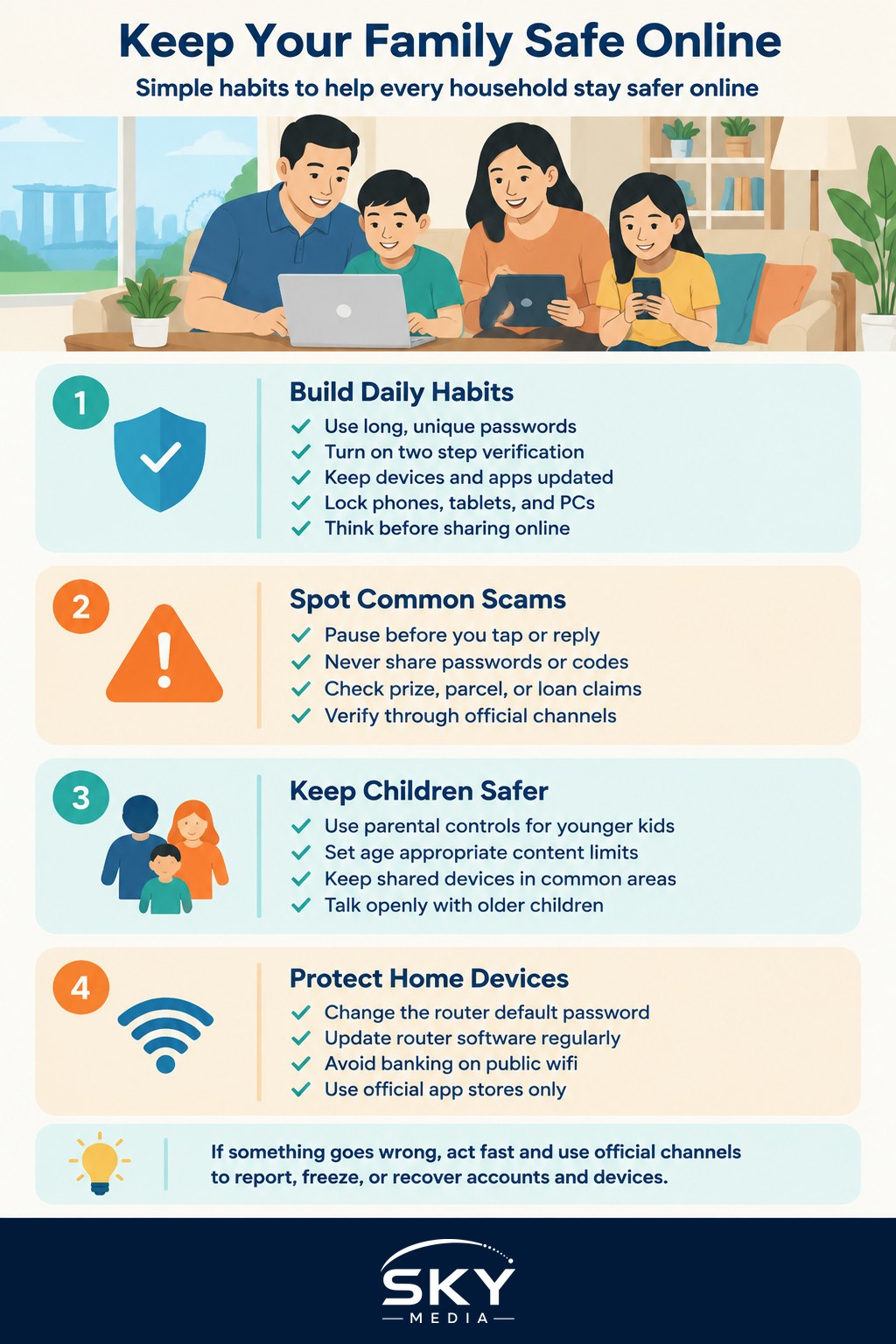
Most online trouble is prevented by the same basic habits, repeated by everyone in the home. Start with passwords, since they guard everything else. Encourage each family member to use a long, unique password for important accounts rather than the same one everywhere, and to store them in a trusted password manager or written safely offline rather than in a notes file. Turn on two step verification, which asks for a second code as well as a password, on email, banking, and social accounts. It is the single most effective step against account takeover.
Keep devices and apps updated, since updates quietly fix the security holes that criminals exploit. Set phones, tablets, and computers to update automatically where possible. Lock every device with a passcode, fingerprint, or face unlock so a lost phone does not hand over your family’s whole digital life.
Finally, talk about what to share. Remind everyone, especially younger members, that photos, locations, and personal details posted publicly can be seen and saved by strangers. A family habit of thinking before posting protects everyone’s privacy.
Recognise and Avoid the Common Scams
Scams are the biggest online threat most families here face, arriving by message, call, email, and social media. They work by creating urgency or fear, or by dangling something too good to be true. Teaching your family to pause is the best defence.
Share a few simple rules that apply to everyone from teenagers to seniors. No genuine bank, government agency, or delivery company will ask for your password, full card details, or a one time code over a call or message. An unexpected message about a prize, a parcel with a fee to pay, a job offer with easy money, or a frantic request from a friend for a quick loan deserves suspicion, not a click. Never rush. Scammers push you to act fast so you cannot think.
When in doubt, verify through an official channel you find yourself, not a link or number the message gives you. Singapore has strong support here: the national anti scam tools let you check and report suspicious messages and calls, and there is a dedicated scam helpline and reporting app. Look up the current ScamShield resources and the official police anti scam channels rather than trusting numbers passed around in chats, since these are the authoritative places to check and report.
Keep Children Safe Without Heavy Surveillance
Protecting children online works best as guidance and conversation that grows with their age, not secret monitoring that breaks trust. The aim is to raise children who can navigate the internet wisely, not simply to watch them.
For younger children, use the parental controls built into devices and app stores to set age appropriate limits, filter mature content, and manage screen time. Keep shared devices in common areas of the home rather than behind closed doors. For older children and teenagers, shift the balance toward open dialogue. Talk about what they see, agree on sensible boundaries together, and make clear they can come to you about anything upsetting, from a cruel message to a stranger’s request, without being punished for it.
Explain online risks in plain terms suited to their age: that people online are not always who they claim, that private images can spread, and that unkind behaviour hurts. A child who understands why a rule exists follows it far better than one who is simply blocked.
Protect the Whole Household’s Devices and Network
Your home wifi and shared gadgets are the backbone of family life online, so secure them. Change the default password on your router to something strong, and rename the network if it still shows the maker’s default. Keep the router’s software updated, which your telco often handles automatically but is worth checking. A guest network for visitors keeps your main devices separate.
Be careful with public wifi outside the home, such as in malls and cafes, where others may snoop. Avoid logging into banking on open networks, and use your mobile data for anything sensitive. Across all your devices, be cautious about what you install. Only download apps from official stores, check what permissions an app asks for, and remove ones you no longer use.
| Risk area | Simple family habit |
|---|---|
| Weak passwords | Long, unique passwords plus two step verification |
| Scam messages and calls | Pause, never share codes, verify through official channels |
| Children’s screen time | Age based controls plus open conversation |
| Home wifi | Strong router password and regular updates |
| Public wifi | Avoid banking on open networks, use mobile data |
Know What to Do When Something Goes Wrong
Even careful families sometimes get caught, and acting fast limits the damage. If someone falls for a scam or loses money, contact your bank immediately to freeze cards or accounts, and report it through the official police and national anti scam channels. Look up the current ScamShield helpline and reporting tools, since these give you the right place to act.
If a phone is lost or stolen, contact your telco quickly to suspend the line, and use the built in find my device tool to locate, lock, or remotely erase it, which you should switch on in advance. If an account is hacked, change its password from a safe device, turn on two step verification, and check for any changes the intruder made. For wider cybersecurity concerns and to stay current on the latest scam tactics, the national cyber agency and its response team, SingCERT and CSA, publish trusted advice and alerts that are worth following as a family.
Most of all, remove the shame. Scams are sophisticated and anyone can be fooled. A household where members feel safe to say I think I made a mistake will always recover faster than one where fear keeps trouble hidden. Safety online, in the end, is a family effort built on good habits and honest conversation.
Explore more
Keeping the family safe online connects closely with managing devices well. For younger members, our guide on setting up parental controls on devices goes step by step, while decluttering your digital life helps you close old accounts that pose a risk. To reduce the constant alerts that scams often hide within, see managing notifications and staying focused.
Further reading: How to Report Online Harms to Singapore’s Online Safety Commission