
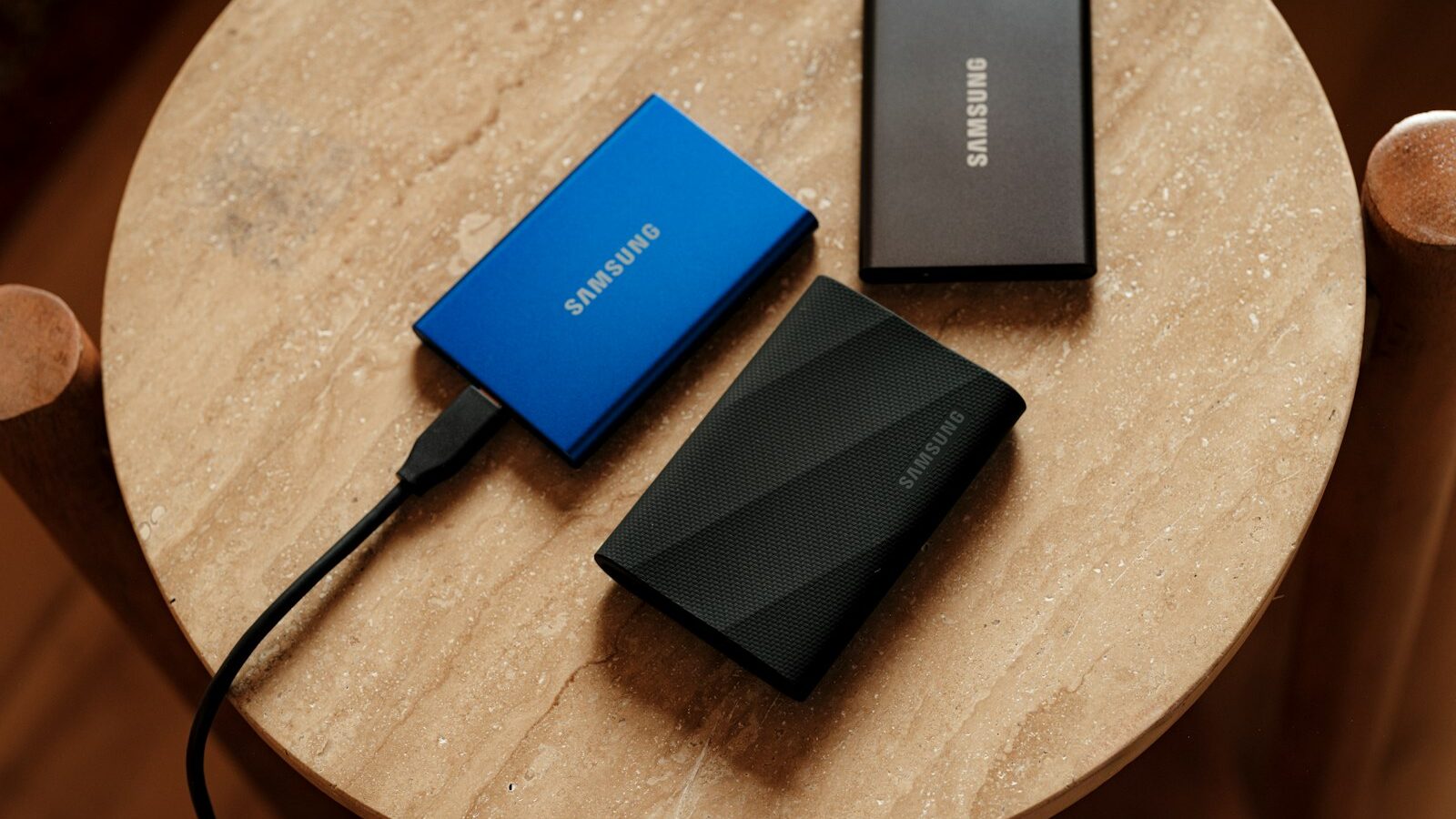
Sooner or later a laptop or phone fills up, or you decide your precious photos and files deserve a proper backup. That is when you reach for external storage, and the first choice is between an external SSD and an external hard drive. They look similar and both plug in over USB, but they behave very differently. If you are weighing an external SSD Singapore shops stock alongside chunkier hard drives, this guide explains the trade offs so you buy the right one for how you actually work.
We will cover what each type is, how they compare on speed, capacity, and price, when to choose which, and how to use them safely for backups.
SSD or Hard Drive: The Core Difference
An external hard drive, often called an HDD, stores data on spinning magnetic platters with a moving read head inside. It is proven, cheap per gigabyte, and available in very large capacities. The downsides are that it is slower, physically larger and heavier, and more fragile, because those moving parts do not like being knocked or dropped while running.
An external SSD, short for solid state drive, stores data on memory chips with no moving parts at all. That makes it much faster, far smaller and lighter, and far tougher, since there is nothing inside to jolt. The trade off is that SSDs cost more per gigabyte, so the same money buys less space than a hard drive would.
In short, a hard drive gives you the most space for your money, while an SSD gives you speed, toughness, and portability at a higher price. Neither is simply better; they suit different jobs. Understanding that trade off is the whole game when choosing external storage.
Comparing Speed, Capacity, and Price
The three factors that separate these drives are speed, capacity, and price, and they pull against each other.
| Factor | External hard drive | External SSD |
|---|---|---|
| Speed | Slower, fine for backups | Much faster, great for daily use |
| Capacity per dollar | Very high, big drives are cheap | Lower, you pay more for the same space |
| Size and weight | Larger and heavier | Small, pocketable, light |
| Durability | Fragile while running | Tough, no moving parts |
| Best use | Large backups, archives | Working files, media editing, travel |
Speed shows up most when you move large amounts of data or work directly off the drive. An SSD copies a big folder in a fraction of the time and feels instant, which matters if you edit photos or video straight from the drive. A hard drive is noticeably slower but perfectly adequate for backups that run in the background while you do something else.
Capacity is where hard drives shine. When you simply need a lot of space, such as for years of backups or a large media collection, a hard drive delivers far more gigabytes for the same outlay. If you need modest space that is quick and portable, an SSD is worth the premium.
Also check the connection. Both usually connect over USB-C or USB-A, and a faster USB standard lets an SSD show its speed. A hard drive is limited by its own mechanics, so a super fast port helps it less. Look at what the drive and your laptop both support.
When to Choose Which
Choose an external SSD if you carry the drive around, work directly off it, or value speed and toughness. Editing photos or video, running a portable library of working files, or slipping storage into a bag for daily commuting all favour an SSD. Its small size and resistance to knocks make it the safer travel companion, and the speed simply makes everyday use pleasant.
Choose an external hard drive if your main goal is lots of cheap capacity that mostly sits on a desk. Bulk backups, archives of old projects, and large media collections are classic hard drive territory, because you care more about total space than about speed, and the drive rarely moves once it is set up.
Many people end up with both: a fast SSD for active work and travel, and a roomy hard drive at home for the big backup. That combination covers most needs without overspending on SSD capacity you do not need.
Using External Drives for Backup
Whichever you choose, the most valuable thing an external drive does is back up your data. A good habit is to keep at least two copies of anything irreplaceable, on separate drives or a mix of drive and cloud, and ideally to keep one copy somewhere other than home so a single mishap cannot take everything. Set a reminder to run your backup regularly, or use software that copies new files automatically, because a backup you forget to run is not much of a backup.
Treat the drive gently, especially a hard drive. Never unplug it while it is writing, always eject it properly first, and avoid moving a spinning hard drive while it works. Label your drives so you know what is on each, and check now and then that your backup still opens, since a backup you cannot restore is worthless.
Singapore Specific Notes
Most external drives, especially SSDs and smaller hard drives, draw power over the USB cable and need no wall plug, which keeps things simple. Larger desktop hard drives sometimes use a mains adapter, so if you buy one, check it suits our 230 volt three pin sockets before you rely on it. Our warm, humid climate is not ideal for electronics, so store drives in a dry spot and avoid leaving them in a hot car or a damp bag.
Buy through established local retailers, IT malls, or mainstream online marketplaces so you get a warranty and can return a faulty drive, which does occasionally happen with storage. Consumer protection here expects goods to work as described, so keep your receipt and test the drive by copying a large file soon after buying, so any fault shows up inside the return window.
Common Mistakes to Avoid
The biggest mistake is keeping only one copy of important files on a single external drive, then losing everything when that drive fails, because all drives fail eventually. Always keep a second copy. The second mistake is buying a large SSD when a cheaper hard drive would have done, or buying a slow hard drive to edit video off, which then crawls. Match the drive to the job.
People also mistreat hard drives by moving or unplugging them mid write, and skip proper ejecting, both of which risk corrupting data. And many forget to actually run their backups. Pick an SSD for speed and travel or a hard drive for cheap bulk space, keep two copies of anything you cannot bear to lose, and your files will be both handy and safe.