

We touch our phones and laptops hundreds of times a day, so it is no surprise they gather smudges, dust and germs. Cleaning your devices in Singapore is worth doing regularly, both for hygiene and for how long your gear lasts. The catch is that the wrong method can do real harm, from streaked screens to liquid seeping into ports. This guide shows you how to clean everything safely, with items you probably already own.
The golden rule is gentle. Devices are more delicate than kitchen surfaces, and the coatings on screens are easily damaged by harsh cleaners. Go slow, use very little moisture, and keep liquids away from any opening. Do that, and your devices will look and feel fresh without any risk.
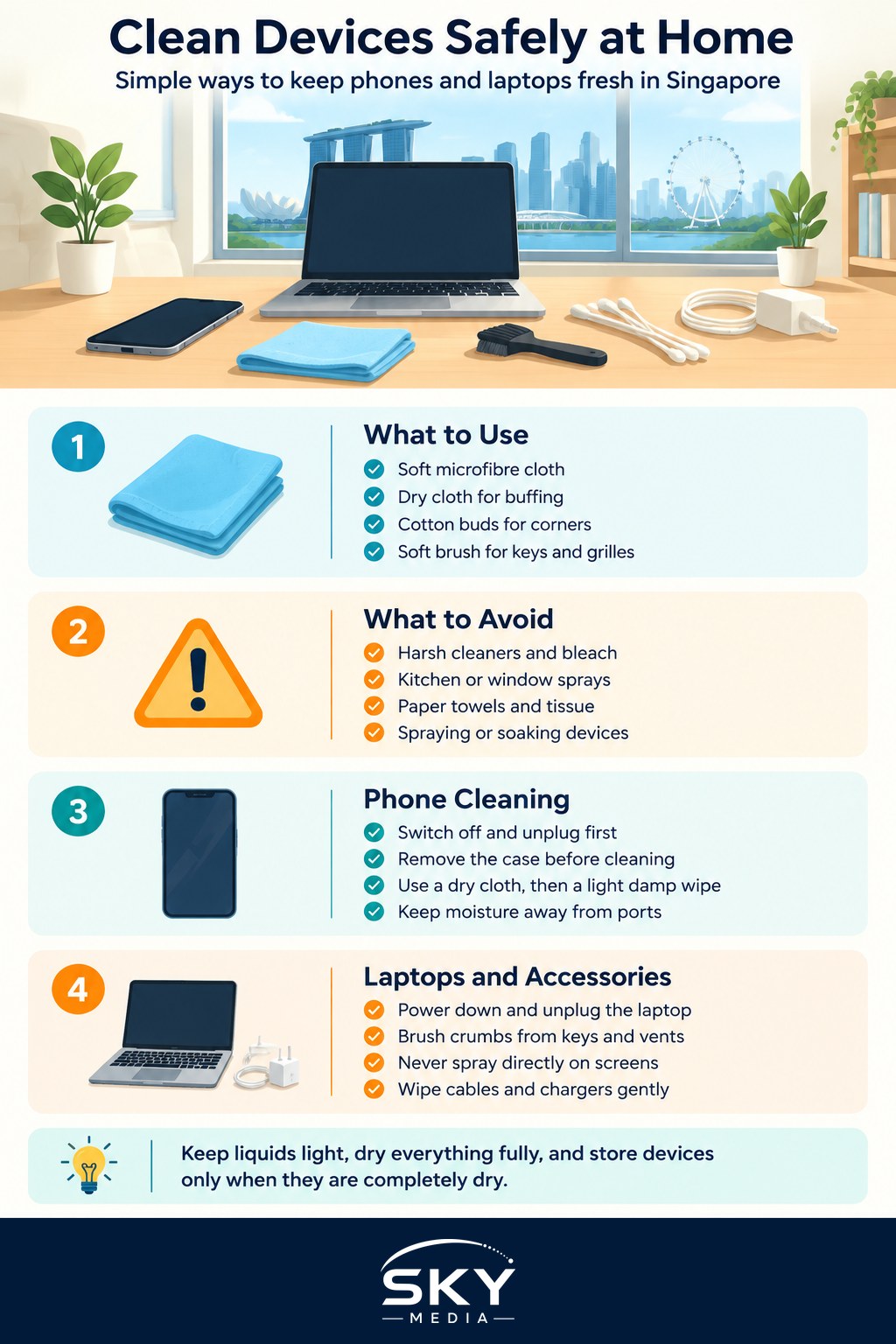
What You Need and What to Avoid
You do not need special kits or expensive sprays. A short list of gentle supplies handles almost everything.
What to gather:
- A soft microfibre cloth, the kind used for glasses. This is the single most useful item.
- A second dry cloth for buffing.
- Cotton buds for tight corners and edges.
- A small soft brush for keyboards and grilles.
- A little clean water, or wipes designed specifically for electronics.
What to avoid completely:
- Harsh household cleaners, bleach, or strong solvents, which strip screen coatings.
- Kitchen or window sprays applied directly to the device.
- Paper towels and tissue, which are rougher than they feel and can scratch.
- Soaking anything, or spraying liquid straight onto a screen or keyboard.
The theme here is restraint. Most damage from cleaning comes from too much liquid or too strong a chemical, not from too little effort.
Cleaning Your Phone the Safe Way
Your phone is the device you handle most, so it deserves a regular wipe. Always switch it off and unplug it first.
Follow these steps:
- Remove the case so you can clean both the phone and the case separately.
- Wipe the screen and back gently with a dry microfibre cloth to lift dust first, so you do not grind grit across the glass.
- For smudges and oils, lightly dampen a corner of the cloth with clean water or use an electronics-safe wipe, then wipe softly. Never let moisture pool.
- Use a dry cotton bud for the edges and around buttons, keeping it away from the charging port and speaker openings.
- Do not push anything into the ports. To lift lint from the charging port, a gentle puff of air or a soft dry brush is enough.
- Wash a rubber or plastic case with a little water and mild soap on its own, dry it fully, then refit it only once completely dry.
Because of our humidity, drying matters as much as cleaning. Make sure no moisture lingers around the ports before you switch the phone back on, and give it a few minutes in a well-ventilated spot rather than sealing a slightly damp phone straight back into its case.
Laptops, Keyboards and Screens
Laptops collect crumbs, dust and fingerprints, and the same gentle approach applies. Shut the laptop down and unplug it before you begin.
For the keyboard, turn the laptop upside down and give it a gentle shake to dislodge loose crumbs, then use a soft brush or a puff of air to clear between the keys. Wipe the key tops with a barely damp cloth. For the trackpad and wrist rest, a lightly dampened microfibre cloth lifts the daily grime that builds up from your hands.
Screens need extra care because they are coated and scratch easily. Never spray anything directly onto a laptop or monitor screen. Instead, dampen the cloth very lightly and wipe in slow, even strokes, then buff dry with a second cloth. Vents and fan grilles are magnets for dust in our climate, and a clogged vent makes a laptop run hot, so brush them clear gently and never poke anything sharp inside.
For accessories, wipe headphones, chargers and cables with a dry or barely damp cloth, and clean earbud tips carefully without pushing wax further in. A tidy cable is also a cable less likely to fray.
How Often, and Handling Our Humidity
There is no need to obsess, but a light routine keeps devices hygienic and pleasant to use. Here is a simple schedule to aim for.
| Device or part | How often | Method |
|---|---|---|
| Phone screen and back | Every few days | Dry cloth, occasional damp wipe |
| Phone case | Weekly | Mild soap and water, dry fully |
| Laptop keyboard | Weekly | Brush out crumbs, wipe key tops |
| Laptop screen | As needed | Barely damp cloth, buff dry |
| Vents and grilles | Monthly | Soft brush or gentle air |
Humidity deserves a special mention. Our climate means devices left in a bag or drawer can pick up moisture over time, which encourages corrosion inside ports and connectors. After cleaning, always ensure everything is bone dry before storing or charging. For gear you store for a while, such as a spare tablet or camera, a silica gel sachet in the case helps keep the air dry and protects the electronics.
A quick word on disinfecting. It is fine to reduce germs on high-touch surfaces like your phone screen, but use wipes made for electronics rather than raw disinfectant, and wring out any excess so nothing drips. Gentle and frequent beats harsh and occasional.
Building a Simple Cleaning Habit
Clean devices are not just nicer to hold, they last longer and perform better. A dust-free vent keeps a laptop cool, a lint-free port keeps a phone charging properly, and a clean screen is easier on your eyes. None of this takes long once it becomes routine.
Keep a microfibre cloth in your bag and another at your desk, do a quick wipe every few days, and set a reminder for a slightly deeper clean once a month. Treat liquids with caution, dry everything thoroughly in our humid air, and your devices will reward you with years of reliable service.
Explore more
Cleaning is one half of good device care, and protection is the other. Pair this with our guide on how to protect your phone from damage in our heat and humidity. If a laptop still runs hot after you clear the vents, our advice on how to speed up a slow phone applies to many devices, and it pays to know how to back up your phone properly before any deeper maintenance.
Further reading: How to Clean and Maintain Your Gaming Gear