
The green #OpenToWork frame around a profile photo has become one of the most recognisable signals on LinkedIn. Some people switch it on the day they start looking, while others would never let a colleague see it. The LinkedIn Open to Work feature is not just the badge, though. It has two quite different visibility settings, and choosing the right one depends on your situation.
This guide focuses only on that decision: what the feature does, the real advantages and drawbacks of each setting, and how job seekers in Singapore can use it well. For broader advice on your headline, summary and experience, see How to Optimise Your LinkedIn Profile to Get Noticed.
What the Open to Work Feature Actually Does
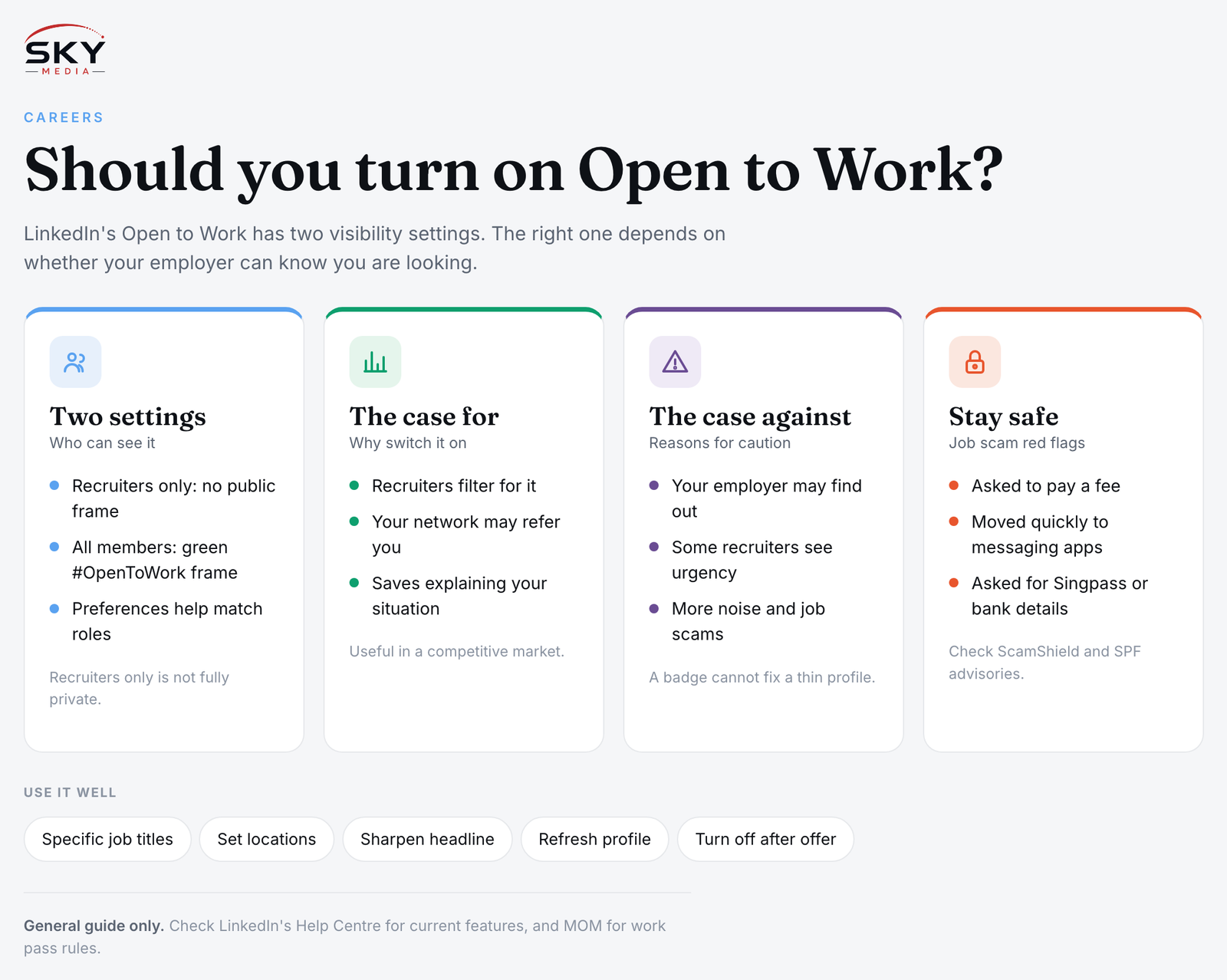
When you turn on Open to Work, LinkedIn asks for your job preferences: the job titles you want, locations (including remote or hybrid), start date and employment type. You then choose who can see that you are open:
- Recruiters only. Your status is shown to people using LinkedIn’s recruiter tools, not to the general network. LinkedIn says it takes steps to avoid showing this to recruiters at your current company, but it also notes it cannot guarantee complete privacy.
- All LinkedIn members. Your status becomes public, and your profile photo gets the green #OpenToWork frame, visible to anyone who views your profile or sees you in their feed.
Either way, your preferences help LinkedIn match you to roles and can surface your profile in recruiter searches. Feature names and options do change from time to time, so check LinkedIn’s Help Centre for the current behaviour.
The Case For Switching It On
There are good reasons to use the feature, especially in a competitive market.
- Recruiters actively filter for it. Recruiters searching for candidates can filter for people who have signalled they are open, so turning it on can increase inbound messages.
- Your preferences shape what you get. Listing specific titles and locations means approaches are more likely to fit.
- The public badge invites help from your network. Former colleagues, classmates and friends may forward roles or offer referrals when they see you are looking.
- It removes awkwardness. If you have been retrenched, finished a contract or just arrived in Singapore, a public signal saves you explaining your situation one message at a time.
The Case Against, or for Caution
The badge also has real drawbacks, and some of them are about perception rather than mechanics.
- Your employer may find out. Even with recruiters-only, there is no absolute guarantee. With the public frame, your manager and colleagues can see it directly.
- Some recruiters perceive it negatively. Opinions vary. Some hiring managers prefer to approach candidates who seem settled, and a few associate the frame with urgency. Others do not care at all.
- More noise. Being visible can bring irrelevant messages, generic agency outreach and, unfortunately, job scams.
- It does not replace effort. A badge on a thin profile achieves little. The profile and your applications still do most of the work.
Recruiters Only vs All Members: Which Fits You?
| Your situation | Suggested setting | Why |
|---|---|---|
| Employed and searching quietly | Recruiters only, or off | Reduces the chance colleagues see it, though not risk-free |
| Unemployed, retrenched or between contracts | All members (public badge) | Maximises reach and invites referrals from your network |
| Fresh graduate or intern seeking a first role | All members, with precise preferences | Signals availability clearly when you have less experience to show |
| Newcomer to Singapore without local connections | All members, plus active networking | Helps people who do not know you yet understand your goals |
| Freelancer seeking project work | Consider LinkedIn’s services features instead | Signals you sell services rather than seek a job |
Using It Well: Practical Tips
If you decide to switch it on, a few habits make it far more effective.
- Be specific with job titles. Add the real titles used in your industry, including common local variations. Vague titles attract vague approaches.
- Set locations deliberately. If you want to work in Singapore, say so. Add remote or hybrid only if you genuinely want them.
- Align your headline. Your headline should describe the value you bring, such as your function and specialism, not just “Looking for opportunities”.
- Refresh your profile first. Make sure your photo, summary and recent experience are up to date. Our guide on What to Wear for a Corporate Headshot or LinkedIn Photo helps if your picture is overdue.
- Post or comment occasionally. Light, genuine activity keeps you visible without relying on the badge alone.
- Turn it off when you accept an offer. Leaving it on after starting a new job sends the wrong message.
Staying Safe When You Are Visibly Looking
Being openly available makes you a target for job scams, which have been a recurring concern in Singapore. Common red flags include offers that require you to pay a fee, requests to move quickly to messaging apps, “tasks” that involve depositing money, and requests for your Singpass details or bank information. Genuine employers will not ask for your Singpass credentials. Check the company independently, and refer to ScamShield and the Singapore Police Force’s scam advisories if something feels off.
Considerations for Newcomers and Pass Holders
If you are new to Singapore, the public badge can be a useful way to introduce yourself, but it does not change the rules about who can work here. Employers generally need to apply for the appropriate work pass through the Ministry of Manpower (MOM), and eligibility depends on the pass type and your circumstances. If you are on a Dependant’s Pass or another pass, check MOM’s website for what applies before accepting any role. Pairing the badge with active networking works better than either alone, as our guide on Networking and LinkedIn for Newcomers in Singapore explains.
The Bottom Line
There is no single right answer. If your current employer must not know, keep it to recruiters only, or leave it off and reach out to people directly. If you are openly between roles, the public badge is a low-cost way to widen your reach. Either way, the feature works best as one part of a job search that also includes a strong profile, targeted applications and real conversations.
Explore more: Using LinkedIn in Singapore
Frequently Asked Questions
Does turning on Open to Work actually lead to more interviews? It can increase recruiter messages, but it does not guarantee interviews. A strong profile, clear job preferences and targeted applications still do most of the work. Treat the feature as one tool in a wider search, and judge it by the quality of enquiries you receive.
How do I turn off Open to Work after I accept an offer? Open your profile, find the Open to Work section and choose the option to delete or turn it off. Menus change, so check LinkedIn’s Help Centre for the current steps. Switch it off before you announce the new role so your profile sends the right message.
How can I tell if a recruiter message is genuine? Check the sender’s profile, company and employment history, and look up the company independently. Be wary of vague roles, pressure to move to messaging apps and any request for fees, Singpass details or bank information. Genuine employers will not ask for those.
What should I post if I was retrenched and want to tell my network? Keep it short, factual and positive. Say what role you are seeking, your strengths and the locations you prefer, and invite introductions. Avoid blaming your former employer. A clear post helps people forward suitable roles and makes it easier to help you.
Should my headline say I am open to work as well as the badge? It is usually better to use the headline to describe your function and what you offer rather than just saying you are looking. The Open to Work setting already signals availability. A headline with clear skills tends to attract more relevant approaches.
Further reading: How to Write a LinkedIn Recommendation and Ask for One