

When people shop for a gaming monitor, two numbers tend to dominate the marketing: the refresh rate and the response time. They sound similar and are easy to mix up, yet they describe different things and matter in different ways. Get a handle on them and you can choose a display that suits your games and your budget, rather than paying for numbers you will never notice. Understanding monitor refresh rate and response time is far simpler than the spec sheets make it look, and this guide breaks both down in plain language so you can shop with confidence.
What Refresh Rate Really Means
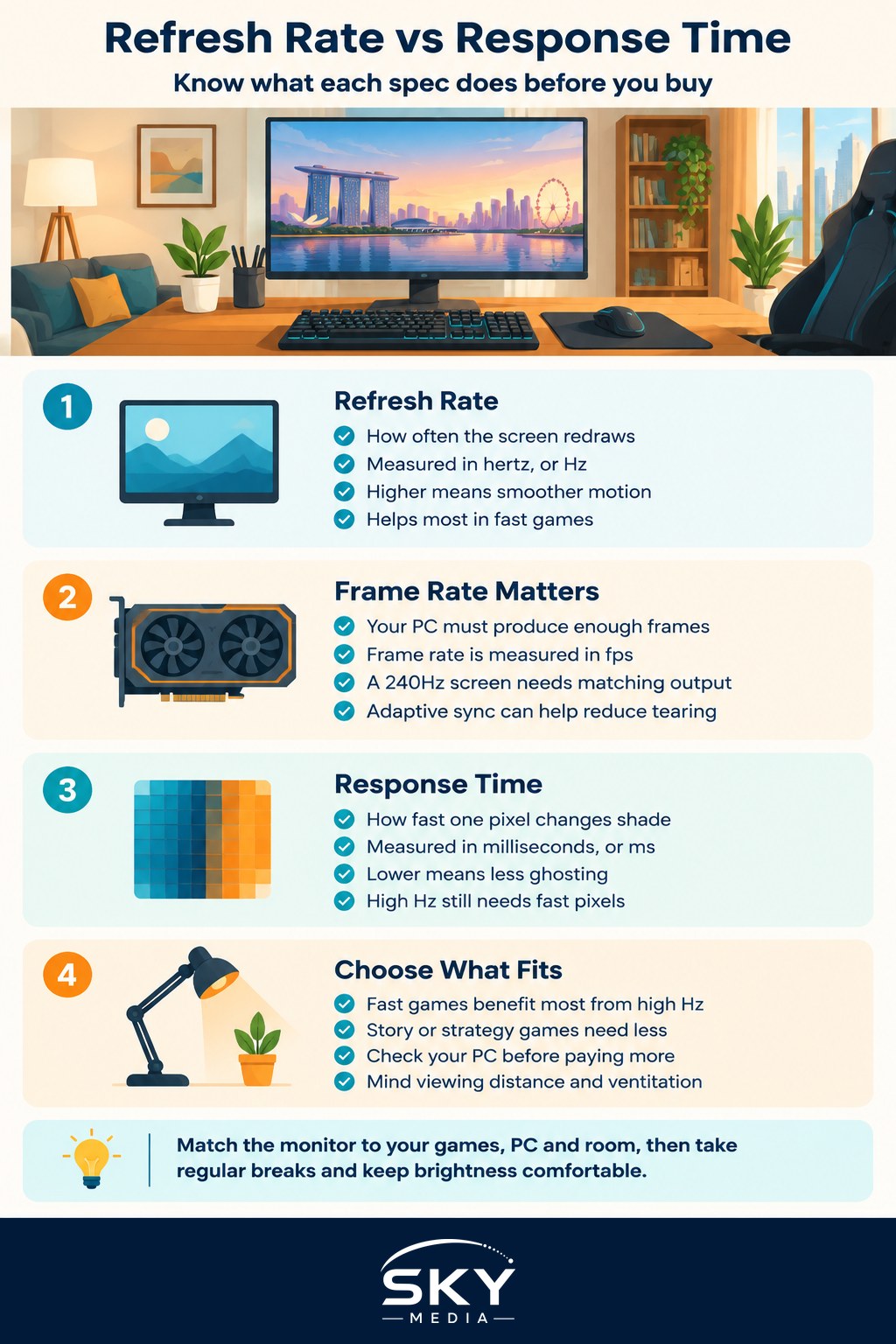
The refresh rate is how many times per second your monitor redraws the image on screen. It is measured in hertz, usually shortened to Hz. A 60Hz monitor refreshes the picture sixty times a second, while a 144Hz monitor does it one hundred and forty four times a second. The higher the number, the more frequently the screen updates, which can make motion look smoother and feel more responsive.
For fast paced games such as shooters and racers, a higher refresh rate can make a real difference. Movement looks cleaner, and fast flicks or turns feel more connected to your hand. For slower games, a story adventure or a strategy title, the benefit is smaller, though many people still enjoy the general smoothness in everyday use like scrolling and moving windows.
Why Frame Rate Has to Keep Up
Here is the catch that trips people up. A high refresh rate only helps if your computer can actually produce enough frames to fill it. Frame rate, measured in frames per second or fps, is how many images your graphics hardware draws each second. Refresh rate is how many your monitor can show. If your PC only manages 60fps, a 240Hz monitor cannot invent the missing frames.
So the two need to be balanced. There is little point pairing a very high refresh monitor with hardware that cannot feed it, just as a powerful PC is held back by a slow display. When planning a setup, think about the pair together and match the monitor to what your machine can realistically push in the games you play most.
Features with names like adaptive sync help here. They let the monitor and graphics hardware stay in step, reducing screen tearing, which is that ugly split where the top and bottom of the image do not line up. If tearing bothers you, look for a monitor and PC that both support the same adaptive sync technology.
Understanding Response Time
Response time is a different measure entirely. It describes how quickly a single pixel can change from one shade to another, measured in milliseconds, or ms. A lower response time means pixels change faster. When response time is too slow, fast moving objects can leave a faint smeared trail behind them, an effect called ghosting.
Response time and refresh rate work together for motion clarity. A high refresh rate updates the whole image often, while a fast response time makes sure each pixel keeps up with those updates. A monitor with a high refresh rate but sluggish pixels can still look blurry in fast scenes, which is why both numbers deserve attention.
Be a little wary of the smallest response time claims in adverts. Different makers measure it in different ways, so the figures are not always comparable between brands. Reading independent reviews and, where possible, seeing a monitor in person tells you more than a single number on a box.
Comparing the Two Specs
The table below lays the two specifications side by side so their roles are clear. Both contribute to how good motion looks, but they answer different questions.
| Feature | Refresh Rate | Response Time |
|---|---|---|
| What it measures | Screen updates per second | Time a pixel takes to change |
| Unit | Hertz (Hz) | Milliseconds (ms) |
| Better when | Higher | Lower |
| Main benefit | Smoother overall motion | Less ghosting and smearing |
| Depends on your PC | Yes, needs matching frame rate | No, it is the panel itself |
Reading it this way makes the relationship click. Refresh rate is about how often the picture changes, response time is about how cleanly each change happens, and your frame rate decides whether a high refresh rate is worth having at all.
Choosing a Monitor for Your Space and Play
Numbers aside, the right monitor depends on how and where you play. A few practical points matter more than chasing the biggest spec.
- Match the monitor to your games. Competitive shooter fans benefit most from higher refresh rates and fast response times, while story or strategy players can prioritise resolution and colour instead.
- Match it to your PC. Check what frame rates your hardware reaches in your favourite games before paying for a very high refresh display.
- Mind your desk and room. In a compact HDB or condo setup, a very large screen sat too close can be tiring on the eyes. Sensible viewing distance and screen size go together.
- Watch the heat. Singapore rooms run warm, and monitors add a little to that. Good ventilation keeps your whole setup comfortable during long sessions.
There is no single correct choice. A modest 60Hz screen is perfectly enjoyable for many players and easier on the wallet, while a higher refresh display rewards those who play fast games on capable hardware. Buy for the games you actually play, not the ones in the demo footage.
Protecting Your Eyes and Comfort
Whatever monitor you land on, how you use it matters just as much as the specs. Long hours in front of any screen can tire your eyes, so take regular breaks, look at something in the distance now and then to relax your focus, and keep the brightness comfortable for the light in your room rather than cranked to maximum. Position the screen roughly at eye level and an arm’s length away to keep your neck and eyes relaxed. This is general comfort guidance, not medical advice, but these small habits keep long gaming sessions from leaving you drained.
Making a Smart Choice
Refresh rate and response time are not rival features to pick between; they are teammates that together decide how clean and smooth your games look in motion. Refresh rate handles how often the image updates, response time handles how sharply each pixel keeps up, and your frame rate ties it all together. Understand that trio and the spec sheets lose their mystery. Choose a monitor that fits your games, your hardware, and your room, and you will enjoy every session without overspending on numbers you would never see.
Explore more: cut the delay between your actions and the screen in How to Reduce Input Lag, fine tune your aim in Understanding Mouse DPI and Sensitivity, and build a comfortable space with An Ergonomic Gaming Setup.
Frequently Asked Questions
Is a 144Hz monitor worth it if I only play slower games? The benefit is smaller for story adventures or strategy titles, though many people still enjoy the extra smoothness when scrolling or moving windows. A modest 60Hz screen is perfectly enjoyable and easier on the wallet. Buy for the games you actually play.
What is screen tearing and how do I stop it? Screen tearing is the ugly split where the top and bottom of the image do not line up. Adaptive sync features help the monitor and graphics hardware stay in step. Look for a monitor and PC that both support the same adaptive sync technology.
Why does my high refresh rate monitor still look blurry? Your frame rate may not be keeping up, because a monitor cannot invent frames your PC fails to produce. Slow pixel response can also leave smeared trails, called ghosting, even on a high refresh screen. Independent reviews help you judge both.
Can I trust the 1ms response time claims on adverts? Treat them cautiously. Different makers measure response time in different ways, so figures are not always comparable between brands. Independent reviews and, where possible, seeing the monitor in person tell you more than a single number printed on the box.
Further reading: Understanding Monitor Panel Types for Gaming · Understanding Frame Rate and Frame Pacing · Understanding Monitor Resolution and HDR · VSync, GSync and FreeSync Explained