
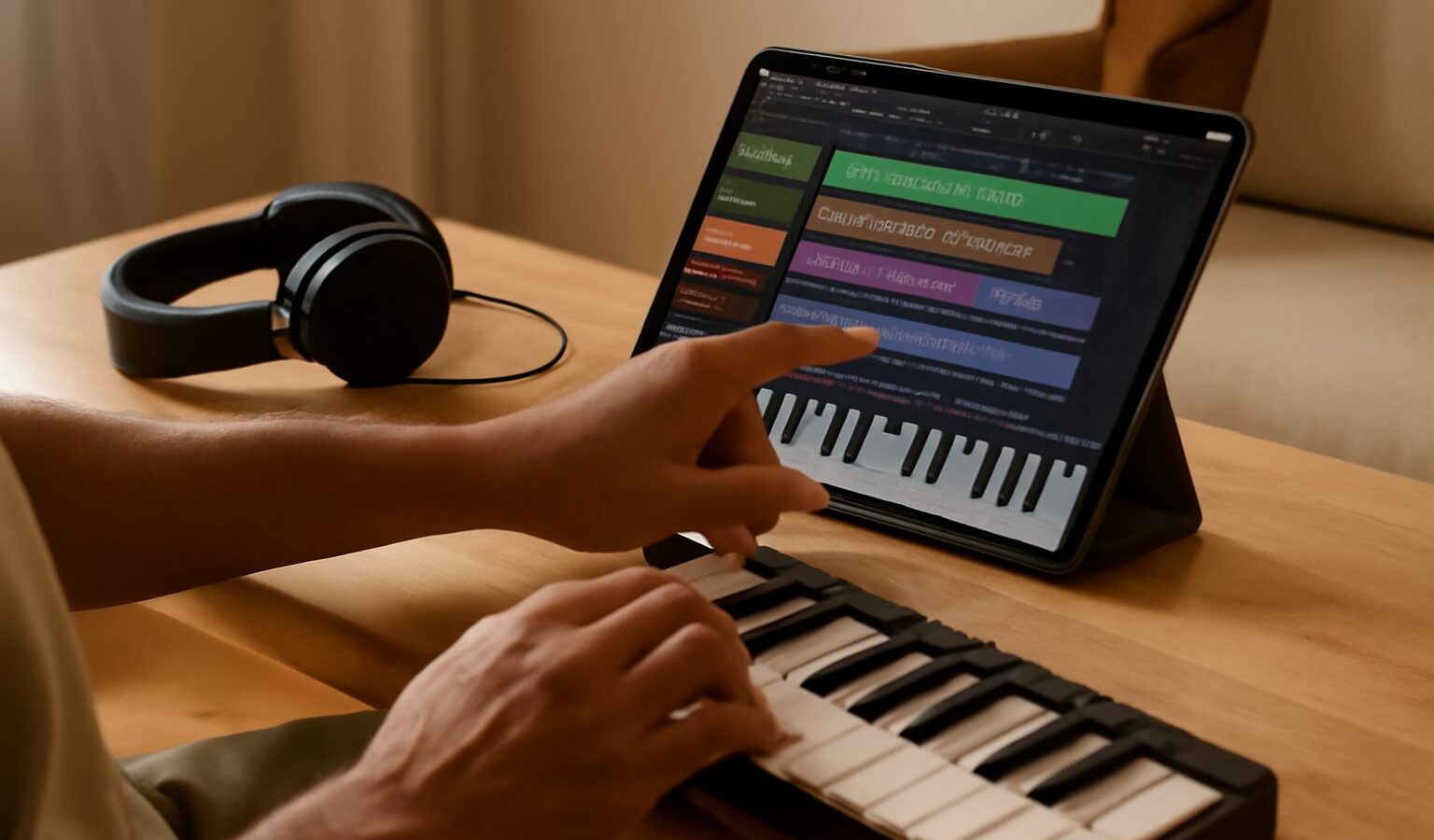
Not long ago, making music meant a room full of gear and a computer that cost a small fortune. Today, the device already in your pocket can record, arrange and mix a complete song. Music production on a phone or tablet has become genuinely capable, and for a curious beginner it is one of the cheapest, most flexible ways to start. You can lay down an idea on the MRT, tidy it up at your desk, and share it the same evening, all without buying anything extra to begin with.
This guide keeps things practical and honest. It will not promise that a phone replaces a professional studio, because it does not. But it will show you what is genuinely possible, what you actually need, and how to get a clean, listenable result from a small screen in a small HDB flat.
Why a Phone or Tablet Is a Real Starting Point
The appeal comes down to three things: it is affordable, it is always with you, and the software has grown up. Modern music-making apps pack in surprisingly powerful tools, from virtual instruments and drum machines to multi-track recording and effects.
A phone is perfect for capturing ideas the moment they arrive, which is often when inspiration strikes and never when you are sat in front of a computer. A tablet, with its larger screen, makes arranging and mixing far more comfortable, so if you have both, sketch on the phone and finish on the tablet. Either way, you avoid the biggest hurdle beginners face, which is a complicated, expensive setup that puts you off before you have made a single sound.
The trade-offs are real too. Small screens get fiddly on detailed edits, storage fills up quickly with audio files, and very large projects can strain an older device. None of this should stop you starting; it just shapes how far you take a project before moving to a computer.
The App at the Heart of It: A Mobile DAW
The main tool you will use is a DAW, short for digital audio workstation. That is simply the app where you record, arrange and mix your music. On a phone or tablet, DAWs range from free, beginner-friendly apps that come pre-installed or download in minutes, right up to more advanced paid ones.
Because apps, features and prices change constantly, it is worth checking the current details in your device’s app store rather than trusting any figure you read online. Look for a few things when you choose:
- A clear, uncluttered layout you can actually navigate on your screen size.
- Built-in instruments and drum sounds, so you can make music without buying anything else.
- Multi-track recording, meaning you can layer several parts on top of each other.
- The ability to export your finished song as a shareable audio file.
Many people start with a free app that is already on their device, learn the basics, and only pay for a more advanced one once they know what they are missing. There is no need to spend money on day one.
What You Need Beyond the Device
The honest answer is: to begin, almost nothing. But a few inexpensive additions make a noticeable difference as you grow.
| What to add | Why it helps | Beginner or later? |
|---|---|---|
| A pair of wired headphones | Hear detail clearly and avoid disturbing HDB neighbours | Beginner |
| A small MIDI keyboard | Play melodies and chords instead of tapping a screen | When ready |
| An audio interface | Connects a proper microphone or guitar to your device | Later |
| An external microphone | Cleaner vocals and acoustic recordings than the built-in mic | When ready |
A quick word on two terms there. A MIDI keyboard does not make sound on its own; it sends note information to your app, which then plays the instrument sounds. An audio interface is a small box that lets you plug a studio microphone or an electric guitar into your phone or tablet with much better quality than the built-in socket. Neither is essential at the start, so add them only when you feel held back without them.
Building Your First Track Step by Step
The workflow is similar in almost every app once you know the shape of it. Here is a simple path from empty project to finished song.
- Start with a beat. Use a built-in drum pattern or tap out a rhythm to give yourself a steady foundation.
- Add a bassline and some chords using the virtual instruments. Keep it simple; two or three parts is plenty.
- Record a melody or vocals on top. If you are singing, find the quietest corner of your flat and record when it is calm outside.
- Arrange the sections into a structure, such as intro, verse, chorus, verse, chorus, ending.
- Mix it: balance the volumes so nothing drowns out the vocals, and nudge instruments left or right for space.
- Export the track as an audio file and listen on different devices to check it holds up.
Work in short bursts and save often. Small screens tempt you to fiddle endlessly, so it helps to step away and return with fresh ears.
Getting a Cleaner Sound at Home
You do not need a treated studio to sound decent, but a few habits go a long way, especially in a compact Singapore home.
Record in a room with soft furnishings, curtains, a bed, a sofa, as these soak up the harsh echo that bare tiled walls create. Keep the microphone, even the built-in one, away from fans and aircon units, which add a constant hum that is hard to remove later. Mind your neighbours and HDB quiet hours when recording anything loud; monitoring through headphones rather than a speaker keeps the peace and helps you hear detail.
Humidity is the quiet enemy of gear here, so store any microphone, interface or keyboard somewhere dry and never leave devices in a hot car. When mixing, trust your ears over the on-screen meters, and always check your final track on cheap earphones as well as good headphones, because that is how most listeners will hear it.
Common Mistakes and Simple Fixes
Beginners often make the same handful of slips. Recording everything too loud causes distortion, so leave a little headroom and keep levels below the maximum. Piling on too many effects muddies a mix; use them sparingly and remove anything that does not clearly help. Never-ending tweaking is another trap, as a finished song beats a perfect one that never leaves your device. And forgetting to back up your projects to the cloud or a computer can lose weeks of work in an instant.
Above all, focus on writing good musical ideas rather than chasing gear. A memorable melody recorded simply on a phone will always beat a dull one polished on expensive equipment. Start with what you have, keep it fun, and let your skills grow one small song at a time.
Explore more
- /writing-your-first-song
- /music-theory-basics-for-beginners
- /how-to-perform-live-music