

Most households in Singapore have at least one retired smartphone sitting in a drawer. Instead of letting it gather dust, you can turn it into an old phone security camera that keeps an eye on your pets, your front door or your helper’s room while you are at work. It will not replace a purpose-built camera system, but for simple monitoring it costs little or nothing and takes less than an hour to set up.
This guide walks through what you need, how to set it up, where to place it and how to keep it secure and respectful of other people’s privacy.
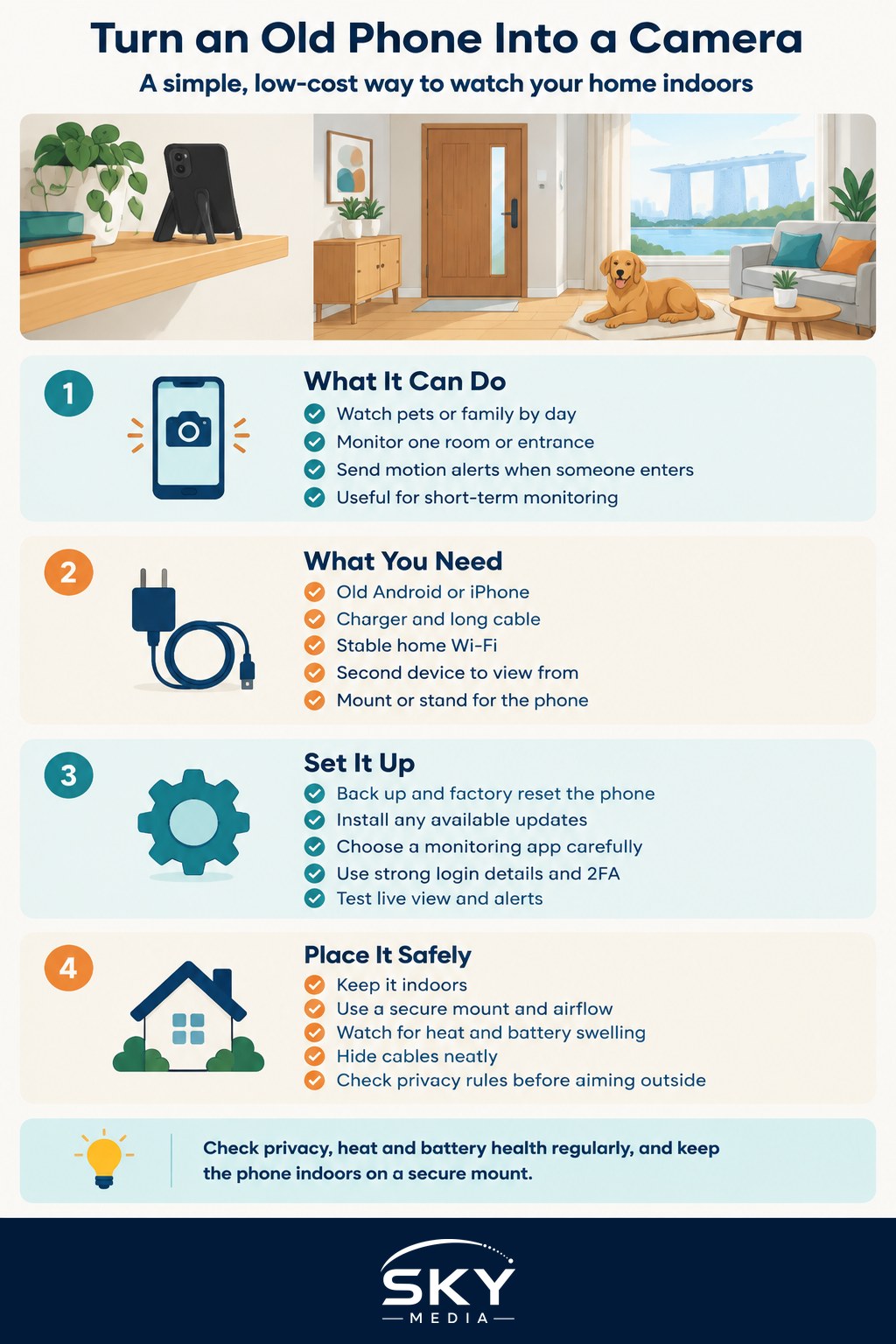
What an Old Phone Can and Cannot Do
Before you start, set realistic expectations. A repurposed phone is good at some jobs and weak at others.
It works well for:
- Checking on pets or elderly family members during the day.
- Watching a room, corridor or entrance from inside the flat.
- Getting a motion alert when someone enters a room.
- Short-term monitoring, such as during a holiday or renovation.
It is less suited for:
- Continuous 24/7 recording over months. Phones are not designed to run hot and plugged in forever.
- Outdoor use. Most phones are not built for rain, direct sun and Singapore humidity.
- Clear night footage. Phone cameras usually lack the infrared night vision found on dedicated cameras.
- Wide coverage. You only see what the lens sees from one fixed spot.
If you need any of those, read our guide to smart home security cameras for what dedicated devices offer.
What You Need Before You Start
Gather these items first:
- The old phone. Android or iPhone, ideally one that still powers on reliably and can install current apps. Very old phones that no longer get app updates may not work with newer monitoring apps.
- A charger and cable long enough to reach a power point. The phone will be plugged in most of the time.
- A stable home Wi-Fi connection. The camera phone streams video over your network. If your signal is patchy in the room you want to watch, see our guide on how to set up home internet smoothly.
- A second device to view from. Your current phone, a tablet or a computer.
- A mount or stand. A cheap phone tripod, a suction mount, a small shelf or even a stack of books.
Step-by-Step Setup
The exact steps vary by app, but the overall process is similar.
- Reset and clean up the old phone. Back up anything you want to keep, then do a factory reset so it does not carry your old accounts, photos and messages. This reduces the risk if the phone is ever lost or accessed by someone else.
- Update the software. Install whatever system updates are still available, then update the app store.
- Choose a monitoring app. Search the official app store for “home security camera” or “phone as webcam” apps. Many offer a free tier with basic live viewing and motion alerts, and paid tiers for cloud recording. Read recent reviews, check the developer and look at what permissions and data the app collects before installing.
- Install the app on both devices. Set the old phone to “camera” mode and your current phone to “viewer” mode, usually by signing in to the same account or scanning a pairing code.
- Use a strong, unique password. Turn on two-factor authentication if the app offers it.
- Adjust the settings. Set the video quality, motion sensitivity and alert schedule. Lower resolution uses less data and storage.
- Disable unnecessary features on the camera phone. Turn off notifications, mute sounds and set the screen to dim or switch off while the camera keeps running, if the app supports it.
- Test it. Walk past the camera, check that you get an alert and that the live view loads from outside your home network.
Where to Place the Phone and How to Power It
Placement makes the biggest difference to how useful your setup is.
| Placement spot | Good for | What to watch out for |
|---|---|---|
| Living room shelf facing the main door | Seeing who comes and goes | Backlight from windows can darken faces |
| High corner of a pet’s room | Watching pets without them knocking it over | Needs a secure mount and a long cable |
| Inside, facing a window or balcony | Checking a balcony or laundry area | Glare and reflections on glass at certain times |
| Bedroom or nursery | Checking on a child or elderly relative | Privacy, and keeping cables out of reach |
A few placement tips:
- Keep it indoors. In HDB flats and condos, pointing a camera into a common corridor or a neighbour’s unit can raise privacy concerns and may break estate rules. If you want to monitor outside your door, check current guidance from your Town Council or your condo’s management corporation (MCST) first. Our guide to home security cameras in Singapore covers this in more detail.
- Manage heat. A phone plugged in and streaming all day gets warm. Remove the case, keep it away from direct sunlight and place it somewhere with airflow.
- Watch the battery. Older phones may have worn batteries that swell over time when kept at full charge. Check regularly for bulging, and stop using the phone if you notice any. Some phones have a setting to limit charging to protect battery health.
- Hide the cable neatly. Use cable clips so nobody trips over it and pets cannot chew it.
Protecting Your Privacy and Other People’s
A camera at home is a responsibility. Keep it safe and fair to everyone who lives in or visits your home.
- Tell household members. Family members, flatmates and domestic helpers should know where cameras are and what they record. Avoid placing cameras in bathrooms or private sleeping areas of others.
- Check rules for domestic helpers. If you employ a migrant domestic worker, review current guidance from the Ministry of Manpower (MOM) on respecting their privacy, and tell them about the camera.
- Secure your account. Use a unique password, two-factor authentication and keep the app updated. A weak password can expose your home to strangers.
- Review where footage goes. Some apps store clips in the cloud. Check the privacy policy and delete footage you no longer need.
- Avoid recording audio unnecessarily. Turn off the microphone if you only need video.
This is general information, not legal advice. If you are unsure whether a particular camera position is allowed, check with your Town Council, MCST or the Personal Data Protection Commission’s published guidance.
When to Upgrade to a Dedicated Camera
An old phone is a great first step. Consider a dedicated camera, or a proper system like the one in our guide to setting up a simple CCTV viewing system at home, when:
- You want continuous recording and reliable storage.
- You need clear night vision.
- The phone keeps overheating, disconnecting or showing battery problems.
- You want to monitor several rooms from one app.
Until then, a repurposed phone is a practical, low-waste way to keep an eye on home. Reset it properly, mount it securely indoors, protect the account and you have a working camera from something you already own.