

Online learning platforms have made it possible to study data analytics, project management or design from your sofa, on your own schedule. Many Singaporeans then ask the obvious question: can I pay for it with my SkillsFuture Credit? The short answer is sometimes. Whether you can use SkillsFuture Credit for Coursera or any other online course depends on whether that specific course is listed as eligible on the official MySkillsFuture portal at the time you sign up. This guide explains how online courses fit into SkillsFuture, how to check eligibility, how the claim works and the mistakes that most often lead to rejected claims.
This is general information, not financial advice. Rules, eligible course lists and claim procedures are set by the Skills and Workforce Development Agency (SWDA, formed in 2026 from Workforce Singapore and SkillsFuture Singapore) and can change, so always confirm the current details on the MySkillsFuture portal before you pay.
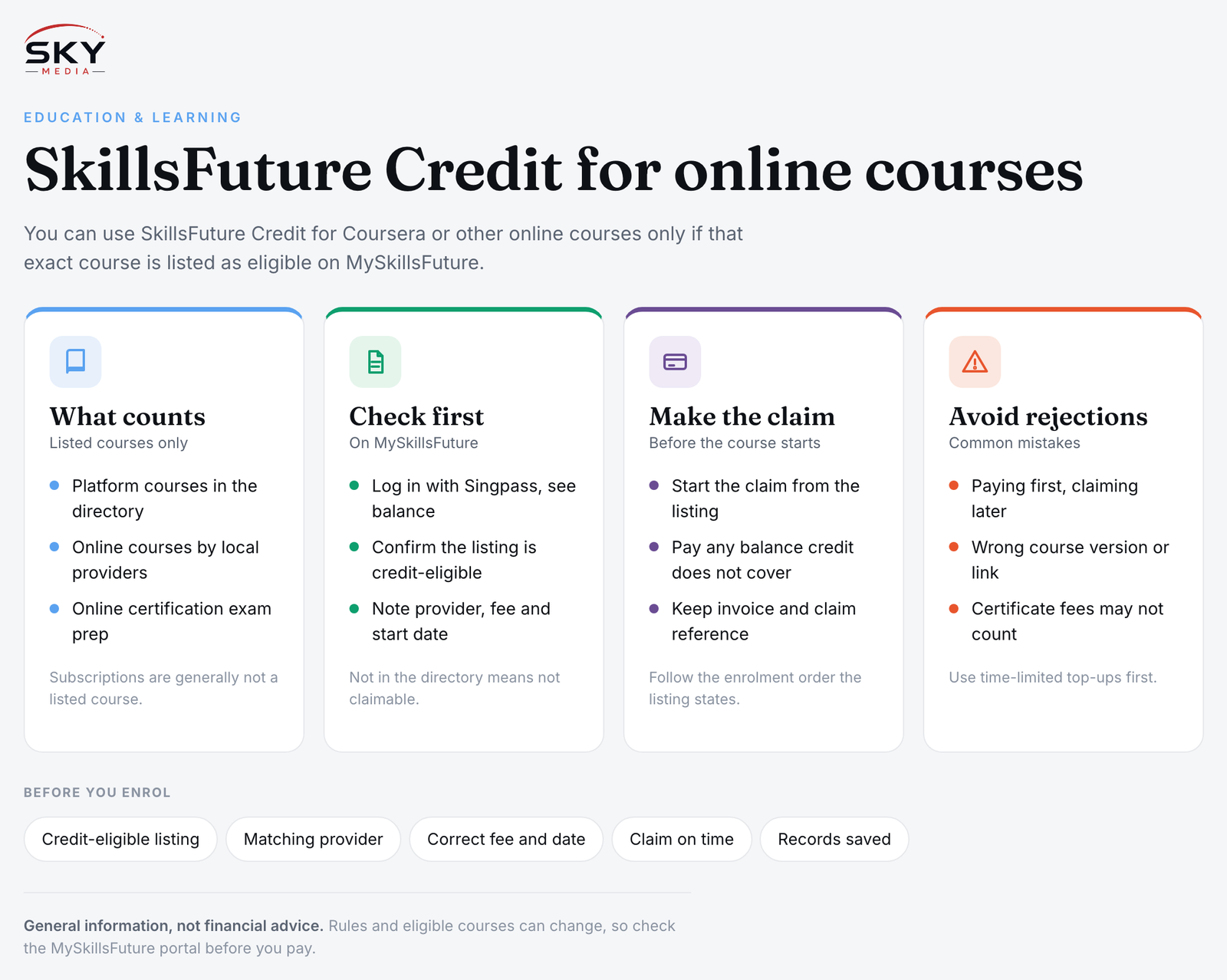
How Online Courses Fit Into SkillsFuture Credit
SkillsFuture Credit is a sum the government puts into the accounts of eligible Singapore Citizens to spend on approved training. It cannot be used on any course you like. A course must be listed in the course directory on MySkillsFuture and marked as eligible for SkillsFuture Credit.
Online platforms enter the picture in a few ways:
- Platform courses listed directly. Over the years, selected courses from major online learning platforms have appeared in the MySkillsFuture directory. When a course is listed, you can claim for it like any other eligible course.
- Courses run by local training providers online. Many Singapore training providers, polytechnics and universities offer live online or blended courses. These are often listed and claimable.
- Professional certification prep. Some exam prep courses delivered online are listed under certification categories.
What generally does not work is paying a platform first and then hoping to claim it later, or using credit for a general monthly subscription that is not itself a listed course. Which providers and course formats are covered has changed over time, so do not rely on what a friend did a few years ago. Check the directory for the exact course and the exact provider.
If you need a refresher on the basics of the scheme, our guide to SkillsFuture Credit covers who qualifies and how the balance works.
Checking Whether a Coursera or Online Course Is Claimable
Before you enrol anywhere, do this check on MySkillsFuture:
- Log in with Singpass at the MySkillsFuture portal and look up your available credit balance.
- Search the course directory using the course name, the platform name or the skill you want to learn.
- Open the course listing and confirm it shows that it is eligible for SkillsFuture Credit.
- Note the training provider name. For platform courses, the listed provider may be the platform itself or a local partner. You must enrol through the route described in the listing.
- Check the course fee and dates on the listing. The claim is tied to what is shown there, not to a promotional price you might see elsewhere.
- Read the provider’s terms on refunds, deadlines and certificates.
If the exact course you want is not in the directory, it is not claimable, even if a similar course on the same platform is.
Comparing Common Online Learning Routes
The table below compares the main ways people use online learning with SkillsFuture in mind. It is a general guide; eligibility always depends on the specific listing.
| Route | Can SkillsFuture Credit be used? | What to watch for |
|---|---|---|
| Global platform course listed on MySkillsFuture | Yes, if marked as credit-eligible | Enrol through the listed route and claim before paying |
| Global platform course not in the directory | No | A similar listed course does not make this one eligible |
| Platform subscription or bundle plan | Generally not, unless a listed course specifically covers it | Subscriptions are not the same as a listed course |
| Live online course from a local provider | Often yes, if listed | Check attendance and assessment requirements |
| Free audit option on a platform | Not needed, as there is no fee | Certificates may cost extra and may not be listed |
How to Submit a SkillsFuture Credit Claim
Once you have confirmed a course is eligible, the claim itself is straightforward. The general flow on MySkillsFuture is:
- Start the claim from the course listing while logged in, and select the course run or start date.
- Enter the fee details as shown, and the amount of credit you want to use. If your credit does not cover the full fee, you pay the balance yourself.
- Submit before the course starts. Claims are generally expected to be submitted within the window SWDA allows before the course start date. Late claims are a common reason for rejection, so check the current timing rules on the portal.
- Complete enrolment with the provider as instructed in the listing. Some providers ask you to enrol first; others ask for the claim first. Follow the order the listing states.
- Keep records. Save your enrolment confirmation, invoice and claim reference number.
Depending on how the provider is set up, SWDA may pay the provider directly, or you may pay upfront and be reimbursed into your bank account. The listing and claim screen will tell you which applies.
For a broader walkthrough of claims across all course types, see how to use your SkillsFuture credits.
Common Mistakes That Lead to Rejected Claims
- Paying first, claiming later. For many courses, the claim must be in before the course begins. Paying a platform and then trying to claim afterwards often fails.
- Choosing the wrong version of a course. Platforms sometimes have several similar courses or specialisations. Only the exact listed one counts.
- Enrolling through a different link. If the listing says to enrol through a specific page or partner, enrolling elsewhere can break the claim.
- Assuming a certificate counts. Some platforms let you study free and charge only for a certificate. That fee may not be listed or claimable.
- Not completing the course. Providers may require you to complete the course or meet attendance requirements. If you do not, you may need to refund the credit used. Check the terms.
- Forgetting the expiry of special top-ups. Some one-off credit top-ups have had expiry dates. Check your balance breakdown on the portal so you use time-limited credit first.
Getting the Most Out of Online Learning
Funding is only half the picture. A few habits help online courses actually pay off:
- Pick courses tied to a goal, such as a career switch, a promotion or a portfolio project, rather than collecting certificates.
- Block study time in your calendar each week. Self-paced courses are easy to abandon.
- Look for assessed projects you can show employers.
- Combine with local options. Online study pairs well with in-person workshops or professional certifications. Our article on professional certifications and SkillsFuture Credit explains that route.
- Check if your employer sponsors training as well, which may stretch your own credit further.
A Quick Pre-Enrolment Checklist
- Course appears in the MySkillsFuture directory and is marked credit-eligible.
- Provider name and enrolment route match the listing.
- Fee and start date match what you will be charged.
- Claim submitted within the allowed window before the course starts.
- Records saved: enrolment email, invoice and claim reference.
Used carefully, SkillsFuture Credit can make a well-chosen online course much more affordable. The key is to let the official listing, not the platform’s marketing, decide what you sign up for.
Frequently Asked Questions
Who can use SkillsFuture Credit for an online course? SkillsFuture Credit is given to eligible Singapore Citizens, so permanent residents and foreigners generally cannot use it. Even then, the course itself must be listed as credit-eligible on MySkillsFuture. Log in with Singpass to see your balance and eligibility.
Can I use SkillsFuture Credit for a monthly learning platform subscription? Generally not. A subscription or bundle plan is not the same as a listed course, so it is usually not claimable unless a listing specifically covers it. Search the MySkillsFuture directory for the exact course instead of assuming the platform is covered.
What if my SkillsFuture Credit does not cover the full course fee? You pay the balance yourself. On the claim screen you enter the amount of credit to use, and any remainder is your responsibility. Check the fee shown on the listing, since the claim follows that figure and not a promotional price elsewhere.
Will I have to pay back SkillsFuture Credit if I don’t finish an online course? Possibly. Providers may require you to complete the course or meet attendance requirements, and if you do not, you may need to refund the credit used. Read the provider’s terms on completion and refunds before you enrol.
Is it worth using SkillsFuture Credit on an online course? It can be, if the course ties to a clear goal such as a career switch or a portfolio project. Look for assessed work you can show employers, block weekly study time, and ask whether your employer also sponsors training.
Official sources: SkillsFuture (SWDA)
Further reading: NTUC UTAP: Using Union Funding to Pay for Your Courses · How to Actually Finish Online Courses · Business and Finance Courses for Professionals