

When you open a new business, the temptation is to sign up for every app you see advertised. A better approach is to start with a small, reliable set of small business tech tools Singapore customers and regulators already expect you to use: something to send invoices, something to collect payments, something to take bookings or orders, a way to talk to customers and a safe place for your files. Get those right and most other tools can wait.
This guide focuses on that everyday operating stack rather than AI tools. It explains what each category does, what local features to look for and how to avoid paying for software you do not need.
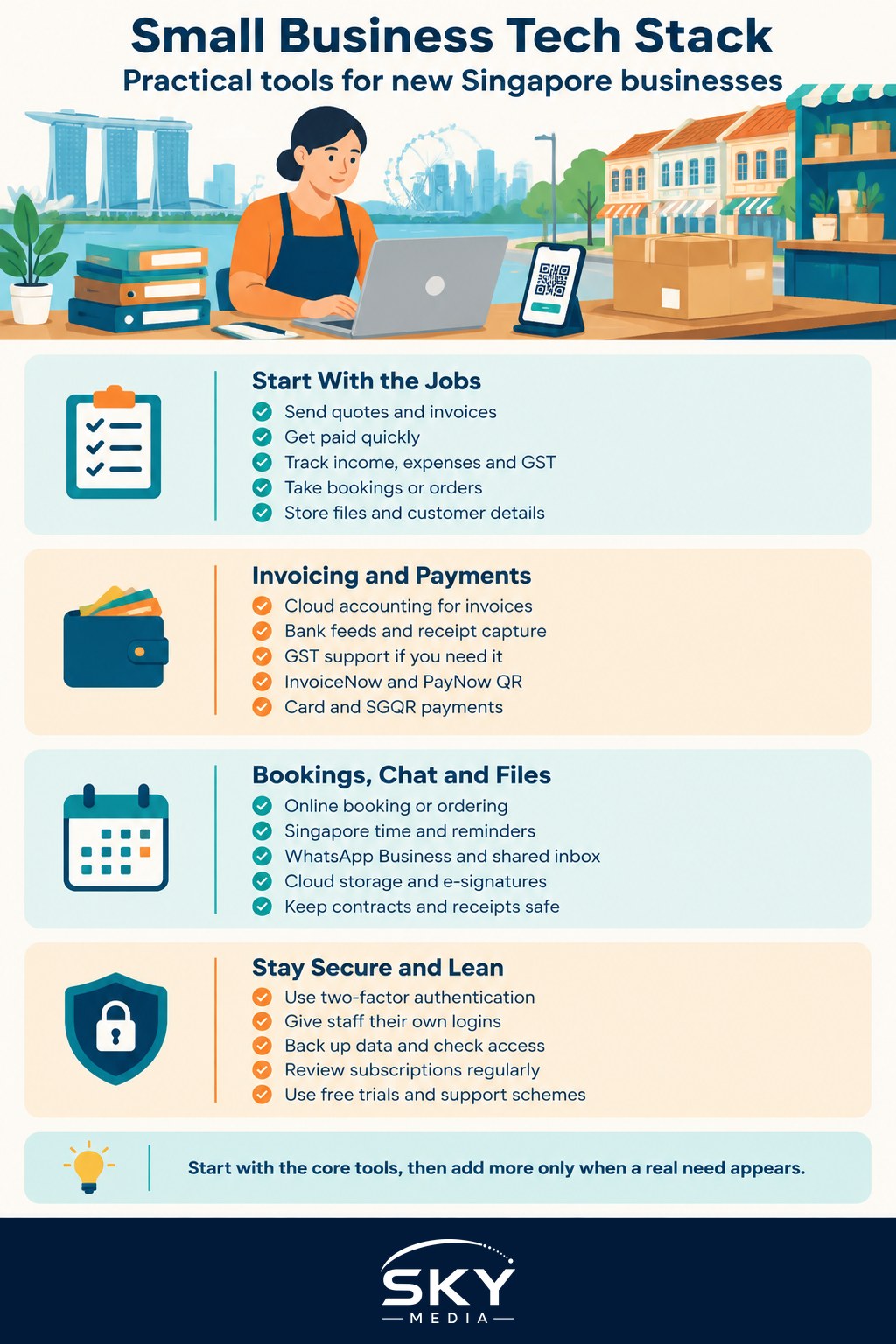
Start With the Jobs, Not the Apps
Before comparing products, list what your business has to do every week. For most new Singapore businesses, the list looks something like this:
- Quote and invoice customers.
- Get paid, ideally the same day.
- Record income and expenses for tax and, if registered, GST.
- Take bookings, orders or enquiries.
- Reply to customers quickly, often on WhatsApp.
- Store contracts, receipts and photos where you can find them.
- Keep track of who your customers are.
Each item becomes a tool category. Many products cover two or three jobs at once, which can save money, but only if the bundled features are good enough. A sole proprietor running a home-based bakery needs a very different stack from a small agency with five staff, so match the tools to your size today, not your hoped-for size in three years.
If you want a deeper framework for comparing vendors, our guide to choosing your business tech stack walks through it in detail.
The Core Categories at a Glance
| Job to be done | Tool category | Local features worth checking |
|---|---|---|
| Invoicing and bookkeeping | Cloud accounting software | GST-ready reports, InvoiceNow (Peppol) support, SGD bank feeds |
| Getting paid | Payment gateway, POS or PayNow QR | PayNow and SGQR acceptance, card payments, settlement speed to local bank |
| Bookings and orders | Online booking or e-commerce platform | Singapore time zone, deposit collection, reminder messages |
| Customer chat | WhatsApp Business and a shared inbox | Quick replies, labels, business profile, catalogue |
| Files and documents | Cloud storage and e-signature | Access controls, version history, data location options |
| Customer records | Simple CRM or contacts system | PDPA-friendly consent fields, easy export |
Invoicing and Bookkeeping
Cloud accounting software is usually the first paid tool worth having. It lets you send professional invoices, match bank transactions and produce the records you need for IRAS, the Inland Revenue Authority of Singapore, when you file your taxes.
Look for:
- Bank feeds from the Singapore banks you use, so transactions flow in automatically.
- GST support, if you are registered or expect to be. The software should handle GST on invoices and help you prepare returns. Whether you must register depends on IRAS rules, so check the current requirements on the IRAS website.
- InvoiceNow support. InvoiceNow is Singapore’s national e-invoicing network, built on the international Peppol standard and promoted by IMDA, the Infocomm Media Development Authority. It lets invoices travel directly between business systems. Government agencies and a growing number of companies use it, and IRAS has been phasing in requirements for GST-registered businesses, so check the latest timeline on the IRAS and IMDA websites.
- Receipt capture, so you can snap a photo of a receipt and attach it to the expense.
If you prefer to outsource the books, choose software your accountant already uses. Our guide to bookkeeping for small business explains what to keep and for how long.
Getting Paid Quickly
Singapore customers are used to paying by PayNow, cards and digital wallets, so make it easy:
- PayNow for business. Most local banks let business accounts receive PayNow transfers using your UEN, the Unique Entity Number on your ACRA registration. Generate a static or dynamic QR code and print it on invoices or at your counter.
- SGQR. The unified Singapore QR code lets one sticker accept several payment schemes. Ask your bank or payment provider whether they support it.
- Card payments. For online sales, a payment gateway connects to your website or invoices. For in-person sales, a POS app with a card reader may suit you.
When comparing providers, ask about transaction fees, settlement time, refund handling and any monthly minimums. Fees change, so read the current pricing page rather than relying on old reviews.
Bookings, Orders and Your Online Presence
What you need here depends entirely on your business model:
- Service businesses such as salons, tutors, trainers and clinics benefit from an online booking tool that shows live availability, takes deposits and sends reminders to cut no-shows.
- Retail and food businesses may need an e-commerce platform or ordering page with delivery options, inventory tracking and integration with their POS.
- Consultants and B2B services may only need a simple scheduling link and a clear website with a contact form.
Whichever you choose, make sure it handles Singapore time, sends confirmations by email or WhatsApp, and lets customers find you through search. Basic search visibility matters more than fancy features, and our guide to SEO for small business covers the essentials.
Communication and Collaboration
Many Singapore customers would rather send a WhatsApp message than an email. WhatsApp Business gives you a business profile, a product catalogue, quick replies and labels to track enquiries. If several staff reply to customers, look at shared inbox tools that let a team handle one number without passing a phone around.
For internal work, pick one place for chat and one for files. A workspace suite with email on your own domain, shared calendars, video calls and documents usually covers it. A professional email address on your own domain builds more trust than a free webmail address.
Add an e-signature tool if you sign contracts often. Singapore’s Electronic Transactions Act recognises electronic signatures in many situations, but some documents have exceptions, so check with a lawyer for anything important.
Protecting Data and Staying Compliant
Every tool you add holds customer data, which brings duties under the PDPA, Singapore’s Personal Data Protection Act, overseen by the PDPC (Personal Data Protection Commission). A few habits go a long way:
- Turn on two-factor authentication for every business account, especially email, banking and accounting.
- Give staff their own logins instead of sharing one password, and remove access when someone leaves.
- Collect only the data you need and record consent where required.
- Back up your files and know how to export your data if you switch providers.
- Check the vendor’s security information and where data is stored.
The Cyber Security Agency of Singapore publishes free guidance for small businesses, which is worth reading before you scale up your tools.
Keeping Costs Under Control
Software subscriptions add up quietly. To stay lean:
- Use free tiers and trials to test before committing, but note what happens to your data when a trial ends.
- Prefer tools that integrate with each other, so you are not retyping data.
- Review subscriptions every quarter and cancel anything unused.
- Check for government support. Schemes administered by agencies such as IMDA and Enterprise Singapore have supported digital adoption for SMEs, including pre-approved solutions. Eligibility and terms change, so check the current details on the official GoBusiness portal before buying.
Start with the core stack, use it properly for a few months, then add tools only when a real problem appears. That discipline keeps your business simple and your costs predictable.
Explore more: CRM for Small Business in Singapore
Further reading: How to Register a .sg Domain Name for Your Business · IT Support for Small Offices: In-House or Managed Service · Microsoft 365 vs Google Workspace for Small Businesses