

Between a full-time job, a side hustle on Carousell or Shopee, tuition runs, and a household to keep in order, most people here are quietly juggling more than any memory can hold. The right task management apps singapore residents rely on turn that mental clutter into a clear list you can actually work through. This guide separates simple personal to-do apps from heavier team project tools, explains the kanban-versus-list choice, and helps you pick something you will still be using in three months rather than abandoning after a busy week.
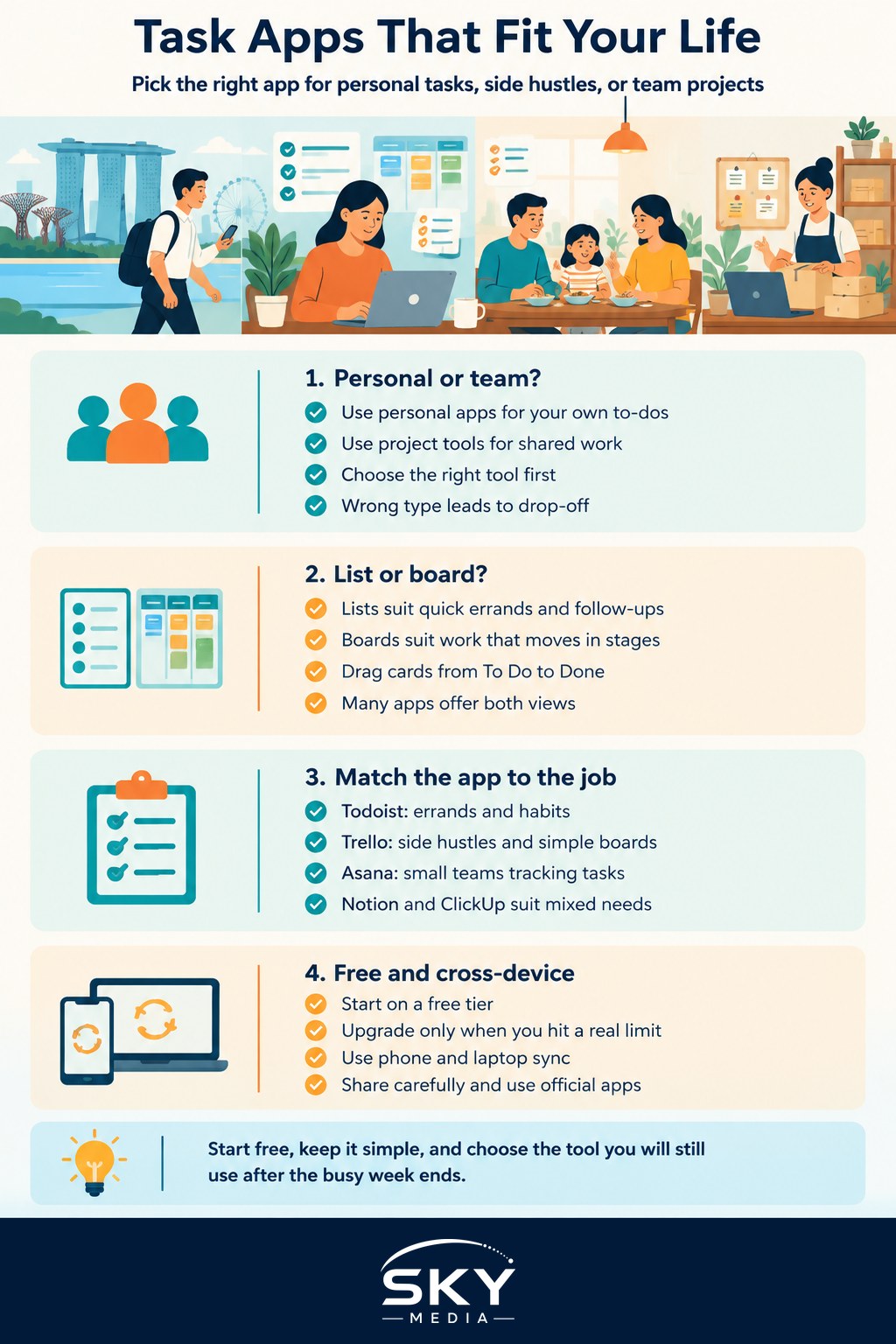
Personal Task Apps Versus Team Project Tools
The first fork in the road is whether you are organising your own life or coordinating a group. These are different jobs, and using the wrong type of tool is why so many people give up.
Personal task apps are built for one person capturing quick to-dos, due dates, and reminders. They open fast, work on your phone, and are happy holding “buy kopi powder”, “renew road tax”, and “reply to client” in one tidy stream. Tools in this category are known for being lightweight and quick to add to.
Team project tools are built for shared work, where several people need to see who is doing what, by when, and at what stage. They add boards, assignees, comments, file attachments, and status columns. That power is welcome for a group project or a small business, but it is overkill for a personal shopping list and can feel like homework if you adopt it alone.
A rough rule: if only you need to see the list, start personal. If two or more people must stay in sync, look at a project tool.
Kanban Boards Versus Simple Lists
Most apps present your work as either a list or a board, and knowing which suits you saves a lot of frustration.
A simple list is a vertical run of tasks you tick off, often grouped by project or due date. It is fast to scan, ideal for errands, groceries, and personal follow-ups, and it matches how many people already think.
A kanban board lays work out in columns, classically “To Do”, “Doing”, and “Done”, with each task as a card you drag across as it progresses. This shines when work moves through stages, such as a freelance job going from brief to draft to review to delivered, or a group assignment moving from research to writing to editing. Seeing cards pile up in one column is an instant signal of where things are stuck.
You do not have to choose forever. Many tools offer both views over the same tasks, so you can keep a plain checklist for personal errands and switch to a board when you are running something with moving parts.
Choosing by Situation
Different lives call for different setups. Here is how the common tools generally map to who you are, keeping in mind that features and free tiers change, so check each app’s current site before committing.
| Tool | Best for | Kanban or list | Free tier note |
|---|---|---|---|
| Todoist | Personal errands and habits | List first | Generous free plan for solo use |
| Trello | Side hustles and simple team boards | Kanban first | Free boards suit small projects |
| Asana | Small teams tracking who does what | Both views | Free tier for smaller groups |
| Notion | Students and note-plus-task mixers | Both, flexible | Free personal use available |
| ClickUp | Power users wanting everything in one | Both, feature-rich | Free tier, steeper learning curve |
Read that as a starting map, not a ranking. Households and personal use lean toward a fast list app. Side hustles and freelancers often love a single kanban board that shows every job’s stage at a glance. Small teams benefit from clear assignees and shared boards. Students frequently reach for an app that blends notes, deadlines, and tasks in one place, so lecture notes and the to-do list live together.
Free Tiers, Cost, and Keeping It Simple
The good news is that most of these tools have a free tier that is more than enough for an individual or a small group, so there is no reason to pay before you know a tool suits you.
A few sensible habits:
- Start free and only upgrade when you hit a real wall, such as needing more team members or automation.
- Watch for limits that matter to you, like the number of boards, guests, or file storage, rather than headline feature counts.
- Remember that a paid plan you barely use is worse value than a free plan you use daily.
The bigger trap is complexity, not cost. It is tempting to adopt the most powerful tool and build an elaborate system, but the app you will actually keep using is the one that fits your life with the least fuss. Begin with a handful of lists or one simple board, add structure only when you feel the need, and resist the urge to reorganise everything every weekend. A plain system you follow beats a beautiful one you abandon.
Working Across Phone, Laptop, and Family
Because your tasks follow you from the MRT to the office to home, cross-device sync is close to essential. Look for an app with a solid phone app and a browser or desktop version, so a task you jot on the bus is waiting on your laptop later. Sign-in should be painless and your list should update everywhere within seconds.
If you are coordinating a household or a small team, sharing matters too. Shared lists work well for groceries and chores, while shared boards suit a family renovation, a wedding, or a small business’s orders. When you invite others, keep a few things in mind: only share what people need to see, be thoughtful about the personal information you put into a shared space, and stick to official apps from the proper app stores rather than unofficial versions. Turn on the extra sign-in security these accounts usually offer, since your task app can quietly hold a lot of detail about your life. Set up well, one modest app can keep an entire household or side project pulling in the same direction without a single group chat descending into chaos.
Explore more
Once your tasks are under control, the next step is rounding out the rest of your toolkit. See our companion guide to the best productivity apps in Singapore for calendars, notes, and focus tools that pair naturally with a good task list, and our roundup of essential apps for Singapore for the everyday services that keep daily life here running smoothly.
Further reading: Automating Tasks With IFTTT and Shortcuts · How to Schedule and Automate Tasks on Your Phone