
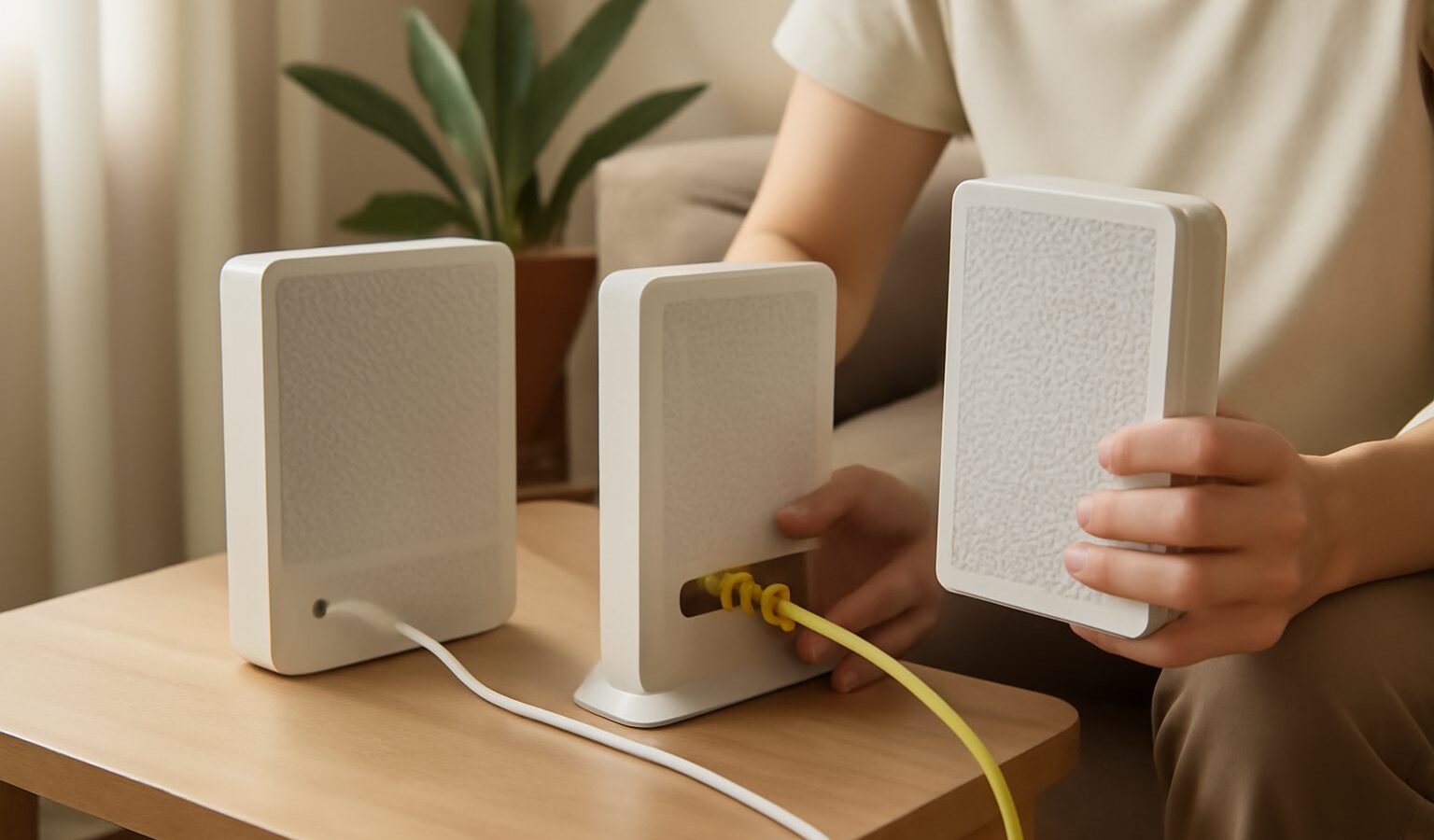
Singapore is one of the most connected places in the world, and nearly every home here gets its internet over fibre. Yet for most people, the little boxes on the wall remain a mystery. What is that white unit the technician installed, and how does it relate to the router that beams out your Wi-Fi? This fibre broadband singapore guide demystifies how fibre reaches your flat, what the ONT actually does, how the router fits in, and how to choose a plan that suits your household. For anything specific to your account, your internet service provider (ISP) is always the right place to ask.
How fibre broadband works
Fibre broadband carries your internet as pulses of light along thin strands of glass, rather than as electrical signals over old copper phone lines. Light travels fast and holds up well over distance, which is why fibre delivers the high, steady speeds Singapore homes enjoy. The national fibre network runs these glass strands right into homes and buildings across the island, so the fast connection reaches all the way to your unit rather than stopping at a cabinet down the road.
When you sign up with an ISP, you are essentially buying access to send and receive data over that fibre connection at a certain speed. The physical fibre coming into your home is the road, and your plan decides how much traffic you are allowed to move along it.
The ONT, your termination point
The ONT, or optical network terminal, is the small box where the fibre from outside ends inside your home. You will often hear it called the fibre termination point. Its job is to be the translator between the two worlds: it takes the light signals arriving over the fibre and converts them into a normal network signal your everyday equipment can understand, and vice versa for the data you send out.
In a typical Singapore setup, the fibre cable runs to a termination point on your wall, and the ONT connects to it. The ONT usually has one or more network ports on it. From there, a network cable runs to your router. So the chain, in order, is: fibre from outside, into the termination point, into the ONT, then out to your router.
It helps to know that the ONT and the router are two different jobs, even though people sometimes lump them together. The ONT gets the internet into your home and does the light to signal conversion. The router then takes that single connection and shares it out to all your devices, wired and wireless. Some homes have these as separate boxes, while some newer equipment combines functions, but the roles are distinct.
The table below lays out what each part does.
| Part | What it is | Its job |
|---|---|---|
| Fibre line | Glass strand into your home | Carries data as light |
| Termination point | Wall socket for the fibre | Where the fibre ends |
| ONT | Small box after the socket | Converts light to a network signal |
| Router | The box with Wi-Fi | Shares the connection to your devices |
The router and your home network
The router is the part you interact with most, because it creates your Wi-Fi and connects your phones, laptops, TVs and smart home gadgets. It receives the single internet connection from the ONT and distributes it, giving each device a way onto the network and managing the traffic between them.
The router matters a great deal for how good your internet feels day to day. A plan may promise high speeds, but if your router is old, poorly placed or overloaded, the Wi-Fi in your bedroom may still feel slow. This is why so many households in larger or multi room homes turn to mesh systems, which use several units to spread strong Wi-Fi through the whole flat rather than relying on one box in the living room. Placement, the number of devices connected, and the age of the router all make a real difference to the experience.
A useful mental model: your fibre and ONT determine how fast the internet arrives at your home, while your router and Wi-Fi determine how well that speed actually reaches each device in your hands.
Choosing a plan by speed and needs
Fibre plans are usually sold by speed, and it is easy to assume that faster is always better. In practice, the right plan depends on how your household actually uses the internet, and paying for far more speed than you need is money that could go elsewhere.
Think about how many people are online at once and what they do. A single person who mostly browses, messages and streams the odd video needs far less than a busy family where several people stream, game and video call at the same time, perhaps alongside a home office. More simultaneous heavy users generally means a higher speed plan is worth it, because the connection is being shared.
Consider your activities. Streaming video, video calls and general browsing are comfortable on modest to middling speeds. Very large downloads, working with big files, or many people doing demanding things together are where higher speeds start to pay off. Households with lots of smart home devices also benefit from a capable connection and, importantly, a capable router.
Do not overlook the equipment and the fine print. The speed on the box is the speed to your home, not a guarantee at every corner of the flat, since your router and Wi-Fi shape the real world result. Contract length, any bundled router or mesh gear, and installation details vary between providers, so weigh the whole package rather than the headline number alone.
Wiring basics and getting help
A few practical points make life easier. Where you can, connect the things that matter most, such as a main TV, a desktop or a game console, to your router with a network cable rather than relying on Wi-Fi, since a wired link is steadier. Keep your router out in the open rather than hidden in a cabinet, and away from the floor and thick walls, so the Wi-Fi can spread. And treat the ONT gently; it is the gateway for your whole connection, so avoid unplugging or moving it unless your ISP guides you to.
Finally, remember that setups differ from building to building and provider to provider, and the specifics of your termination point, ONT and plan belong with your ISP. If something is not working, or you are unsure which box is which in your own home, your provider can walk you through your particular installation. Understanding the general picture, that fibre brings light to your home, the ONT translates it, and the router shares it out, gives you the confidence to ask the right questions and choose well.
Explore more
Home Broadband
Home WiFi and Mesh Networking
Setting Up a Home Media Server