

If you live in Singapore, your Singpass is one of the most important digital keys you own. It logs you in to government services and many private ones too, from banking to insurance to signing documents. The Singpass app Singapore residents carry on their phones brings all of this into one place, and it adds convenient ways to prove you are really you, including face verification. Understanding how it works, and how to protect it, is genuinely worth a few minutes of your time.
This guide explains the app in plain words, describes how face verification fits in, and focuses hard on keeping your account safe. Because the app is updated over time, treat this as a friendly overview and rely on the official Singpass website and app for the current steps and features.
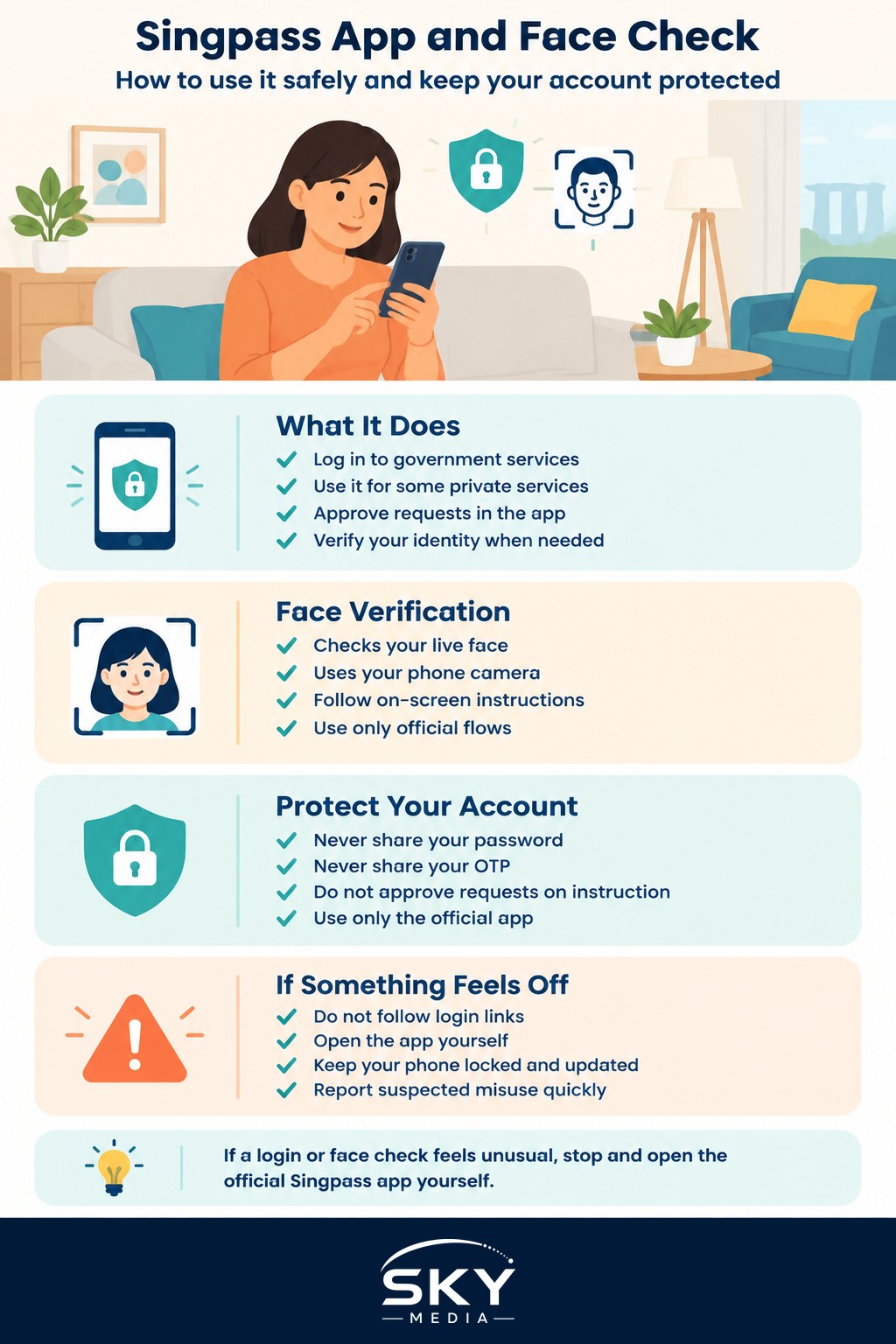
What the Singpass App Is For
At its heart, the Singpass app is a secure way to log in and prove your identity without typing passwords into every site. Instead of remembering and entering credentials, you approve logins through the app on your phone, which is both faster and harder for others to abuse.
The app generally lets you do a few key things:
- Log in to government and participating private services quickly
- Approve login requests, often with a tap or a biometric check
- Access identity-related features that let you verify who you are when a service requires it
Because so much rides on this single app, it is designed with strong protections, and your job is to keep those protections meaningful by using them well. If you want a fuller picture of the login system in general, our Singpass guide for Singapore is a natural companion to this article, and our overview of e-government services in Singapore shows where it fits in the bigger digital landscape.
How Face Verification Works
Face verification is a way of confirming your identity by comparing your live face, captured through your phone camera, against a trusted reference. In plain terms, the service is checking that the real you is present, rather than just someone who happens to know a password.
The everyday experience is usually straightforward. When a service asks for this kind of check, you are prompted to position your face in front of the camera in good lighting and follow any on-screen instructions. If the check passes, you are verified and can continue.
There are a few sensible things to keep in mind. Face verification is meant to happen through official flows, on the genuine app or a legitimate service that has integrated it. You should not be asked to perform a face check inside a random link sent by SMS or chat. If anything about the request feels unusual, that is your cue to stop and go directly to the official app instead.
The benefit of this approach is convenience with strength. A face check is quick, and because it ties the action to your physical presence, it raises the bar for anyone trying to impersonate you. As with every feature here, the official site holds the exact, current details of how and when it is used.
Protecting Your Singpass Is the Whole Game
Everything convenient about the app depends on one thing: that only you can approve actions with it. Scammers know how valuable Singpass access is, so protecting it is the single most important habit in this guide.
Start with the non-negotiables. Never share your Singpass password, and never share a one-time password, often called an OTP, with anyone. No genuine officer, bank or agency will ever ask you to read out an OTP, approve a login on their instruction, or perform a face check because they told you to over the phone. Any such request is a scam, and the right move is to end the interaction immediately.
Only ever use the official Singpass app, downloaded from your phone’s official app store, and only log in through official channels. Do not follow login links sent to you, because these can lead to convincing fake pages built to capture your details. When in doubt, close the message and open the app yourself. Our guide on how to recognise phishing emails and SMS will help you spot these tricks before they work.
Protect the phone itself, since it is now the key to your identity. Keep it locked with a passcode and biometric lock, keep the software updated, and be careful about who has physical access to it. Turning on the strongest available protections matters, and our two-factor authentication guide for Singapore explains why layered security is so effective.
Finally, know what to do if something goes wrong. If you suspect your Singpass has been misused, or you are being pressured into approving something you did not start, act quickly. Follow the recovery steps on the official Singpass website, and lean on ScamShield and the official anti-scam channels rather than trying to sort it out quietly. Reporting fast limits the damage.
Using It With Confidence
The Singpass app Singapore relies on is a genuine convenience. It replaces a tangle of passwords with a fast, secure way to prove who you are, and features like face verification make that even smoother. The trade-off is simple: because it holds so much, you owe it a little care.
Keep the habits front of mind. Use only the official app, guard your password and OTPs fiercely, perform face checks only through legitimate flows you started, and treat any pressure or unexpected request as a warning sign. If a screen looks different from what you read here, trust the official app, since it carries the current process. Handle it that way, and your Singpass stays exactly what it should be: a powerful key that only you can turn.
Frequently Asked Questions
What should I do if I change phones or lose my phone with the Singpass app? Contact Singpass through the official website to report it and follow the recovery steps, as the app is tied to your device. Lock or erase the lost phone if you can, and change related passwords. Do not use unofficial helplines.
Can seniors or people without smartphones use Singpass? There are official alternatives and assistance options, which change over time, so check the Singpass website for what is available. Family members can help set up the app, but should never hold or use someone else’s login.
Why does face verification sometimes fail, and what can I try? Poor lighting, glare, a shaky camera, glasses or a changed appearance can cause a failed check. Move to even lighting, hold the phone steady and follow the prompts. If it keeps failing, check the Singpass website for alternatives.
Is the Singpass app safe to use on public Wi-Fi? The app is designed with protections, but public Wi-Fi adds risk. Where possible use mobile data for sensitive tasks, and avoid logging in through unknown networks. Always check you are in the official app, and never approve a request you did not start.
What is the difference between Singpass and Corppass? Singpass is the personal digital identity for individuals, while Corppass is for businesses and organisations to access government services on their company’s behalf. Which you need depends on whether you are acting for yourself or for an employer. See the official sites for details.
Further reading: Using the Digital IC in the Singpass App · How to Set Up the Singpass App on a New Phone