

Landing in Japan after a red-eye from Changi, the last thing you want is to fill in paper forms on your knee in the immigration queue. Visit Japan Web is the Japanese government’s online service that lets you complete your immigration and customs declarations before you fly, then show QR codes on arrival. This guide walks Singapore travellers through each step, from setting up an account to scanning at the airport.
Visit Japan Web is run by Japan’s Digital Agency. Using it is optional, and paper forms remain available, but it can make arrival smoother, especially for families. Procedures, supported airports and features change from time to time, so always check the official Visit Japan Web site before you travel.
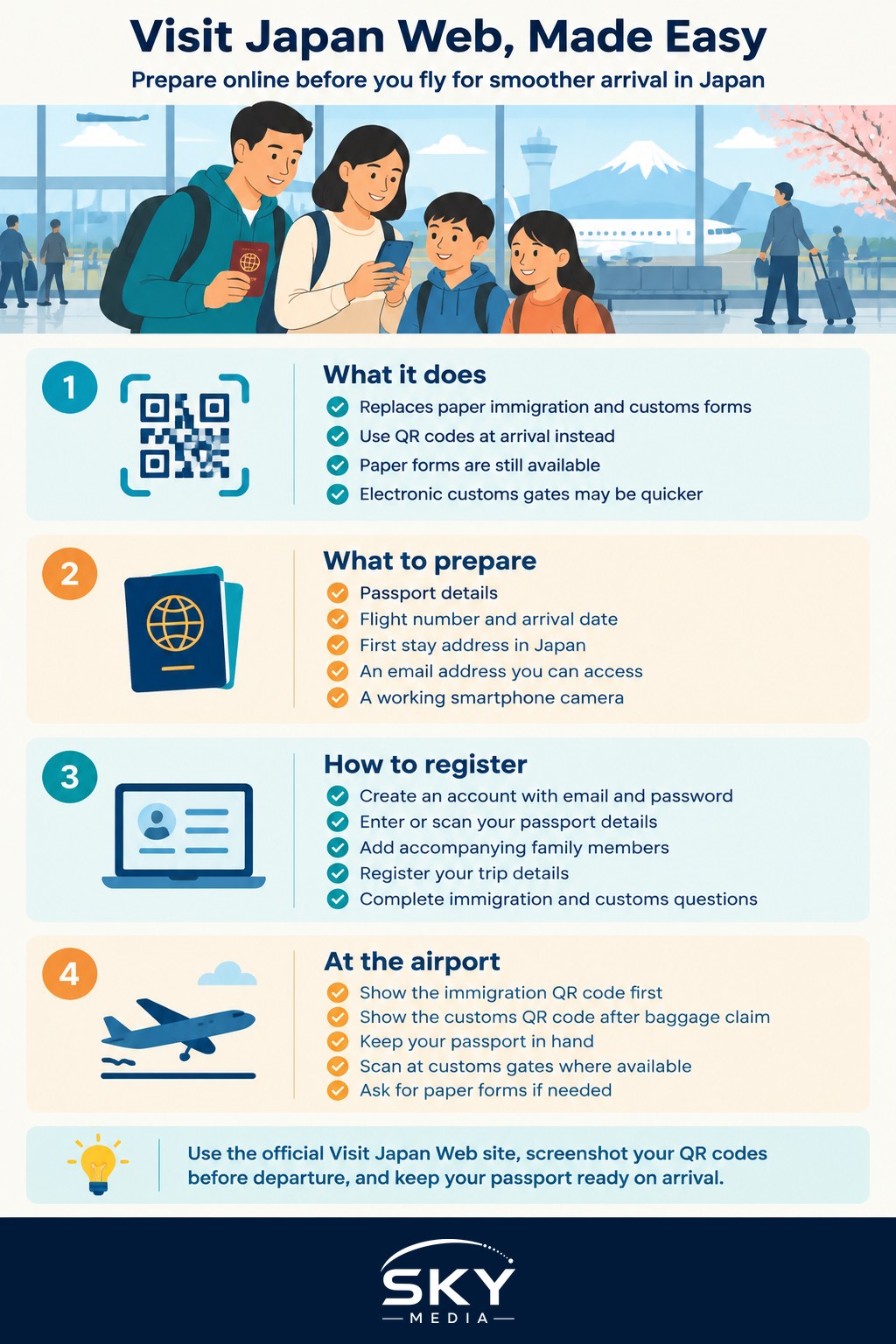
What Visit Japan Web Does and Why It Helps
The service replaces two pieces of paper most visitors used to complete:
- The disembarkation card for foreigners (the immigration form)
- The customs declaration (what you are bringing into Japan)
You enter the same information online, and the system generates QR codes. At the immigration counter or kiosk, and again at customs, you present the QR codes instead of handwritten cards. Many airports also have electronic customs gates where you scan your QR code and passport, which can be quicker than the staffed lanes.
The benefits are practical: no pens or forms in the cabin, no crossing out mistakes, and family details done once in advance. It does not replace your passport, any visa you may need, or the immigration officer’s checks.
Before You Start: What to Prepare
Have these ready before you sit down to register, ideally a few days before your flight:
- Your passport, which you will scan or type in
- Flight details: airline, flight number and arrival date
- Your first accommodation address in Japan and a phone number for it
- An email address you can access, for account verification
- A smartphone with the camera working, if you want to scan your passport
Check your entry requirements separately. Singapore passport holders have generally been able to visit Japan visa-free for short stays, but rules for other passports differ, and Japan has announced plans for future travel authorisation systems. Confirm current requirements with the Embassy of Japan in Singapore or Japan’s Ministry of Foreign Affairs before booking. If you are travelling with family members who hold different passports, check each person’s requirements.
Step-by-Step: Registering on Visit Japan Web
The table below summarises each step and what happens at that stage.
| Step | What you do | What happens |
|---|---|---|
| 1. Create an account | Sign up with your email and set a password | You receive a verification code to activate the account |
| 2. Register your details | Enter or scan your passport information | Your profile is saved for this and future trips |
| 3. Add accompanying family | Add children or family travelling with you | You can complete their forms from your account |
| 4. Register your trip | Enter arrival date, flight and accommodation | A trip record is created for this journey |
| 5. Complete immigration info | Answer the disembarkation questions | An immigration QR code becomes available |
| 6. Complete customs declaration | Answer the customs questions honestly | A customs QR code becomes available |
| 7. Save and show QR codes | Screenshot or open the codes on arrival | You scan them at immigration and customs |
Creating the account. Go to the official Visit Japan Web site in your browser. Be careful to use the official address, as copycat sites exist. The site works in English, Chinese and several other languages.
Registering your details. You can type your passport details or scan the passport’s data page with your phone camera. Double check the spelling of your name, passport number and dates, as they must match your passport exactly.
Adding family. Accompanying family members who travel with you, such as children, can be added under your account. Adults travelling separately or who want their own record can create their own accounts. Read the on-screen guidance on who counts as accompanying family.
Registering your trip. Add your planned entry. If you are visiting several cities, enter the first place you will stay. You can usually leave return details incomplete if your plans are not fixed.
Immigration and customs questions. Answer carefully. The customs section asks about items such as large amounts of cash, goods above duty-free allowances, restricted items and goods sent separately. If you are unsure whether something you are carrying needs to be declared, check Japan Customs’ official guidance. Some medicines also have rules on what can be brought in, so check with the Ministry of Health, Labour and Welfare of Japan if you carry prescription medication.
Using the QR Codes When You Land
Once both sections are complete, the site shows your QR codes. A few tips for the airport:
- Screenshot the codes before you fly. Airport Wi-Fi and roaming can be patchy right when you need them. Keep the screenshots in a folder you can open quickly.
- Have your passport in hand. You will still present it at immigration, where your fingerprints and photo are normally taken.
- Show the right code at the right place. The immigration code is for the immigration area, the customs code for after baggage claim.
- Look for electronic customs gates. Where available, you scan the QR code and passport, then pass through, sometimes with a quick face check.
- Families stay together. If you completed forms for children under your account, go through as a group.
If a code will not scan or something goes wrong, simply ask staff for paper forms. You will not be turned away for not using the service.
Common Mistakes Singapore Travellers Make
- Registering too late. Doing it in the departure lounge on a slow connection is stressful. Do it at home a few days before.
- Entering the wrong arrival date. Overnight flights from Singapore land the next day. Use the arrival date in Japan, not your departure date.
- Typos in passport details. A mismatch can cause delays. Scanning the passport reduces errors.
- Forgetting the return leg. You will need fresh trip details for your next visit, though your profile carries over.
- Assuming it covers everything. Visit Japan Web handles entry paperwork only. It does not book rail passes, hotels or attractions.
If you are planning longer journeys across the country, see our guide to booking Japan Rail Passes from Singapore. For a destination idea beyond Tokyo and Osaka, try Kobe from Singapore.
Is Visit Japan Web Worth Using?
For most travellers from Singapore, yes. It takes perhaps 15 to 20 minutes the first time, and less on later trips because your profile is saved. Families with young children, travellers on early-morning arrivals and anyone who dislikes paperwork will benefit most. If you prefer paper, that remains an option, but completing Visit Japan Web at home is usually the calmer way to start a holiday in Japan.
Explore more: How to Book Japan Rail Passes from Singapore Smoothly · Kobe From Singapore: A Complete Guide to Japan’s Port City
Frequently Asked Questions
Can I print my Visit Japan Web QR codes instead of using my phone? Printing is a reasonable backup, since phones can run out of battery or lose signal. Check the official Visit Japan Web site for what is accepted at your airport. Screenshots and a printed copy together are the safest approach, plus your passport.
How many days before my flight can I register on Visit Japan Web? Registering a few days ahead is sensible, but the exact window is set by the service and can change. Check the official site. Avoid leaving it until the departure lounge, where a slow connection and rushed boarding make mistakes more likely.
Do I need Visit Japan Web if I am only transiting through Japan? If you stay airside and do not enter the country, you generally do not need it, since it is for immigration and customs on arrival. Rules depend on your connection, so check with your airline and Japan’s official sites if you must leave the airport.
Can I change my details after submitting them? You can usually edit your trip or declaration information in your account before you travel, for example if your flight or accommodation changes. If the QR code was already issued, check whether it needs regenerating. Passport details must always match your travel document.
What if my family travels on different flights? Each flight is registered under its own trip record, and accompanying family should be added to the same record only if they travel together. Anyone on a separate flight may need their own record. Read the on-screen guidance on who counts as accompanying family.
Further reading: Visiting Japan in Summer From Singapore: Heat, Festivals and Crowds