

Scammers in Singapore have become very good at tricking people into moving money themselves, or at taking over a banking app once they have the right details. General advice on spotting scams is important, but it relies on you never making a mistake. A money lock in Singapore adds a different kind of protection: a portion of your savings is set aside so it simply cannot be transferred out digitally, even if someone gains access to your phone or persuades you to act in a hurry.
This is a practical, step-by-step guide to how money lock features generally work, how to decide how much to lock, and how to use it alongside other bank safeguards. It is general information, not financial advice. Features, names and unlocking steps differ between banks and can change, so check your own bank’s website or app for current details.
What a Money Lock Actually Does
Major retail banks in Singapore introduced money lock features as part of industry-wide anti-scam measures encouraged by the Monetary Authority of Singapore (MAS) and The Association of Banks in Singapore (ABS). Each bank names and designs its version differently, but the idea is the same.
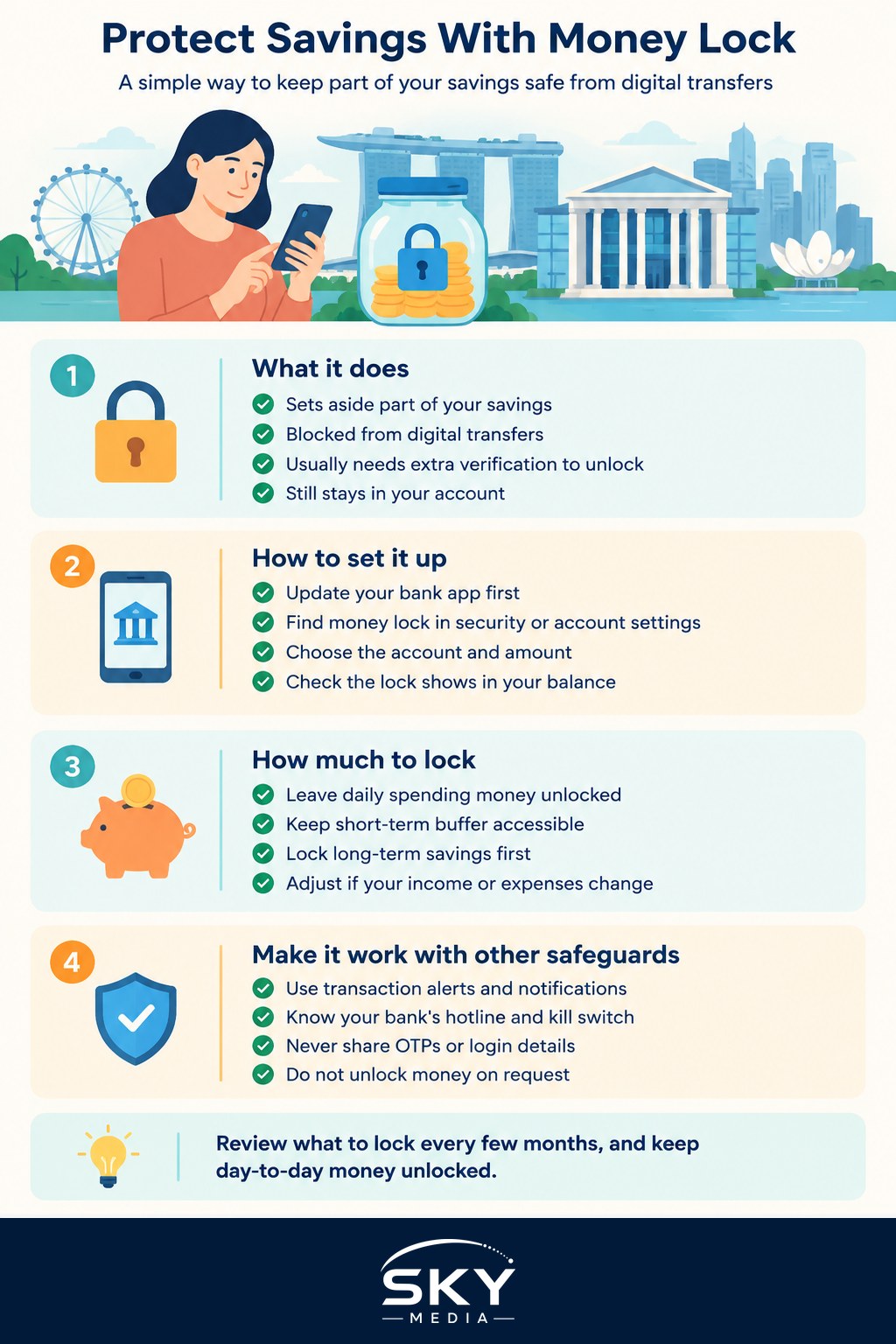
You choose an amount from your account and lock it. While it is locked:
- The money stays in your account and usually continues to belong to you as normal savings.
- It cannot be sent out through digital channels such as online banking or the mobile app.
- Unlocking it usually needs an extra step that a remote scammer cannot easily do, such as visiting a branch in person, or another strong verification step your bank specifies.
That last point is the heart of it. Many scams depend on speed and remote access. A money lock removes both: the funds cannot leave quickly, and the unlocking step requires you, physically or through a secure route, which gives you time to realise something is wrong.
How to Set Up a Money Lock, Step by Step
The exact screens vary, but the general process looks like this:
- Update your banking app. Money lock options are usually found in the latest version of your bank’s app or internet banking.
- Find the feature. Look under security, account settings or the account itself. Search your bank’s website for its money lock or anti-scam savings feature if you cannot find it.
- Choose the account. Some banks let you lock money in particular accounts only. Check which ones qualify.
- Enter the amount to lock. You can usually choose a specific amount rather than the whole balance.
- Read the unlocking terms carefully. Note exactly how you would unlock the money, how long it might take, and whether there are any limits on unlocking channels.
- Confirm and check. Make sure the locked amount shows clearly in your app, and that your available balance reflects it.
If you bank with more than one bank, repeat the process for each. Scammers do not stop at your main account.
Money Lock Compared With Other Bank Safeguards
A money lock works best as one layer among several. Here is how it compares with other common protections.
| Safeguard | What it does | When it helps most | Limitation to know |
|---|---|---|---|
| Money lock | Blocks digital transfers of a set amount | Protects long-term savings from fast remote scams | Unlocking takes effort, so do not lock day-to-day money |
| Emergency kill switch | Lets you freeze your accounts yourself quickly | When you suspect your account is compromised | You must notice the problem and act fast |
| Lower transaction limits | Caps how much can be sent per day | Limits damage if your account is used without consent | Can be raised again by someone who controls your app |
| Transaction notifications | Alerts you to every transfer or payment | Spotting unusual activity early | Only useful if you read and act on alerts |
The emergency “kill switch” is offered by major banks and can usually be triggered through the app, a hotline or an ATM. It is reactive. A money lock is preventive: it protects savings before anything goes wrong.
Deciding How Much to Lock
The right amount depends on your situation, but a simple way to think about it is to divide your money into layers:
- Daily spending money: what you need for bills, groceries, transport and regular transfers. Leave this unlocked.
- Short-term buffer: a cushion for unexpected costs over the next few weeks, such as a medical bill or appliance repair. Many people leave some of this unlocked too.
- Long-term savings: money you do not plan to touch for months or years, such as a house fund, an emergency reserve or savings for children’s education. This is the portion that benefits most from a lock.
Think about how quickly you might genuinely need money. If you lock too much, you may end up making an unplanned branch trip when an urgent expense comes up. If you lock too little, a scam could still wipe out a large share of your savings. Review the split every few months, or whenever your income or expenses change. Our guide to automating your money and savings can help you set up regular transfers into a savings account, which you can then lock.
Who Benefits Most From a Money Lock
Almost anyone with savings can benefit, but a money lock is especially useful for:
- Older parents and relatives who may be targeted by impersonation or investment scams. Helping them set up a lock, with their consent, is a practical act of care.
- People with large savings in one account, such as those saving for a home deposit.
- Couples protecting joint goals. If you are building savings together, see our guide on protecting personal savings before marriage for related planning.
- Newcomers to Singapore, who may be unfamiliar with local scam patterns, such as calls pretending to be from government agencies, banks or courier companies.
- Anyone who travels often and uses their phone in many places.
Habits That Make Your Money Lock Stronger
A money lock protects locked funds, but your unlocked balance and your personal information still need care.
- Never share one-time passwords (OTPs) or banking login details with anyone, including someone claiming to be from your bank or a government agency.
- Download apps only from official app stores, and do not click links in unexpected messages.
- Use ScamShield, the national anti-scam app and resources, to help filter scam calls and messages and check suspicious content.
- Turn on notifications for all transactions.
- Know your bank’s official hotline and how to trigger the kill switch before you need it.
- Never unlock funds because someone tells you to. No genuine bank, police officer or government officer will ask you to unlock savings or move money to a “safe account”.
Singapore’s Shared Responsibility Framework, introduced by MAS and the Infocomm Media Development Authority (IMDA), sets out duties for banks and telcos in certain phishing scam cases. It does not replace your own precautions, and it does not cover every kind of scam, so a money lock remains a sensible extra step. Check MAS’s website for how the framework currently works.
If You Think You Have Been Scammed
Act quickly. Contact your bank through its official hotline, use the kill switch to freeze your accounts, and make a police report. Even with a money lock in place, report the incident, because scammers may have other information about you. The sooner you act, the better the chance of limiting losses.
A money lock takes a few minutes to set up and very little effort to maintain. For savings you have worked hard to build, it is one of the simplest protections available.
Further reading: Moving Your Bank Digital Token to a New Phone in Singapore · How SDIC Deposit Insurance Protects Your Bank Savings · How to Use Your Bank’s Kill Switch to Freeze Your Accounts