

You pick up your phone to check one message, and forty minutes later you are still thumbing through bad news, angry comments, and clips you will not remember tomorrow. If that sounds familiar, you are not weak or lazy. Doomscrolling is what happens when well designed apps meet a tired brain, and in a hyper-connected place like Singapore, where almost everyone has a phone in hand on the MRT, it is easy to fall into. The good news is that breaking the doomscrolling habit is very doable once you understand what is really going on and set up a few gentle guardrails.
What Doomscrolling Actually Is
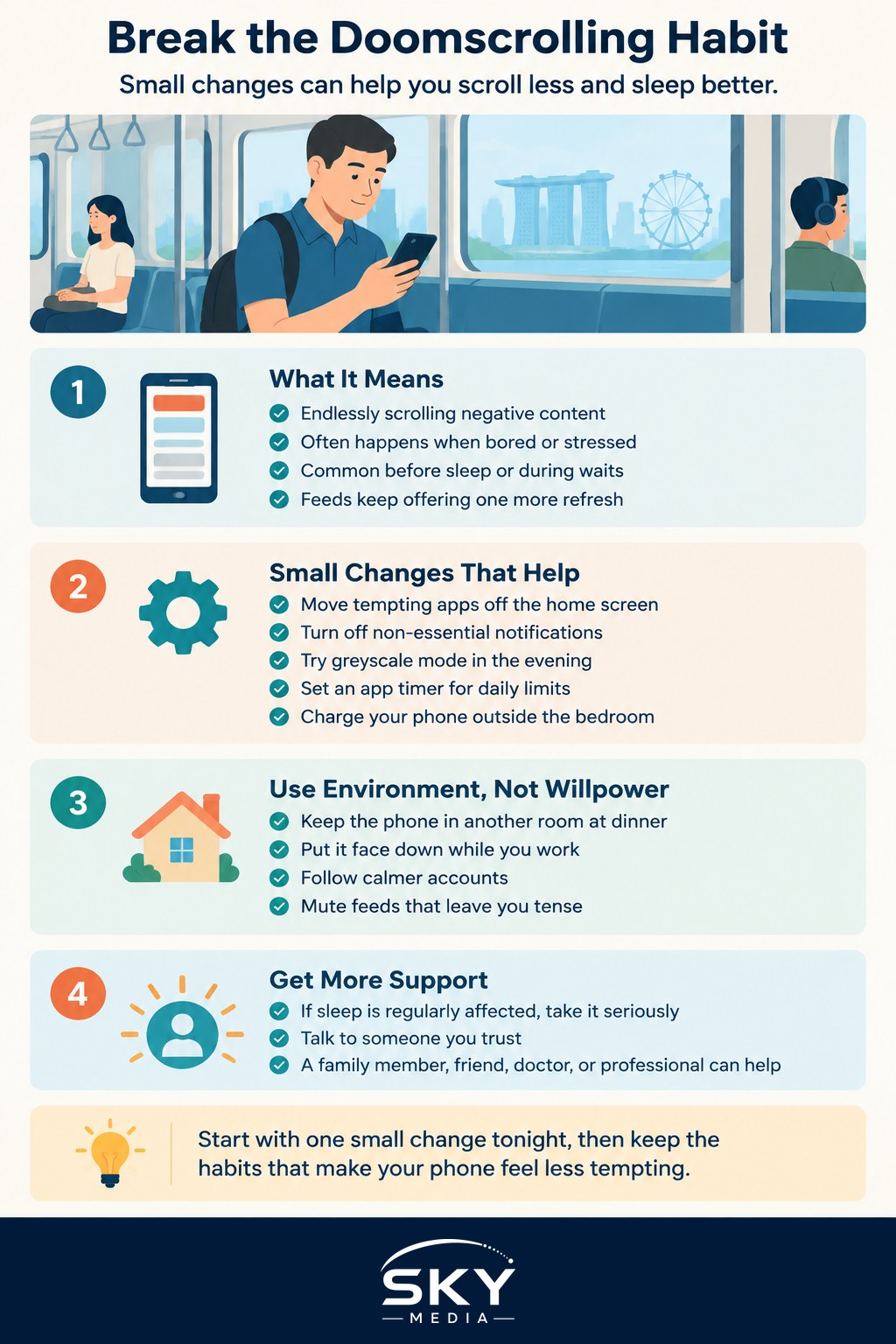
Doomscrolling is the habit of endlessly scrolling through negative or worrying content, often without meaning to. It usually kicks in during idle moments, when you are lying in bed, waiting for a bus, or avoiding a task you do not want to start. Your brain is looking for a small hit of novelty or reassurance, and social feeds are built to supply an endless stream of it.
The problem is not that you read the news. Staying informed is healthy. The problem is the loop: you keep refreshing for an ending that never comes, and each anxious headline nudges you to look for one more. Over time this can leave you feeling wired, gloomy, and strangely unrested, even though you did not really do anything.
A useful first step is simply to notice the trigger. For most people it is boredom, stress, or the moment right before sleep. Once you can name your trigger, you can plan for it, which is far more effective than promising yourself to “use the phone less” and hoping willpower carries you through.
Simple Steps to Break the Loop
You do not need to quit social media or throw your phone in a drawer. Small, boring changes tend to work better than dramatic ones. Try a few of these and keep the ones that stick.
- Move tempting apps off your home screen. Tuck them into a folder on the last page so opening them takes a deliberate tap, not a reflex.
- Turn off non-essential notifications. Every red badge is an invitation to scroll. Keep alerts for real people and let the rest stay quiet.
- Use greyscale mode in the evening. A grey screen is far less pulling than a bright, colourful feed.
- Set an app timer. Both iPhone and Android let you cap daily time on a specific app, and the nudge to stop is often enough.
- Charge your phone outside the bedroom. This one change protects your sleep more than almost anything else.
- Replace, do not just remove. Keep a book, a podcast, or a simple game ready so your hand has somewhere else to go.
If you want a fuller toolkit for taming alerts, our guide on managing notifications and staying focused walks through the settings step by step. For the bigger picture on healthier phone use, see reducing screen time and digital wellbeing.
Why Willpower Alone Is Not Enough
It helps to know that the pull you feel is not a personal failing. Feeds are engineered to hold your attention, and understanding why apps are designed to be addictive can take some of the guilt out of the struggle. When you see the loop as a design choice rather than a moral weakness, it becomes easier to change the design of your own day instead of blaming yourself.
Setting your environment up for success is the real trick. Leave the phone in another room during dinner. Keep it face down at work. Follow a few accounts that make you feel calm and mute the ones that keep you tense. These are structural fixes, and structure beats motivation every time.
When to Look for More Support
For most people, doomscrolling is an annoying habit rather than a serious problem, and the steps above are enough to reel it back in. But be honest with yourself. If your scrolling is regularly costing you sleep, dragging down your mood, hurting your work, or straining your relationships, that is worth taking seriously. Talk to someone you trust, whether a family member, a good friend, or a doctor or professional who can help. You do not have to sort it out alone.
Breaking the doomscrolling habit in Singapore is less about strict rules and more about making the healthy choice the easy one. Start with one small change tonight, keep what works, and give yourself credit for the effort. Your attention is valuable, and it is worth protecting.
Frequently Asked Questions
How do I stop checking the news obsessively without staying uninformed? Set fixed times for news, such as once in the morning and once in the evening, and use one or two sources you trust. Turn off news alerts. You stay informed without the endless refresh cycle that keeps anxiety high.
What can I do instead of scrolling when I am bored on the MRT? Keep something ready, such as a downloaded podcast, an e-book, a puzzle app or a playlist. Even just looking around or doing nothing for a while is fine. Having a replacement in mind makes the habit easier to break.
Does doomscrolling affect sleep? It can. Anxious content and bright screens late at night keep the mind alert, and one more scroll often turns into a lot more. Charging your phone outside the bedroom and setting a wind-down time helps. Persistent sleep problems are worth discussing with a doctor.
How do I help a teenager who keeps doomscrolling? Start with a calm conversation rather than a confiscation. Agree on shared phone-free times, such as meals, and set app timers together. Model the habits yourself, and offer alternatives. If their mood or schoolwork is suffering, involve a school counsellor or doctor.
Is greyscale mode really effective? For many people it makes feeds less enticing, though it works best alongside other changes like notification limits and moving apps off the home screen. Try it for a week in the evenings and see whether your screen time drops. It is easy to switch off if it does not help.