
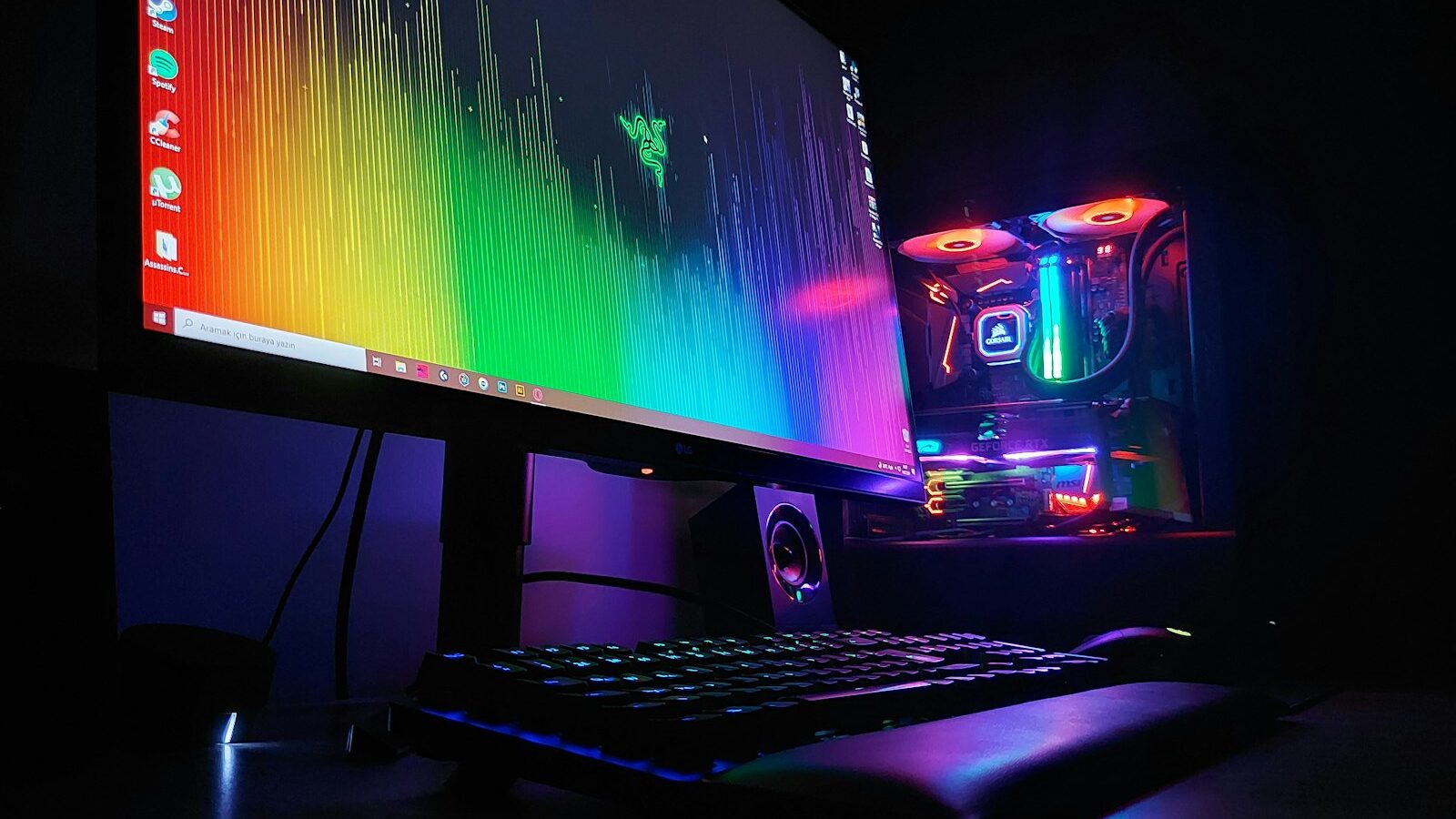
Building your first gaming pc can feel like a huge leap, especially if the last thing you assembled was flat-pack furniture. The good news is that a modern desktop clicks together more like sturdy Lego than delicate electronics, and you do not need to be an engineer to get it right. This guide walks a complete beginner through what the parts do, how to budget sensibly, where to shop in Singapore, and how to put it all together calmly. Take your time, and by the end you will have a machine you understand, because you built it yourself.
Why Build Instead of Buying Ready-Made
A pre-built desktop from a shop is convenient, and there is no shame in choosing one. But building gives you three real advantages. First, you learn how your machine works, which makes upgrades and repairs far less scary later. Second, you control exactly where your money goes, so you can spend more on the parts that matter for your games and less on things you do not need. Third, you often get better value, because you are not paying for someone else’s assembly time or a fixed configuration.
The trade-off is time and a little patience. You are the one troubleshooting if something does not switch on the first time. For most people that is a fair swap, and the sense of achievement when the screen finally lights up is genuinely satisfying.
The Core Parts, Explained Plainly
Every gaming pc is built from the same handful of components. Here is what each one does in everyday language:
- CPU (processor): the brain that handles general calculations and game logic.
- GPU (graphics card): the part that draws the images you see, and usually the single biggest factor in gaming performance. FPS here means frames per second, or how smooth the picture looks.
- Motherboard: the base that everything plugs into, connecting all the parts together.
- RAM (memory): short-term memory the system uses while running games and apps.
- Storage (SSD): where your games, files and operating system live. A solid-state drive loads far faster than an older spinning hard disk.
- Power supply (PSU): feeds clean, steady electricity to everything. Do not cut corners here.
- Case: the box that holds it all, manages airflow and keeps dust out.
- Cooling: fans or a liquid cooler that keep temperatures sensible, which matters in our warm climate.
You do not need the most expensive version of each. You need parts that work well together and suit the games you actually play.
Setting a Sensible Budget
Before buying anything, decide what you want to play and at what quality. Casual and older titles ask very little. Competitive shooters reward a smoother, faster display. The newest, most demanding games at high settings ask the most. Be honest about your real habits rather than chasing the top of the range.
Because hardware changes quickly and prices move with each new release, treat the guidance below as a way of thinking rather than a shopping list. Always check current specs and prices before you commit.
| Component | What it does | Beginner tip |
|---|---|---|
| GPU | Draws the game image | Spend the largest share here for gaming |
| CPU | Handles logic and multitasking | A solid mid-range chip is plenty for most |
| RAM | Runs games and apps smoothly | A comfortable amount now saves upgrading soon |
| SSD | Loads games and the system fast | Prioritise speed and enough space over a bargain |
| PSU | Powers everything safely | Buy from a reputable maker with headroom to spare |
| Cooling | Keeps temperatures in check | Good airflow matters in Singapore’s heat |
A common beginner mistake is pouring everything into the graphics card and then starving the rest, or overspending on flashy lighting instead of a reliable power supply. Balance is the goal.
Where to Buy Parts in Singapore
You have three broad options, and many people mix them.
- IT malls and electronics shops: the traditional route for hands-on buyers. You can ask questions, compare parts in person, and some shops will assemble the machine for a small fee if you would rather not do it yourself. Prices are often negotiable, so it pays to shop around a few units before deciding.
- Local online retailers: convenient for comparing models and reading reviews at home, with delivery to your door. Watch out for listings that ship from overseas, as warranty and returns can be trickier.
- Second-hand marketplaces: cheaper, but buy carefully. Test parts if you can, ask why they are selling, and be cautious with the graphics card and power supply in particular, since these wear the hardest.
Whichever route you choose, keep your receipts and note the warranty period for each part. Local warranty support is far easier than posting components abroad.
Assembling It Without Stress
Set aside an unhurried afternoon, clear a large table, and work in a well-lit spot. You mainly need a single magnetic screwdriver. Ground yourself by touching the metal case now and then to avoid static, and handle the graphics card and processor by their edges.
A calm order of assembly looks like this:
- Read the motherboard manual first. It is your map for where everything goes.
- Fit the processor, memory and any small storage stick onto the motherboard while it sits outside the case, where there is more room.
- Install the power supply and the motherboard into the case.
- Seat the graphics card and connect its power cables firmly.
- Plug in the case cables, fans and any remaining storage.
- Double-check every power connector before you close the case.
Do not force anything. Parts are shaped to fit one way, so if something resists, stop and check the orientation. Cable tidiness can wait; getting a first successful boot is the priority.
After the Build: First Boot and Care
When you press the power button, hope for fans spinning and a display. If nothing appears, do not panic. The most common culprits are a loose power cable, memory that is not fully clicked in, or a monitor plugged into the motherboard instead of the graphics card. Reseat, recheck, and try again.
Once it starts, install the operating system, then the latest drivers, especially for the graphics card. Keep the machine somewhere with airflow rather than trapped in a sealed cabinet, which matters in a warm HDB flat. Blow out dust every few months, and consider a stable fibre broadband connection and a wired link for online play, since a steady ping beats a fast one that stutters.
Building your first gaming pc is a skill that keeps giving, because now you can upgrade one part at a time instead of replacing the whole machine. You have not just bought a computer; you have learned how it works.
Explore more
If you are still finding your feet, start with our guide to gaming for beginners and where to start, and if you are torn between platforms, weigh up pc versus console gaming and which to choose. When your rig is ready, see where to buy games in Singapore to fill your library.