

A powerful gaming rig can feel like a small heater under your desk, and in Singapore that heat often means the aircon works harder too. If you have ever wondered what your gaming PC electricity cost really is, the good news is that it is easy to estimate with simple maths and one number from your electricity bill.
This guide shows you how to work out your PC’s real power draw, turn it into dollars at Singapore tariffs, and cut usage without sacrificing much performance.
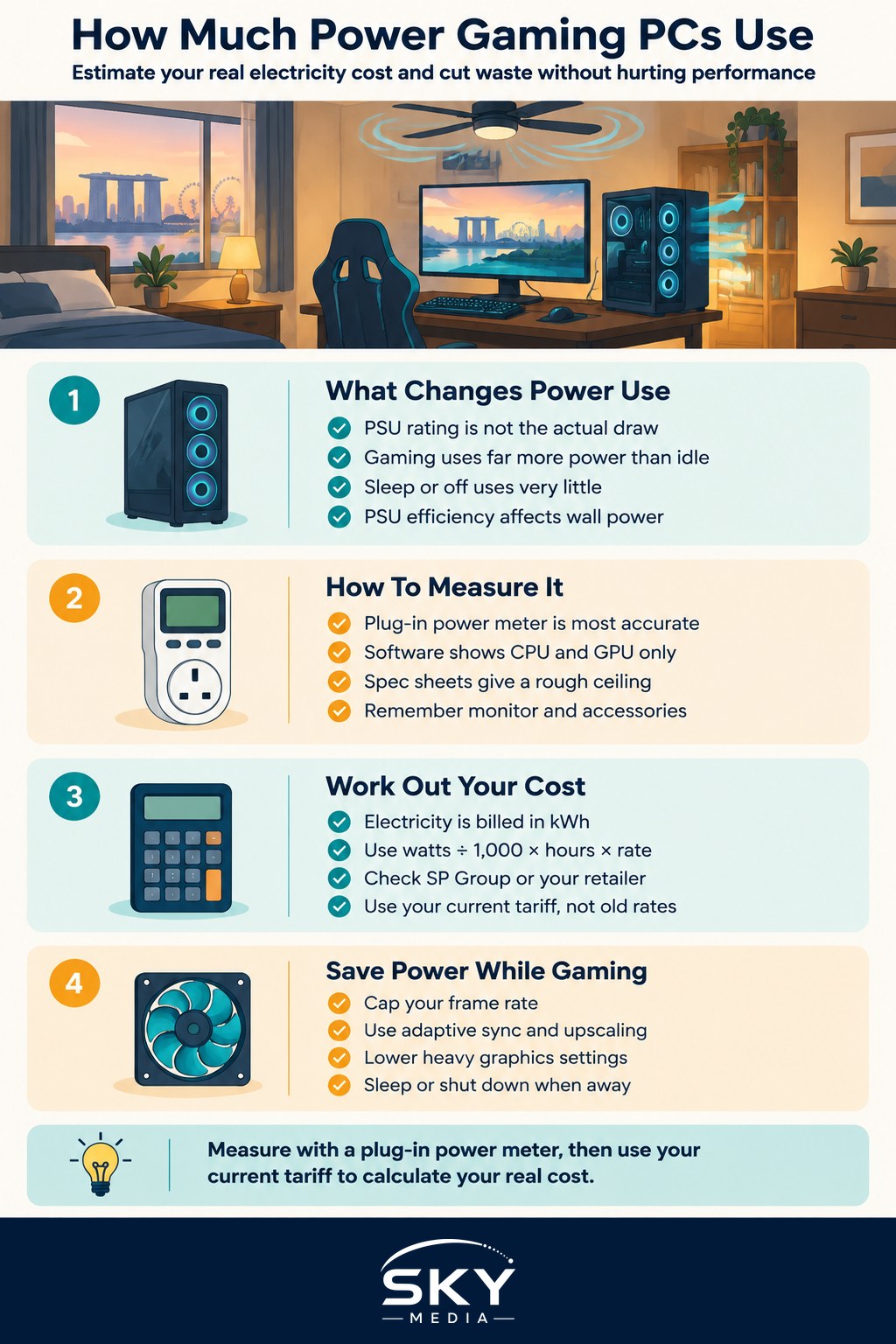
Why Your PSU Rating Is Not Your Power Use
A common mistake is assuming an 850W power supply (PSU) uses 850W all the time. It does not. The PSU rating is the maximum it can deliver. Your PC only draws what its parts need at that moment.
Actual draw depends on what you are doing:
- Idle or desktop use. Browsing and chatting uses a fraction of peak power.
- Gaming. The graphics card (GPU) and processor (CPU) ramp up. This is where most of your gaming cost comes from.
- Sleep or off. Very little, but not always zero.
PSU efficiency also matters. Every PSU loses some energy as heat when converting wall power. An efficient unit (look for 80 Plus ratings such as Gold or Platinum) wastes less, so the power drawn from the wall is closer to what your parts actually use. For more on choosing one, see our guide to power supplies and cooling for gaming PCs.
How to Measure Your Gaming PC’s Real Wattage
There are three ways to find out how much power your setup uses, from most to least accurate:
- A plug-in power meter. Plug it into the wall socket and your PC into it. It shows live wattage drawn from the wall, including PSU losses. Affordable meters are available at electronics shops and online. This is the best method.
- Software monitoring. Tools that report component power, such as GPU utilities, show what the CPU and GPU draw. These miss other parts and PSU losses, so add a margin.
- Spec sheet estimates. Add up the rated power of your GPU, CPU and other parts. This gives a rough ceiling, not your typical use.
Do not forget the rest of your setup. Your monitor, speakers, consoles on standby and RGB accessories all add up. A large high-refresh monitor can draw a meaningful amount on its own.
Calculating Your Cost at Singapore Tariffs
Electricity is billed in kilowatt-hours (kWh). One kWh is 1,000 watts used for one hour.
The formula is:
Cost = (watts ÷ 1,000) × hours used × price per kWh
For the price per kWh, check your bill. If you buy from SP Group at the regulated tariff, SP Group revises it quarterly and publishes the current rate on its website. If you are on an Open Electricity Market (OEM) retailer plan, use the rate on your contract. Rates change, so always plug in your own current figure.
Worked example (illustrative only): Suppose your PC and monitor draw 400W from the wall while gaming, you play 3 hours a day, and your tariff is 30 cents per kWh. That 30-cent figure is a round number for easy maths, not the actual tariff.
- 400W ÷ 1,000 = 0.4 kW
- 0.4 kW × 3 hours = 1.2 kWh per day
- 1.2 kWh × $0.30 = $0.36 per day
- About $10.80 over a 30-day month
Swap in your measured wattage, hours and actual tariff to get your real figure.
| Setup scenario (example draws) | Approx. draw while gaming | kWh per 3-hour session | Cost per session at an illustrative 30¢/kWh |
|---|---|---|---|
| Handheld gaming PC | 15W to 30W | 0.05 to 0.09 | About 1¢ to 3¢ |
| Mid-range desktop + monitor | 300W to 400W | 0.9 to 1.2 | About 27¢ to 36¢ |
| High-end desktop + large monitor | 550W to 700W | 1.65 to 2.1 | About 50¢ to 63¢ |
| PC left idle all night (8 hours) | 70W to 100W | 0.56 to 0.8 (over 8h) | About 17¢ to 24¢ |
The wattages above are rough examples to show how the maths scales. Measure your own setup to know for sure. If you are comparing platforms, a handheld gaming PC uses a tiny fraction of a desktop’s power.
The Hidden Cost: Aircon and Heat
Almost all the electricity your PC uses ends up as heat in the room. In a small HDB bedroom, a high-end rig running for hours can raise the temperature noticeably, and if your aircon is on, it has to remove that heat too.
This means your true gaming cost can be higher than the PC’s own consumption. Ways to reduce the knock-on effect:
- Keep the PC out of enclosed cabinets so heat does not build up around it.
- Point exhaust airflow away from where you sit.
- Use a fan instead of aircon on cooler evenings if you are comfortable.
- Keep dust filters clean so fans do not need to spin harder.
Our guide to keeping your gaming PC cool in Singapore heat covers airflow and humidity in more detail.
Practical Ways to Cut Your Gaming PC’s Power Use
You can often trim consumption a fair bit with little or no loss in how games feel.
In-game and driver settings:
- Cap your frame rate. If your monitor runs at 144Hz, rendering 300 frames per second wastes power. A frame cap near your refresh rate keeps the GPU from working flat out.
- Use adaptive sync (G-Sync or FreeSync) so lower frame rates still look smooth.
- Turn on upscaling such as DLSS, FSR or XeSS. Rendering at a lower resolution and upscaling reduces GPU load.
- Lower settings that barely change visuals, like ultra shadows or volumetric effects.
Hardware tuning (for confident users):
- Undervolt your GPU. Many cards run at the same speed with slightly less voltage, using less power and running cooler. Follow a reputable guide, change settings in small steps, and test for stability. Settings outside the manufacturer’s defaults are at your own risk and can affect warranty, so check your card maker’s terms.
- Set a power limit in your GPU software. A modest limit often costs only a small amount of performance.
Everyday habits:
- Use sleep mode instead of leaving the PC idle for hours.
- Shut down fully overnight, and switch off at the wall if you like.
- Turn off the monitor when you step away.
- Set downloads to finish and then sleep, rather than running all night.
When upgrading: newer components are often more efficient for the same performance. If you are planning to upgrade your gaming PC, compare power draw as well as benchmarks.
Is Gaming Expensive on Your Electricity Bill?
For most people, a gaming PC adds a modest but noticeable amount to the monthly bill. The biggest factors are how many hours you play, how powerful your GPU is and whether the PC sits idle when you are not using it.
Measure once with a power meter, run the formula with your actual tariff, and you will know exactly where you stand. Then a frame cap and good sleep habits will do most of the saving for you.