
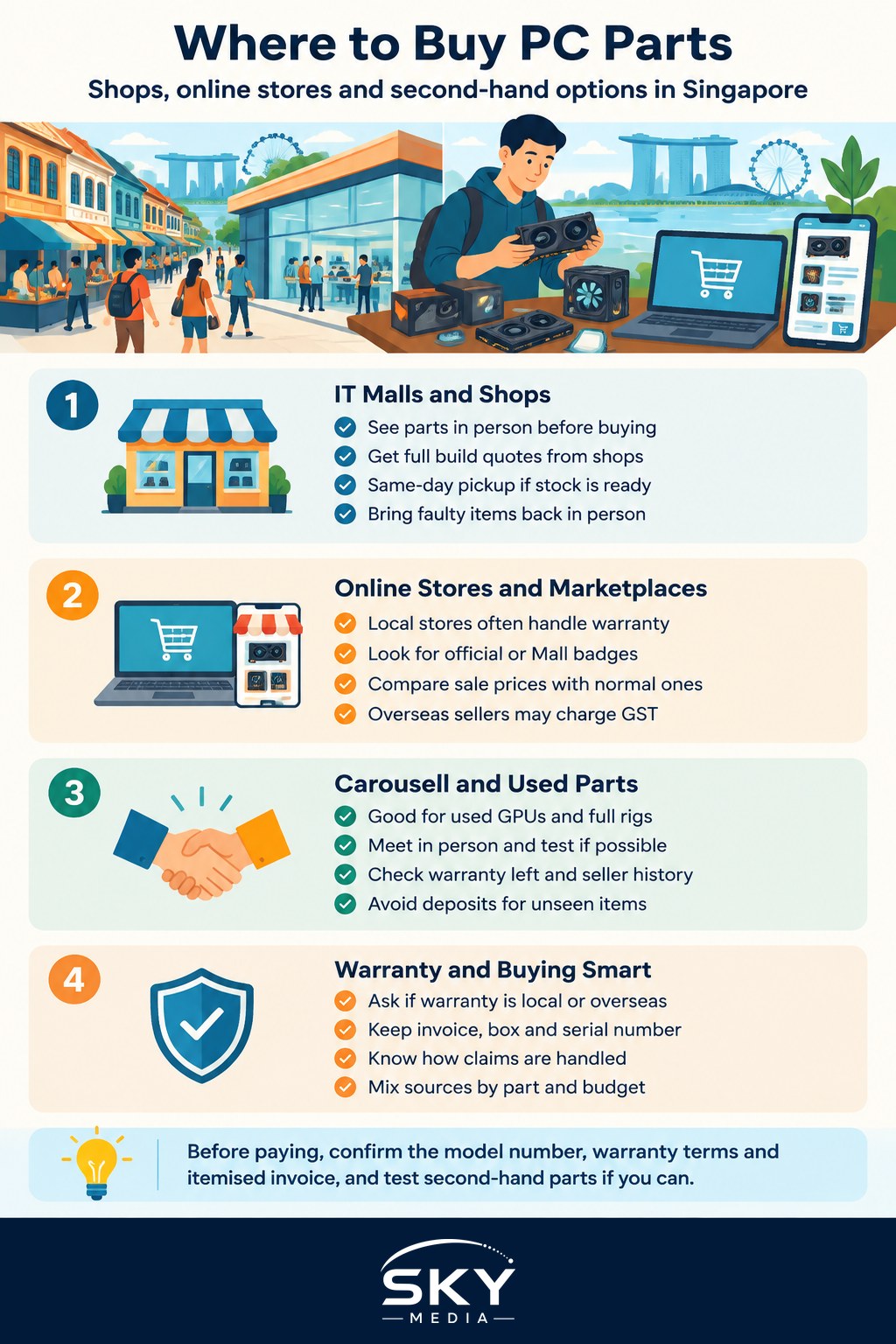
If you are planning a build or an upgrade, the question of where to buy PC parts in Singapore comes up fast. The good news is that the island is small, competitive and well supplied, so you can usually get the same graphics card, SSD or power supply from several sources. The difference is less about the part itself and more about price, stock, warranty handling and how much risk you are willing to take.
This guide focuses on components rather than finished laptops or appliances. It covers the physical IT malls, local and regional online stores, the second-hand market on Carousell, and the warranty details that matter most when a part fails six months later.
Sim Lim Square and the IT Mall Route
Sim Lim Square in the Rochor area remains the best-known destination for PC components. Several floors are packed with small shops that sell CPUs, motherboards, memory, storage, cases, cooling and peripherals, and many of them will quote you a full build on the spot.
What the mall route does well:
- Comparing in person. You can pick up a case, check the size of a cooler or look at the build quality of a keyboard before paying.
- Bundled quotes. Shops often price a complete parts list together, and a few will assemble it for a fee.
- Same-day pickup. If a part is in stock, you leave with it, which matters when your old power supply has just died.
- Walk-in warranty claims. If something fails, you can bring it back to the counter rather than ship it.
Sim Lim Square had a reputation years ago for aggressive tactics aimed at tourists, and while the mall has worked to clean up its image, basic caution still applies. Get the full price, model numbers and warranty terms in writing on the invoice before you pay. Do not sign anything you have not read, and be wary of add-on “protection plans” pushed at the counter.
Many shops post price lists online, so check them at home first to know roughly what a fair price looks like.
Online Retailers and Marketplaces
Buying online has become the default for many builders, especially for parts where stock and price swing week to week, such as graphics cards.
There are a few broad types of online seller:
- Local PC specialist stores with their own websites, many of which also have a physical showroom. These tend to carry local distributor stock and handle warranty locally.
- Official brand stores on large marketplaces such as Shopee and Lazada. Look for the official or “Mall” badge rather than an unnamed third-party seller.
- Large global e-commerce sites with Singapore delivery, including Amazon’s local site. These can be competitive on storage, memory and accessories.
- Overseas sellers who ship from abroad. Prices can look lower, but warranty and returns become harder, and imported goods may attract GST at checkout.
Online shopping also makes price tracking easy. Add parts to a wishlist and watch them across big sales events, but compare against the normal price rather than the “before” price shown on the banner.
Carousell and the Second-Hand Market
Carousell is Singapore’s main peer-to-peer marketplace, and it has a lively PC parts section. It is the go-to place for used graphics cards after a new generation launches, for cases and coolers that rarely wear out, and for builders selling an entire rig.
Second-hand can be excellent value, but it shifts the risk onto you. Some practical rules:
- Meet in person and test if possible. Many sellers will meet at an MRT station or show the part running in their own PC. For a graphics card, ask to see it under load in a game or benchmark.
- Check what warranty is left. Some components carry warranties tied to the serial number rather than the original buyer. Ask for the original invoice and check the brand’s policy on transfer.
- Look at the seller’s history. Reviews, account age and how they answer questions all tell you something.
- Avoid deals that need a deposit up front for an item you have not seen, and be suspicious of prices far below every other listing.
- Prefer parts with no moving wear. Cases, power supplies within warranty and memory are generally safer used buys than heavily used fans or drives with unknown hours.
If something goes wrong in a private sale, your options are much more limited than with a registered shop, so treat Carousell as a bargain bin with a buyer-beware sign.
Comparing Your Options at a Glance
| Where to buy | Best for | Watch out for |
|---|---|---|
| Sim Lim Square and IT shops | Seeing parts in person, full build quotes, same-day pickup | Pressure selling, unclear add-ons, get everything on the invoice |
| Local online PC stores | Local warranty, price lists, delivery or showroom pickup | Stock that changes quickly, delivery lead times |
| Official marketplace stores | Sale-period discounts, easy returns within the platform window | Third-party sellers who look official but are not |
| Overseas sellers | Niche parts not sold locally | Harder warranty claims, GST, long shipping |
| Carousell second-hand | Used GPUs, cases, full rigs at lower prices | No shop protection, scams, unknown wear |
Warranty Tips That Actually Matter
Warranty is where buying PC parts in Singapore differs most from buying a phone. A component might carry a long warranty from the brand, but how you claim it depends on where you bought it.
Local distributor warranty versus international warranty. Many parts sold here come through an authorised local distributor, often marked with a sticker on the box or the part. Claims usually go through the shop or the distributor in Singapore. Parts imported by the seller themselves, sometimes called parallel imports, may only carry an overseas warranty, which could mean shipping the part abroad. Ask which one you are getting before you buy.
Keep the invoice and the box. Most claims require proof of purchase, and some shops want the original packaging. Take a photo of the serial number when you unbox.
Do not remove stickers casually. Some parts have warranty-void stickers or serial labels that must stay intact.
Understand the claim process. Ask the shop whether they replace on the spot, send the part to the distributor, or ask you to deal with the brand directly. Turnaround can range from immediate to several weeks, which matters if the part is your only graphics card.
Know your consumer rights. Singapore’s Lemon Law, under the Consumer Protection (Fair Trading) Act, covers goods that are defective at the time of delivery. If a dispute with a shop cannot be settled, the Consumers Association of Singapore (CASE) and the Small Claims Tribunals are the usual next steps. Check CASE’s website for the current process and what qualifies.
Choosing Where to Buy Each Part
You do not have to buy everything in one place. Many builders mix sources:
- CPU, motherboard and graphics card from a local shop or official store with distributor warranty, since these are expensive and painful to send overseas.
- Storage and memory online during sales, as long as the brand offers a straightforward warranty.
- Case, fans and accessories wherever is cheapest, including second-hand.
- Power supply new and from a reputable brand, since a failing unit can damage other parts.
If you are still deciding on parts, our guide on building your first gaming PC walks through each component, and how to upgrade your gaming PC helps you work out which single part will make the biggest difference. Unsure whether to build at all? Read building or buying a desktop PC in Singapore first.
A Simple Buying Checklist
Before you pay anywhere, run through this:
- Confirm the exact model number, not just the product name.
- Check compatibility: socket, motherboard size, power supply wattage and connectors, case clearance.
- Compare the price across at least two or three sources.
- Ask which warranty applies and how claims are handled.
- Get an itemised invoice with model numbers.
- For second-hand items, test before paying and keep a record of the chat.
Twenty extra minutes of comparing usually saves more than any flash discount.
Frequently Asked Questions
Is it safe to buy PC parts from overseas sellers? It can be cheaper, but warranty and returns become harder, and imported goods may attract GST at checkout. Parts bought this way may only carry an overseas warranty, so check before buying. They suit niche parts not sold locally better than main components.
What should I check before buying a used graphics card on Carousell? Meet in person if possible, and ask to see the card under load in a game or benchmark. Request the original invoice, check whether the warranty transfers, look at the seller’s history, and avoid paying a deposit for an item you have not seen.
What is a parallel import PC part, and should I avoid it? It is a part the seller imported themselves rather than through the authorised local distributor. It may carry only an overseas warranty, which could mean shipping the part abroad for a claim. Ask which warranty you are getting before you buy.
What are my rights if a shop will not honour a PC part warranty? Singapore’s Lemon Law, under the Consumer Protection (Fair Trading) Act, covers goods that are defective at the time of delivery. If a dispute cannot be settled, CASE and the Small Claims Tribunals are the usual next steps, so check CASE’s website for what qualifies.
Which PC parts are worth buying new and which can I buy second-hand? Buy the CPU, motherboard and graphics card from a shop or official store with distributor warranty, and the power supply new from a reputable brand, since a failing unit can damage other parts. Cases, coolers and memory are generally safer used buys.
Further reading: Prebuilt vs Custom Gaming PC in Singapore: Which Should You Buy?