

A second hand console in Singapore can save you a good chunk of money, especially late in a console generation or when a new model has just launched and owners are upgrading. But a used console can hide problems that a quick look will not reveal: a system banned from online play, a device still tied to the previous owner’s account, controllers that drift, or a fan that is close to giving up.
This guide is a practical checklist you can run through before you hand over any money, whether you are buying from an online marketplace, a friend or a used games shop.
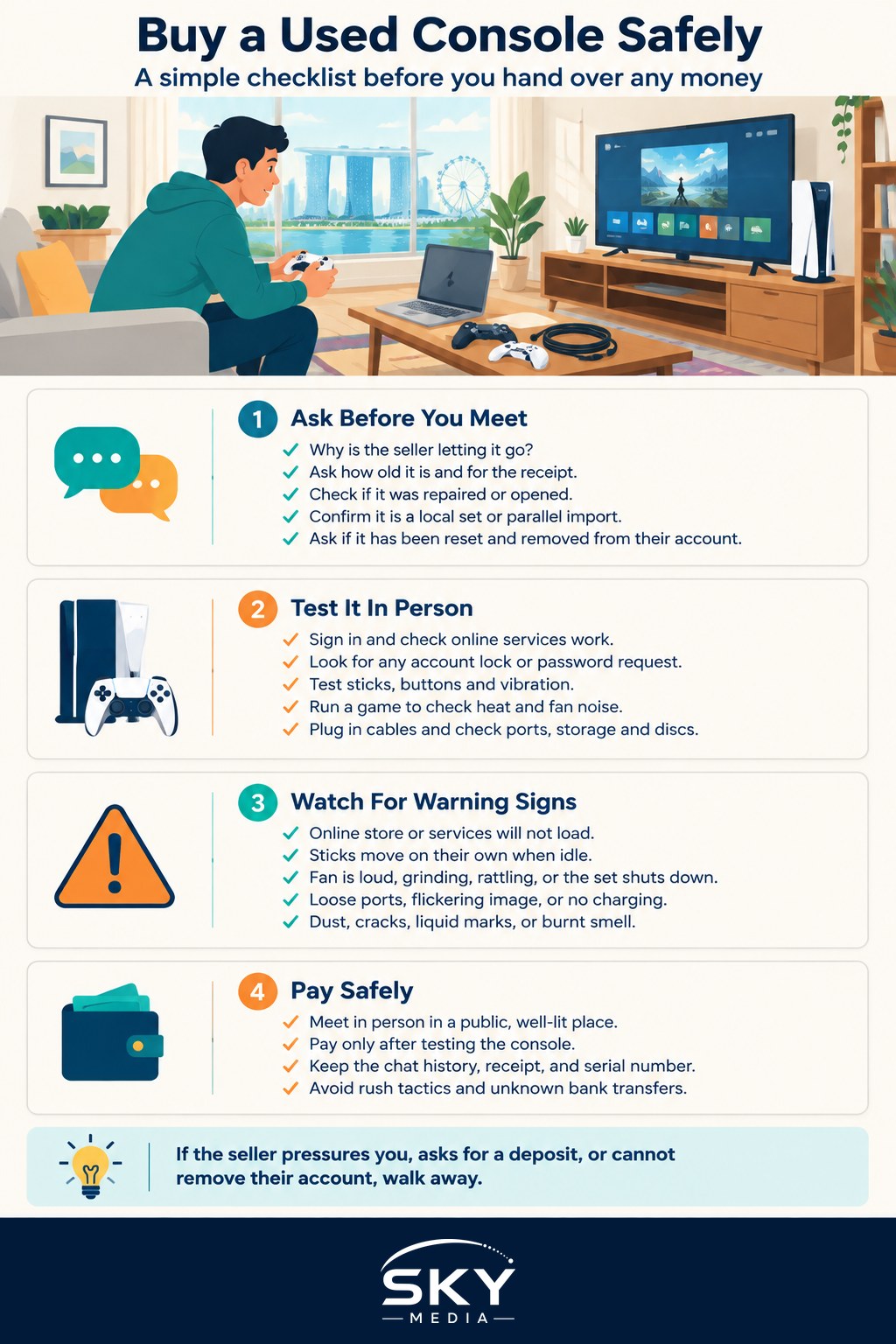
Before You Meet: Questions to Ask the Seller
You can filter out many bad deals with a few messages.
- Why are you selling? Upgrading or no longer playing are common, reasonable answers. Vague replies are worth noting.
- How old is it, and do you have the receipt? A receipt helps confirm it is not stolen and tells you whether any manufacturer warranty might remain. Warranty terms vary by brand and region, so check with the manufacturer.
- Has it been repaired or opened? Third-party repairs or modifications can affect reliability and warranty.
- Is it a local set or a parallel import? Regional differences can affect the power adapter, warranty support and sometimes the digital store region.
- Has it been factory reset and removed from your account? Ask them to confirm, and plan to check in person.
- What is included? Controllers, cables, original box, games and any accessories.
Ask for a short video of the console booting up and running a game. A seller with a working unit usually has no problem doing this.
The In-Person Inspection Checklist
Meet somewhere with a power point and a screen if possible, such as the seller’s home lobby with a portable monitor, a shop that allows testing, or a public place where you can plug in. Then go through each check.
| What to check | How to test it | Red flags |
|---|---|---|
| Online ban or restriction | Sign in to your own account or check the network status screen and try to reach the online store | Error messages blocking online services, store will not load |
| Account lock | Look in system settings for the previous owner’s account; confirm it can be removed | Seller will not remove their account, or the console asks for their password |
| Stick drift | Open the controller test or calibration screen in system settings and leave sticks untouched | Cursor or character moves on its own, readings jump when idle |
| Overheating and fan noise | Play a demanding game for 15 to 20 minutes | Loud, grinding or rattling fan; system shuts down or warns about heat |
| Disc drive (if any) | Insert a disc game and let it load | Clicking, grinding, slow reading or refusing discs |
| Ports and connections | Plug in HDMI, USB and charging cables; test the dock for hybrid consoles | Loose ports, flickering image, no charging |
| Storage health | Check storage in settings; launch a few installed games | Corrupted data warnings, very slow loading |
| Physical condition | Look at vents, screws, seals and the casing | Dust-clogged vents, stripped screws, broken warranty seals, cracks, liquid marks |
Bans and Account Locks Explained
Console makers can restrict a console from online services if it has been modified or used to break their terms. A restricted console may still play offline, but you could lose access to online multiplayer, the digital store and updates. Because each platform handles this differently, the safest test is to sign in with your own account on the spot and confirm you can connect to online services and browse the store.
Account locks are a separate problem. Some consoles are linked to an owner’s account as a primary device, or have parental controls and passcodes set up. Ask the seller to:
- Sign out and remove their account from the console in front of you.
- Deactivate the console as their primary or home device, using the platform’s own settings.
- Perform a full factory reset, or let you do it yourself.
If a console asks for a password or PIN that the seller cannot provide, walk away. Also avoid any console where the seller offers “games included” that are only digital purchases on their account, because those licences stay with their account and may stop working for you.
Testing for Controller Drift
Drift happens when an analogue stick registers movement while untouched. It is common on older controllers and can make games frustrating. Test every controller included in the deal:
- Open the system’s controller calibration or test screen.
- Leave the sticks alone and watch for movement.
- Move each stick in slow full circles and check that the motion is smooth.
- Press every button, trigger and bumper, and test vibration if the system has a test option.
- For detachable controllers on hybrid consoles, test them both attached and detached.
Drift does not always mean you should walk away, but a replacement controller is a real cost, so factor it into your offer.
Heat, Noise and Hidden Damage
Overheating is often the first sign of a console that has been heavily used, kept in a dusty spot or stored in a hot room. In Singapore’s humid climate, dust and moisture can build up inside vents. During your test session, listen to the fan once the console has warmed up and feel the exhaust air. Some warmth is normal; a fan that roars, rattles or cycles strangely is not. If the console shuts down or shows a temperature warning, do not buy it.
Also check for signs of liquid damage, such as stains near ports or corrosion, and a strong burnt or musty smell.
Paying and Meeting Safely
- Meet in person in a public, well-lit place rather than paying a deposit to a stranger online.
- Pay only after testing. Avoid bank transfers to sellers you have not met, especially when the price is far below the usual market rate.
- Keep the chat history and any receipt, and ask the seller for a simple written note of the sale, including the serial number.
- Note the serial number on the console and box and make sure they match.
- Be wary of pressure tactics such as “many people are asking, pay now to reserve”.
If something goes wrong, scam reports and advice are available through the Singapore Police Force and the ScamShield resources; check their official websites for current guidance.
For more on the wider second-hand market, see how to buy used tech safely and our guide to buying refurbished and second-hand electronics. Still deciding which system to get? Read how to choose a gaming console in Singapore first. And when it is your turn to upgrade, selling or trading in old games and consoles explains how to pass your console on cleanly.
Further reading: Console Warranties in Singapore: Official vs Parallel-Import Consoles · Black Friday Game Sales: Buying Games and Consoles on Discount in Singapore · Where to Buy PC Parts in Singapore: Shops, Online and Second-Hand