
Buying a used phone can save a lot of money, but a low price sometimes hides a problem: a phone that was reported stolen, still owed to a telco, refurbished with mismatched parts or sold as “under warranty” when it is not. One of the simplest protections is to check phone IMEI details before you hand over any cash.
This guide focuses on the IMEI itself: where to find it, how to confirm it matches, and how to use it to look up blacklist and warranty status. Activation locks such as iCloud and Google account locks are a separate check that you should also do, but they are not covered in depth here.
What an IMEI Is and Why It Matters
IMEI stands for International Mobile Equipment Identity. It is a 15-digit number that identifies a specific mobile device on cellular networks. Think of it as the phone’s serial number for the mobile network, separate from your SIM card or phone number.
Phones with dual SIM or eSIM support often have two IMEI numbers, one for each line. That is normal and not a warning sign.
The IMEI matters for a buyer because:
- Networks and databases use it to flag lost or stolen phones. A phone reported stolen may be blocked from connecting in some countries.
- Manufacturers use it (or the serial number) to track warranty status, repair history and the model’s original region.
- A mismatch is a red flag. If the IMEI on the box, the phone settings and any receipt do not match, the phone may have been swapped, repaired with another device’s parts or misrepresented.
Where to Find a Phone’s IMEI
Check in more than one place. You want every location to show the same number.
- Dial
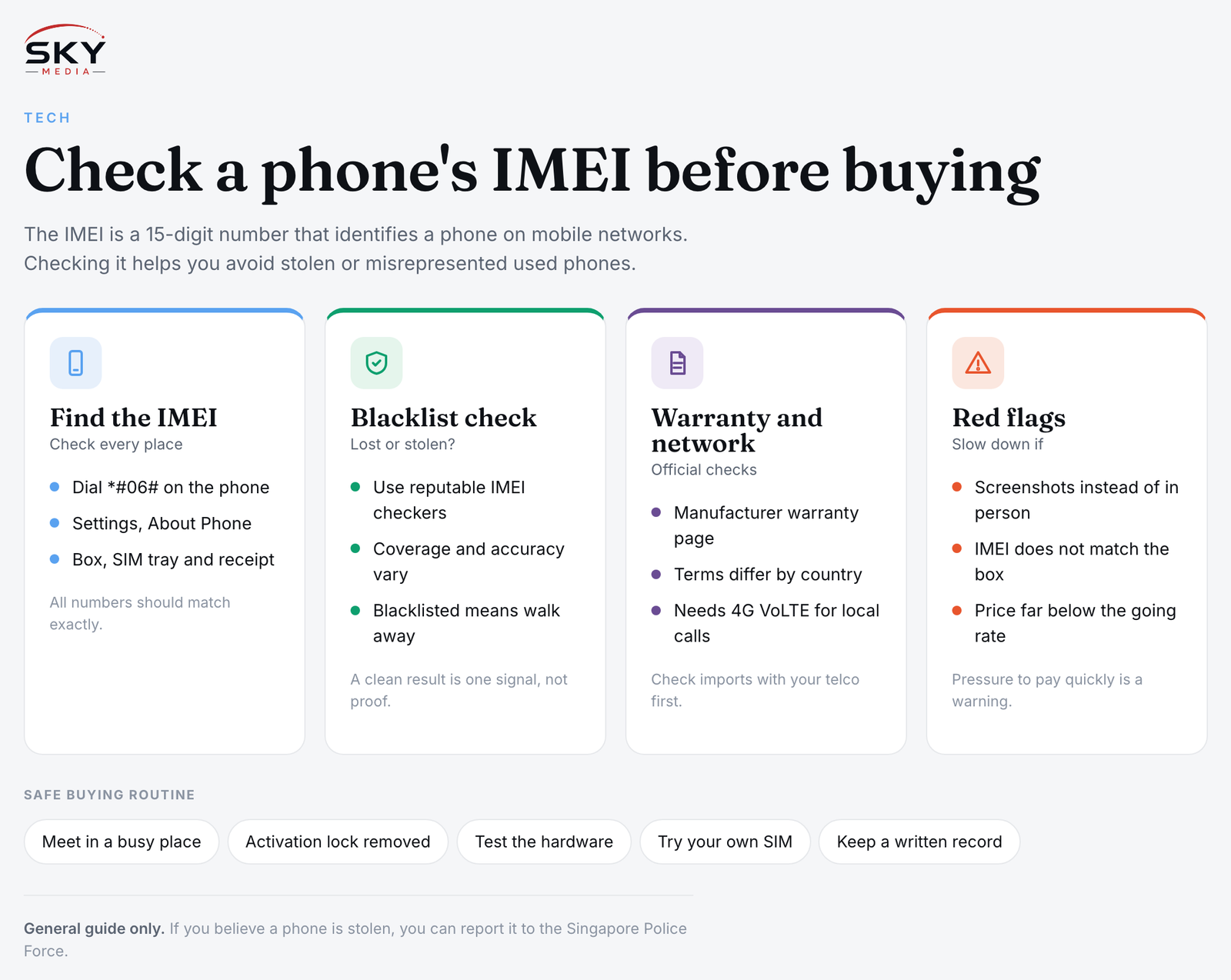
*#06#on the phone’s keypad. On most phones the IMEI pops up straight away, and this works without a SIM card. - Open the settings. On iPhones, look under Settings, General, About. On Android phones, the location varies by brand, but it is usually under Settings, About Phone, or Status.
- Look at the original box. The IMEI is printed on a label on the box.
- Check the SIM tray or back of the phone. Some models print the IMEI on the SIM tray or on the back casing.
- Check the receipt or invoice, if the seller has one. A legitimate original receipt is also useful proof of purchase for warranty claims.
Ask the seller to show you the IMEI screen in person, rather than sending a screenshot. Screenshots can come from a different phone.
Running the Checks: What Each One Tells You
Once you have a confirmed IMEI, use it for these checks. The table summarises what each one shows and where to do it.
| Check | What it tells you | Where to do it |
|---|---|---|
| IMEI match | Whether the phone is the same device as the box and receipt | On the phone (*#06# and settings) against the box and receipt |
| Blacklist status | Whether the phone has been reported lost or stolen in databases that report it | Reputable IMEI checking services, or ask the telco or retailer |
| Warranty and model details | Purchase date, warranty coverage, model and sometimes region | The manufacturer’s official warranty or coverage check page |
| Network and VoLTE support | Whether the model will work properly on Singapore networks | The telco’s website or customer service, using the exact model number |
Blacklist checks
Singapore does not have a single public consumer tool for checking whether a phone has been reported stolen everywhere. Some online IMEI checkers draw on international industry databases, but coverage and accuracy vary, and some charge a fee. Use them as one signal among several rather than a final answer. A “clean” result does not prove the phone was legitimately obtained, and the database may not include every report.
If a check shows the phone is blacklisted, walk away. Do not try to “fix” the status. If you believe a phone is stolen property, you can make a report to the Singapore Police Force.
Warranty checks
Major manufacturers such as Apple and Samsung offer official ways to check warranty or coverage status using the serial number or IMEI, either on their websites or through their support apps. The result can confirm:
- the exact model,
- whether the phone is still under the manufacturer’s limited warranty or an extended plan,
- and sometimes whether the purchase date was validated.
Be aware that warranty terms differ by country. A phone bought overseas or brought in as a parallel import may not be covered by the local service centre in the same way. Check the manufacturer’s warranty terms for Singapore before relying on a warranty that a seller mentions.
Network compatibility
Singapore’s mobile networks have phased out 3G, so the phone needs to support 4G with VoLTE (voice over LTE) on local networks for calls to work properly. Some overseas variants and older models may not. Look up the exact model number and check with your telco before you buy, especially for imported phones.
Red Flags When Buying a Used Phone
Walk away, or at least slow down, if you see any of these:
- The seller will not let you check the IMEI in person, or only sends screenshots.
- The IMEI on the phone does not match the box, or the box is “lost” for a supposedly new phone.
- The price is far below the going rate for that model and condition on reputable platforms.
- The phone is still signed in to someone else’s account, or the seller cannot remove an activation lock in front of you.
- The seller pressures you to decide quickly or insists on payment before meeting.
- The seller cannot answer basic questions about where and when the phone was bought.
- Repair history is unclear. Non-genuine screens, batteries or cameras may show warnings in the settings on some phones. Check for these messages under the battery, display or parts information sections where available.
A Safe Buying Routine
Before paying, run through this sequence:
- Meet in a busy public place, such as a mall or near an MRT station, during the day.
- Dial
*#06#and check the settings, then compare with the box and receipt. - Check warranty status on the manufacturer’s official site using the IMEI or serial number.
- Run a blacklist check through a reputable service if you can.
- Confirm the activation lock is removed and the phone has been fully reset in front of you.
- Test the hardware: screen, touch response, cameras, speakers, microphone, charging port, buttons, Wi-Fi, Bluetooth and battery health.
- Insert your own SIM and make a call to confirm it connects on your network.
- Get a simple written record of the sale with the seller’s name, the date, the price and the IMEI. Keep chat messages too.
- Pay through a traceable method where possible, rather than cash with no record.
If you are buying through an online marketplace, use the platform’s in-app messaging and any buyer protection it offers, and read the platform’s own guidance for meet-ups and payments.
Buying From a Shop Instead
Refurbished phones from established retailers or the manufacturer’s own refurbished programme usually cost more than private sales, but they often come with a shop warranty and a clear return policy. You still should check phone IMEI details yourself and ask what warranty the shop provides, for how long and who honours it. Our guide to buying refurbished and second-hand electronics compares these options in more detail.
When You Sell Your Own Phone
The same checks protect you as a seller. Before handing over a phone, back up your data, sign out of all accounts, remove the activation lock, reset the phone and remove your SIM and any memory card. Let the buyer check the IMEI and keep a record of the sale.
A few minutes of checking can save you from buying a phone that stops working, cannot be repaired under warranty or turns out to be stolen. For more ways to stretch your budget safely, see buying second hand to save in Singapore, and if you are also shopping for other used devices, read about buying a used gaming console safely.
Further reading: How to Check a Used Phone for Activation Lock Before You Buy · Phone Trade-In Programmes in Singapore Compared