

Flight and space sims are among the most immersive games you can play, and the right controls make a huge difference. Trying to fly with a keyboard works, but a dedicated stick makes you feel like you are actually at the controls. This guide explains how to choose a flight stick singapore sim pilots will enjoy, what HOTAS means, and how it all fits into a typical home setup, without naming any single model as “the best” or quoting prices.
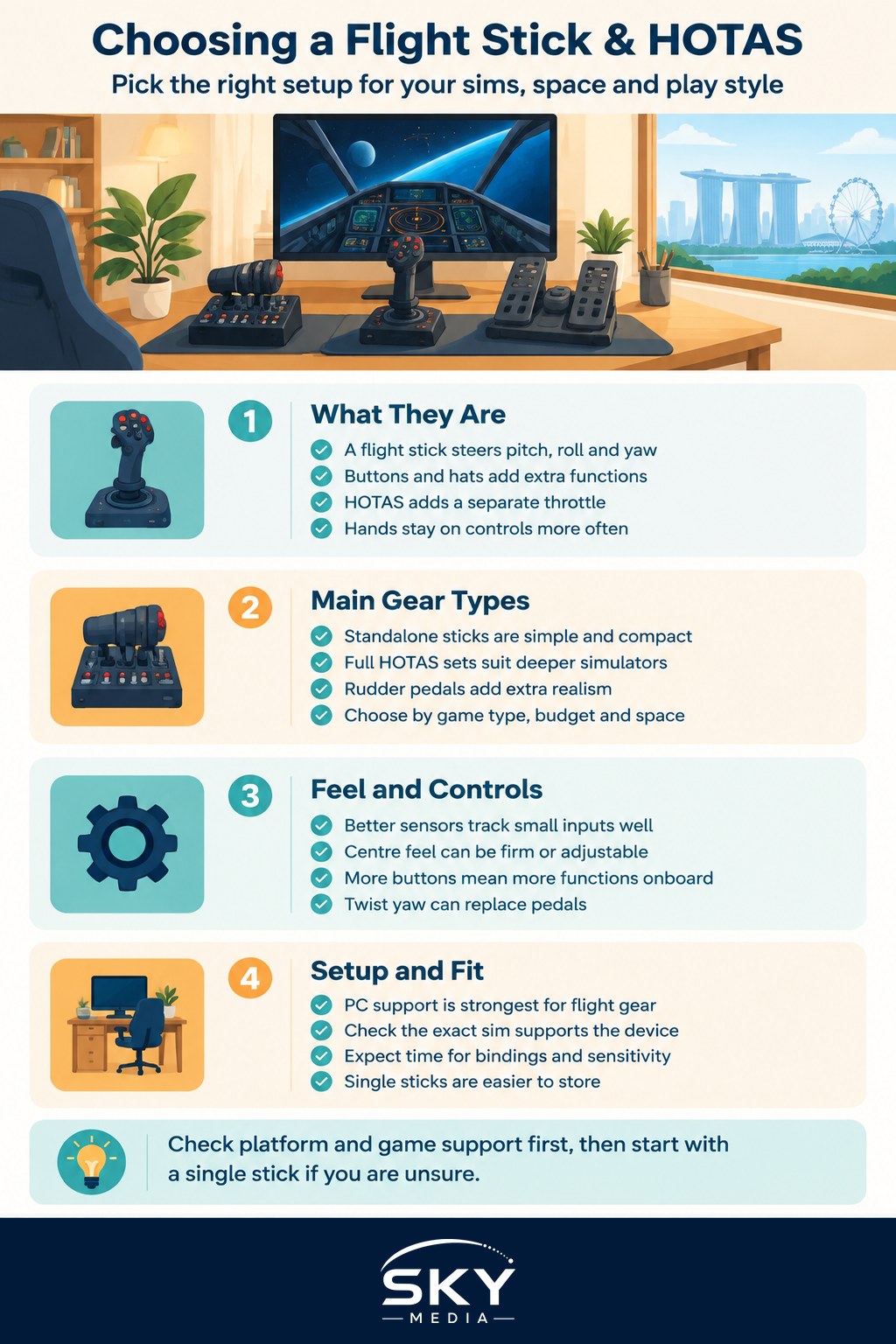
What a Flight Stick and HOTAS Are
A flight stick, or joystick, is the upright controller you use to steer an aircraft: pitch, roll, and usually yaw, plus a cluster of buttons and hats for extra functions. On its own, a good stick already transforms a flight sim.
HOTAS stands for “hands on throttle and stick”. It refers to a setup where you have a separate throttle unit for one hand alongside the stick for the other, with the most-used controls placed on both so you rarely need the keyboard. The idea, borrowed from real aviation, is to keep your hands on the controls during intense moments. A HOTAS is essentially a flight stick plus a matched throttle, sold together or bought as separate pieces.
If you are new to the genre, our guide on getting into simulation and tycoon games gives a gentle overview of the wider sim world before you commit to hardware.
The Main Categories of Gear
Flight control gear falls into a few broad families, each a general category rather than a specific product.
Standalone flight sticks
A single stick with buttons and a small throttle lever or wheel built in. This is the simplest and most space-friendly entry point, and it is plenty for casual flying or arcade-style space combat.
Full HOTAS sets
A separate stick and throttle designed to work together. This gives you far more buttons and axes to bind, which suits detailed simulators where you manage many systems. It takes more desk space and more setup, but rewards deeper play.
Add-on rudder pedals
Pedals on the floor that control yaw and, in many aircraft, the brakes and rudder. They are optional and mainly for people chasing extra realism, particularly in flight simulators rather than fast space shooters.
There is no single best category. The right choice depends on the games you play, how deep you want to go, your budget, and how much room you have.
Feel, Precision, and Buttons
A few things separate a basic stick from a more capable one, and they are worth understanding in plain terms.
- Sensor precision: better sticks track small movements more accurately and stay consistent over time, which helps with fine control like formation flying or careful landings.
- The centre and springs: some sticks have a firm, defined centre point, others are looser. A firmer centre helps you fly straight, while an adjustable one lets you tune the feel.
- Buttons and hats: more programmable buttons and hat switches mean you can map more functions to your hands. Deep sims can use a lot of these.
- Twist versus pedals for yaw: many sticks let you twist the grip to control yaw, which avoids needing pedals. Pedals are more precise but take floor space.
You do not need the most feature-packed gear to enjoy flying. A modest stick with good software support goes a long way.
Compatibility and Setup
Check compatibility before you buy. Flight gear is most at home on PC, where the big flight and space sims live, and console support varies a lot from game to game. Confirm that the stick or HOTAS works with your platform and, importantly, with the specific sims you want to play, since binding all those buttons relies on the game supporting the device well.
Expect to spend time in the settings. Part of the flight sim hobby is mapping controls and adjusting sensitivity curves so the aircraft feels right. This is normal and gets easier with each sim.
Mounting and Space in a Singapore Home
Flight gear needs a stable home, and space is the main constraint in a compact flat.
- Desk mounting: most sticks and throttles have rubber feet or clamps and sit on a desk. A full HOTAS needs a wider desk so both units have room either side of your keyboard.
- Pedals: rudder pedals need clear floor space under the desk and something to stop them sliding, which can be tricky in a small room.
- Storage: if your desk does double duty, look for gear you can unclamp and pack away. A single stick is far easier to store than a full HOTAS plus pedals.
For ideas on fitting a setup into a tight space, see our guide on setting up a gaming corner in your HDB flat.
Matching the Gear to You
- Curious or casual: a standalone flight stick lets you try flight and space games affordably and without eating your desk.
- Committed sim pilot: a full HOTAS gives you the buttons and axes that detailed simulators reward.
- Realism chaser: add rudder pedals only once you know you want them and have the floor space.
Start smaller than you think you need. You can always add a throttle or pedals later once you know the hobby has stuck.
The Practical Takeaway
Choosing a flight stick or HOTAS comes down to how deep you want to go, the feel and button count you need, compatibility with your platform and games, and how the gear fits your space. Confirm it works with your sims first, begin with a single stick if you are unsure, and expand only when you are hooked. Do that and you will have controls that make every flight more absorbing without overwhelming your desk or your budget.
Frequently Asked Questions
Can I use a flight stick on a console? Sometimes. Support depends on the console and on each game, and many flight sims are PC-focused. Check that both the stick and the specific game list your console as supported before buying, rather than assuming any joystick will work.
Do I need rudder pedals to enjoy flight sims? No. Many pilots fly happily using a stick with a twist grip for yaw. Pedals add precision and realism, particularly for aircraft that rely on rudder control, but they also need floor space. Add them later if you find you miss them.
How do I set up the buttons on a new HOTAS? Open the game’s controls menu and assign functions to buttons one by one, putting the most-used actions under your thumb and trigger finger. Many sims let you save profiles, and the community often shares layouts you can start from.
Is a HOTAS good for space games as well as flight sims? Yes, many space games support them well, and the separate throttle suits ship speed control. The extra buttons are useful for targeting and systems. Check the game’s controller support first, because some respond better to simpler setups.
What should I do if my flight stick drifts or will not centre? First run the calibration tool in your operating system or the maker’s software, and clear any deadzone settings in the game. Check for dust or mechanical wear if the problem continues. If it is still faulty, contact the seller or manufacturer about a repair.
Further reading: Choosing a Fight Stick for Fighting Games