

A good pen turns a tablet from something you tap into something you write and draw on, which is why so many people add a stylus after buying a tablet. But pens are not all the same, and the right one depends heavily on the tablet you own and what you want to do with it. If you are shopping for a tablet stylus singapore buyers have plenty of options, from official pens to cheaper alternatives, so this guide explains the main types, the features that matter, and how to match a pen to your device.
Active versus passive pens
The first and biggest split is between active and passive pens, and understanding it saves a lot of confusion.
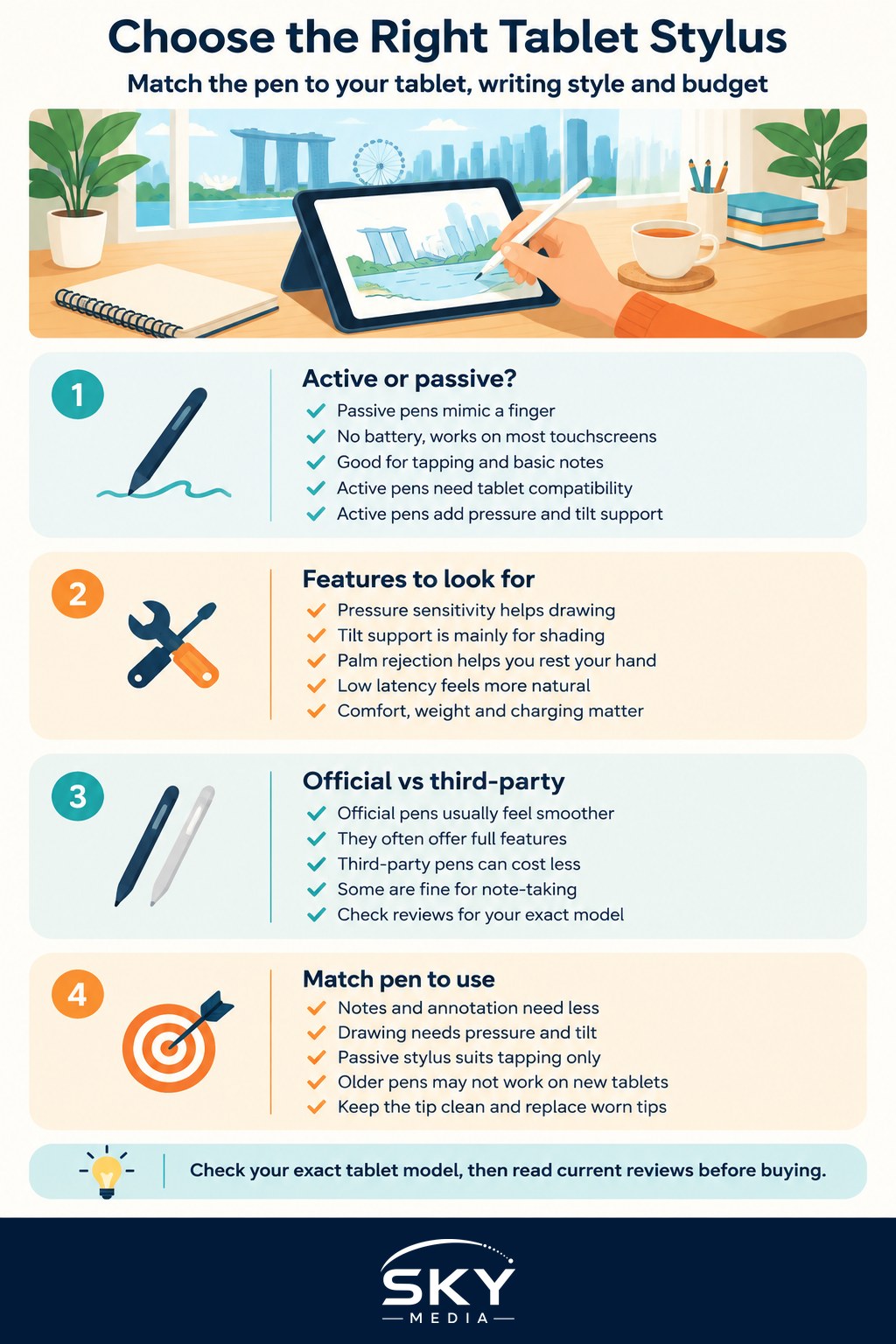
A passive stylus is essentially a soft or fine tip that mimics your finger. It needs no battery, works on almost any touchscreen, and is fine for tapping, basic navigation and rough notes. What it cannot do is sense how hard you press or tilt, and it tends to feel less precise for real handwriting or art.
An active stylus has its own electronics and communicates with the tablet, usually one made for that specific brand or system. This is the kind that feels like writing on paper. Active pens can offer pressure sensitivity, so a firmer press makes a thicker or darker line, and often tilt support for shading. They also enable palm rejection, which lets you rest your hand on the screen while you write without the tablet registering stray touches. The catch is compatibility: an active pen generally only works with the tablets it was designed for, so you cannot assume any pen will work with any tablet.
Because of that, the smartest move is to choose your tablet first and then the pen that suits it. If you are still at the tablet stage, our guide to choosing a tablet in Singapore is the place to start. If your main goal is serious drawing, also look at choosing a graphics tablet for drawing, and if you mostly want distraction-free writing, e-ink tablets and writing tablets is worth a read.
Features that matter for writing and drawing
Once you know your pen must be compatible with your tablet, weigh these features against how you will actually use it.
- Pressure sensitivity. Essential for drawing and nice for expressive handwriting, since it varies line thickness with how hard you press. Less important if you only jot quick notes.
- Tilt support. Lets you shade by angling the pen, like a real pencil. Mainly useful for artists.
- Palm rejection. Hugely improves the writing experience by ignoring your resting hand. This usually comes with active pens paired to their intended tablet.
- Latency and feel. Lower latency means the line keeps up with your hand, which makes writing feel natural. A slightly textured screen or a matte protector can add a pleasant paper-like friction.
- Battery and charging. Some active pens charge by clipping magnetically to the tablet, others via a cable or a small internal battery. Consider how you will keep it topped up.
- Extra controls. Buttons, a double-tap to switch tools, or an eraser end can speed up note-taking and sketching. Nice to have rather than essential.
- Comfort and weight. If you will write for long stretches, grip and balance matter. A pen that is too thin or too light can tire your hand.
There are official first-party pens and a range of third-party alternatives. Official pens usually offer the fullest features and the smoothest experience, while third-party pens can be cheaper and still fine for note-taking, though they may drop pressure sensitivity or other extras. Check reviews for your exact tablet model, since compatibility and performance differ, and match the pen to whether you are writing, drawing or just navigating.
Matching the pen to your needs and your tablet
Start by being honest about what you want to do. If you mostly take handwritten notes, annotate documents and tap around, a compatible active pen with palm rejection is plenty, and you may not need top-tier pressure and tilt. If you draw or paint, prioritise pressure sensitivity, tilt and low latency, and lean towards the official pen for your tablet. If you only ever tap and scroll, an inexpensive passive stylus does the job.
Then confirm compatibility carefully. Active pens are tied to particular tablets, and even within one brand a pen may only work with certain models or generations, so check the exact model you own or plan to buy. Do not assume an older pen works with a newer tablet or the other way round.
A few local practicalities help too. Our warm, humid weather and sweaty hands can make a glossy screen feel draggy, so some people add a matte, paper-textured screen protector for better feel and grip. Keep the pen tip clean, since grit can scratch the screen, and replace worn tips when writing starts to feel scratchy.
Prices and models change often, so read current reviews close to when you buy and treat any single “best pen” claim with caution. The right stylus is the one that is compatible with your tablet, suits the way you write or draw, and fits your budget. Get that match right and your tablet becomes a genuinely useful notebook and sketchpad rather than just a screen you poke at.