

A first tablet for a child is often a practical decision. It might be for e-books and drawing, for video calls with grandparents overseas, for school apps, or simply to keep a long car or plane journey calm. Whatever the reason, the first few weeks set the habits that stick. A little preparation before you hand it over makes the device easier to manage and more useful for your child.
This guide focuses on the physical and practical side of a first tablet: how to set it up, which accessories matter, where it lives in the home, the routines that go with it, and how to load it for offline use. It is less about software parental controls in depth, which deserve their own guide, and more about getting the basics right from day one.
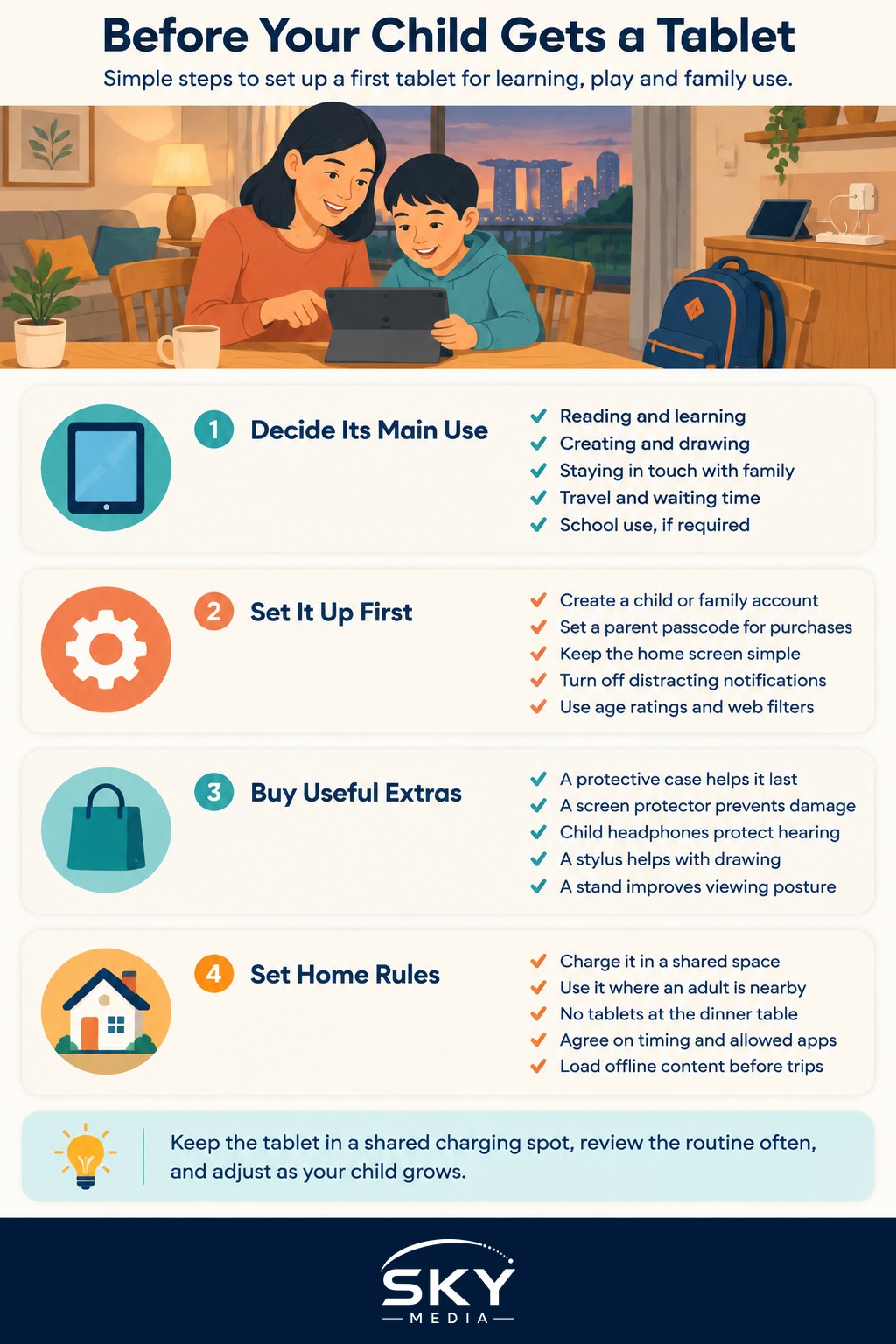
Decide What the Tablet Is For
Before you set anything up, agree on the tablet’s main jobs. Writing them down, even informally, helps you make every later decision.
- Reading and learning. E-books, audiobooks, language apps and educational games.
- Creating. Drawing, music, simple video editing or coding apps.
- Staying in touch. Video calls with family, supervised by a parent.
- Travel and waiting time. Downloaded shows and games for journeys and appointments.
- School use. Some schools specify devices or apps, so check any school requirements first.
If you are still choosing a device, our guide to choosing a tablet in Singapore compares screen sizes, storage and operating systems. For a younger child, an older or refurbished model is often enough, and it matters less if it gets dropped.
Set Up the Device Before It Changes Hands
Do the setup yourself, ideally on an evening when your child is asleep, so the tablet arrives ready rather than half configured.
| Setup task | What to do | Why it matters |
|---|---|---|
| Child account | Create a child or family account through the tablet maker’s family sharing system, managed by a parent | Purchases, downloads and settings stay under adult supervision |
| Passcode and purchases | Set a parent passcode and require approval for any app or in-app purchase | Prevents surprise charges on your card |
| Home screen | Remove apps your child does not need and arrange the rest on one simple screen | A tidy screen keeps the tablet focused on its purpose |
| Notifications | Turn off notifications for games and video apps | Fewer pings means fewer distractions |
| Content filters | Use the built-in age ratings and web filters | Gives a sensible baseline while you learn your child’s habits |
| Downtime | Schedule hours when only chosen apps, such as e-books, work | Supports bedtime and homework routines automatically |
Also check the screen brightness, turn on any night or warm display mode, and set text size to something comfortable for young eyes. Take note of the passcode and account details somewhere safe, because you will need them for updates and recovery.
Accessories Worth Buying First
You do not need a long list of add-ons, but a few make a real difference to how long the tablet lasts and how comfortably it is used.
A protective case
Children drop things. A thick, shock-absorbing case with raised edges around the screen and a built-in handle or stand is the single most useful purchase. Many kid-focused cases are made from foam or soft rubber and come in bright colours, which also makes the tablet easier to find around the house.
A screen protector
A tempered glass or film protector guards against scratches and cracks. It is cheaper to replace a protector than a screen.
Headphones designed for children
Volume-limited headphones help protect hearing during long sessions. Look for a comfortable fit and a sturdy cable or a reliable wireless connection. Check the product details for the volume limit rather than assuming every pair labelled for kids is suitable.
A stylus, if they draw or write
For a child who enjoys drawing or practising handwriting, a chunky stylus is easier for small hands to hold. Our guide to choosing a tablet stylus and pen explains which types work with which tablets.
A stand
A simple stand lets the tablet sit at eye level on a table, which encourages a better posture than hunching over it on a sofa or bed.
Give the Tablet a Home
Where the tablet lives is just as important as what is on it.
- A shared charging spot. Choose a place in a common area, such as the living room or kitchen counter, where the tablet charges overnight. This keeps it out of the bedroom and makes it easier to see how it is used.
- Use in shared spaces. Especially for younger children, use the tablet where an adult is nearby.
- No tablets at the dinner table. A simple, consistent rule is easier to follow than a complicated one.
- Bedtime handover. The tablet goes back to the charging spot at a fixed time before bed. Screens and stimulating content close to bedtime can make winding down harder, and our guide to helping your child wind down before bed has ideas for calmer evenings.
Agree on Routines Together
Children follow rules more readily when they help make them. Before the first use, sit down together and agree a few clear points:
- When the tablet can be used, such as after homework or on weekend mornings.
- How long a session lasts, and what signals the end, such as a timer.
- Which apps are allowed and how to ask for a new one.
- What to do if something online feels strange or upsetting: stop, put the tablet down and tell a parent.
- How to look after the device, such as clean hands, no food nearby and always back in its case.
Write the agreement down and keep it near the charging spot. Review it every few months as your child grows and their needs change.
Load It for Offline Use
A tablet with useful offline content is calmer to manage than one that relies on endless streaming.
- Download e-books and audiobooks from your library app or bookstore, so reading is always available.
- Save a few shows or films for travel, rather than allowing open-ended browsing.
- Choose offline-friendly apps for drawing, puzzles and learning that do not need constant internet.
- Turn off Wi-Fi when it is not needed, for example during reading time, to reduce temptation.
Offline content also helps on flights, long drives and waiting rooms where connections are patchy.
Watch, Adjust and Talk
The first month is a trial period. Notice how your child behaves before, during and after tablet time. If you see trouble sleeping, irritability when sessions end, or the tablet crowding out play, reading or time outdoors, tighten the routine or change what is installed. If you have concerns about your child’s eyes, posture or wellbeing, speak to your family doctor or a polyclinic.
A first tablet for a child does not need to be a source of conflict. Set it up thoughtfully, give it a home, agree the routines together, and it can become a genuinely useful tool for learning, creating and staying connected.