

Picking a television used to be simple because screens were small and rooms decided everything. Now it is easy to buy a set that is too big for a compact flat, or too small for the wall it sits on. Getting the tv size in Singapore right is mostly about one thing that showroom lights make hard to judge: how far you actually sit from the screen at home. Work that out first and the rest falls into place.
This guide gives you a practical way to reason about size and distance. It does not name brands, models or prices, because the “best” set changes constantly and depends on your budget and eyes. For the current landscape, read recent reviews and match them to your own room.
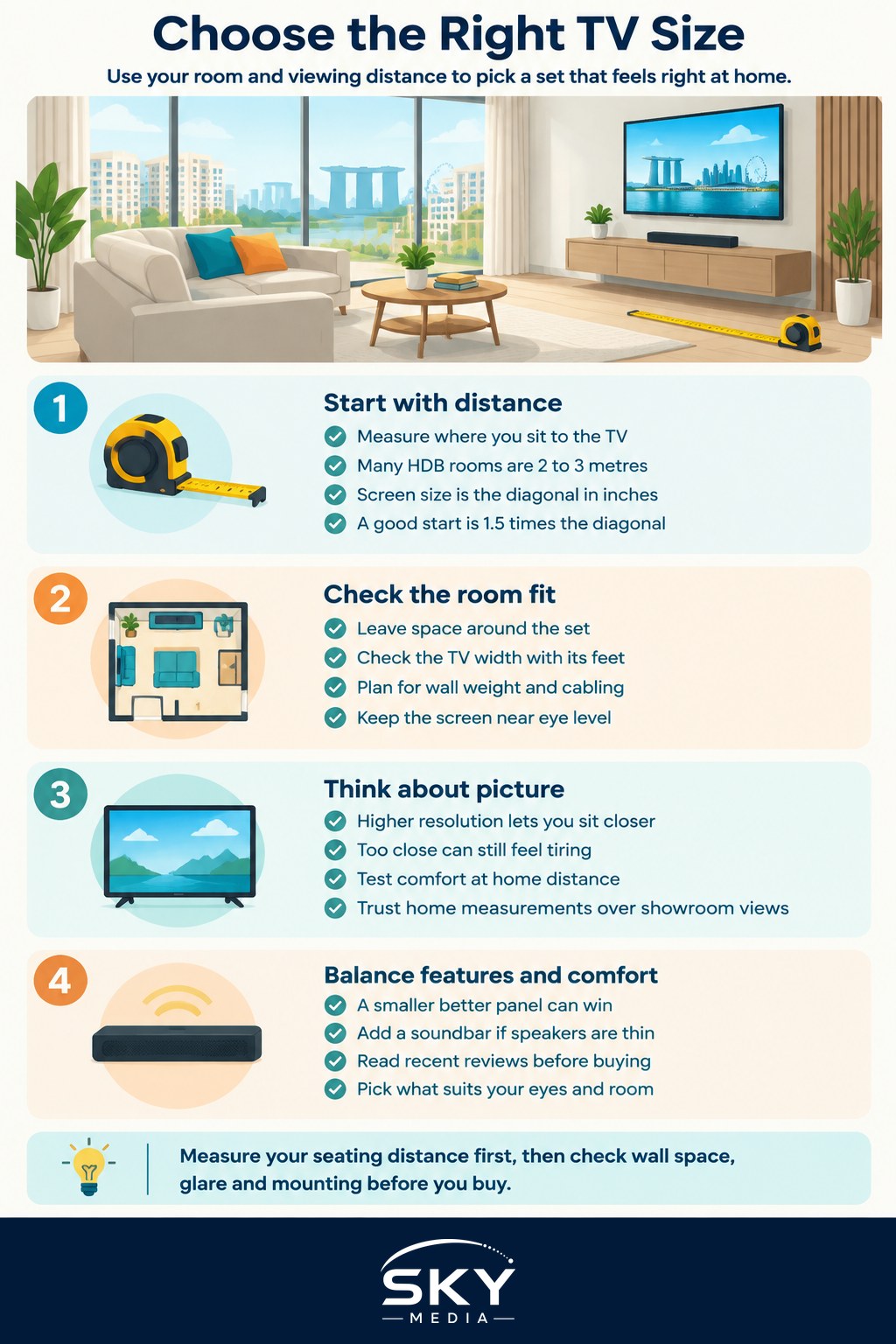
Start with your viewing distance, not the screen
The most common mistake is choosing a number, say a 55 inch or 65 inch set, before measuring anything. Do it the other way round. Measure the distance from where you sit to where the TV will go. In many HDB living rooms this is somewhere between two and three metres, but yours could be shorter or longer, so use a measuring tape rather than a guess.
Screen sizes are quoted as the diagonal in inches, corner to corner. As a rough starting point for a modern high resolution TV, a comfortable seating distance is around one and a half times the screen’s diagonal. So a screen with a 55 inch diagonal, which is a little under 1.4 metres, suits a seating distance of roughly two metres or so. Sit closer and a bigger screen becomes comfortable and more immersive. Sit further and you may want to size up to avoid squinting.
These are guides, not rules. Some people love a large, cinematic screen up close, while others find it tiring and prefer to sit back. The point of the maths is to give you a sensible middle, then adjust to taste.
Room, wall and everyday practicalities
Numbers aside, a TV has to live in a real room. A few physical checks save regret:
- Measure the wall or console, not just the seating distance. Leave breathing space around the set so it does not look wedged in.
- Check the width of the TV, including the feet. Some stands are wider than the media console you already own.
- If you are wall mounting, confirm the wall can take the weight and that power and cabling can reach neatly. In an HDB flat, plan around existing sockets and the TV point.
- Think about height. The middle of the screen is most comfortable at roughly eye level when you are seated, so a very high mount can strain your neck.
Glare matters more than people expect in bright Singapore living rooms with large windows. A screen that looks stunning in a dim showroom can wash out in afternoon light, so think about where the sun falls and whether you can control it with curtains or blinds.
There is a real trade-off between size and everything else in your budget. A slightly smaller screen with a better panel, and a soundbar to fix the thin built-in speakers, often beats a larger set with weaker picture and sound. If you go down this path, choosing a soundbar explains what actually improves TV audio, and setting up a home entertainment system covers tying the pieces together.
Resolution, seating and how close is too close
Resolution changes how close you can sit before the picture starts to look soft. Higher resolution screens pack in more detail, so you can sit nearer a large screen without seeing individual pixels. This is why big screens have become more practical in smaller rooms. Even so, comfort still matters. If the screen fills so much of your vision that you have to move your head to follow the action, it may be too big for that distance, even if the picture is sharp.
A simple test in the shop: stand or sit at roughly your home viewing distance from the display and see whether it feels comfortable to take in the whole picture at a glance. Showrooms use large, bright, distant spaces that make everything look smaller, so a set that seems right there can feel enormous at home. Trust your home measurements over the showroom impression every time.
Once you have chosen, the picture out of the box is rarely ideal. Our guide on how to get better TV picture and sound walks through simple tweaks, and if you are still weighing options, buying a TV covers the wider decision.
A quick practical wrap-up
Measure your seating distance first, then use the one and a half times rule as a starting screen size and adjust for your own comfort. Check the physical width and mounting before you buy, plan around glare from your windows, and remember that a smaller screen with better picture and sound can beat a bigger, cheaper one. Read current reviews close to when you buy, and choose the set that fits your room and your eyes, not the biggest number on the shelf.