

Cloud gaming Singapore players are increasingly curious about promises something appealing: play demanding games on a modest laptop, phone or television, without buying an expensive console or gaming PC. Instead of your own device doing the hard work, a powerful computer somewhere else runs the game and streams the video to your screen, while your button presses travel back to it. This guide explains how it works in plain language, what you genuinely need, and the practical catches to weigh before you commit.
The idea is a bit like video streaming, but interactive. Where a film only needs to flow one way to your screen, a game must react instantly to your inputs. That two-way, real-time demand is what makes cloud gaming both clever and sensitive to your internet connection.
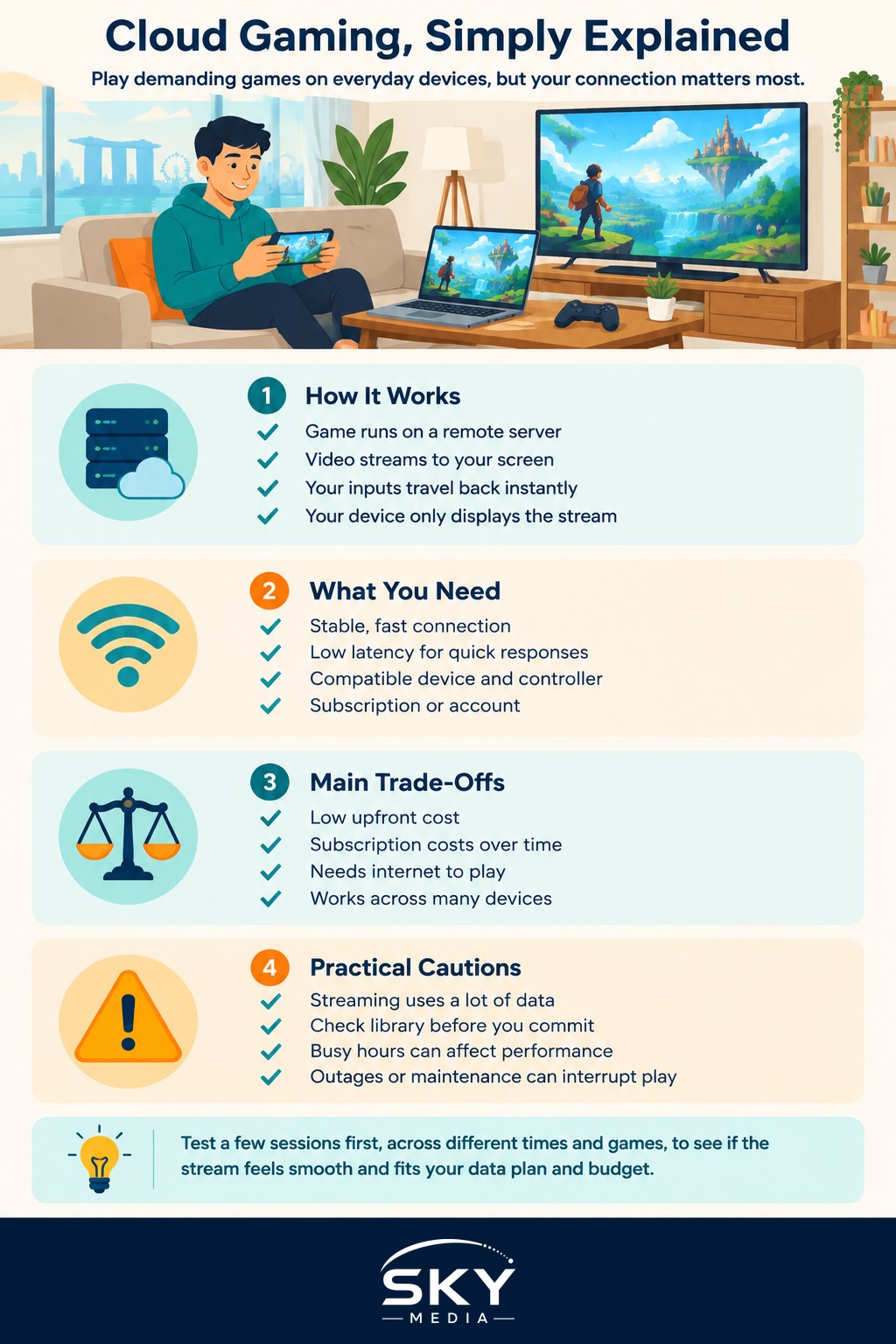
How Cloud Gaming Works
When you play a game the traditional way, your console or PC does everything: it runs the game, renders the graphics and shows them on your screen, all in one box. Cloud gaming splits this up. A remote server runs the game and renders each frame, then compresses that video and sends it over the internet to your device. Your controller or touchscreen inputs travel back to the server, which reacts and sends the next frame.
All of this happens many times a second, fast enough to feel responsive if your connection is good. The upshot is that your own device only needs to do two simple jobs: send your inputs and display an incoming video stream. That is why a basic laptop, a phone or a smart television can suddenly run games that would normally need costly hardware.
The trade-off is that you are now depending on a connection between you and a distant server. The gap between pressing a button and seeing the result on screen, known as latency or lag, becomes the thing that makes or breaks the experience. A little lag is barely noticeable in slow, thoughtful games but very obvious in fast shooters or precise action titles.
What You Need To Get Started
Cloud gaming shifts the demand from your device to your internet, so your connection matters more than your hardware. Here is what actually counts.
A stable, fast connection. You need enough speed to receive a smooth high-quality video stream, but consistency matters even more than raw speed. A connection that is fast on average but stutters or drops will ruin a game, since every hiccup shows up as a freeze or a blur at the worst moment. A wired connection to your router is ideal, and a strong, close wi-fi signal is the next best thing.
Low latency. Beyond speed, you want your data to reach the server and return quickly. This depends partly on how far you are from the servers your service uses and partly on the quality of your connection. Fast reflexes on your part cannot compensate for a slow round trip.
A compatible device and controller. Most services run through a web browser or an app on phones, tablets, computers and some televisions. For anything beyond casual play, a proper game controller transforms the experience compared with touch controls.
A subscription or account. Cloud gaming is usually a paid service, and the way you pay varies, which we will come to shortly.
Weighing The Trade-Offs
Cloud gaming is not automatically better or worse than owning hardware; it is a different set of compromises. The table below lays out the main considerations side by side.
| Consideration | Cloud gaming | Owning a console or PC |
|---|---|---|
| Upfront cost | Low, no expensive hardware | High, you buy the machine |
| Ongoing cost | Subscription over time | Mostly games you buy |
| Dependence on internet | Very high, needs a stable link | Low, plays offline |
| Data usage | High, streams video constantly | Low once games are installed |
| Device flexibility | Play across many devices | Tied to the one machine |
| Performance ceiling | Depends on connection and servers | Depends on your hardware |
Reading this, the appeal is clearest if you want to avoid a big upfront purchase, already have solid internet, and value playing across several devices. Owning hardware suits you better if you want guaranteed responsiveness, play offline, or worry about ongoing subscription costs and data use adding up over the years.
Data, Costs And Practical Cautions
Two practical points deserve real attention before you dive in. The first is data. Cloud gaming streams high-quality video the entire time you play, so it can use a large amount of data over a session. On an unlimited home broadband plan this is rarely an issue, but if you play on a mobile connection or any plan with a data cap, watch your usage carefully, because a long gaming session can consume a great deal of data quickly. Many services let you lower the streaming quality to reduce data use, at the cost of some sharpness.
The second is cost. Cloud gaming is generally a subscription, and some games may need to be bought or accessed separately depending on the service. Costs vary and change, so treat any figures you see as a rough guide rather than a promise, and add up what a year of subscription plus any game purchases would mean for you. This is general information to help you plan, not financial advice, so decide based on your own budget and how much you actually play.
A few smaller cautions round things out. Your experience can vary by time of day if your connection gets congested during busy evening hours. Not every game you own or want will be available on a given service, so check the library before committing. And because you are depending on someone else’s servers, occasional outages or maintenance can leave you unable to play, unlike a game installed on your own machine.
Is Cloud Gaming Right For You
Cloud gaming makes the most sense if you have a reliable, low-latency connection, you would rather not spend heavily on hardware, and you enjoy the freedom of picking up a game on whatever screen is handy. It is especially attractive for trying demanding games on devices that could never run them locally.
It is a weaker fit if your internet is patchy, if you compete in fast reaction-based games where even small lag hurts, or if you are wary of paying a subscription indefinitely. In those cases, owning hardware still has clear advantages.
The sensible approach is to test before you commit. Many services let you try them, so run a few sessions across different times of day and different games, and pay attention to how responsive it feels and how much data it uses. If it feels smooth and the numbers suit your plan and budget, cloud gaming can be a genuinely liberating way to play. If it stutters, no subscription will fix a connection that is not ready for it.
Explore more
Gaming in Singapore
How to Choose a Gaming Console
Mobile Gaming Guide
Home Broadband