

For years, a pay TV subscription was just part of the household bill. Now many people are looking at that monthly charge and wondering whether they still need it. Cutting the cord in Singapore, meaning dropping a traditional cable or pay TV package in favour of streaming and free channels, can save money and give you more control over what you watch. It can also get complicated fast if you sign up for too many services. This guide helps you switch thoughtfully rather than impulsively.
The honest truth is that cord cutting is not automatically cheaper. Stack up enough streaming subscriptions and you can spend more than the cable bill you cancelled. The savings come from being deliberate about what you actually watch, so start there before you cancel anything.
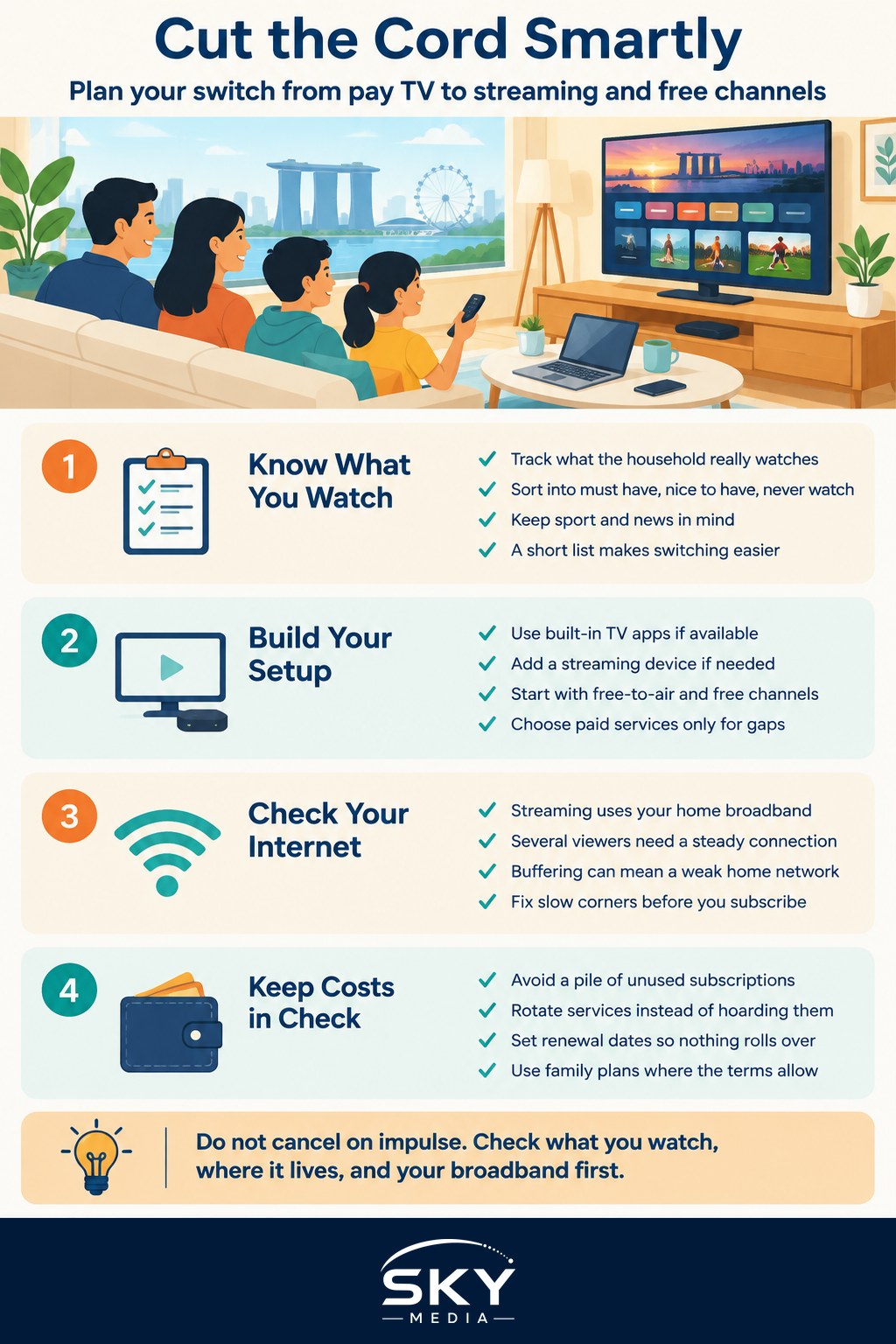
Work out what you really watch
Before touching your subscription, spend a week noticing what your household genuinely watches. People often keep pay TV for a handful of things: live sport, the news, a few drama channels, or shows for the kids. Everything else may already sit unwatched.
Make a short list under three headings:
- Must have: content you would genuinely miss, such as a particular league or a channel someone watches daily.
- Nice to have: things you enjoy but could live without.
- Never watch: channels you are paying for out of habit.
This list is your map. If your must-have column is short, replacing it with one or two targeted services is easy. If it is long and spread across many providers, cord cutting may save less than you hope, and that is useful to know before you switch.
Sport is often the sticking point, because live rights can be tied to specific providers. Check exactly where the competitions you care about are shown before you cancel, so you are not caught out on match day.
Building your replacement setup
Once you know what you need, you can assemble a replacement. The pieces are simpler than they sound.
First, you need a way to get streaming apps onto your TV. Many newer TVs have apps built in. If yours does not, or the built-in system is slow, a small streaming device or TV box adds them cheaply. Our guide on streaming devices and TV boxes explains the options, and casting from your phone is handy if you want to send video to the big screen.
Second, you choose your services. Rather than subscribing to everything, match services to your must-have list. Free and free-to-air options cover a surprising amount, including local channels and news, so lean on those first and add paid services only for the gaps. Our overview of streaming services breaks down how to think about the paid ones without overspending.
Third, check your internet. Streaming leans on your home broadband, and several people watching in high quality at once needs a steady connection. If video buffers or the picture drops in quality, the problem is often your home network rather than the service. Home wifi and mesh networking covers fixing weak spots and slow corners of the flat.
Managing cost and avoiding subscription creep
The single biggest risk of cord cutting is quietly recreating an expensive cable bill through a pile of subscriptions. It is easy to add a service for one show and then forget it. Over months, those small charges add up to more than the package you left.
A few habits keep it under control:
- Rotate rather than hoard. Subscribe to a service for a month or two to watch what you want, then pause or cancel and move to the next.
- Diarise renewal dates so nothing rolls over unnoticed.
- Watch out for free trials that quietly convert to paid. Our guide on managing your subscriptions and free trials shows how to keep track.
- Share family plans within a household where the terms allow, rather than paying for duplicate accounts.
There is a genuine trade-off to accept. Cord cutting trades the simplicity of one bill and one remote for lower cost and more choice, at the price of juggling several apps and accounts. For some households that flexibility is a win, and for others the tidiness of a single package is worth paying for. Neither answer is wrong; it depends on how you actually watch.
A quick practical wrap-up
Do not cancel on impulse. List what your household truly watches, confirm where your must-have content lives, especially live sport, then build a replacement from free channels plus one or two targeted paid services. Make sure your TV can run the apps and your broadband can handle them. Finally, put renewal dates in your calendar and rotate services instead of collecting them, so cutting the cord actually saves you money rather than quietly costing more.
Frequently Asked Questions
Which free TV channels can I watch without a pay TV subscription? Local free-to-air channels are available through a digital antenna or built-in TV tuner, and many broadcasters also stream their programmes online. Lineups change, so check the broadcaster’s own website or app for the current list before you cancel.
Can I watch live sport after cancelling cable? It depends on who holds the rights, which vary by competition and can move between providers. Find where your must-watch matches are shown before cancelling, and check whether that service offers a standalone subscription rather than assuming.
How much broadband speed do I need for streaming? Streaming works on most modern home fibre plans, but several people watching high-quality video at once needs a steady connection. Buffering is often caused by weak wifi rather than the plan, so test the signal near the TV before blaming the service.
Do I need a smart TV, or will a streaming box do? A streaming box or stick works well if your TV is older or its built-in system is slow, as it adds the apps cheaply. If your current TV already runs the services you want smoothly, you may not need to buy anything extra.
Is it hard to cancel pay TV if I am in a contract? It may involve fees or require waiting until the contract ends, depending on your terms. Check your agreement and ask the provider directly about early termination charges and notice periods before deciding when to switch.