

Every rechargeable battery wears out. After a couple of years, you may notice your phone dying by mid-afternoon, or your laptop lasting barely an hour off the charger. Before you write off the whole device, know that a fresh battery can often bring it back to life for far less than a new purchase. But replacing phone battery singapore services or attempting it yourself comes with one very important caution: modern batteries can be dangerous if mishandled. This guide explains when to replace, how to do it safely, and why some jobs are best left to professionals.
How to Tell Your Battery Is Failing
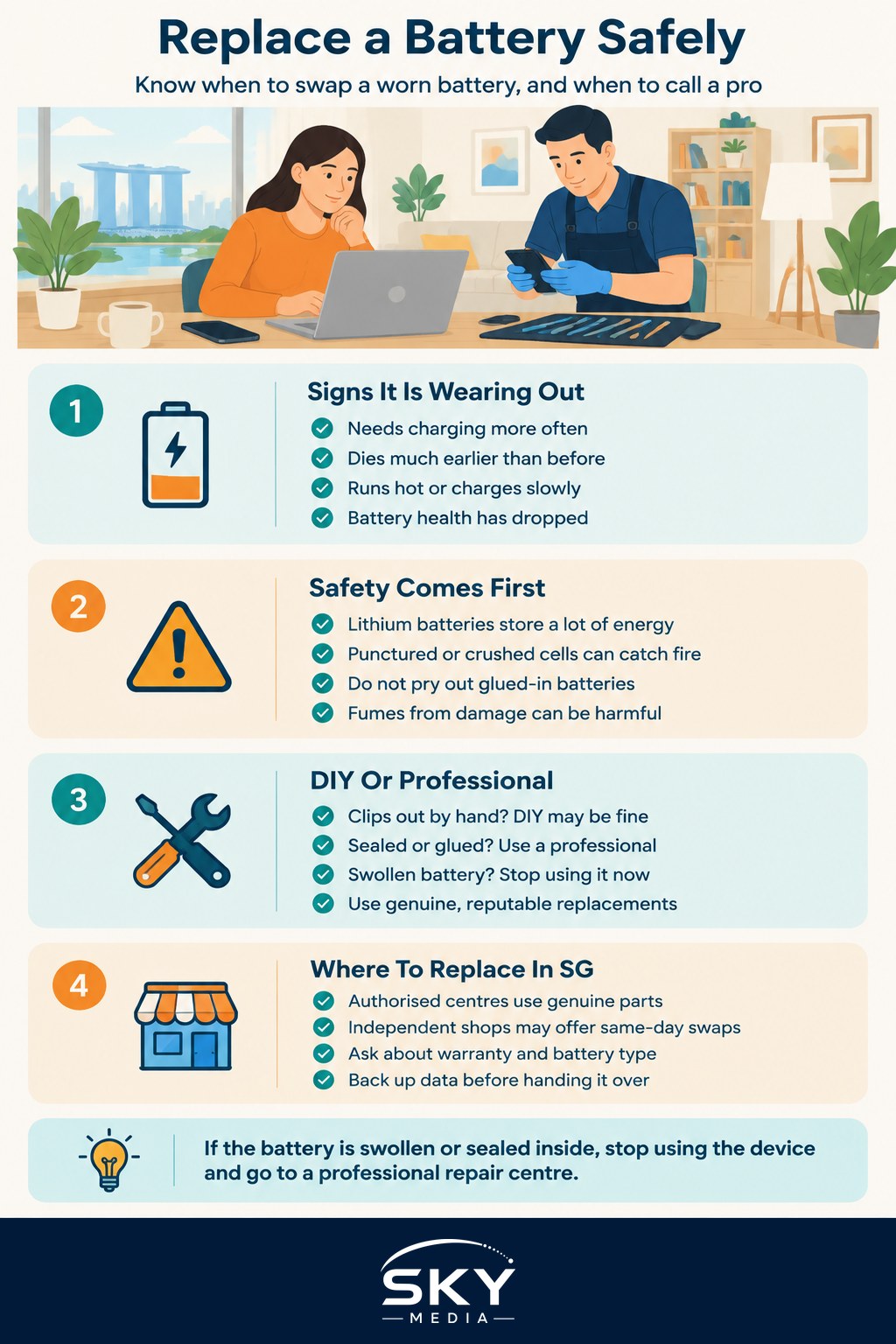
Batteries lose capacity gradually, so the signs creep up on you:
- The device needs charging much more often than it used to
- It shuts down suddenly even when it shows charge left
- The device runs hot, or charges very slowly
- The back of the phone or the laptop casing feels like it is bulging
That last sign is the serious one. A swollen or bulging battery is a warning to stop using the device and seek professional help promptly. Do not press on it or try to force the casing shut.
Many phones and laptops have a built-in battery health readout in settings that shows remaining capacity as a percentage. If it has dropped well below its original capacity, a replacement is worth considering. Before that, it is worth ruling out simpler causes, since how to extend your phone’s battery life and how to keep your laptop battery healthy sometimes solve the problem without any replacement at all.
The Big Safety Warning: Lithium Batteries
This is the most important part of the article, so please read it carefully. Almost all phones and laptops use lithium-ion batteries. These store a lot of energy in a small space, which is what makes them great, but also what makes them hazardous if damaged. A punctured, bent, or crushed lithium battery can catch fire or even burst, and the fumes are harmful.
Because of this, do not try to pry out or DIY-replace a built-in battery that is glued or sealed inside the device. Many modern phones fall into this category. The tools needed to open them, and the heat and prying involved, make it very easy to nick the battery. Even a small puncture can start a fire hours later.
The safe rule is simple: for any built-in battery, use an authorised service centre or a reputable professional repair shop. They have the right tools, genuine parts, and safe disposal for the old battery. The modest fee is well worth avoiding a fire risk in your home.
When DIY Is Reasonable, and When It Is Not
Not every battery is sealed. Some older laptops have a battery that clips out from the bottom with no tools, and some devices are designed to be user-serviceable. In those cases, swapping the battery yourself can be fine, as long as you buy a genuine or reputable replacement and follow the maker’s instructions.
For everything else, especially phones, most tablets, and modern thin laptops, treat professional service as the default. Here is a sensible way to decide:
- Clips out by hand, no tools, no prying: DIY is usually okay with a quality replacement.
- Sealed, glued, or needs heat and prying to open: Go to a professional. Do not attempt it.
- Battery is swollen or damaged: Stop using the device and get professional help right away.
Never use a cheap, unbranded battery of unknown origin, as poor-quality cells are more likely to fail dangerously.
Getting a Battery Replaced in Singapore
You have several good options here. Authorised service centres for your brand offer genuine parts and keep your warranty intact, though they may cost a bit more and take longer. Reputable independent repair shops, including many around the island, often do same-day battery swaps at lower prices. Ask whether they use genuine or high-quality compatible batteries, and whether the repair carries its own warranty.
Before handing over your device, back up your data, as any repair carries a small risk. If your device is quite old and the battery is just one of several problems, it may be time to weigh a replacement instead, and when to repair or replace your computer can help you think it through.
Dispose of the Old Battery Correctly
An old battery should never go into your household rubbish, where a damaged cell could start a fire in the waste stream. If a professional does the swap, they will dispose of it safely. If you removed one yourself, take it to a proper battery or e-waste collection point rather than binning it.
The Bottom Line
A new battery is one of the most cost-effective ways to extend the life of a phone or laptop. Just respect the one rule that matters most: lithium batteries are a genuine fire and injury hazard, so never puncture or force a built-in battery, and leave sealed replacements to authorised or professional services. Handle it that way, and you get years more life from a device you already own, safely.
Frequently Asked Questions
How long does a phone battery replacement usually take? It varies by shop and model, with some independent repairers able to do it the same day. Authorised service centres may take longer. Ask for a time estimate when you get your quote, and back up your data before you hand the phone over.
Is it better to use an authorised centre or an independent repair shop? It depends on your priorities. Authorised centres offer genuine parts and keep your warranty intact, though they may cost more and take longer. Independent shops are often quicker and cheaper, so ask what parts they use and whether the repair has its own warranty.
Can I keep using a phone with a swollen battery? No. A bulging battery is a fire and injury risk, so stop using and charging the device straight away. Do not press on it or try to flatten it. Take it to an authorised or professional repair service as soon as possible.
Will a new battery fix my slow phone? It can help if the slowness comes with sudden shutdowns or heavy battery drain. If the phone is slow for other reasons, such as full storage or old software, a new battery will not cure it. Check battery health in settings and free up space first.
Are cheap third-party batteries safe to use? Cheap, unbranded cells of unknown origin are more likely to fail dangerously, so avoid them. Choose a genuine or reputable high-quality compatible battery from a trusted shop. Ask where the part comes from and keep the receipt in case something goes wrong.