

Most households already have digital documents: e-statements, PDF payslips, insurance policies, tenancy agreements, school letters, warranty cards photographed on a phone. The problem is rarely scanning. It is that everything ends up scattered across email, downloads folders, chat apps and three different cloud accounts. When you need a document urgently, such as for a loan application, an insurance claim or a pass renewal, nobody can find it.
A good digital filing system fixes this with three things: a simple folder structure, consistent file names and a few small habits. This guide walks through each, tailored to the documents Singapore households typically keep.
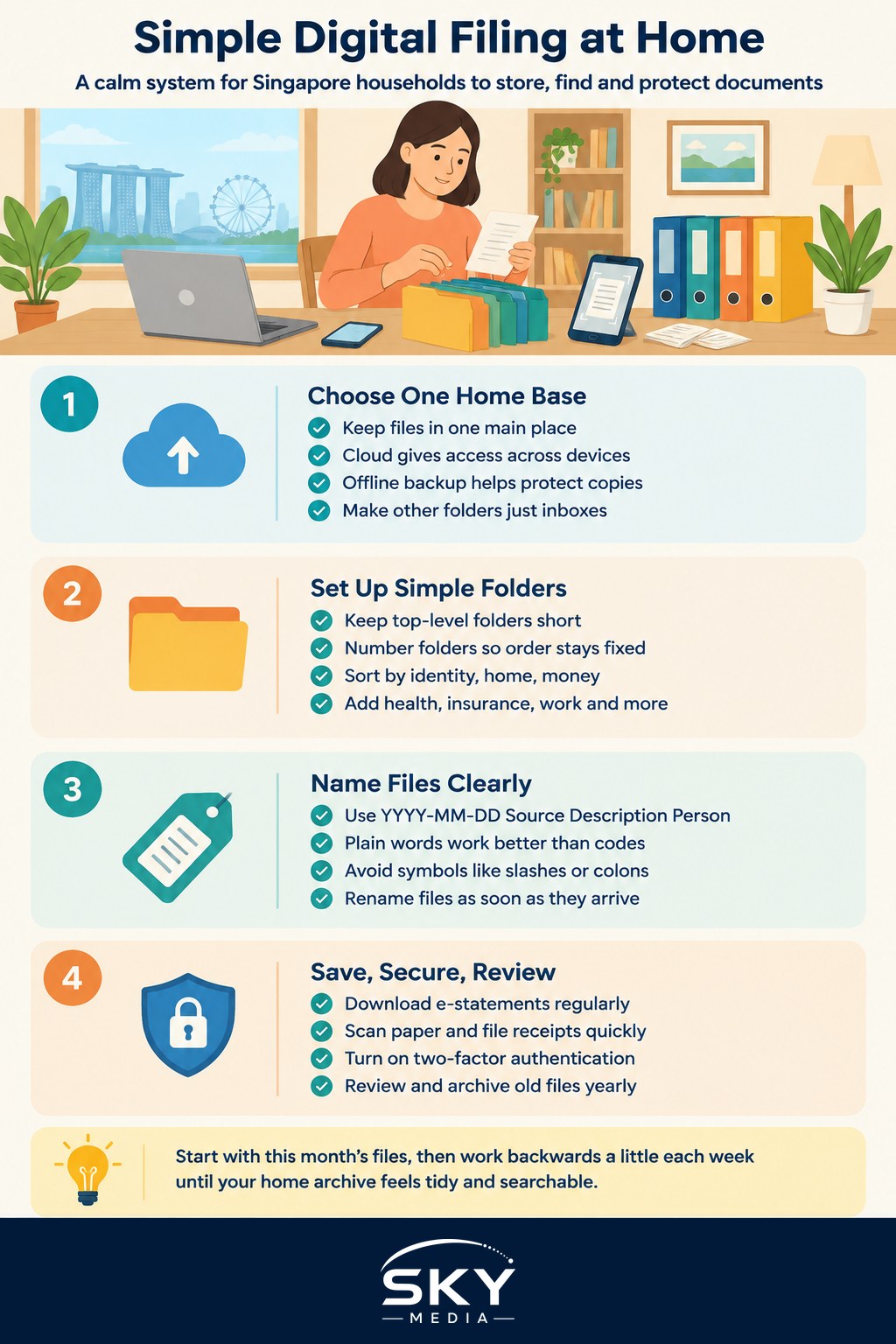
Pick One Home Base for Your Files
Before creating folders, decide where your family’s files will live. Splitting documents across several services is the main reason systems fail.
Things to consider:
- Cloud storage lets you access files from any device and share with a spouse. Choose a reputable provider, turn on two-factor authentication and check how much storage you need.
- A computer or external drive keeps files offline, but you must remember to back up.
- A mix is common: cloud as the main home, with a periodic offline backup.
Whichever you choose, make it the single source of truth. Other places, such as email attachments or chat downloads, are just inboxes that feed into it.
If several family members need access, decide who manages what. Our guide to setting up a family tech support system at home explains how to divide tech roles so one person is not left handling everything.
Build a Folder Structure That Matches Real Life
Keep the top level short. Around eight to ten folders is enough for most homes. Too many top-level folders and people stop using them. Number them so they always appear in the same order.
A structure that works for many Singapore households:
- 01 Identity: passports, NRIC copies, birth and marriage certificates, pass cards for foreign family members.
- 02 Home: tenancy or purchase documents, HDB or condo letters, renovation contracts, MCST notices (MCST is the management corporation of a condo), appliance manuals and warranties.
- 03 Money: bank statements, loan documents, investment records.
- 04 Tax and CPF: IRAS notices of assessment, CPF statements, relevant receipts.
- 05 Insurance: policies, renewal notices, claim records.
- 06 Health: medical reports, vaccination records, receipts for claims.
- 07 Work: employment contracts, payslips, appraisal letters.
- 08 Education: school letters, report books, certificates.
- 09 Vehicles and Travel: car documents, travel bookings, visa approvals.
- 10 Archive: anything older that you must keep but rarely open.
Inside each, use subfolders by person or by year only when the folder gets crowded. For example, 06 Health might contain a folder for each family member.
Use File Naming Rules Everyone Can Follow
Consistent names make searching easy, even if a file lands in the wrong folder. A simple pattern is:
YYYY-MM-DD Source Description Person
For example: “2026-04-15 IRAS Notice of Assessment Mei” or “2025-11-02 Aircon Warranty Living Room”.
Starting with the date in year-month-day order means files sort chronologically on any device. A few extra rules help:
- Use plain words, not codes only you understand.
- Avoid symbols such as slashes or colons, which some systems reject.
- Put the person’s name at the end when documents belong to one family member.
- Rename files as soon as they arrive. “Scan0034.pdf” will be impossible to find later.
The table below shows common naming mistakes and better alternatives.
| Habit | Example | Problem | Better version |
|---|---|---|---|
| Default scanner name | Scan_0034.pdf | Says nothing about the content | 2026-03-10 Clinic Receipt Wei Ling.pdf |
| Day first dates | 10-03-2026 Insurance.pdf | Sorts out of order | 2026-03-10 Insurance Renewal Car.pdf |
| Vague label | Important stuff.pdf | Unsearchable and unclear | 2026-01-20 Tenancy Agreement Signed.pdf |
| Version chaos | Contract final FINAL v2.pdf | No idea which is current | 2026-02-05 Renovation Contract Signed.pdf |
Capture Documents as They Arrive
A system only stays useful if new documents get added consistently.
- Download e-statements monthly. Many banks and telcos only keep statements online for a limited period, so save them to your home base.
- Scan paper on arrival. Use a phone scanning app to create clear PDFs. Flatten creased papers and use good light.
- Set up a single “To File” folder at the top of your structure. Drop new documents there during the week, then sort and rename them in one short weekly session.
- Photograph receipts for big purchases together with the warranty card, then file both in 02 Home.
Decide which paper originals to keep. Some documents, such as certain legal, property or identity papers, may need to be kept in original form. When unsure, keep the paper original safely and treat the digital copy as a convenient backup. Check with the relevant organisation if you need to know whether a digital copy is accepted.
For tax records, IRAS publishes guidance on how long to keep supporting documents, and our guide to filing your taxes online with IRAS explains what you may need during filing season.
Keep It Secure and Backed Up
Household files contain sensitive personal data, so protect them.
- Turn on two-factor authentication for your cloud and email accounts.
- Use a strong, unique password and consider a password manager.
- Be careful with NRIC numbers and passport scans. Share them only when genuinely required, and avoid sending them through casual chat groups.
- Follow the 3-2-1 idea where practical: three copies, on two types of storage, with one kept off-site or in the cloud.
- Lock shared devices used by children or helpers.
Your filing system pairs naturally with a home inventory. Our guide on how to create a home inventory for insurance in Singapore shows how to record your belongings so photos and receipts are ready if you ever need to claim.
Build Retrieval Habits That Stick
The real test is whether you can find something in under a minute.
- Practise searching. Try finding last year’s tax assessment or your fridge warranty. If it takes long, adjust names or folders.
- Create a “Quick Access” shortcut for documents you open often, such as passports, insurance policies and medical records.
- Review once a year. Move old files to 10 Archive, delete true duplicates and check backups.
- Tell your family where things live. In an emergency, your spouse or adult child should be able to find key documents without you.
Start small. Set up the folders this weekend, file only this month’s documents, and work backwards gradually. Within a few months, you will have a calm, searchable home archive.