

Look around most Singapore homes in the evening and you will find chargers everywhere: one by the sofa, one trailing across the bedside table, a power bank on the dining table and someone asking who took the cable. A home charging station fixes this by giving every phone, tablet, earbud case and watch a single, sensible place to power up.
This guide is not a review of chargers. It is about setting up a charging spot that suits a small home, works for everyone in the family and stays safe.
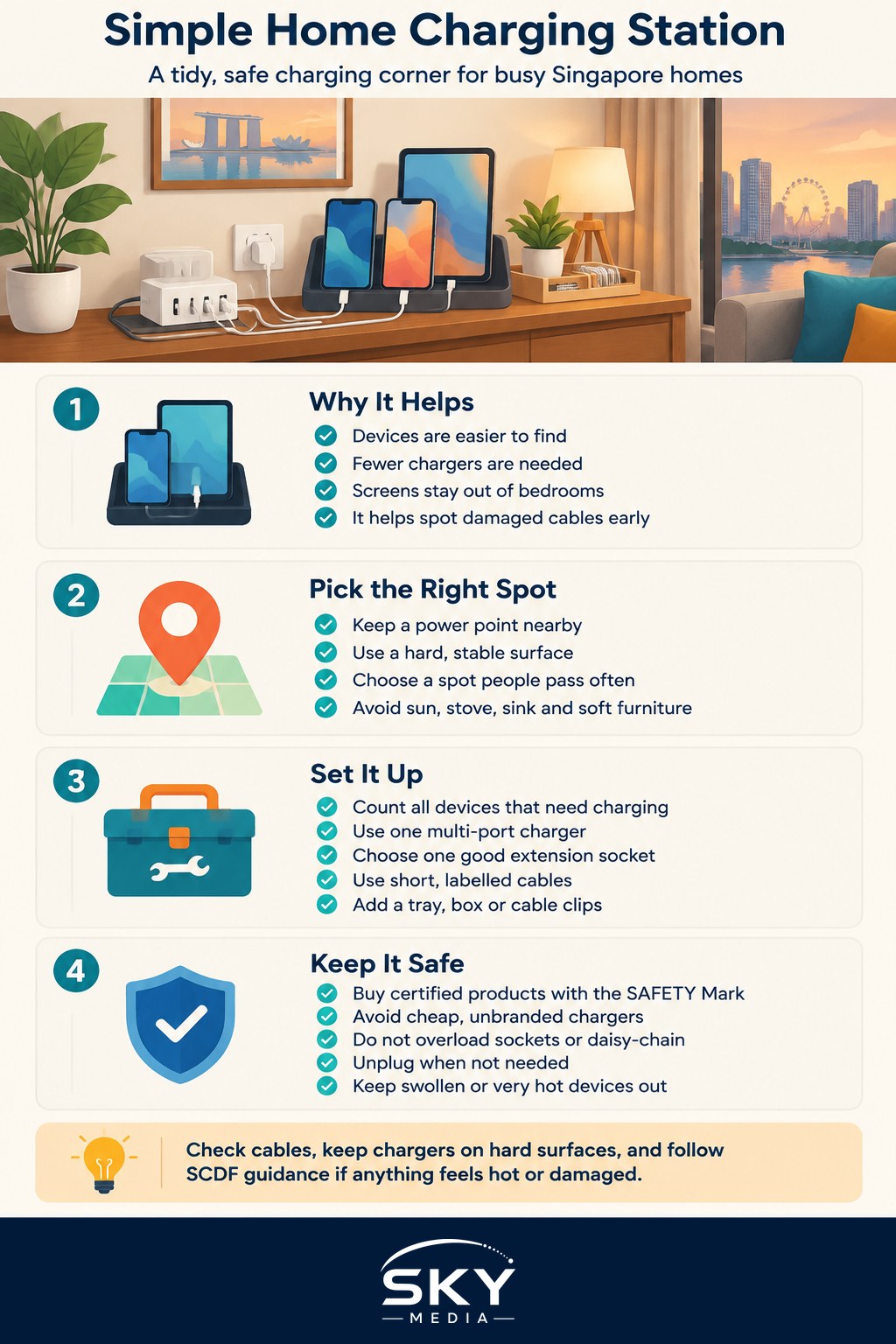
Why a Shared Charging Spot Helps
A dedicated charging spot does more than tidy cables.
- Devices are easy to find. Keys, phones and earbuds end up in one place, which helps on rushed school mornings.
- Fewer chargers are needed. One good multi-port charger can replace several old plugs.
- Screens leave the bedroom. Many families find that charging phones outside bedrooms helps everyone sleep better.
- Safety improves. You can see what is charging, keep it away from soft furnishings and spot a damaged cable early.
Choosing the Right Spot in a Small Flat
In HDB flats and condos, space and power points are limited. Good locations share a few traits: a power point nearby, a hard surface and somewhere that is passed several times a day.
| Location | Pros | Cons | Best for |
|---|---|---|---|
| Entrance console or shoe cabinet top | Grab devices on the way out, keeps keys together | May be far from a power point | Families who leave home at similar times |
| Living room sideboard | Central, near existing power points | Can become another clutter zone | Shared tablets and family devices |
| Kitchen or dining corner | Visible, easy to supervise children’s devices | Splashes and heat from cooking | Households wanting screen-free bedrooms |
| Study or homework desk | Close to where devices are used | Encourages late-night use | Older children and work-from-home adults |
Avoid spots under direct sunlight, near the stove or sink, inside closed cabinets without airflow and on top of beds, sofas or cushions. Heat is the main enemy of batteries.
If you are already setting up a study area for children, our guide on building a homework station in a small home has ideas you can combine with a charging corner.
Building the Station Step by Step
- Count the devices. List what needs charging overnight: phones, tablets, watches, earbuds, a laptop or two. This tells you how many ports you need.
- Choose one multi-port charger. A single charger with several USB-C and USB-A ports usually beats a cluster of separate plugs. Make sure the total output can handle the devices you plan to charge at the same time, particularly laptops.
- Use a proper extension, not a stack of adaptors. If you need more outlets, use one good quality extension socket rather than plugging adaptors into adaptors.
- Cut cables to the right length. Short cables of around the length you need reduce tangles. Label each one by person or device with coloured tags or tape.
- Add a simple organiser. A tray, a small wooden box with holes for cables, a desk organiser or a set of cable clips will keep everything neat. A shallow bowl beside it holds keys and earbuds.
- Hide the extra wiring. Run cables along the back of furniture with adhesive clips or a cable sleeve, keeping them out of walkways where people could trip.
Sharing the Station Across the Family
The best charging station is one that everyone actually uses. A few house rules help:
- Give each person a slot or a labelled cable so devices do not get swapped.
- Set a “dock by” time for children’s devices in the evening, which doubles as a gentle screen-time boundary.
- Keep a shared power bank charged and returned to the station after use.
- Make it part of the routine. Phones go on the station when you walk in, much like shoes go on the rack. Our guide on how to build good daily home habits explains how small cues like this stick.
For helpers or elderly family members, place the station somewhere they can reach easily, and show them which cable belongs to which device.
Charging Safety Habits That Matter
Most charging is uneventful, but battery fires do happen in homes. The Singapore Civil Defence Force (SCDF) regularly reminds households about safe charging. Some basics:
- Buy certified products. In Singapore, certain electrical items, including household plugs and multi-way adaptors, are regulated as controlled goods and must carry the SAFETY Mark. Look for it, and check Enterprise Singapore’s Consumer Product Safety Office guidance for the current list.
- Avoid cheap, unbranded chargers and cables, especially from unfamiliar online sellers.
- Do not overload sockets or daisy-chain extension sockets.
- Charge on hard, non-flammable surfaces, never on beds, sofas or under pillows.
- Unplug when not needed and switch off at the wall when you go on holiday.
- Replace swollen, damaged or very hot devices and power banks. A battery that bulges, smells or gets unusually hot should be stopped from charging and disposed of properly. Many electronics retailers and e-waste collection points accept used batteries.
- Keep larger batteries separate. Personal mobility devices and e-bikes should not share the household charging station. Follow SCDF and LTA advice, use the original charger and do not leave them charging unattended overnight.
If you are unsure about the wiring in your home or a socket feels warm, stop using it and contact a licensed electrician.
Keeping the Station Tidy Over Time
A charging station can quietly become a junk drawer. Once a month:
- Remove cables and chargers that are no longer used, and send them to an e-waste recycling point.
- Wipe dust from ports and the organiser.
- Check cables for fraying near the plug ends.
- Confirm everyone still has a working cable.
If a device keeps running out of battery despite overnight charging, check the cable and charger first before assuming the battery is failing. Swapping a worn cable often solves the problem.
A simple, well-placed home charging station costs little to set up, saves time every day and makes charging safer for the whole household.
Frequently Asked Questions
How many ports should a family charging station have? Count the devices that need charging overnight, such as phones, tablets, watches and earbud cases, then add a spare port or two. Check that the charger’s total output can handle everything at once, especially if a laptop is plugged in, as it draws far more than a phone.
Is it safe to leave phones charging overnight on the bed? It is better not to. Charging on beds, sofas or under pillows traps heat, which is the main enemy of batteries. A hard, non-flammable surface in a shared spot lets you see what is charging and notice a hot or swollen device early.
Can I charge an e-scooter or e-bike at the family charging station? No, keep personal mobility devices and e-bikes separate from the everyday station. Use the original charger, avoid leaving them charging unattended overnight, and follow the advice from SCDF and LTA. These batteries are larger and carry a higher fire risk than phone chargers.
How do I know if a charger or extension socket is safe to buy? Look for the SAFETY Mark on regulated items such as household plugs and multi-way adaptors, and check Enterprise Singapore’s Consumer Product Safety Office for the current list. Be wary of cheap, unbranded chargers from unfamiliar online sellers, and avoid daisy-chaining extension sockets.
What should I do with old cables and swollen power banks? Stop using any battery that bulges, smells or runs unusually hot, and do not keep charging it. Take it, along with unused cables and chargers, to an e-waste collection point or electronics retailer that accepts them rather than putting it in the normal rubbish.