

If you have just arrived from China, an EZ-Link card will feel familiar. It works much like a city transport card in Shanghai, Beijing or Shenzhen: you tap in and tap out on the MRT and tap when boarding and leaving a bus. The part that confuses many newcomers is keeping it topped up, because the payment methods you rely on at home, such as Alipay or WeChat Pay, may not be accepted at Singapore’s top-up machines. This EZ-Link top up Singapore guide covers the practical ways to add value and the mistakes that trip people up.
It focuses only on topping up. For how the different card types and the account based SimplyGo system fit together, read EZ-Link and SimplyGo explained first.
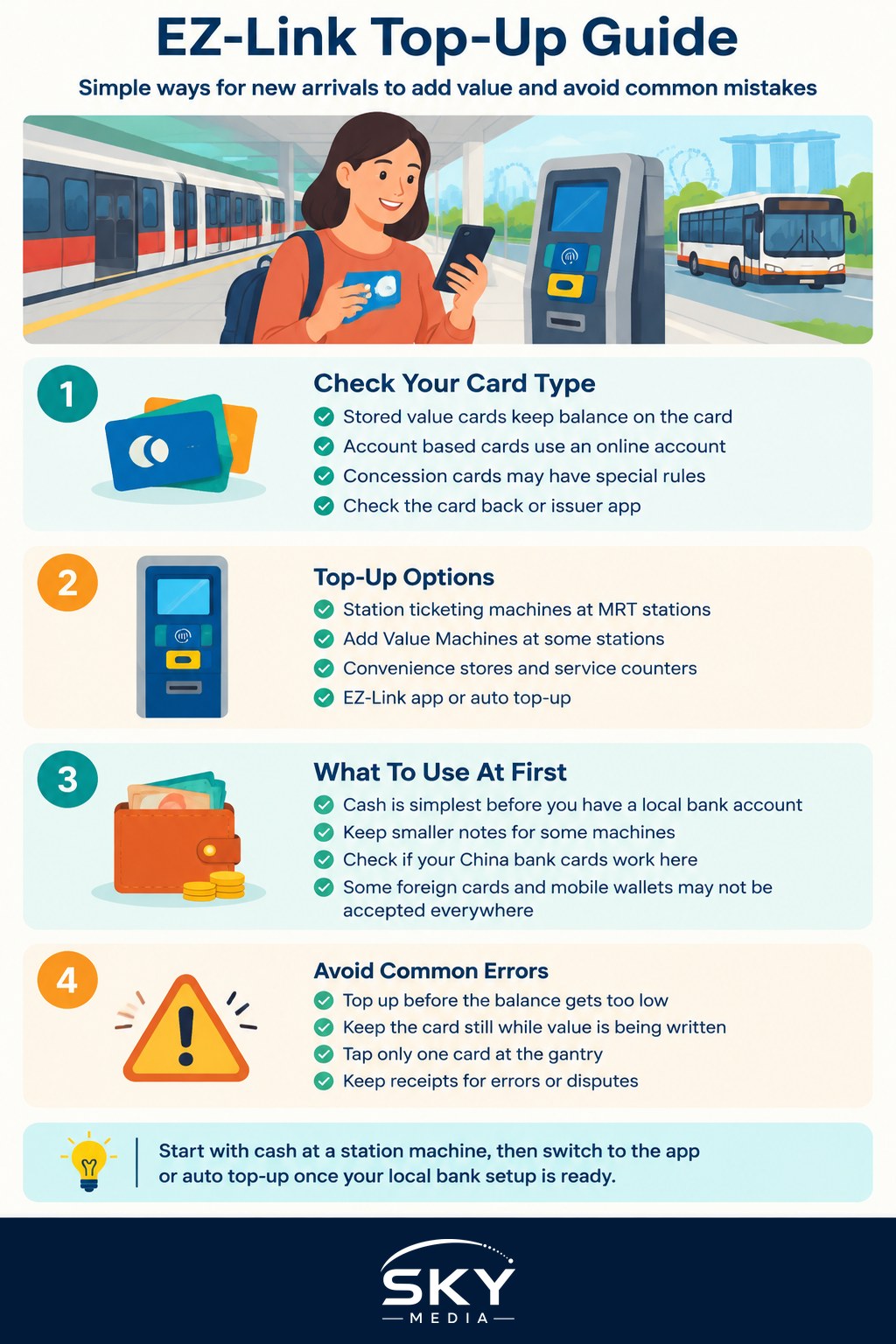
Know Which Card You Are Holding
Before you top up, check what kind of card you have, because the top-up options depend on it.
- A stored value EZ-Link card. The balance is stored on the card itself. You top up at machines or with a phone app that writes the value onto the card.
- An account based card. The balance or payment is linked to an online account rather than stored on the card, and some top-up methods for older cards may not apply.
- A concession card. Students and some other groups use concession cards with their own rules. Ask your school or check with TransitLink, the company that handles concession cards and ticketing services.
The card back and the issuer’s app usually tell you which type it is. Card types and the systems behind them have changed in recent years, so check the latest information on the Land Transport Authority (LTA), TransitLink and EZ-Link websites if you are unsure.
The Main Ways to Top Up
Most stored value EZ-Link cards can be topped up in several ways. The availability of each method and the minimum amount can change, so treat this as a general overview.
- Ticketing machines at MRT stations. Most MRT stations have machines where you place the card on the reader, choose a top-up amount and pay. Many accept cash and NETS (Singapore’s local debit card network), and some accept credit or debit cards. Follow the on screen options.
- Add Value Machines. Some stations and bus interchanges have dedicated top-up machines. They often accept NETS or local bank cards.
- Ticket offices and passenger service centres. Staff at some MRT stations and bus interchanges can help, which is useful on your first try or if your card has a problem.
- Convenience stores. Many convenience store counters can top up EZ-Link cards. Tell the cashier how much you want to add and hand over the card.
- The EZ-Link mobile app. If your phone supports NFC (the same contactless technology used for tap payments), you can hold the card to the phone and top up through the app, paying with a supported bank card.
- Auto top-up. You can link your card to a local bank account or credit card so it reloads automatically when the balance drops below a set level. You apply through the card issuer or your bank.
Comparing Top-Up Methods for Newcomers
Which method suits you depends mostly on what payment options you have in your first weeks. The table below summarises the trade-offs.
| Method | What you usually need | Good for | Watch out for |
|---|---|---|---|
| Station ticketing machine | Cash, NETS or a supported card | First week, before you have a local bank account | Machines may not accept every foreign card |
| Convenience store counter | Usually cash or local payment methods | Topping up near home or on the way to work | Counter staff may need you to wait for the card to be written |
| EZ-Link app | NFC phone and a supported bank card | Topping up at home without queuing | Moving the card during the write can cause an error |
| Auto top-up | Local bank account or credit card | Daily commuters who never want to run out | Keep track of how much is being charged |
| Staff counter | Cash or card | Card errors, refunds and first time help | Limited opening hours and not at every station |
Paying When You Do Not Have a Local Bank Card Yet
In your first days, before your bank account is open, cash is the simplest way to top up at machines and counters. Keep some smaller notes handy, as some machines do not accept large notes or give much change.
If you hold China bank cards, check whether they work in Singapore before relying on them. UnionPay acceptance varies by machine and merchant, and mobile wallets popular in China may only be accepted at some shops. Our guide to using your China bank cards in Singapore explains what generally works and what to arrange before you travel.
Once you open a local account, you get a NETS enabled debit card, which is accepted at most top-up machines and makes auto top-up possible. Many commuters also pay fares directly by tapping a contactless bank card or mobile wallet at the gantry instead of using an EZ-Link card, though whether your card works this way depends on your bank and the card network. Check the TransitLink and SimplyGo websites for the current list of accepted cards.
Common Mistakes and How to Avoid Them
New arrivals often make the same few errors. Each one is easy to avoid once you know about it.
- Letting the balance run too low. If your stored value balance is below the minimum needed, the gantry may stop you entering. Top up before you are close to zero, especially before a long bus or MRT journey.
- Removing the card too early. When a machine or the app is writing value onto the card, keep it still until you see a confirmation. Taking it away halfway can cause an error that needs staff help.
- Tapping with the wrong card. If you keep an EZ-Link card and a contactless bank card in the same phone case or wallet, the gantry may read the wrong one, or neither. Keep them apart and tap just one.
- Forgetting to tap out. On the MRT and buses, fares depend on distance. If you do not tap out, you may be charged a higher fare.
- Not keeping receipts. For card errors or disputes, a receipt or app record of the top-up makes it much easier for staff to help.
- Losing a card with a high balance. A stored value card works like cash. Avoid loading very large amounts, and if your card is linked to an account, check how to report a loss with the issuer.
Checking Your Balance and Fare History
You can see the remaining balance on the gantry screen each time you tap in or out, and on station ticketing machines. The EZ-Link app can read the balance when you hold the card to your phone, and it may show recent transactions. For account based cards, the balance and fare history are usually viewed in the related online account or app.
Checking your history every few weeks helps you spot any incorrect charges early and gives you a sense of your monthly transport spend, which is handy when budgeting in your first months.
A Simple Routine for Your First Month
- Buy or receive your card and add a modest amount in cash at a station machine.
- Install the EZ-Link app if your phone supports NFC, and check that it can read your card.
- Once your local bank account is open, add your NETS or bank card to the app or set up auto top-up.
- Check your balance weekly until you have a feel for your spending.
Once your phone and local number are set up, which our Singapore SIM card guide walks through, managing your card from the app becomes the easiest option for most newcomers.
Official sources: Land Transport Authority (LTA)