
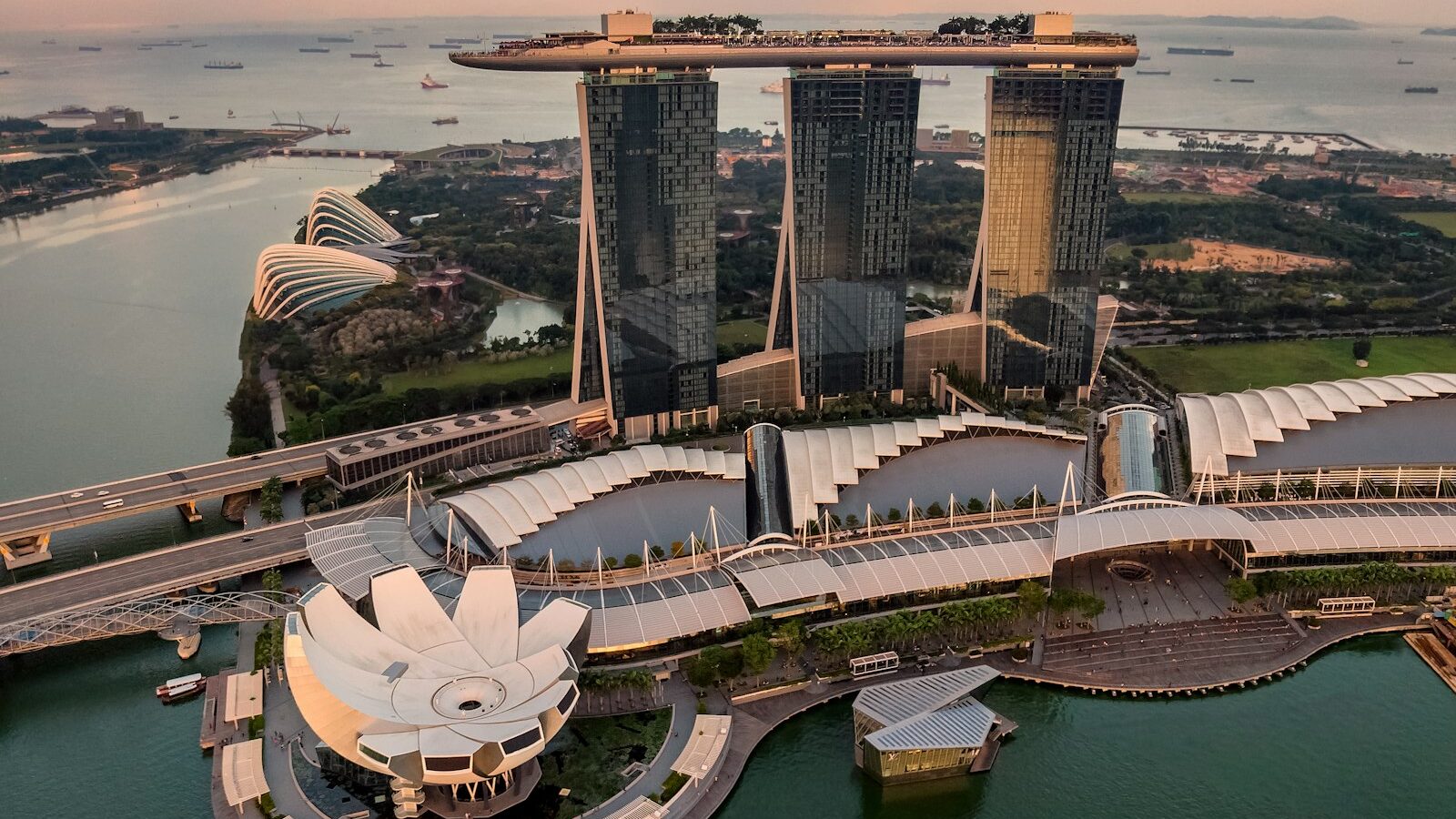
A flat, hazy white sky can drain the life out of an otherwise lovely photo, and in Singapore’s humid climate you get plenty of those days. A sky replacement swaps that dull sky for a more dramatic one, transforming a lifeless shot into something with mood and depth. Learning how to do a sky replacement in Singapore is a popular editing skill, and modern tools have made it faster than ever. It is also an edit that changes reality, so a little honesty keeps your work trustworthy.
This guide covers how sky replacement works, how to make it look believable, and the ethics of using it responsibly, including disclosure and respecting the rights of any sky images you use.

How Sky Replacement Works
At its heart, a sky replacement is a specialised photo composite. You separate the sky from the rest of your image, then drop a different sky behind your foreground. Many editors, including recent versions of popular software, now include an automatic sky replacement feature that detects the sky and blends in a new one with a few clicks.
The basic steps look like this.
- Open your photo and choose the sky replacement tool, or select the sky manually using a mask.
- Pick a replacement sky, either from a built-in library or from your own images.
- Adjust how the new sky sits, including its position, brightness, and how far its colour spills onto the foreground.
- Refine the edges, especially around trees, buildings, and hair, so the join looks natural.
If you would rather build the swap by hand for more control, the same layers and masking skills apply. Our guide on how to use layers and masks covers the technique, and how to make a photo composite explains the wider art of blending images convincingly.
Making It Look Real
Automatic tools do a lot, but a believable sky replacement still needs your eye. The most common mistakes are easy to spot once you know them.
- Mismatched light. If your foreground was shot in flat, overcast light, do not drop in a fiery golden sunset. The subject would be lit one way and the sky another, and the eye notices instantly.
- Wrong colour spill. A warm sky should cast a gentle warm glow onto the top edges of buildings and foliage. Editors let you control this, so use it.
- Hard or haloed edges. Zoom in on the boundary between your foreground and the new sky. Soften rough edges and remove any bright halo so the two elements sit together.
- Impossible weather. A crisp blue sky behind rain-soaked streets looks wrong. Match the mood to the scene.
Getting the whole image to share one consistent look is what sells the effect. Our article on understanding colour grading shows how to unify the foreground and the new sky into a single, believable palette.
Where to get your replacement skies
The most reliable source is your own camera. Whenever you see a beautiful sky over Marina Bay, a moody storm building in the distance, or a soft pastel sunset, photograph it and save it to a personal sky library. These shots match Singapore’s look and are entirely yours to use.
Editing Honestly and Respecting Rights
A sky replacement changes what the photo shows. That is completely fine for creative and commercial work, but it becomes a problem when a viewer assumes the sky is real when it is not.
Be upfront about heavy edits. For photography competitions, read the rules first, because many contests, especially in nature and documentary categories, ban sky replacements and other composites outright. For journalism or any factual reporting, do not present a replaced sky as a real record of the moment, since that misleads your audience. When it matters, a simple caption noting the image has been digitally edited protects your honesty and your reputation.
Then there is the question of rights. Every replacement sky belongs to someone. Using your own sky photos avoids the issue entirely. If you use a sky from a stock library or a built-in pack, follow its licence terms. Never pull a sky image from a random website, since that is someone else’s copyrighted work. Our guide on copyright basics for photographers explains what you may and may not use, and it is worth reading before you build a library from mixed sources.
Practising in Singapore
Sky replacement is a natural fit for local cityscape and landscape work, where a hazy white sky is such a frequent problem. Try it on a skyline shot from the Marina Bay area, or a view across a HDB estate at dusk. Shoot your foregrounds during softer light where you can, since a well-exposed foreground blends far more easily with a new sky.
Used with a light touch, sky replacement is a lovely way to give your photos the drama the weather did not provide. Build your own sky library, keep your blends believable, be honest when the edit is heavy, and respect the images you use. Open one of your flat-sky shots and try your first swap today.
Frequently Asked Questions
Is sky replacement allowed in photography contests? It depends on the contest. Many, especially nature and documentary categories, ban sky replacements and other composites outright. Read the rules first, and ask the organiser if the wording is unclear.
Can I use a sky photo I found online for replacement? Not without permission, since someone else owns it. Use your own sky photos, or follow the licence terms of a stock library or built-in pack. Avoid pulling images from random websites.
How do I build a personal library of replacement skies? Whenever you see a striking sky, such as a pastel sunset or a building storm, photograph it and save it with notes on light direction and mood. Skies you shot yourself match local conditions and avoid rights issues.
Why does my replaced sky not match the foreground? Usually the light or mood differs, for example flat overcast foreground with a fiery sunset sky. Pick a sky with similar light direction and weather, add colour spill, and soften or clean edges. Grading both layers together unifies them.
Should I tell viewers when I have replaced the sky? For creative or commercial work it is fine, but honesty protects your reputation. In journalism or factual reporting, do not present a replaced sky as real. A short caption noting digital editing is a simple safeguard.