
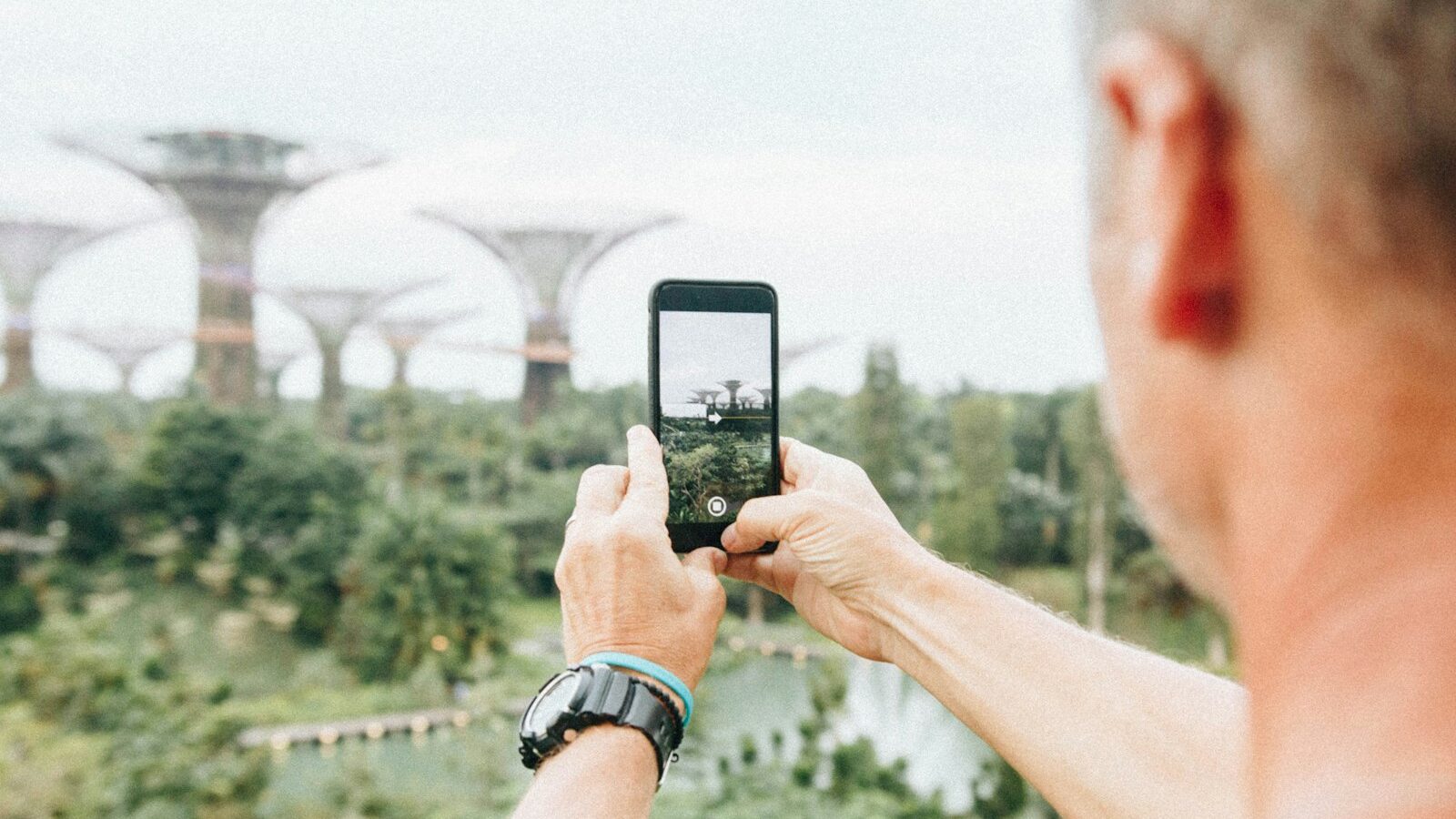
The best camera is the one you have with you, and for most of us that is the phone in our pocket. Modern smartphones shoot footage that would have cost a fortune a decade ago, yet many people never move past pointing and hoping. The truth is that a handful of small habits will lift your phone video from shaky and forgettable to clips you are proud to share. This guide keeps things plain and doable, and every idea works whether you carry the newest flagship or a trusty older handset. You will be filming better before the day is out, right here in Singapore.
Your phone already handles most of the technical thinking for you. Your job is to give it good light, hold it steady, control focus and exposure, and mind the sound. Get those right and the phone will reward you. Let us walk through it step by step.
Set Up Your Phone Before You Film
A minute of setup saves a ruined clip. Dive into your camera settings first, because the defaults are rarely ideal.
- Choose your resolution and framerate. For most beginners, 1080p at 30 fps is a reliable, storage-friendly starting point, while 4K gives extra detail if you have the space. If you want smooth slow motion, look for a 60 fps option.
- Clean the lens. Phones live in sweaty pockets and bags, and a smudged lens gives hazy, low-contrast footage. A quick wipe with a soft cloth works wonders in our humidity.
- Free up storage. Video files are large, and nothing stings like your phone stopping mid-shot. Clear space or offload old clips before an important outing.
- Turn on the grid. This overlay helps you frame with the rule of thirds and keep your horizon level, so the Marina Bay skyline does not tilt.
One more habit trumps the rest: film in landscape (sideways) for most things, since it suits screens, televisions and YouTube. Reserve vertical filming for Instagram Reels, TikTok and Stories, where the tall frame is the whole point.
Lock Focus and Exposure So Nothing Drifts
The most common phone-video wobble is not shake, it is the picture hunting for focus and pulsing brighter and darker on its own. This happens because the phone keeps refocusing and re-metering as things move. The fix is simple and available on nearly every phone.
Tap and hold on your subject on the screen until you see a lock appear, often labelled AE/AF Lock. This freezes both focus and exposure so they stop drifting mid-shot. Once locked, most phones let you slide a little sun icon up or down to brighten or darken the image to taste, which is invaluable under Singapore’s fierce midday sun.
A word on zoom: avoid pinching to zoom in with your fingers. On most phones this is a digital zoom that simply crops and enlarges, throwing away detail and adding mush. If you can, physically walk closer to your subject instead. Only phones with a dedicated telephoto lens give a genuine optical zoom worth using, and even then, moving your feet usually looks better.
Hold Steady and Move With Purpose
Shaky footage is the fastest way to make phone video look amateur. You do not need a gimbal to fix it, though one helps later. Good technique comes first.
- Grip the phone with both hands and tuck your elbows firmly against your ribs.
- Move your whole body slowly rather than swinging your arms.
- For a pan across the CBD skyline, pivot smoothly from the hips and go slower than feels natural.
- Brace against a railing, a pillar or a table whenever you can.
When you want an interview or a scenic shot to be rock steady, prop the phone against something solid or use an inexpensive mini tripod with a phone clamp. For walking shots, a handheld gimbal glides beautifully, but it is an optional upgrade rather than a must-have for a beginner. Remember that the smoothest footage often comes from a still phone where the subject provides the motion, like steam curling off a bowl of laksa.
Get the Light and Sound Right
Phones have small sensors, which means they love light and struggle in the dark. Work with that rather than against it. When filming a person, have them face a window or the open sky so the soft light falls on their face, and avoid standing them with a bright window behind them, which turns them into a silhouette. Outdoors, the harsh overhead sun of a Singapore noon creates unflattering shadows, so seek shade or film during the golden hour near sunrise and sunset for warm, gentle light.
Sound is the half of video that beginners forget, yet viewers forgive poor picture long before poor audio. Your phone’s tiny built-in mic sits far from your subject and grabs every passing bus and air-conditioner hum.
- Get close to whoever is speaking, since distance is the enemy of clean sound.
- Film away from roaring traffic, blaring fans and echoey stairwells.
- On a breezy day at East Coast Park, shield the phone from wind, which the mic renders as an ugly roar.
- Consider an affordable clip-on lapel mic that plugs into your phone, one of the best cheap upgrades you can make.
Common Phone Video Mistakes and Easy Fixes
It helps to see the usual traps beside their quick remedies, so you can catch yourself before pressing record.
| Common mistake | Why it hurts | Easy fix |
|---|---|---|
| Filming vertically for everything | Wastes the screen on TVs and YouTube | Turn the phone sideways for landscape |
| Pinch-to-zoom on the subject | Digital zoom adds mush and grain | Walk closer instead |
| Leaving focus on auto | Picture hunts and pulses mid-shot | Tap and hold to lock focus and exposure |
| Relying on the built-in mic | Distant, noisy, tinny sound | Move close or use a clip-on mic |
Start with small, repeatable practice rather than waiting for a big trip. Film a 30-second clip of your morning kopi using locked focus, steady hands and good window light, then watch it back and pick one thing to improve. Above all, be considerate. Ask before filming close candid shots of strangers, and respect posted no-filming rules in temples, mosques and private property. Master these phone video habits and the device already in your pocket will surprise you.
Explore more
Want to go further? Ground your skills with our guide to video basics for beginners, then make snappy vertical clips with how to make Reels and short videos. When you are ready to smooth out your walking shots, see how to use a gimbal and stabiliser.