
If you have just moved here, you will soon notice that Singaporeans pay a surprising number of bills without ever visiting a counter. Most of that happens on banking apps and PayNow, and many people also know the AXS stations found in housing estates. The SAM kiosk Singapore residents have used for years is a third, separate channel. SAM stands for Self-service Automated Machine, and it is run by SingPost, the national postal service.
This guide explains what SAM is, what you can typically do on it, how a transaction works from start to finish, and how it compares with the other ways to pay. Services and machine locations change over time, so treat this as an orientation and check SingPost’s own website for the current list.
What SAM Is and Where You Find It
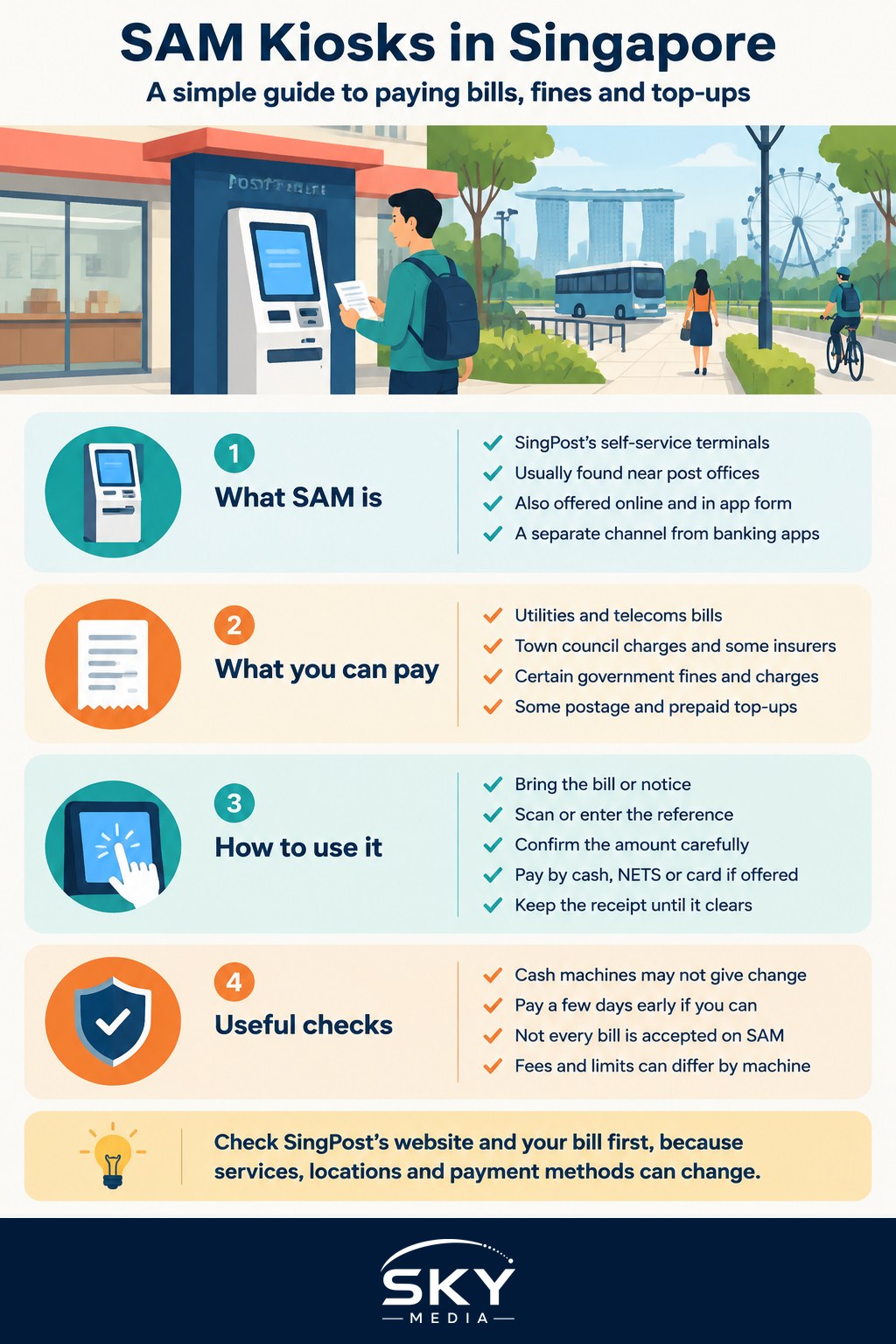
SAM is SingPost’s network of self-service terminals. The machines are usually found at or near post offices, and historically also at some MRT stations, community clubs and shopping centres. Over the years SingPost has also offered SAM services online and through an app, so “SAM” can refer to the brand of service as much as to a physical box.
The physical network has become smaller in recent years as more people pay by phone, so check the SingPost website for the nearest working machine and its current services before you travel.
Why bother with a kiosk at all when you have a banking app? A few situations come up again and again for newcomers:
- You do not yet have a local bank account or your app is not set up. In the first weeks after arrival, a kiosk that accepts cash or a card can bridge the gap.
- You prefer paying in cash. Some people, including many older residents, like to see the money leave their hand and get a printed slip.
- You need a receipt on paper. A printed record can be handy when you are new and still sorting out your filing.
What You Can Typically Do on a SAM Kiosk
The exact menu depends on SingPost’s agreements with billing organisations, and it changes. Broadly, the categories that SAM has been known for include:
- Bill payments for utilities, telecommunications, town council service and conservancy charges, and some insurers and other service providers.
- Government payments, such as certain fines and charges from public agencies, where the agency has listed SAM as a payment channel.
- Postal services, such as buying postage for letters at some machines.
- Top-ups for selected prepaid services.
The simplest way to confirm whether your bill can be paid at SAM is to look at the bill itself. Most Singapore bills list the accepted payment channels near the bottom, and you will often see SAM, AXS, internet banking and GIRO (automatic deduction from your bank account) side by side. If SAM is not listed, use another channel.
If your question is broader, such as which agency handles a particular fine or licence, our guide on how to use government e-services in Singapore explains the Singpass-based portals that sit behind many of these payments.
How a SAM Transaction Works, Step by Step
The screens differ a little between machines and app versions, but the flow is usually similar.
- Have your bill or notice ready. You will need the account number, notice number or reference shown on it. Some machines can scan a barcode on the bill, which reduces typing errors.
- Choose the category on the touchscreen. Pick bill payment, government payment, postal service or top-up, then select the organisation.
- Enter or scan the reference. Double check every digit. A wrong account number is the most common reason a payment goes to the wrong place.
- Confirm the amount. Some bills let you pay a partial or advance amount; fines usually require the exact figure.
- Pay. Machines have accepted various methods such as cash notes, NETS (Singapore’s local debit network) and in some cases credit cards. Not every method is available for every bill, and some methods may carry a fee. The screen will tell you before you commit.
- Take your receipt. Keep it until the payment shows on your account or the billing organisation confirms it. Take a photo of the slip as well, because thermal paper fades.
A few practical tips help:
- Machines generally do not give change in the way a cashier does. Read the on-screen note on cash handling before inserting notes, and bring amounts close to what you owe.
- Payments are not always instant on the receiving side. Pay a few days before the due date so a processing delay does not earn you a late charge.
- If something goes wrong, such as a card being charged with no receipt printed, note the machine’s location and the time, and contact SingPost customer service through its official website.
SAM vs AXS vs Mobile Banking: Which to Use
Each channel has a place. The table below summarises the general differences so you can pick the right one for the job.
| Channel | Best for | What to keep in mind |
|---|---|---|
| SAM (SingPost) | Paying listed bills and some fines with cash or card, often while at a post office | Fewer machines than before; check SingPost for current locations and accepted bills |
| AXS stations | Wide range of bills, government payments and fines at kiosks in many neighbourhoods | Run by a different operator; accepted payment methods and fees vary by bill |
| Banking app or PayNow | Everyday payments from your local bank account, any time | Needs a local account and app setup; check the payee and reference carefully |
| GIRO | Recurring bills such as utilities, town council charges and some taxes | Set up once and forget; takes some time to activate after you apply |
For most people who have settled in, GIRO and banking apps end up handling the bulk of bills. SAM and AXS remain useful as backups, for cash payments, and for one-off notices.
If you are trying to understand self-service kiosks more generally, including the ones used in food courts and offices, our explainer on how to select the best digital kiosk covers the wider landscape.
Tips for Newcomers and Older Family Members
Newcomers and seniors tend to be the most frequent kiosk users, so a few habits are worth building.
- Keep a simple payment log. Write down the date, bill, amount and channel. When you are new, this makes it much easier to spot a missed or duplicated payment.
- Watch out for scams. Genuine billing organisations do not ask you to pay a “fine” at a kiosk through an unsolicited phone call or text message. If you receive one, check directly with the agency through its official website before paying anything.
- Help parents with the first few transactions. If an elderly relative relies on cash, stand with them for the first couple of payments, then let them try on their own.
- Move to GIRO when ready. Once you have a local bank account, setting up GIRO for regular bills is the easiest way to avoid late charges.
For a sense of how agencies, statutory boards and public-facing services fit together, see the public service in Singapore, explained.
Fees, Limits and Changes to Check
Because SAM depends on commercial arrangements and technology that evolve, a few details are worth confirming each time rather than remembering:
- Whether your biller is still on SAM. Organisations add and drop payment channels.
- Any convenience fee. Some payment methods or bill types may carry a small charge; the machine displays it before you pay.
- Payment method limits. Cash, NETS and card acceptance can differ by machine and by bill.
- Machine availability. Some locations follow the opening hours of the building they sit in.
The authoritative source for all of the above is SingPost’s official website, along with the payment instructions printed on your bill. When in doubt, follow what the billing organisation says, since it decides which channels it accepts.
Used well, SAM is a handy fallback in your Singapore admin toolkit: a quick way to clear a bill in cash, get a paper receipt, or settle something while you are already at the post office.
Further reading: Where to Print Documents in Singapore: Libraries, Print Shops and Kiosks